How to fix
No healthy upstream error in browser, eBay, VMware
on Windows
Resolve the "No healthy upstream" error in Windows 10 or 11 quickly and effectively. Expert-tested solutions ensure a seamless browsing experience. Fixe…


What causes How to fix No healthy upstream error in browser, eBay, VMware?
- General bugs
- Bugged caches on the browser
- Server issues
- Malfunctioning applications
- Problems with upstreaming
Repairs Windows system files, removes malware, and restores a clean OS state — without reinstalling.
Hi, I've been trying to bid on eBay auctions for a while with no issues. Suddenly, I can no longer do that because the page loads the "No healthy upstream" error every time I try. I am using Google Chrome - if that has any relevance at all.
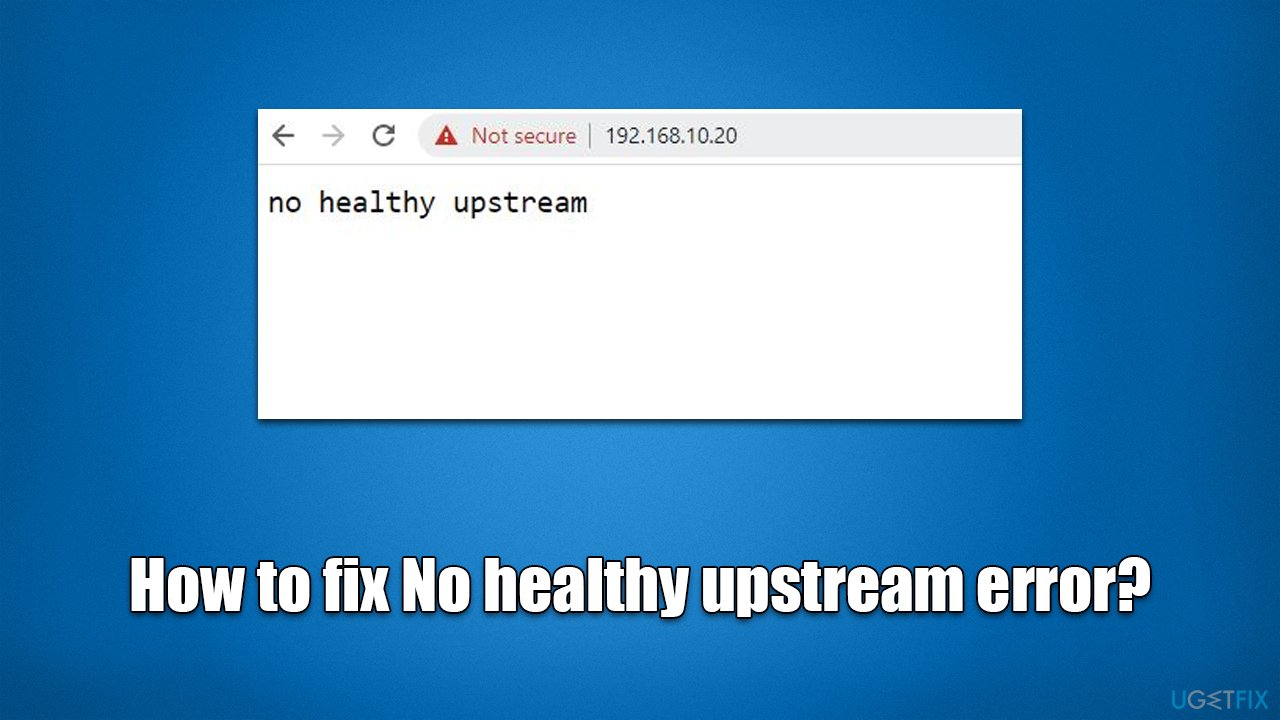
No healthy upstream error usually occurs when users are trying to reach certain services, including Netflix or eBay, via their browsers. However, the problem is also prevalent when using standalone applications such as Spotify or management software such as VMware vCenter.
It is evident that the problem is rather broad and affects multiple applications. It prevents users from, let's say, bidding at the auctions on eBay, listening to music on Spotify, or employing functions of the management software, which can be a significant issue to many. Thus, the need to fix the No healthy upstream error is quite high.
The error may seem rather strange and unrelated, although, considering that it can occur on management software, it means that it is related to server issues. In reality, upstreaming is the process of sending patches or upgraded packages to software administrators so they can be added to the source code. An unhealthy upstream means that data isn't being sent for additions to the source. As a result, the application may malfunction when trying to be used.
In most cases, the No healthy upstream error occurs due to general bugs, although bugged[ref en-1] caches[ref en-2] on the browser are also very common causes of it. Below we will provide several solutions on how to fix the error under varying circumstances.
Before you proceed with the instructions below, we highly recommend you scan your system with powerful PC repair software [d1] - it can make sure that there are no system inconsistencies, and if corruption is found, it will repair it automatically for you, resolving BSODs,[ref en-3] crashes, and other issues.
Fix No healthy upstream error on your browser
One of the most common environments for the error to arise is when users are trying to reach Netflix or another service via the Google Chrome browser. Below are a few tips on how to resolve the situation.
1. Try incognito or another browser
You should try using the incognito mode if you are trying to reach a certain service or page components break. To do so, click three vertical dots at the top-right of the browser window and select New incognito window. Then, try going to the desired website and seeing if the error is gone.
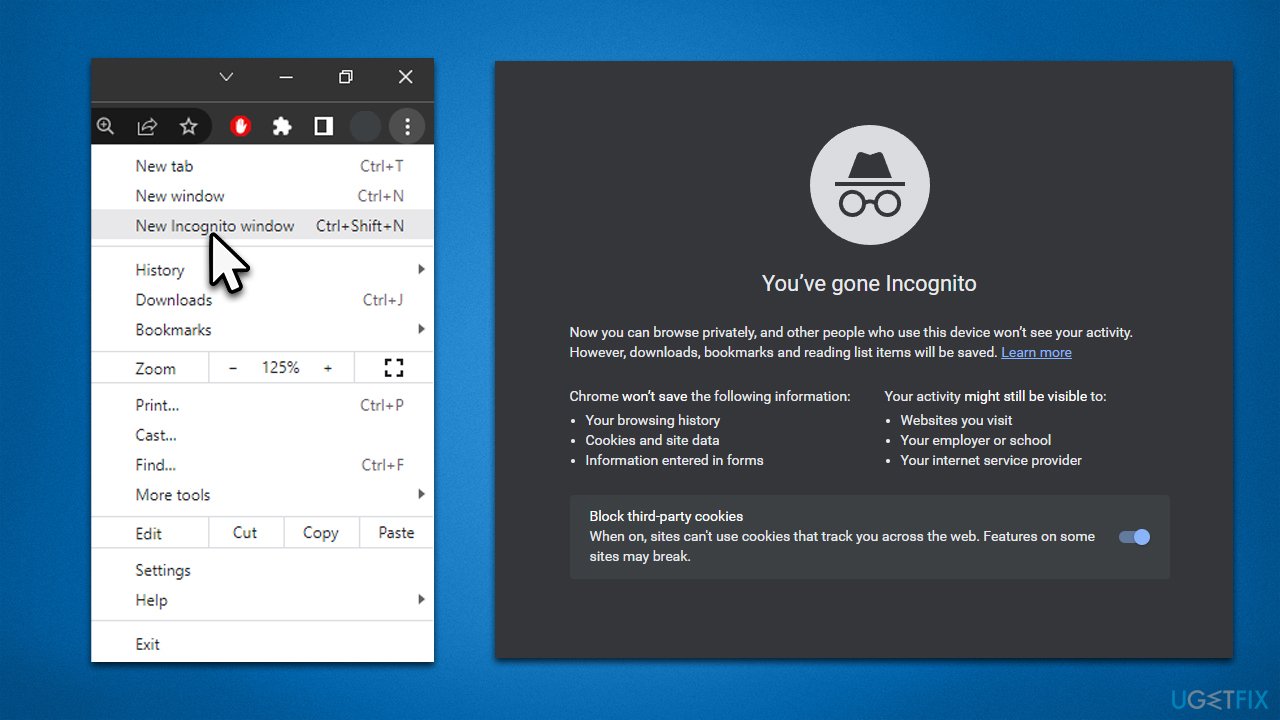
Alternatively, you could also attempt to utilize a different browser. For example, if you regularly use Google Chrome and it is coming up with this issue, you should switch to Microsoft Edge, Mozilla Firefox, or another browser of your preference.
2. Clear browser caches
As mentioned, one of the main reasons for the No healthy upstream error on the browser is general bugs. To be more precise, cached data may cause issues, hence removing it could resolve the situation. To do this, proceed as follows:
- Click on Menu and pick Settings.
- Under Privacy and security, select Clear browsing data.
- Select Cached images and files (you could also choose Browsing history, Cookies and other site data as well as if you like)
- Click Clear data.
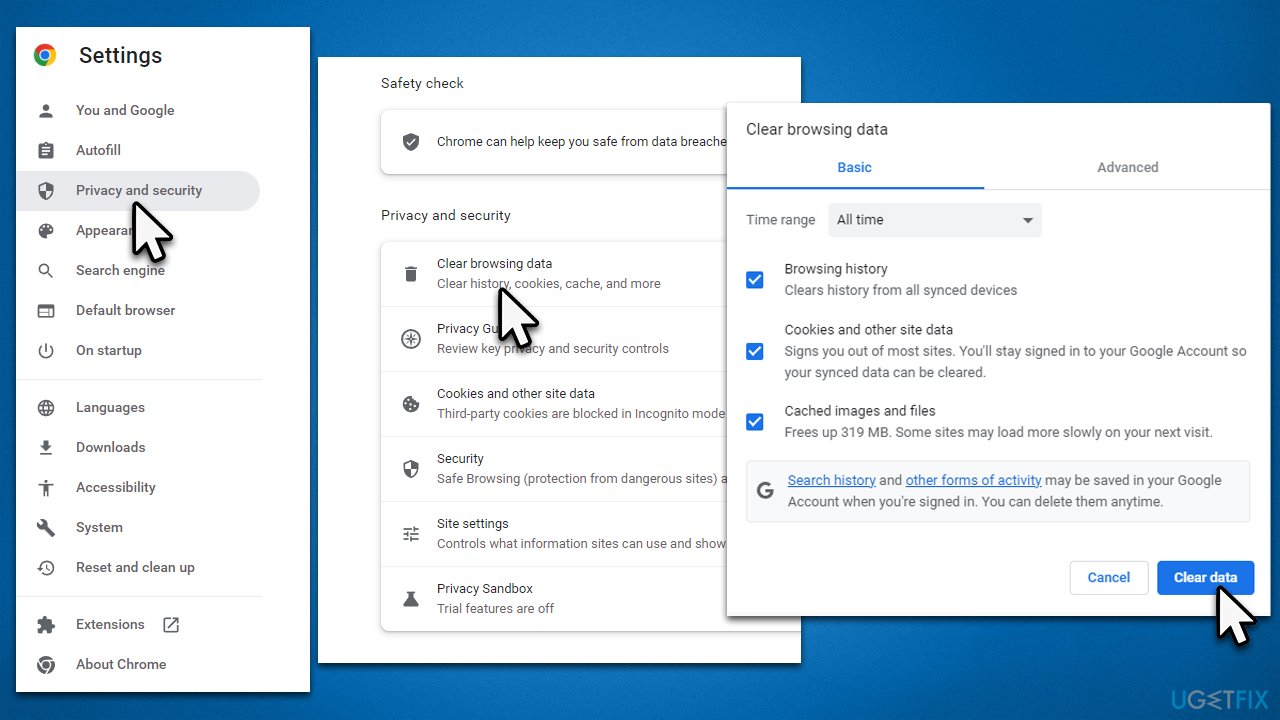
These solutions can help you fix No healthy upstream error when using Spotify, Netflix, and any other service that can be viewed via the browser. Note that eBay is an exception and is usually associated with
Fix No healthy upstream on VMware vCenter
If you are experiencing an issue with the management software, you should first try to restart its service - some users managed to fix the issue by doing so.
If that does not help, try the following solutions:
1. Change setting parameters
- Click the VM Options button
- Navigate to General options
- Choose the VMWare Photon OS option
- See if the issue is gone.
2. Check different compatibility options
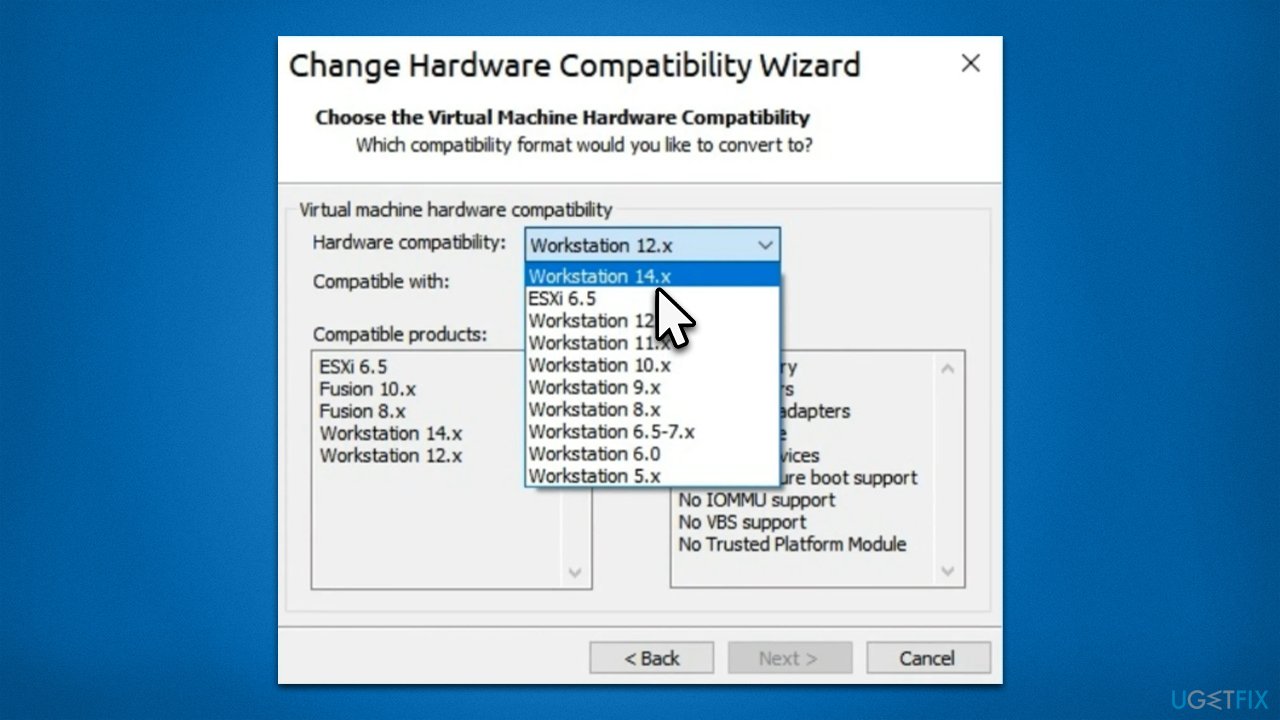
- Open Hardware Compatibility Wizard
- From the Hardware compatibility drop-down menu, select a different option, for example, Workstation 14.x
- Check if that resolved your issue.
3. Upgrade your virtual machine
Some issues with your current Virtual Machine version could be causing you to receive the No healthy upstream error. Thus, make sure you update it and see that that works for you.
Bottom line
To fix the No healthy upstream error, you can scan your system with PC repair software, clear your browser cache, and check for application updates. If these solutions do not resolve the issue, consider further troubleshooting or seeking professional assistance.
Frequently asked questions
This error typically occurs when the browser is unable to connect to the server due to network issues or misconfigurations in proxy settings. It can also happen if the website, such as eBay or VMware, is experiencing downtime.
To troubleshoot this error, start by checking your internet connection and disabling any proxy settings in the network configuration. You can also try clearing your browser's cache and cookies to resolve potential conflicts.
Yes, you can fix this by resetting your network settings and ensuring that your DNS settings are correctly configured. Additionally, try accessing eBay using a different browser to see if the issue persists.




Report an issue
What's wrong with this guide? We review every report and update or remove content.
Report received — thank you. We'll review and fix it.
You need a free account to submit a report.
Be the first to comment