How to fix
“Virus and Spyware definitions couldn’t be updated” error
on Windows
Resolve the “Virus and Spyware definitions couldn’t be updated” error on Windows 10 or 11 easily. Expert-tested solutions with screenshots for quick fixes.

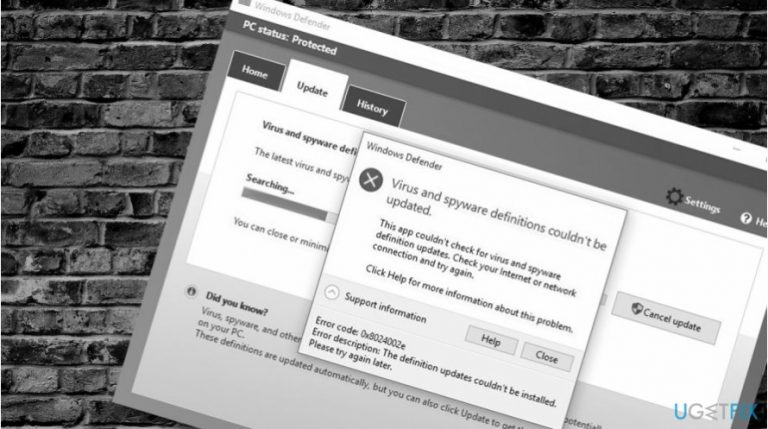
What causes How to fix “Virus and Spyware definitions couldn’t be updated” error on Windows Defender?
- Automatic system update feature failure
- Lack of latest virus and spyware definitions
- Third-party antivirus interference
- Network connection issues
- Windows Update Troubleshooter ineffectiveness
Repairs Windows system files, removes malware, and restores a clean OS state — without reinstalling.
I can’t update Windows Defender. I don’t know why this is happening, but it is showing “Virus and spyware definitions couldn't be updated” error all the time. Can anyone help me out?
Smart Windows 10 users regularly check the condition of Windows Defender. Although this version of Windows OS has an automatic system update feature, which is responsible for both installation of patch updates and security updates, sometimes it fails to work.
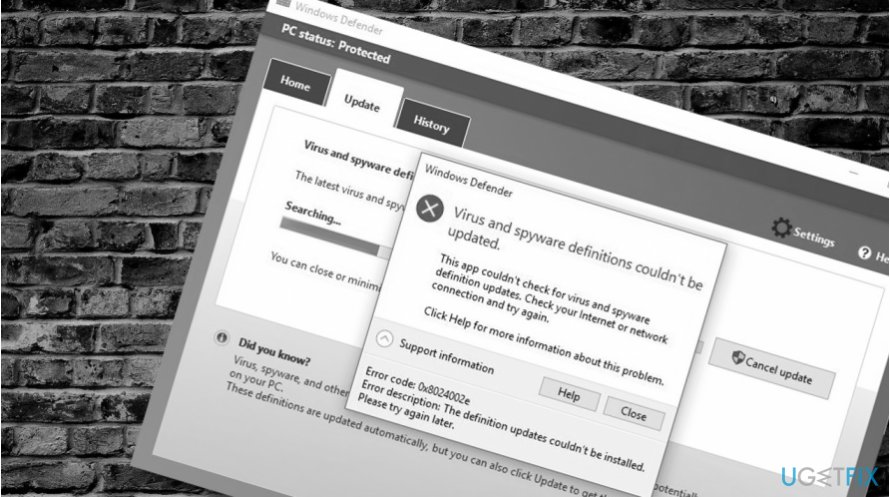
Due to this purpose, Windows Defender may lack for the latest virus and spyware definitions putting the system into a high-risk of malware attack. To prevent this from happening, security experts recommend installing Windows Defender definitions manually on a regular basis.
As we have already pointed out, Windows Defender Antivirus gets updates as part of Windows Update. Therefore, configure the settings to install Windows Updates manually and you should be OK. Additionally, you can manually download the latest definitions or pre-release definitions from this page.
However, updating Windows Defender is a complicated task, which may end up with failure. Many people reported an error, which says that “Virus and spyware definitions couldn’t be updated.” The pop-up provides the following additional information:
This application couldn’t check for virus and spyware definition updates. Check your Internet and network connection and try again.
Error Code: 0x800704e8
Error description: The definition updates couldn’t be installed. Please try again later.
“Virus and spyware definitions couldn’t be updated” error on Windows Defender can be marked with the following error codes: 0x8024402c, 0x80240022, 0x80004002, 0x80070422, 0x80072efd, 0x80070005, 0x80072f78, 0x80072ee2, 0x8007001B.
According to Windows 10 users, Windows Update Troubleshooter doesn’t help to isolate the culprit of “The definition updates couldn’t be installed. Please try again later” error. If you haven’t tried it yet, navigate to Settings -> Update & Security -> Troubleshoot -> Windows Update. If the troubleshooter did not help to fix “The definition updates couldn’t be installed. Please try again later” error for you, try the following fixes:
Fix 1. Remove third-party antivirus
If your PC has been upgraded to Windows 10 from Windows 7, it’s very likely that the culprit of the problem is third-party antivirus, such as Norton or AVG. Windows 7 tend to come with Norton antivirus preinstalled. The application is notorious in terms of removal.
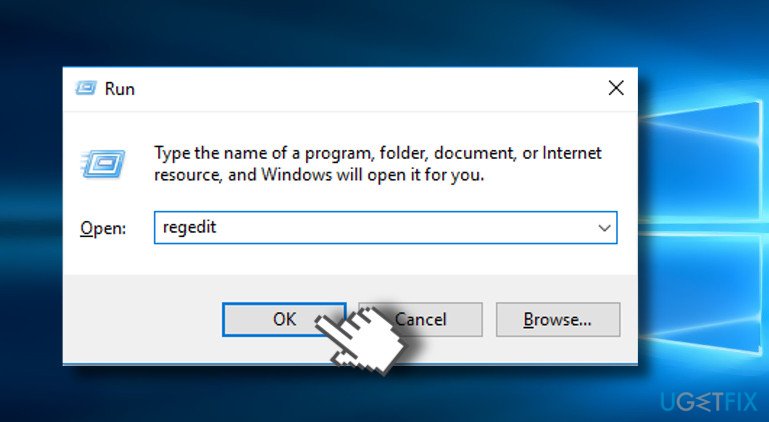
You have to options for complete third-party antivirus removal. You can either run a scan with software removal tool, such as [rev id="Perfect Uninstaller"] or open Windows Registry Editor and remove the corresponding folders and files.
To access Registry Editor, press Windows key + R, type regedit, and press Enter. Click Yes on the confirmation window to open the editor.
Fix 2. Update Windows Defender using Command Prompt
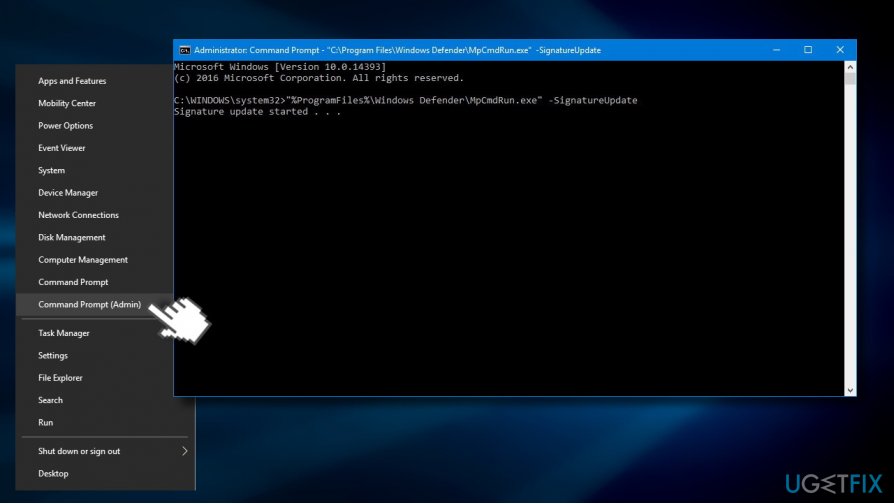
1. Right-click on Windows key and select Command Prompt (Admin).
2. Copy and paste the below given commands in the run and press Enter after each:
%PROGRAMFILES%\\Windows Defender\\MPCMDRUN.exe
%PROGRAMFILES%\\Windows Defender\\MPCMDRUN.exe
The first command removes all current Windows Defender definitions, while the next one fully updates Windows Defender antivirus.
Fix 3. Remove Windows Defender Signature File
1. Turn off Windows Defender completely.
2. Press Windows key + R, type Msiexec /x {A5CC2A09-E9D3-49EC-923D-03874BBD4C2C}, and press Enter.
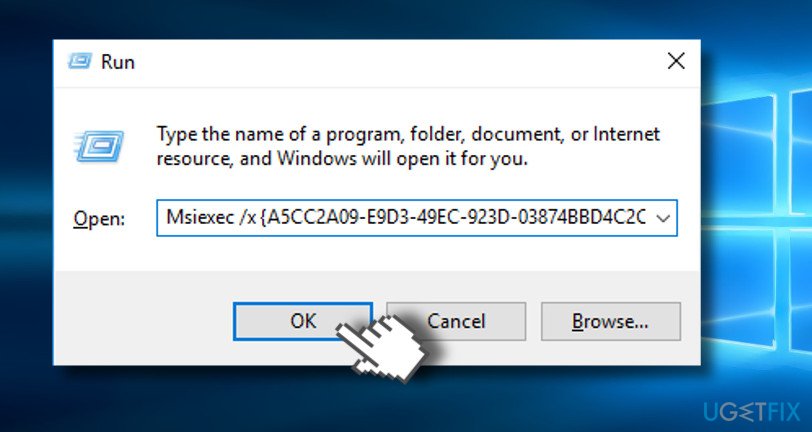
3. Once the command is executed, open Windows Defender and click Update button.
4. If the update process successfully finished, reboot the system.
Bottom line
To fix the 'Virus and spyware definitions couldn’t be updated' error, you can try removing any third-party antivirus software, ensuring your network connection is stable, and manually updating Windows Defender definitions. If these solutions do not resolve the issue, consider further troubleshooting steps or seeking additional support.
Frequently asked questions
Try running the Windows Update troubleshooter to fix any underlying issues preventing updates. Additionally, ensure that your internet connection is stable and try updating the definitions manually from the Windows Security settings.
Yes, you can resolve this error by resetting the Windows Security app and checking for any pending Windows updates that may affect Defender's functionality.
Go to Windows Security, then navigate to 'Virus & threat protection' and look for any error messages or alerts regarding definition updates.




Report an issue
What's wrong with this guide? We review every report and update or remove content.
Report received — thank you. We'll review and fix it.
You need a free account to submit a report.
Be the first to comment