How to fix
Windows 10 PC Shutdown Troubleshooting
on windows
Experiencing sudden shutdowns on your Windows 10 PC can be alarming. This guide helps diagnose and fix issues related to unexpected power loss.

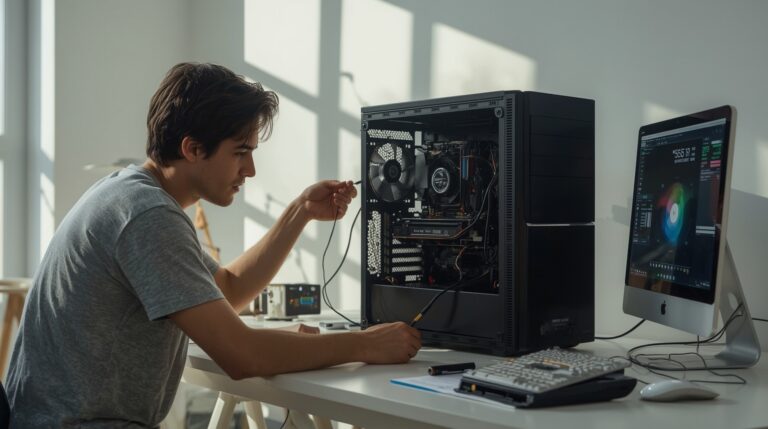
Is this your error?
Match two or more signs — you are likely dealing with Windows 10 PC Shutdown Troubleshooting.
What causes Windows 10 PC Shutdown Troubleshooting?
- Overheating of CPU or GPU
- Unstable power supply unit (PSU)
- Loose or damaged power connections
- Driver or firmware instability
- Memory or motherboard faults
Fix in 5 steps
Use a hardware monitoring tool to check temperatures and ensure proper cooling.
Ensure all major power connectors are securely attached to prevent loss of contact.
Isolate the power source to rule out PSU issues.
Ensure all drivers are up to date to prevent instability.
Check for memory faults and damaged system files that could cause shutdowns.
Repairs Windows system files, removes malware, and restores a clean OS state — without reinstalling.
My PC has switched itself off suddenly twice over the last 4 days, and there is a small click when it happens.
A sudden shutdown with a click usually points to an abrupt power loss, not a normal Windows shutdown, so the first checks should focus on power delivery and hardware stability before software. Because the system is only a few months old and the failure appears without warning, the most useful path is to narrow down whether heat, the power supply, a loose connection, or a protection circuit is cutting power.
When a Windows 10 PC turns off instantly, the screen goes black, the machine stops responding, and there is no graceful shutdown sequence. That behavior is different from a freeze, a reboot, or a blue screen. It also tends to leave fewer clues because the operating system does not get time to log a clean shutdown event. If the shutdown is tied to a click, the sound can come from a relay or protection mechanism inside the power supply or another power component reacting to a fault.
The symptom often shows up during load, but it can also appear during ordinary use if a connection is unstable. A newer build does not rule out hardware trouble. Fresh systems can still suffer from a poorly seated power cable, a failing PSU, a GPU power issue, a CPU cooling problem, or a motherboard protection trigger. Windows 10 may be running normally right up to the cutoff, which can make the failure feel software-related when the cause is actually outside the operating system.
The first cause to consider is overheating. When the CPU or GPU temperature rises too far, the system can shut itself off to protect the hardware. That protection is built into the platform below Windows, so the operating system may never show an error. A cooling issue can come from a fan that is not spinning at the right speed, a heatsink that is not seated correctly, dried thermal paste, blocked airflow, or a case layout that traps hot air near the processor or graphics card.
A second likely cause is unstable power from the power supply unit. A PSU that cannot hold voltage under transient load can trip its own protection and cut output instantly. That can happen even when the wattage rating looks generous on paper, because shutdowns are often about stability, cable integrity, and component behavior under sudden load changes rather than the printed maximum number. A click at the moment of shutdown fits that pattern because protection relays or internal cutoff circuitry can create an audible sound when they disengage.
Loose or damaged power connections can produce the same symptom. If the 24-pin motherboard connector, the EPS CPU connector, the GPU power leads, or a modular PSU cable is not fully seated, the circuit can open for a split second and force an immediate shutdown. In a new build, cable seating issues are common because a connector may look attached while a latch has not fully locked. A small movement, vibration, or a transient power spike can be enough to make the system lose power.
Driver or firmware instability can also contribute, especially when the machine only shuts off under specific workloads. A bad graphics driver, an outdated motherboard BIOS, or aggressive power management can create unstable load transitions that expose a weak hardware boundary. The operating system may appear to be the trigger because the failure happens while Windows 10 is active, but the underlying event can still be a device or firmware fault that the OS cannot control once power drops.
Memory or motherboard faults are less common, but they matter because protection logic on the board can shut the machine down when voltages, timings, or sensor readings fall outside safe limits. A defective DIMM, a shorted accessory, or a board issue can all lead to abrupt cutoffs. Unlike a software crash, these problems often leave almost no on-screen trace, and the only visible clues are the sudden blackout and the restart or dead state afterward.
Under normal conditions, Windows 10 depends on a stable hardware platform to complete a shutdown, log events, and keep sessions consistent. The operating system can request power state changes, but it cannot hold the machine on if the PSU, board, or cooling system decides to stop delivery. That is why sudden power loss deserves a hardware-first diagnostic path. A healthy software stack cannot compensate for a component that cuts power upstream of Windows.
The same principle applies to power management and thermal control on modern PCs. Windows can ask hardware to change behavior, but the firmware and components enforce hard limits. On a recent desktop build, especially one with a high-performance CPU and GPU, the power path has to absorb fast load changes without dropping out. That makes the PSU, cabling, connectors, fans, and board sensors part of the real Windows experience even though they sit beneath it.
Because the issue happens without a warning screen and with an audible click, the practical diagnosis starts by checking power, heat, and connection stability in that order. Once those points are cleared, software-level checks become more useful. Here are six solutions to fix sudden PC shutdowns on Windows 10.
Check CPU and GPU temperatures under load
Heat-related shutdowns are common because the system protects itself before damage occurs, so verifying temperature behavior is the cleanest first test.
- Open a hardware monitoring tool and watch CPU and GPU temperatures at idle.
- Run the system under normal workload and note whether temperatures climb rapidly.
- Check that every case fan spins and ramps up when the system warms.
- Inspect the CPU cooler for proper mounting and clear airflow around the heatsink.
- Remove dust from filters, vents, and fan blades.
- Test the machine again and see whether the shutdown returns during sustained load.
Reseat the motherboard, CPU, and GPU power cables
A brief loss of contact on any major power connector can cut the system off instantly, so this step targets the most common physical interruption points.
- Shut the PC down and switch off the power supply.
- Unplug the power cable from the wall outlet.
- Open the case and check the 24-pin motherboard connector.
- Check the CPU EPS connector near the top of the motherboard.
- Check every GPU power connector on the graphics card.
- Press each connector in firmly until the latch clicks into place.
- Restart the system and confirm that the cables remain secure during use.
Test the power supply with a different outlet and known-good cables
Because a PSU protection trip or unstable input can look like a silent hard cutoff, isolating the power source helps separate wall power from internal failure.
- Connect the PC directly to a different wall outlet.
- Remove any unneeded extension or power strip.
- Use a known-good power cable if one is available.
- Confirm that the PSU switch is set correctly before startup.
- Watch for the shutdown pattern while the system is under normal load.
- If possible, test with a different PSU to compare behavior.
Update the graphics and chipset drivers
Driver instability can trigger abrupt power-state changes under load, especially when the GPU or board firmware is reacting badly to transitions.
- Open Device Manager and review the installed display adapter.
- Install the latest graphics driver from the hardware vendor.
- Install the latest chipset driver for the motherboard platform.
- Restart the PC after each major driver update.
- Test the system in the same type of workload that caused the shutdown.
- Roll back the graphics driver if the problem started after a recent update.
Run Windows memory and system integrity checks
Memory faults and damaged system files can make an otherwise stable machine behave unpredictably, so this section checks the Windows layer after the hardware path looks sound.
- Press Win + R, type mdsched.exe, and restart to run the memory test.
- Open Command Prompt as administrator.
- Run sfc /scannow to check protected system files.
- Run DISM /Online /Cleanup-Image /RestoreHealth if file repair is needed.
- Restart the PC after the scans complete.
- Use the machine again and check whether the shutdown still appears.
Review Event Viewer and isolate startup conflicts
If the machine only fails in a repeatable pattern, Windows logs and a clean startup can help separate software conflicts from direct power loss.
- Open Event Viewer and inspect Windows Logs for entries around the shutdown time.
- Look for unexpected shutdown events or hardware warnings before the cutoff.
- Open Task Manager and disable unnecessary startup items.
- Perform a clean boot to reduce background interference.
- Test the system with only essential services running.
- Re-enable items one by one until the failing component becomes clear.
Šaltiniai: reddit.com, reddit.com, learn.microsoft.com, facebook.com, forums.tomshardware.com, justanswer.com
Bottom line
By following the outlined steps, you can identify the root cause of sudden shutdowns. Ensuring hardware stability is crucial for a reliable computing experience.
Frequently asked questions
Follow the troubleshooting steps outlined in this guide to identify and fix the issue.
While less common, unstable drivers or firmware can lead to abrupt power loss.




Report an issue
What's wrong with this guide? We review every report and update or remove content.
Report received — thank you. We'll review and fix it.
You need a free account to submit a report.
Be the first to comment