How to remove
Uninstall Flash
from Windows
Discover simple ways to uninstall Flash on Windows 10 or Windows 11 for a smoother experience. Expert-tested and updated for 2025.

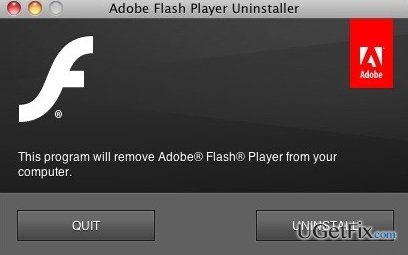
How does How to Uninstall Flash on Mac OS X end up on your PC?
- Uninstalled only the application icon, leaving the app's package installed
- Flash is not located in the Applications folder
- Main executable of Flash is unclear
- Improper uninstallation can lead to error messages
- Residual files may cause system slowdowns or crashes
Repairs Windows system files, removes malware, and restores a clean OS state — without reinstalling.
Hello. Could you please tell me why Flash is still working on my Mac. I clicked it and dragged to trash. Nevertheless, I found it running in the background, disappearing and then working again. How should I uninstall it permanently?
According to your email, it’s obvious that you have uninstalled Flash on Mac OS inappropriately. You removed the application or, in other words, icon and left the rest of the app’s package installed on the system. Therefore, if you seek to uninstall Flash once and for all, you will have to find and delete all additional files that constitute to the application.
Probably you already know what Flash is and what is it used for. If you don’t, we can recommend installing it as a tool for launching Flash apps on Mac, playing video files or games when browsing. Therefore, it’s a really handy tool. If you want to uninstall it anyway, it’s a must to do that properly. Otherwise, you may start receiving error messages related to Flash, experience system slowdowns, crashes, and similar issues.
If you have already decided to uninstall Flash on Mac OS X, you can choose between manual or automatic removal methods. If you want to find more details on how to remove Flash on Mac, read the next section carefully.
Uninstall Flash on Mac OS X automatically
Flash is the application that is not that easy to remove because it’s not clear where the main executable is installed. Unlike other apps on Mac, it can’t simply be found on the Applications folder, which is why usual removal/uninstalling method don’t help. Of course, the fastest way to uninstall Flash on Mac would be to scan the system with [rev id=”MacKeeper”] or [rev id=”MacCleanse”]. These tools are known for optimizing Mac system and removing applications on it.
Uninstall Flash on Mac OS X using Terinal
If you are interested in manual removal options, then you should start from Flash uninstalling using Terminal. For this purpose, you should:
- Type Terminal in Search and hit Enter;
- Open Terminal
- Type cd /Library/PreferencePanes/
- Type: sudo -rm Flash.prefPane
- Enter your password
- Finish the process
Uninstall Flash using Trash
According to specialists, Flash removal can also be performed using Trash. This method is probably the easiest one; therefore, don’t waste your time and try it:
- Open any folder
- Enter Adobe Flash into Search Bar (top right corner)
- Drag each related file to the Trash
- Select Empty Trash option.
In addition to that, you can also check the following locations Library/Application Support/ and /Library/Preferences/ to ensure that all related files are gone. Finally, our recommendation would be to uninstall Flash using automated tool like [rev id=”MacKeeper”] or [rev id=”MacCleanse”].
Bottom line
To uninstall Flash on Mac OS X, you can choose between manual and automatic methods. Automatic removal can be done using tools like MacKeeper or MacCleanse, while manual removal involves using Terminal commands. If these methods do not work, consider seeking further assistance or checking for additional residual files.
Frequently asked questions
Yes, you can uninstall Flash on Windows 10 or Windows 11 through the Control Panel or Settings app by navigating to 'Apps' and finding Adobe Flash Player.
If Flash is not listed, you may need to download the Adobe Flash uninstaller specifically designed for Windows 10 and Windows 11 to completely remove it.
Uninstalling Flash may affect websites that rely on Flash content, as most browsers have phased out support for Flash on Windows 10 and Windows 11.




Report an issue
What's wrong with this guide? We review every report and update or remove content.
Report received — thank you. We'll review and fix it.
You need a free account to submit a report.
Be the first to comment