How to recover
Files encrypted by Meds ransomware
from Windows
Recover your files encrypted by Meds ransomware on Windows 10 or 11 with expert-tested methods, ensuring quick restoration and zero traces left.

What leads to How to recover files encrypted by Meds ransomware?
- Meds ransomware encrypts files using the .meds file extension
- The STOP decrypter is ineffective on newer Djvu versions
- Lack of up-to-date backups on external devices
- Ransomware developers demand payment for file recovery
- Recent changes in the file encryption process make recovery tools useless
Repairs Windows system files, removes malware, and restores a clean OS state — without reinstalling.
Hello, I have been recently affected by malware. Meds ransomware encrypted my important files and now, I cannot recover them since STOP decrypter is not working for those never Djvu versions. I lack in files backed up on external devices too, not all of them are up-to-date. Are there any methods besides data backups? Help me, please!
When people encounter the cryptovirus attacks, the only question after that is how to recover files encrypted by ransomware, because this is the main symptom of the virus - encryption.[ref en-1] Meds ransomware is one of the most active right now because it belongs to a family called DJVU that recently changed the file encryption process to make the decryption tool useless on newer variants.
Unfortunately, in a few weeks, hackers released at least five new versions of the same malware. People are eager to know about other possibilities to recover files encrypted by Meds ransomware because the tool was very popular among victims online.
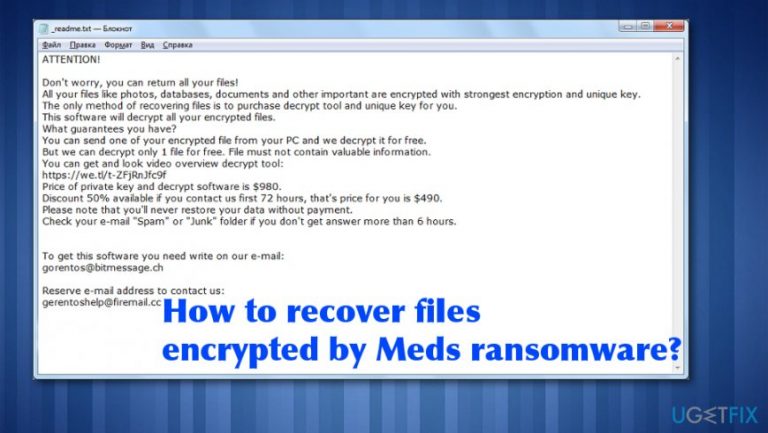
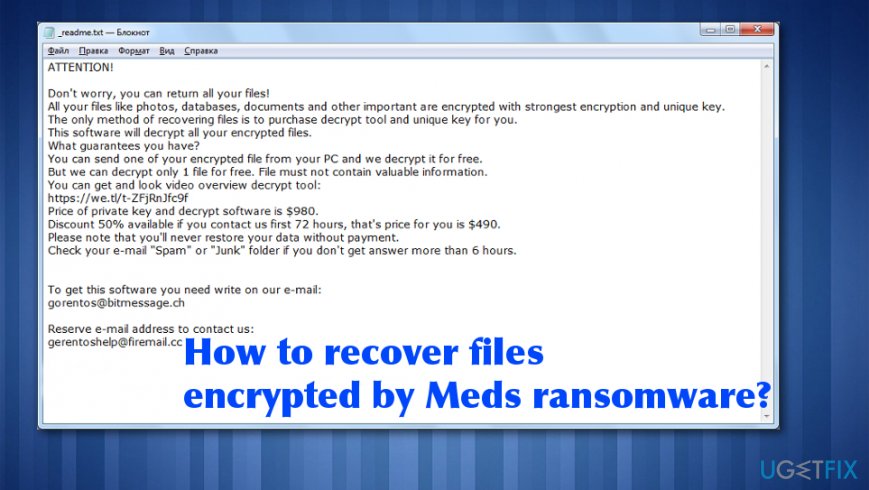
However, when it comes to this ransomware family, there is no easy way to remove the malware as well as to recover files encrypted by Meds ransomware. All the data gets marked using .meds file extension after encryption, and the needed information appears in the form of ransom note - _readme.txt file. The message itself and the name of that file remain unchanged for a while now.
Meds ransomware developers have other things to worry about so contact emails and other details are identical to all the versions since the spring of 2019.[ref en-2] This is the ransomware-type virus because developers demand payment for alleged file recovery. Do not trust them, though.
Files encrypted by Meds ransomware are not going to be recovered if you pay. It is more likely that crypto-extortionists will disappear without restoring your data after that because they need your money. Criminals like that target big businesses and other larger companies to gain more from one victim because their goal is to get money.[ref en-3]
Makes sure that the system is virus-free before you recover files encrypted by Meds ransomware
Any file recovery cannot be attempted on the infected system because ransomware can detect restored files and encrypt them too or even encode all the files once again, what makes the decryption impossible forever. For the proper ransomware elimination, we recommend professional anti-malware tools, programs that can find, detect, and delete all sorts of cyber threats. A full system scan ensures a proper Meds virus removal. Then you can check for possible traces of malware with [d1] or a similar program. This tool also repairs needed system files that get affected by the threat.
Once that is done, possible solutions for encrypted files are backups stored on an external device or system features like System Restore that allows recovering the machine in a previous state when the virus was not active. Also, researchers release decryption tools for particular ransomware threats, but criminals are smart enough to update their encryption processes and make those tools again useless. This is what happened with STOP virus decryptor.
Meds ransomware can also leave a module on the system that steals personal information from browsers and other programs or modify the particular host file to prevent browsers from opening websites and forums that help victims with such malware. This is why you should:
- after checking and cleaning the PC, when it is confirmed that there are no malware traces, you need to replace all your passwords with more complex ones (at least 10 characters, including numbers, capital letters, signs).
- you need to reset or delete the modified host file, without it, all legitimate sites will be available to you. The needed path for that is: C:\\Windows\\System32\\drivers\\etc\\
Rely on Restore feature to recover to a previous state
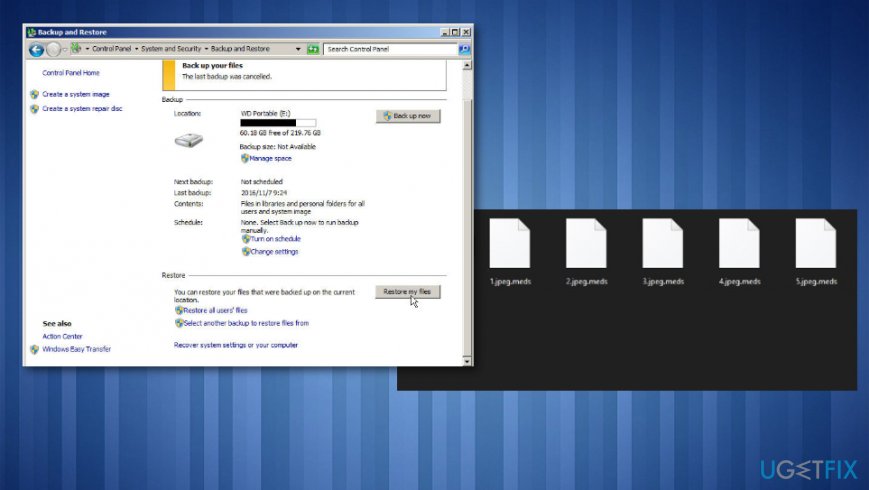
- Go to Control Panel.
- Then System and Security.
- Find Backup and Restore and click Restore my files.
How to recover meds encrypted files restore
Try Data Recovery Pro for encoded files
- Download Data Recovery Pro software and install the program.
- Choose the hard disk that you want to scan for files in need for recovery.
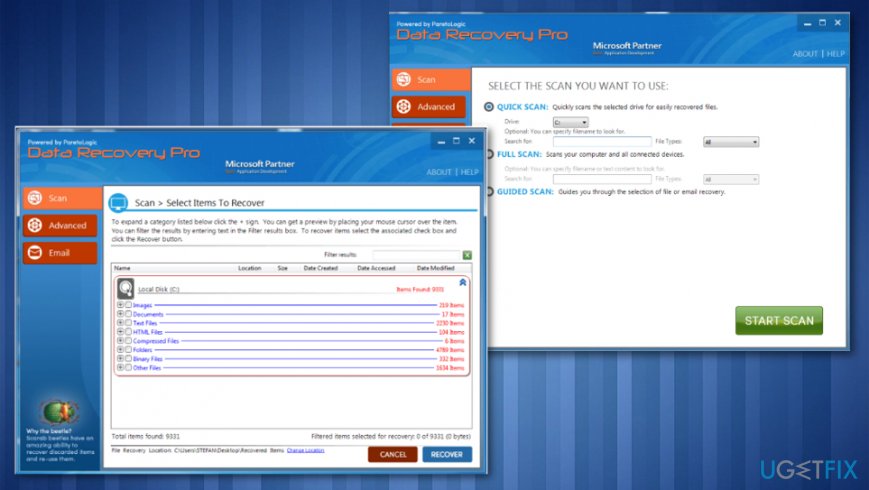
How to recover meds encrypted files data recovery pro - Start Scan.
- Recover to get your data back.
Try a security service and recover data
Security software provider offers a file recovery service for Djvu ransomware family threats. Unfortunately, this is not free and can help with specific types of data. Dr.Web decryption service can restore .pdf, .doc, .xls, .ppt and similar documents, but cannot help with audio or photo, video files. The help costs 150 euros for personal decryption and 2-year protection tool.
ShadowExplorer method fir Meds ransomware encrypted files
- Get ShadowExplorer and install the software.
- Select the particular drive where those files you want to recover are.
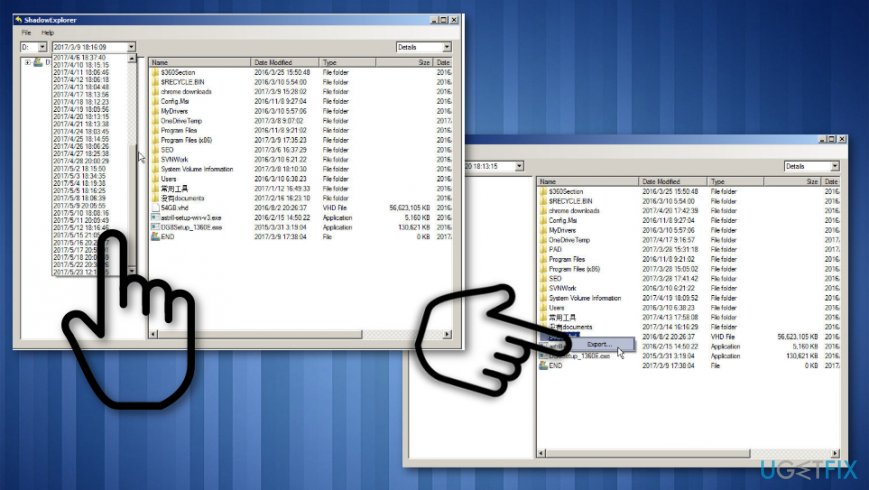
How to recover meds encrypted files shadow explorer - Choose Export and choose the location to receive the data.
- Click OK and files should be restored.
Previous versions file recovery
- Locate to the directory that stores those files.
- Righ-click the file and choose Properties.
- Click Previous Versions. The list of available files will get displayed.
- From there you can:
View: View the file directly and then save it by clicking File> Save As.
Copy: Create a copy of the file in the same directory.
Restore: This option can restore the recovered file and replace the current file.
Bottom line
Recovering files encrypted by Meds ransomware is challenging due to the nature of the encryption and the demands of the attackers. It is crucial to ensure your system is virus-free before attempting any recovery. If none of the recovery methods work, consider seeking professional data recovery services.
Frequently asked questions
Immediately disconnect your device from the internet to prevent further encryption. Then, check for any available backups before attempting recovery.
Yes, there are decryption tools available, but their effectiveness varies; check reputable cybersecurity websites for the latest options compatible with Windows 10 and Windows 11.
If you have File History or System Restore enabled on Windows 10 or Windows 11, you may be able to recover previous versions of your files.




Report an issue
What's wrong with this guide? We review every report and update or remove content.
Report received — thank you. We'll review and fix it.
You need a free account to submit a report.
Be the first to comment