How to remove
Uninstall GoodGame Studios Empire / Big Farm / Mafia
from Windows
Easily uninstall GoodGame Studios' Empire, Big Farm, or Mafia from your Windows 10/11 device. Follow our expert-tested guide for a hassle-free experience!


How does How to uninstall GoodGame Studios Empire / Big Farm / Mafia end up on your PC?
- Redirects from adware-type intruders
- Unwanted installations from freeware
- Deceptive sites leading to PUP infections
- Commercial content filling the screen
- Browser hijacking preventing access to needed material
Repairs Windows system files, removes malware, and restores a clean OS state — without reinstalling.
Hello, I have an issue with something I haven't installed myself. Or so I thought. I need to remove Big farm virus. It is a game that I noticed on the system, and other Goodgame Empire products seem to get installed without my permission. I cannot access my web browsers without encountering ads and redirects. I don't know malicious it can be if at all. Can you help me remote the program and all the other files?
What is the Goodgame Empire is the question that many people online have already asked.[ref en-1] There are many names for this situation that you explain having. First, these redirects and suspicious installations are causing frustration, especially when the browser is hijacker, commercial content fills the screen and keeps you from accessing the needed material.
The intrusive behavior has people left asking "I Goodgame empire - virus". It most likely not. However, this is a potentially unwanted program or a PUP program that is developed by an online gaming platform. In general, these redirects and unwanted installs are caused by an adware-type intruder.[ref en-2] Such threats come to devices via freeware and deceptive sites.
So if you asking How to uninstall Goodgame empire products, your device is more likely infected with the adware that needs to get removed from your machine before you can at least try to uninstall these leftover programs. This suit has many products, so we can ensure that you can uninstall GoodGame Studios Empire / Big Farm / Mafia and other products the same way.
To the question "Is Goodgame Big Farm virus" we can surely answer - no. This is no trojan horse or malware. There is nothing crucially dangerous or malicious about the online game. In most cases, you can use the platform without installing anything, but clicking on tons of Lp.bigfarm.goodgamestudios.com redirects eventually leads to PUP infections. 
How to uninstall GoodGame Studios Empire / Big Farm / Mafia
Once any suspicious program like GoodGame Studios Empire / Big Farm / Mafia gets installed browsing online becomes impossible since useful material is replaced with commercial content and pop-ups, redirects to other ad-supported sites. Make sure to stay away from these banners or pop-ups to avoid additional infiltration of useless apps and go throughout solutions for uninstallation. There are a few methods, but start with a proper system check, so you can be sure that PUPs are the only threats you have to worry about. Rely on [d1] for the first check. With this tool, you can also fix any registry entries and other affected or damaged parts of the OS.
Run the anti-malware program
To ensure that there is no particular threat like trojans or that GoodGame Studios Empire products are not disguising any malware[ref en-3] run the proper anti-malware tool and scan the system fully. This way, you can truly know that any of those programs and online games or PUPs are malicious and can damage the machine. 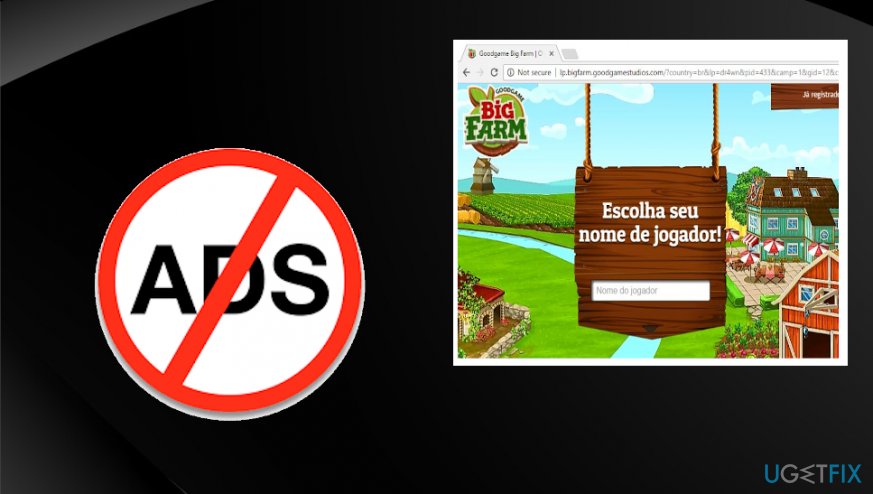
Enter the safe mode to uninstall GoodGame Studios Empire / Big Farm / Mafia
You should boot the machine into Safe Mode with Networking to reveal all the hidden files and then all the further actions can go smoothly.
- Click Windows Start button and choose Power.
- Then go to Restart and click on the Troubleshoot option.
- Then you need to expand Advanced options and click Restart under Start-up settings.
- Choose Safe mode from boot options.
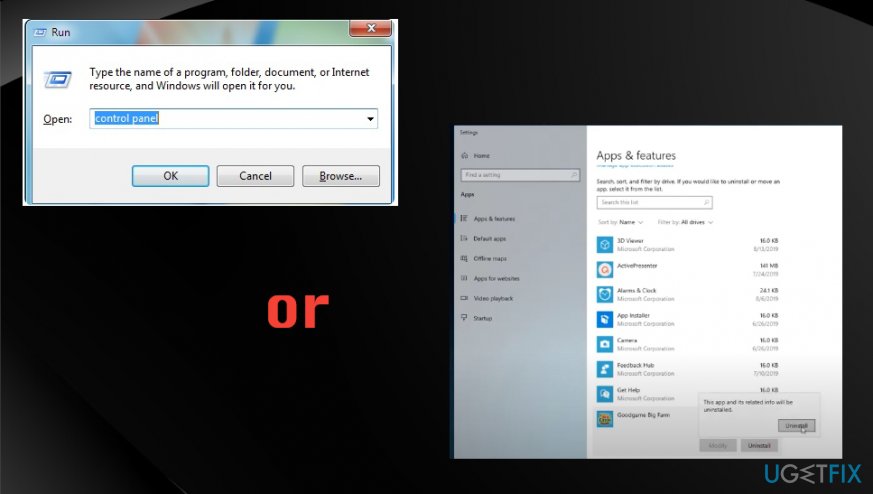
Uninstall GoodGame Studios Empire / Big Farm / Mafia via Control panel
- Go to Control Panel
- Find Programs and Uninstall a program
- Find any useless, unknown programs and Uninstall them.
How to uninstall goodgame uninstall
Uninstall program via Apps & features
- Press the Start menu and find Apps & features at the top of the menu
- Browse through the list and uninstall any GoodGame Studios Empire / Big Farm / Mafia products.
Bottom line
To uninstall GoodGame Studios Empire / Big Farm / Mafia, you need to remove the adware from your machine first. This can involve using specific removal tools and following uninstallation steps for the programs. If these methods do not work, consider seeking professional assistance.
Frequently asked questions
To uninstall GoodGame Studios Empire from Windows 10, go to Settings > Apps, find the game in the list, select it, and click 'Uninstall.' Follow the prompts to complete the removal.
Yes, you can remove Big Farm from Windows 11 by opening Control Panel, navigating to 'Programs and Features,' selecting Big Farm, and clicking 'Uninstall.'
If Mafia doesn't uninstall properly on Windows, try using a third-party uninstaller to remove leftover files or check for any running processes related to the game before attempting the uninstall again.




Report an issue
What's wrong with this guide? We review every report and update or remove content.
Report received — thank you. We'll review and fix it.
You need a free account to submit a report.
Be the first to comment