How to remove
Pidage.dll File
from Windows
Easily remove the Pidage.dll file from your Windows 10 or Windows 11 system. Follow our expert-tested guide and fix it in minutes!

How does How to Remove Pidage.dll File end up on your PC?
- Browser hijacker infection
- Presence of amisites.com
- Malware associated with pidage.dll
- Use of potentially unwanted programs (PUP)
- Tracking cookies collecting personal information
Repairs Windows system files, removes malware, and restores a clean OS state — without reinstalling.
Hello. I have noticed that my web browser is constantly redirecting me to amisites.com. This page was set as my start page and search engine unexpectedly, so I immediately understood it's a browser hijacker. Then I ran a scan with my anti-malware, which showed the amisites malware. I’m using a trial version of the anti-virus, so it only showed me the malware but did not remove it. So I removed it manually, but cannot delete the pidage.dll file, which is located in Phezrypadush (very suspicious name) folder. How can I delete the pidage.dll file? Thanks!
Pidage.dll is the system file, which belongs to the Amisites software. Unfortunately, finding this .dll on your system indicates the fact that it’s polluted by malware.[ref en-1] Computer security experts are warning that the Amisites search engine conforms to the potentially unwanted program (PUP) and Browser Hijacker categories. The news about an irritating browser hijacker, namely amisites.com or Amisites Search, attacks were spread at the end of 2016, but PUP is still appearing on users' devices to this day.
Initially, this search engine does not stand out from the others in a negative way. It contains a simple search bar and search-by-category list at the top of the page. However, people soon noticed that it displays more pop-up ads than the previous search that they used to use. Besides, if we would compare the search results of amisites.com with google.com or another reliable search, the difference would be clear as the first one displays alleged search results, which list sponsored links in priority.
While browser hijackers in general, are not malevolent, they aim at generating profit and web traffic plunder.[ref en-2] However, security experts also warn that amsited.com virus can initiate web browser redirects to untrustworthy websites the content of which is not monitored. Consequently, such pages can be easily exploited and infected with malware/virus.
How to uninstall pidage.dll file
As we understood from your question, the pidage.dll file was not the first alarming sign about malware infection that you have noticed. The only way to spot this suspicious file is to open the C:\\Users\\[pc name]\\AppData\\Roaming\\Phezrypadush location and carefully check its content. Several people reported that they cannot delete pidage.dll and remove amisited.com search engine from the web browser because they receive an error message saying “pidage.dll file is in use.
The action can't be completed because the file is open in Windows Explorer.” This problem may occur if you are trying to remove pidage.dll error manually. The amisites software may be using this file as a browser helper object (BHO),[ref en-3] which protects the malware from removal or even reinstall it after removal. That’s why it’s important to uninstall this browser hijacker along with pidage.dll and other components. Therefore, we would highly recommend you to remove pidage.dll and the whole package of shady files and apps by using a professional system software utility, such as [d1].
Run a scan with a professional anti-malware
Amisites is an irritating piece of malware, which may initiate various suspicious activities to ensure its presence on the target computer. It may be using a browser helper object disguised under the pidage.dll name or other doubtful files, which can’t be left on the system under any circumstances.
If you opt for trying manual removal steps, here’s what you have to do:
- Open Start > Control Panel > Programs and Features > Add/Remove Programs (Windows 7, XP).
Right-click on Win key > select Control Panel > Uninstall a Program (Windows 8, 10). - Carefully check what programs have been recently installed. Look for the ones related to Amisites and the ones installed on the same day. The best way to do that is to sort the programs by date. Select unknown programs and click Uninstall.
- To confirm the removal, click OK/Uninstall.
- If you are not allowed to remove the program manually due to pidage.dll, you may try to disable it by using rkill utility.
Unregister DLL files to remove pidage.dll
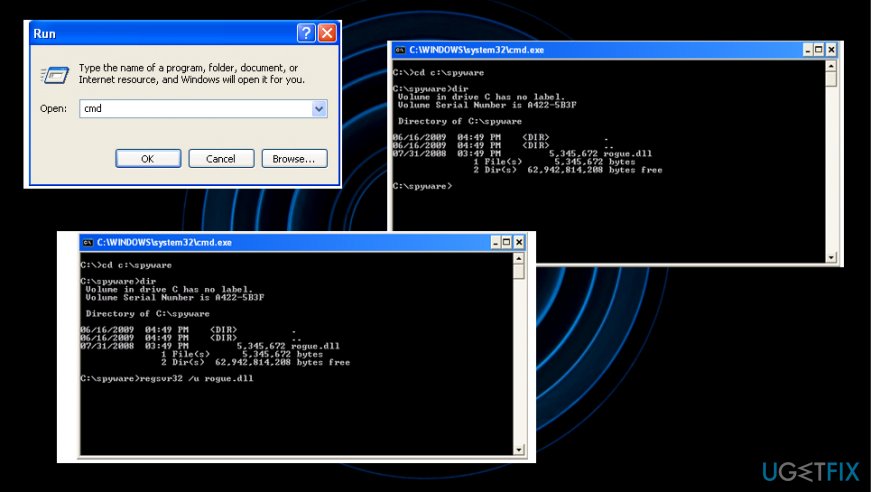
- Open the Command and Prompt via Run window or Start button.
- Type the CD and change the directory.
How remove pidage dll cmd - Press the space button.
- Enter the location of the pidage.dll file and press Enter.
- Then type regsvr32 /u [name_of_DLL]
- Press Enter to successfully unregister the DLL.
Reset your web browsers
Google Chrome
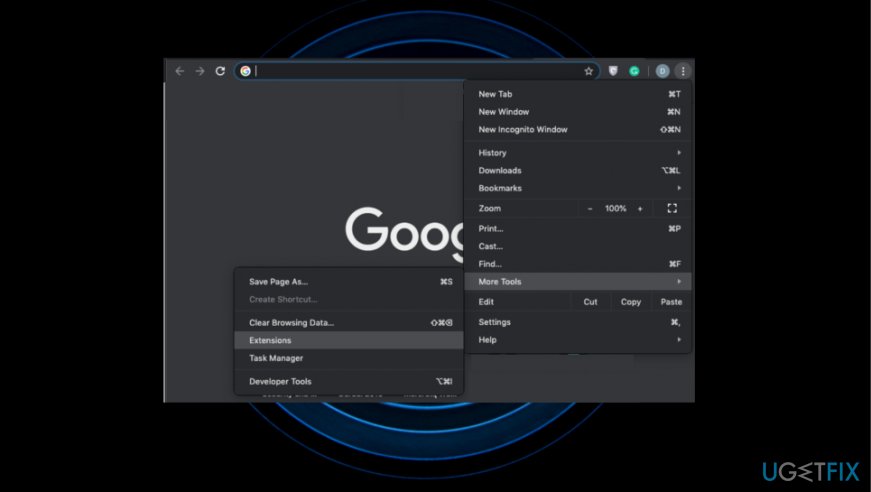
- Open Google Chrome and then look for a Menu button (three bars located in the top right corner). Click it, select Tools on a drop-down menu and click Extensions.
- Locate suspicious browser extensions and click on the trash icon placed next to them. Confirm the removal by clicking Remove.
How remove pidage dll reset - Click Menu button again and select Settings.
- Scroll down and find Show advanced settings option.
- Open Advanced settings and find Reset settings button. Read all information provided on the notification and, if you agree with all conditions, click Reset.
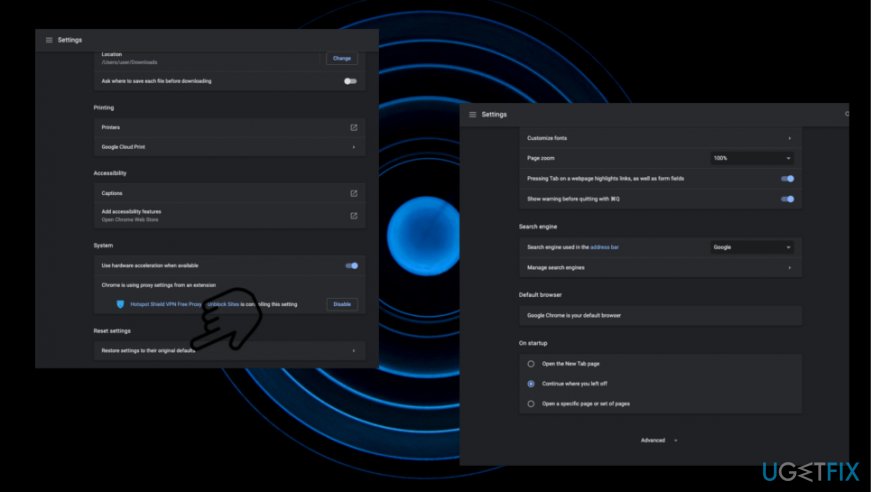
How remove pidage dll resetting chrome
Bottom line
To remove the pidage.dll file, you may need to manually delete it from the suspicious Phezrypadush folder or use a reliable anti-malware tool. If these methods do not work, consider seeking professional assistance or using a more comprehensive antivirus solution.
Frequently asked questions
Pidage.dll is often associated with adware or malware, which can negatively affect your computer's performance and security. Removing it can help restore your system's integrity.
You can remove the Pidage.dll file by using the Task Manager to end its process, followed by uninstalling any related programs from the Control Panel or Settings app.
Yes, using reputable antivirus or anti-malware software like Malwarebytes can effectively detect and remove Pidage.dll and any associated threats from your system.




Report an issue
What's wrong with this guide? We review every report and update or remove content.
Report received — thank you. We'll review and fix it.
You need a free account to submit a report.
Be the first to comment