How to remove
Delete Badoo Profile
from Windows
Easily delete your Badoo profile on Windows 10 or 11 with our expert-tested guide. Say goodbye to unwanted accounts in minutes!

How does How to Delete Badoo Profile end up on your PC?
- Difficult site navigation
- Developer tricks to prevent account deletion
- Presence of fake profiles
- Recent data breach affecting user accounts
- User disapproval of the site's design
Repairs Windows system files, removes malware, and restores a clean OS state — without reinstalling.
Hello. I have created a profile on Badoo which I wish to remove. I already found a friend in real life and no longer need that profile. By the way, it seems too complicated to navigate through.
Yesterday I tried to remove the app, but apparently it's not going to be easy. Could you please provide Badoo removal instructions? Thanks in advance!
Badoo is a dating-focused social platform founded in 2006. In more than ten years, this site has now approximately 370[ref en-1] million users in 190 countries who speak 47 languages. The app is available for free on iOS, Android, and web, but devoted users can purchase premium service to make the profile more prominent.
Despite being a popular dating site, Baboo removal is a second automatic search query that Google search delivers when typing in Badoo name. While some people remove Badoo account because a partner requires for that, the others disapprove of difficult site's design and general interface. Besides, it has been noticed that there are thousands of fake profiles.[ref en-2] According to cyber security experts, some of them may be used by frauds to collect people's phone numbers or other personal information that Badoo users may include in their accounts. Lately, one of the reasons why users have been massively ditching the dating-focused social network because of a recent data breach[ref en-3] that reportedly victimized over 127 million accounts.

Unfortunately, but deleting Badoo account can seem tricky because of difficult site navigation and developer's tricks to prevent the user from removing the account. When trying to remove a test account on Badoo, we noticed that website continuously urges to change one's mind and remain a user of the dating network. However, we found a way to delete the Badoo account quickly. You can find a full removal tutorial down below.
A guide on how to remove Badoo profile
IMPORTANT: Badoo dating site is not associated with BADOO HACK TOOL.EXE file. Security experts warn that hackers may use the name of Badoo for spreading malware.[ref en-4] Therefore, do not install the files related to this software network because you may end up with malware. In case you detected such file running on your PC, we would recommend scanning the system with [d1].
Those who cannot find a way to eliminate Badoo profile should follow these steps:
- Launch your web browser and open Badoo homepage.
- Now enter your login and password to access your profile.
- On the Encounters page, you will see your profile name. Click on it. This will take you to your profile page.
- On the upper right corner of the page, you should see a round button with a gear icon on it. Click it to access Settings.
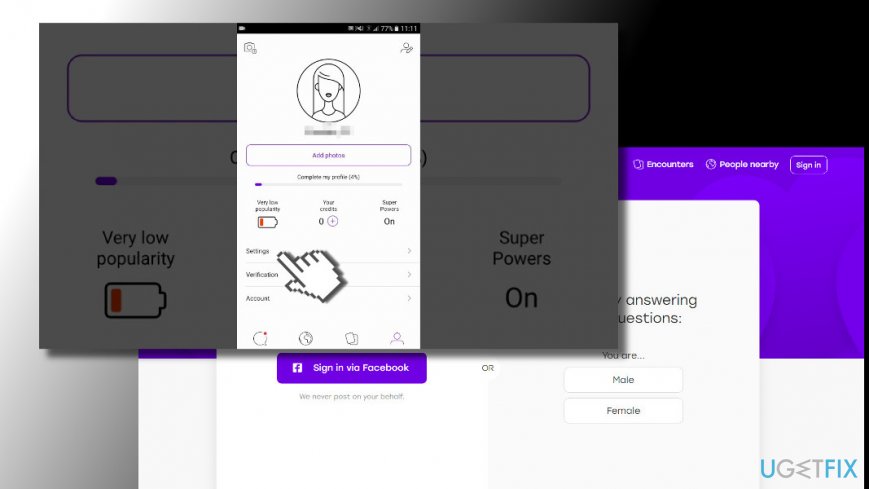
Open settings - Scroll down the page until you find Delete My Account button.
- Once a pop-up “Are you sure you want to delete your account?” appears, choose Delete your account option.
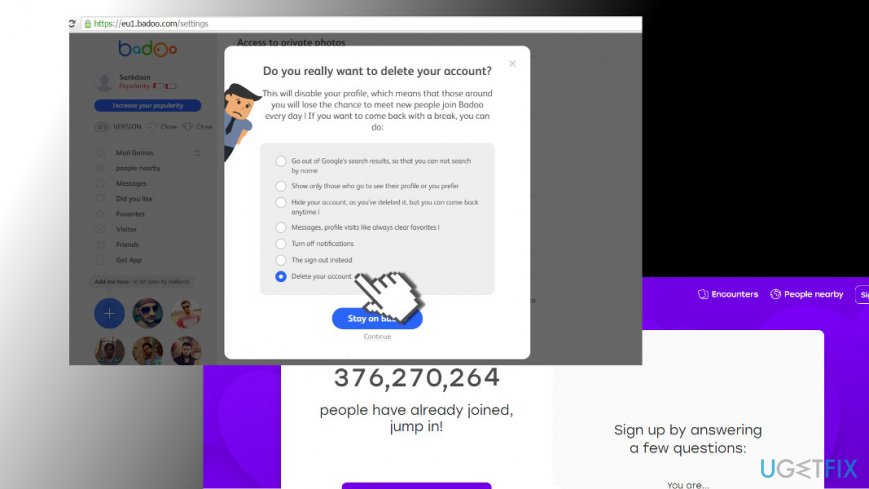
Delete account - Now click the small Continue button below Stay on Badoo option.
- Badoo might offer you free bonuses if you decide to stay. If you want to continue, click Delete your account anyway.
- Then Badoo will ask you why did you decide to delete the account. Choose whichever option you prefer and click Continue.
- To finalize Badoo removal procedure, enter your password and symbols shown for you. Click Delete your account one more time.
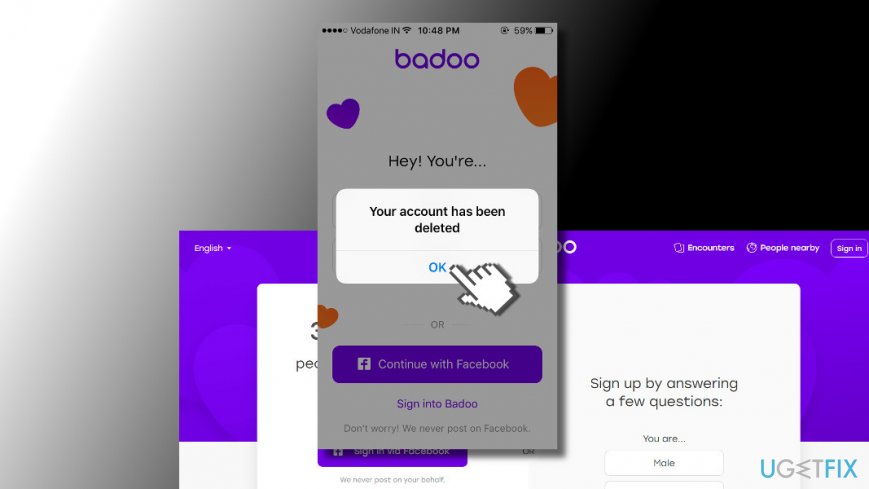
Accound deleted
This will disable your Badoo account for 30 days. You will receive an email with a link to your account, so if you would like to keep using it, all you have to do is to click on that link and sign in to your account. If you won't log into the account within 30 days, it will be removed permanently.
Bottom line
To delete your Badoo profile, follow the provided removal tutorial that addresses the complicated process. If you encounter issues, ensure you are not misled by prompts urging you to stay. If none of the solutions work, consider reaching out to Badoo support for assistance.
Frequently asked questions
To delete your Badoo profile, log in to your account on the web browser and navigate to the settings menu, then select 'Delete Account' and follow the prompts.
If you can't find the delete option, ensure you are using the latest version of your web browser on Windows 10 or Windows 11, or try accessing Badoo from a different browser.
Yes, deleting your Badoo profile will remove your account and associated data from Badoo's servers, but make sure to clear your browser cache on Windows for complete privacy.




Report an issue
What's wrong with this guide? We review every report and update or remove content.
Report received — thank you. We'll review and fix it.
You need a free account to submit a report.
Be the first to comment