How to recover
Files encrypted by Mole02 ransomware
from Windows
Recover your files encrypted by Mole02 ransomware on Windows 10 and 11 effortlessly. Proven methods, expert-tested solutions, fixed in minutes.

What leads to How to recover files encrypted by Mole02 ransomware?
- Accidental installation of a malicious executable file
- Distribution via spam emails
- Fake downloads
- Exploitation of vulnerabilities through exploit kits
- Modification of Registry entries by the ransomware
Repairs Windows system files, removes malware, and restores a clean OS state — without reinstalling.
Hello, all. A couple of hours ago I’ve accidentally agreed with an installation of a doubtful exe file, which then appeared to be an executable of the Mole02 ransomware. Now all my files are encrypted and have a .MOLE02 file extension. Although I have loads of photos and documents that I don’t want to lose, I’m not planning to pay the ransom… Is there a way to decrypt at least a part of the files?
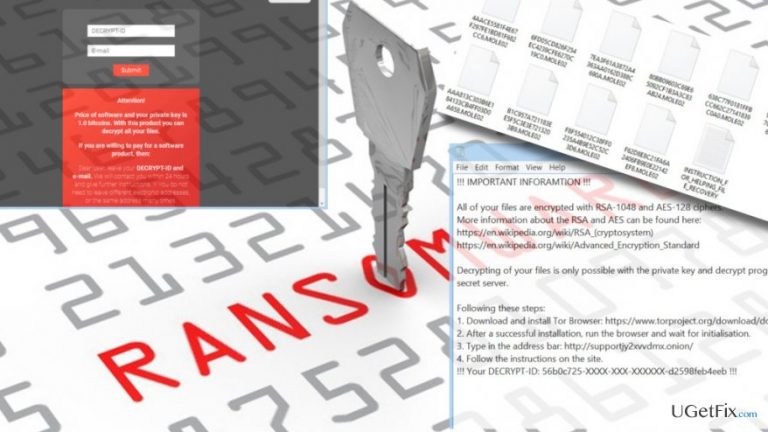
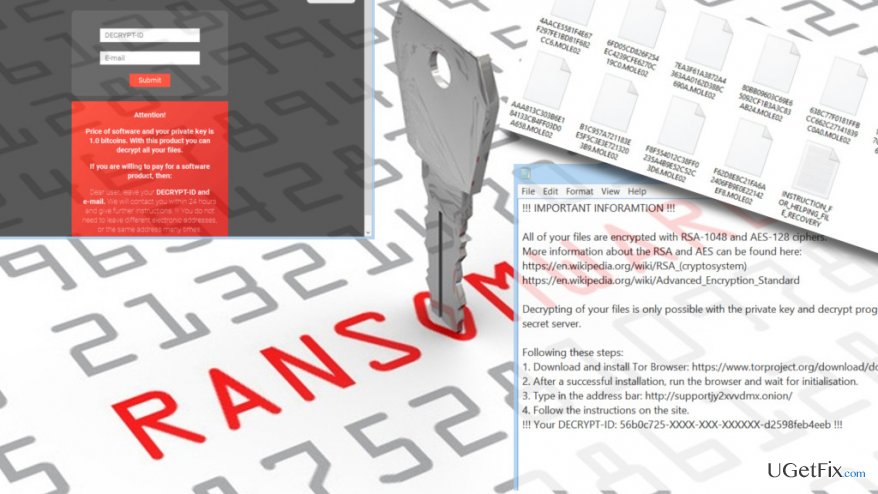
Mole02 is a ransomware virus, which is distributed via spam emails, fake downloads, exploit kits, and other typical means that malware developers exploit. It is the newest member of the CryptoMix family, which currently stands ahead of the Revenge and Mole ransomware viruses. The virus is executed when the PC’s owner clicks on the Mole02.exe file. Then the virus roots deeply into the operating system by installing malicious files, modifying Registry entries, corrupts legitimate system’s processes, and initiates other significant changes. Once the infiltration procedure is finished, the Mole02 virus encrypts personal files using RSA-2048 and AES-128 encryption algorithm and drops a ransom note in the _HELP_INSTRUCTION.TXT file. Consequently, all personal files get the .MOLE02 file extension, which is why the PC’s owner cannot open any of them.
Luckily, there are at least two ways to recover files encrypted by Mole02 ransomware. First of all, you can always use file backups if, of course, you have created them some time ago. If, however, you haven’t prepared backups, try using Mole02 CryptoMix decryptor. If, however, the tool fails to decrypt your files, try using Volume Shadow Copies or run a scan with Data Recovery Pro.
IMPORTANT: before trying any method to recover files encrypted by Mole02, don’t forget to remove the ransomware completely. For this purpose, boot your PC into Safe Mode and run a full scan with a professional anti-malware. You may use [d1].
Method 1. Use file backups
If you have created backups for the most important files using cloud storage or an external drive, make sure to remove the Mole02 virus and then recover the files using your backups.
Method 2. Use the Mole02 CryptoMix decryptor
- Download the Mole02 CryptoMix decryptor by clicking on this link.
- Extract it using the password falsepositive.
- Now execute the utility and let it run.
- When the scan process is finished, the decryptor should automatically close and all the encrypted files should now have an encrypted copy.
Method 3. Use Data Recovery Pro
- Install [rev id=”Data Recovery Pro”].
- Launch it and scan the system to detect files that can be recovered.
- Restore them.
Bottom line
To recover files encrypted by Mole02 ransomware, you can use file backups if available, or try the Mole02 CryptoMix decryptor. If these methods fail, consider using Volume Shadow Copies or running a scan with Data Recovery Pro. If none of these solutions work, further assistance may be required.
Frequently asked questions
Disconnect your device from the internet to prevent further damage, then run a reputable antivirus or anti-malware program to remove the ransomware from your system.
You can try using file recovery software or restoring your system to a previous point if you have backups available; however, success is not guaranteed.
Currently, there are no publicly available decryption tools for Mole02 ransomware, so your best bet is to focus on recovering files from backups or seeking professional help.




Report an issue
What's wrong with this guide? We review every report and update or remove content.
Report received — thank you. We'll review and fix it.
You need a free account to submit a report.
Be the first to comment