How to recover
Files Encrypted by Arena Ransomware
from Windows
Recover lost files encrypted by Arena Ransomware on Windows 10 and 11 effortlessly. Trusted methods and expert-tested solutions await you.

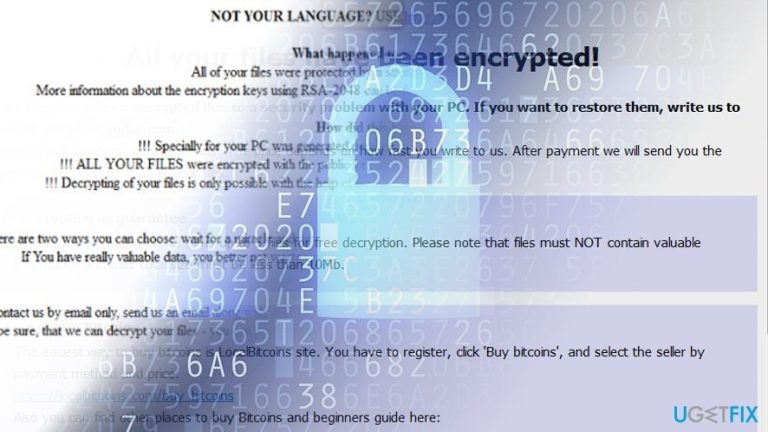
What leads to How to Recover Files Encrypted by Arena Ransomware?
- Files have .arena file extensions indicating ransomware infection
- CryptoMix Arena or Dharma variant may have encrypted files
- Original file names changed to numeric codes
- Dharma Arena version deletes volume shadow copies
- Ransomware operates successfully offline
Repairs Windows system files, removes malware, and restores a clean OS state — without reinstalling.
I got infected with a strange virus, most likely ransomware. All my files now have .arena file extensions. Any ideas how to get access to the data and delete this virus? Thanks in advance.
Files with .arena extension may indicate that either of the new versions of CryptoMix, which is called CryproMix Arena, or Dharma variant, which tends to append the same extension, has occupied the PC.
Though both of them are ransomware viruses, the removal and data recovery procedures slightly differ. First, you need to identify which crypto-malware[ref en-1] you are dealing with.
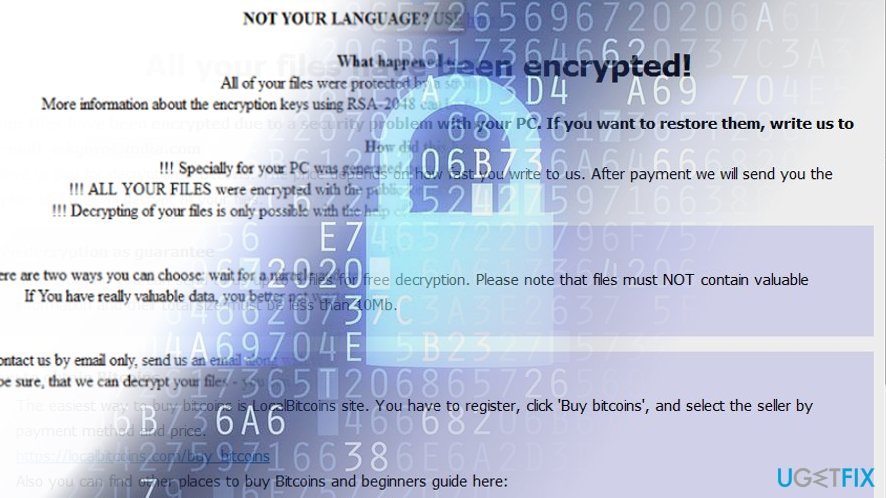
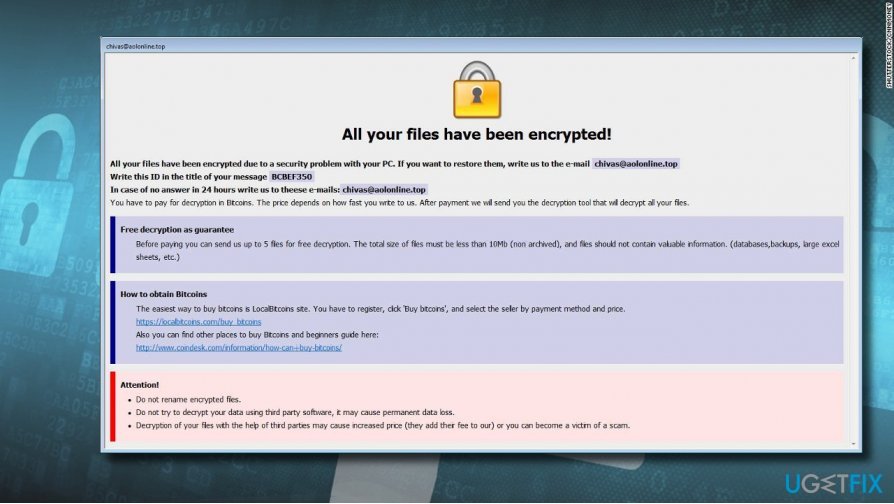
Take a closer look to the encrypted data. If the original file names have been changed to a numeric code with the .arena at the end, then, CryptoMix Arena ransomware has infiltrated the system. You will also see its _HELP_INSTRUCTION.txt file which suggests further actions. The GUI[ref en-2] presents [email protected] email address for contact information.
Unfortunately, the peculiarities of the malware permit it to function successfully offline. Though virus developers try to outwit IT experts by releasing more destructive versions, it is likely that this free decrypter might be of benefit to you.
If files contain .id-[id].[email].arena file extension, then, you are likely dealing with Dharma Arena ransomware version. You can also identify it by the email addresses: [email protected]p and [email protected]. Unfortunately, this version deletes volume shadow copies[ref en-3] – one of the few ways to decode files for free.
However, sooner or later the decrypter key will be created as a few months ago the master keys for Crysis/Dharma ransomware were released. Now, let us discuss file recovery options.
You should proceed to this procedure only after you eliminate the malware. Reboot the system in Safe Mode and eliminate the malware with [d1]. MalwareBytes Anti-Malware might be of assistance as well.
Option 1. Use an Official Decrypter
Naturally, if ransomware has corrupted your files, you might be looking desperately for a way to retrieve the files. Let us remind you not to get tempted to purchase CryptoMix Arena or Crysis Arena decryption tools offered by the perpetrators as the software may only make matters worse.
They might create more system vulnerabilities for a future hijack. In the case of CryptoMix, you can use the official decryption tool.
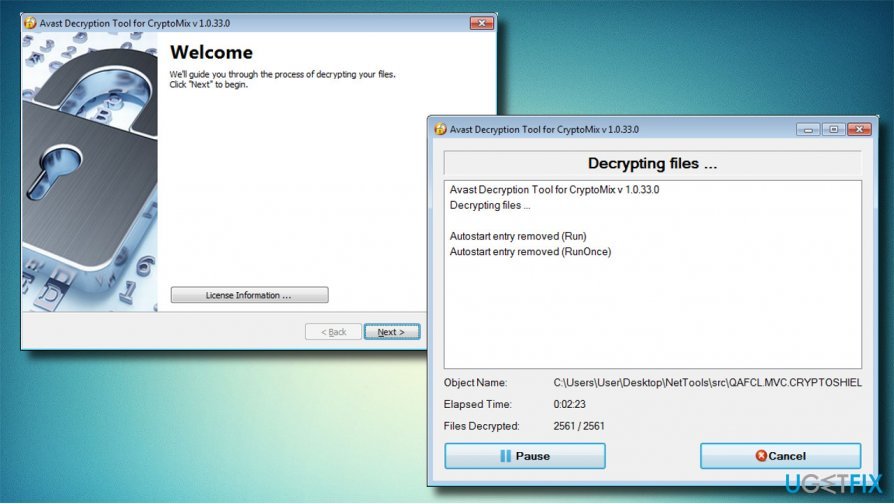
Option 2. Restore Data from Backups
It is by far the most viable method of data recovery. Create additional copies and keep them in different places. Since Crysis version deletes shadow volume copies, having cloud-based copies might be one of the few solutions when dealing with ransomware.
Option 3. Make Use of Data Recovery Pro
This is the tool created for recovering data if it was damaged due to a system error. However, if you have run out of options, try the files affected by Arena ransomware with the software.
- Download [rev id=”Data Recovery Pro”].
- Install the application using guidelines provided in the installation wizard.
- Launch it and perform a system scan with it. The program will detect the encrypted data and attempt to recover it.
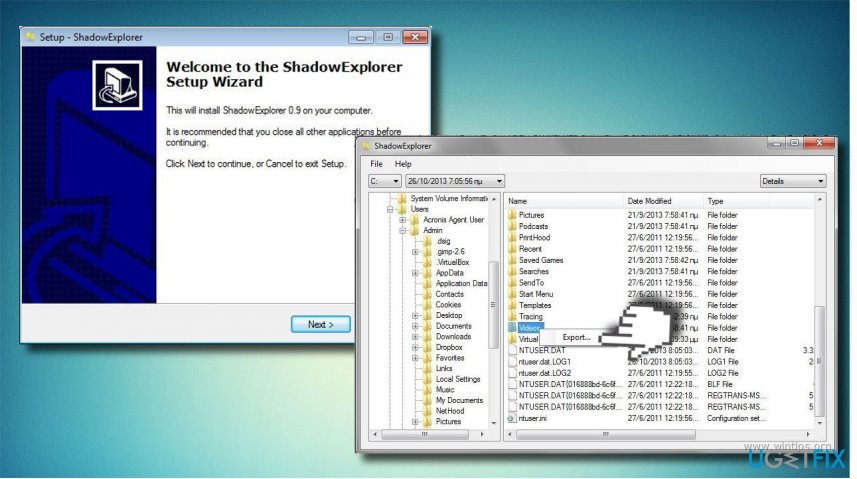
Method 4. Restore Files with Shadow Explorer Software
- Download the tool and run ShadowExplorer installation wizard.
- Open the program and click the button in the top left corner to extend a drop down menu. Select the disk with encoded files and then choose a folder that you want to recover.
- Select Export. Specify the destination to export the restored files.
Bottom line
To recover files, first identify the ransomware type and eliminate it by rebooting in Safe Mode and using MalwareBytes Anti-Malware. If the ransomware is CryptoMix Arena, consider using an official decrypter, but avoid purchasing tools from perpetrators. If none of these methods work, seek professional data recovery services.
Frequently asked questions
Immediately disconnect from the internet to prevent further encryption, then try to restore files from a backup if available. If no backup exists, consider using a reputable file recovery tool designed for ransomware recovery.
In some cases, you may be able to use decryption tools provided by cybersecurity firms, but success varies. Always check for updates on decryption tools specifically for Arena Ransomware before attempting recovery.
Keep your Windows 10 or Windows 11 operating system and antivirus software up to date, and regularly back up your important files to an external drive or cloud service. Additionally, be cautious with email attachments and suspicious downloads.




Report an issue
What's wrong with this guide? We review every report and update or remove content.
Report received — thank you. We'll review and fix it.
You need a free account to submit a report.
Be the first to comment