How to remove
Uninstall RemoveIt Pro 2017 Enterprise
from Windows
Easily remove RemoveIt Pro 2017 from your Windows 10 or 11 PC. Follow our expert-tested guide for a hassle-free uninstallation with zero traces left.

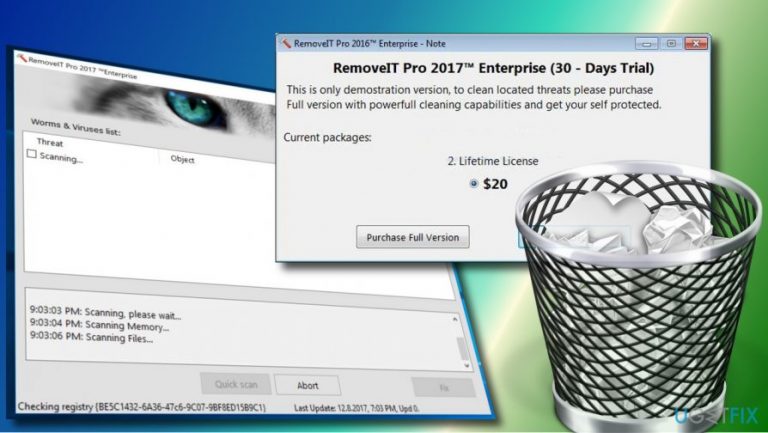
How does How to Uninstall RemoveIt Pro 2017 Enterprise end up on your PC?
- Installed VLC Player which bundled RemoveIt Pro
- Opted for Quick or Basic installation of freeware
- RemoveIt Pro performs fake scans
- Includes non-malicious and non-existent files in scan results
- Urges users to purchase a license key for removal
Repairs Windows system files, removes malware, and restores a clean OS state — without reinstalling.
RemoveIt Pro started performing system scans after I installed VLC Player. As far as I understand, I was tricked into downloading a bundled installer. I would highly appreciate if you would explain me how to uninstall RemoveIt Pro 2017 Enterprise from the system properly. Thanks!
RemoveIt Pro 2017 Enterprise is a rogue anti-malware utility developed by InCode Solutions. It is represented as a powerful tool for detecting and removing malicious content like spyware, malware, virus, worms, Trojans, adware, and so on. The developer claims that the program is capable of recognizing malicious programs in just several seconds, blocking them, and removing immediately. Besides, people can update the program and get the full support for upgrading database online. In a nutshell, it is introduced as a powerful and reliable AV utility, which can be trusted just like other reputable antivirus programs. Unfortunately, that’s not true.
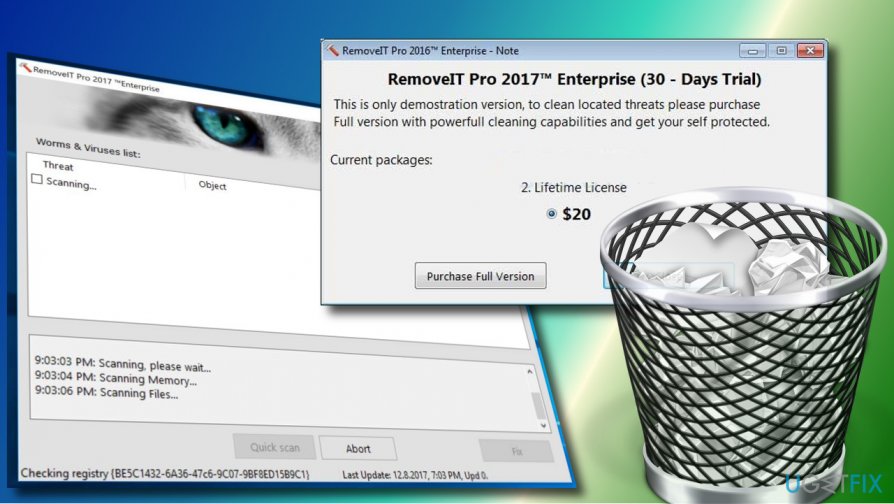
In short, what you should definitely do with the RemoveIt Pro 2017 Enterprise is to remove it. This program has been classified as a potentially unwanted program due to illegal activities. First of all, it has been found spreading bundled with various unreliable third-party apps. Consequently, people who opt for Quick or Basic installation of a freeware can easily end up with the RemoveIt Pro 2017 Enterprise PUP on the system. Second of all, it performs fake scan and delivers unreliable scan results. According to BleepingComputer team, the RemoveIt Pro rogue includes non-malicious files and non-existent files into its scan log. Finally, to remove the “problematic files,” the PC’s owner is urged to purchase the license key of the app. Instead of wasting your money for useless programs, you should uninstall RemoveIt Pro 2017 Enterprise PUP without a delay.
RemoveIt Pro 2017 Enterprise Removal Instructions
Option 1. Uninstall RemoveIt Pro 2017 Enterprise Automatically
If you prefer easy and speedy RemoveIt Pro 2017 Enterprise removal, install software removal tool, such as [rev id="Perfect Uninstaller"], or run a full system scan with a reliable anti-malware utility, let’s say [d1]. Set the application to scan the system and eliminate the RemoveIt Pro 2017 Enterprise software. After that, all you have to do is wait and reboot the system after all.
Option 2. Delete RemoveIt Pro 2017 Enterprise Manually
- Boot your system into Safe Mode.
- Disable processes related to RemoveIt Pro 2017 Enterprise. For that, press Ctrl + Alt + Del, locate the processes on the list, and click Disable. If you are not allowed to disable any of them, you can use a third-party process killer too. You can download one from the Internet.
- Now right-click on Windows key and select Control Panel.
- Open Programs & Features and scroll down to find RemoveIt Pro 2017 Enterprise.
- Click it and select Uninstall.
- Follow the on-screen instructions and the click Remove on the confirmation pop-up.
- Close the window that you are currently seeing. Then press Windows key + R.
- Type regedit and press Enter.
- Click Edit at the top of the Registry Editor window and select Find.
- Type RemoveIt Pro 2017 Enterprise and wait while the search results are being prepared.
- Remove all leftovers and reboot your PC.
Bottom line
To uninstall RemoveIt Pro 2017 Enterprise, you can use an automatic removal tool like Perfect Uninstaller or run a full system scan with a reliable anti-malware utility. If these methods do not work, consider seeking additional professional help.
Frequently asked questions
To uninstall RemoveIt Pro 2017 Enterprise from Windows 10, go to Settings > Apps, find RemoveIt Pro in the list, click on it, and select 'Uninstall.' Follow the on-screen prompts to complete the removal process.
If RemoveIt Pro 2017 Enterprise is not listed in the Programs list, you can use the Control Panel by navigating to Control Panel > Programs > Programs and Features, then locate and uninstall it from there.
Ensure that you have administrative rights when uninstalling RemoveIt Pro 2017 Enterprise on Windows 10 or Windows 11, as this may be required to remove all associated files.




Report an issue
What's wrong with this guide? We review every report and update or remove content.
Report received — thank you. We'll review and fix it.
You need a free account to submit a report.
Be the first to comment