How to remove
Uninstall Utcsvc.exe
from Windows
Easily uninstall Utcsvc.exe on Windows 10 or Windows 11 with our expert-tested guide. Fix it in minutes and enjoy a cleaner system today!

How does How to Uninstall Utcsvc.exe on Windows end up on your PC?
- Suspicious utcsvc.exe process running on the computer
- Cybercriminals mimicking legitimate Windows process names
- Malicious programs using the name Utcsvc to conceal activities
- Potential presence of a Trojan Downloader
- Telemetry data collection settings may be misconfigured
Repairs Windows system files, removes malware, and restores a clean OS state — without reinstalling.
Hello, I am a Windows OS user, and I detected suspicious utcsvc.exe process running on my computer which is listed as Diagnostic Tracking Service in the Windows Task Manager. I open WTM from time to time, and I have never seen this suspicious program before. Is there any chance it is malicious?
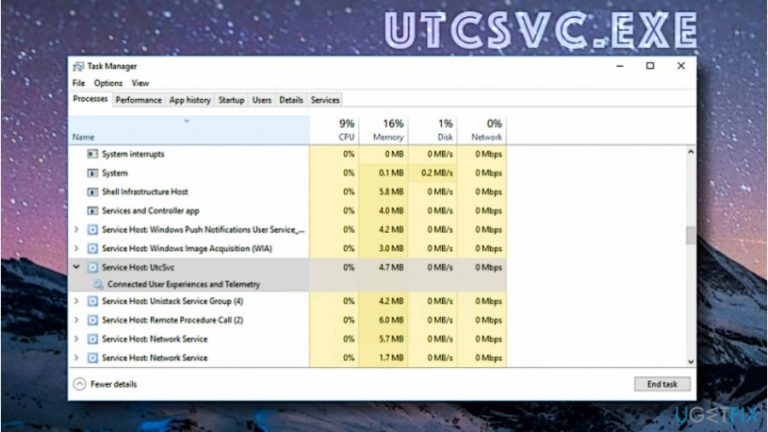
Utcsvc.exe is a component of Windows operating system that runs under a display name of DiagTrack (Diagnostic Tracking Service). It can also be detected under Service Host: UtcSvc name. This Windows process is related to a software called Connected User Experience and Telemetry, widely known as Universal Telemetry Client (UTC). However, in some cases, it can appear to be malicious since cybercriminals tend to mimic legitimate Windows processes' names for their illegal creations.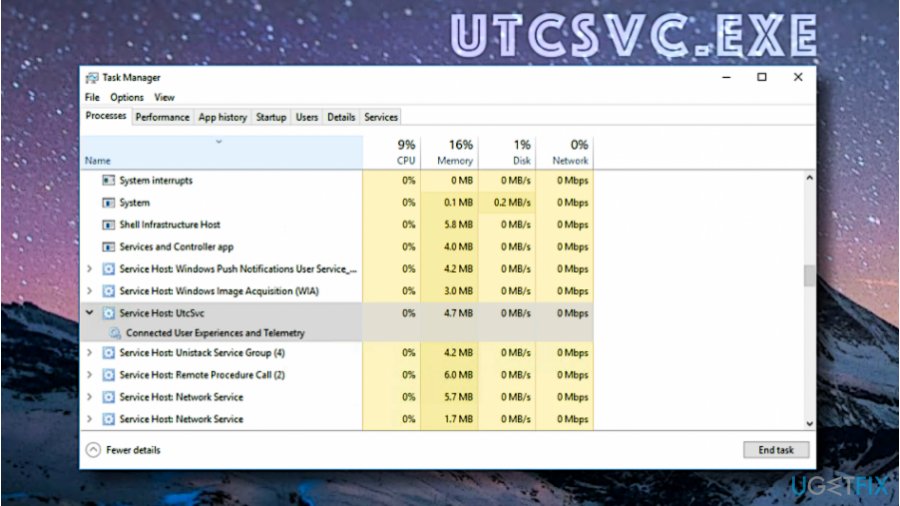
On Windows 10, Utcsvc collects data telemetry based on the telemetry level selected for the system.[ref en-1] There are a total of four levels, and the default one for Windows 10 Home and Pro is Full, while Enterprise Edition uses Enhanced level by default. If you are concerned about your privacy, consider settings telemetry level to Basic.
However, the worst part is that Utcsvc in Task Manager might be a sign of a much bigger problem existing on your computer. Since UTC SVC is a legitimate Windows process that transmits telemetry data to Microsoft, scammers are quick to use this name for their malicious programs[ref en-2], and this way conceal their malicious activities behind the name of a legitimate Windows process.
One of the malicious programs that run utcsvc process can be downloaded to your system from dogewow[.]ru/admin/utcsvc.exe website. The detection rate for this malicious file is currently 36/60 and is likely to grow in the future. The majority of security experts such as Dieviren.de team[ref en-3] identify it as a Trojan Downloader, meaning that it is exceptionally malicious.
Besides, there can be other malicious versions of the described virus circulating the Internet, so keep that in mind if you see a suspicious Windows Utcsvc running in your computer system.
Now that you know what is Utcsvc, it is time to get ready for its removal. The guide provided below explains where to look for the malicious files and delete them. We have also added guidelines on how to disable the Microsoft version of Utcsvc.
Guidelines on How to Disable or Uninstall Utcsvc.exe
Method 1. Remove Utcsvc virus automatically
In case you suspect that your computer has been compromised by a malicious version of Utcsvc, you will need to run a system scan using anti-malware software to identify, locate and erase the malicious files associated with the virus. UgetFix team strongly advises using anti-malware software like [rev id=”Reimage”] for Utcsvc removal. Before you try to delete the virus, restart your computer into Safe Mode using instructions provided below.
- Press Windows key + R to open Run prompt and then type msconfig into the provided Open: box. Press OK.
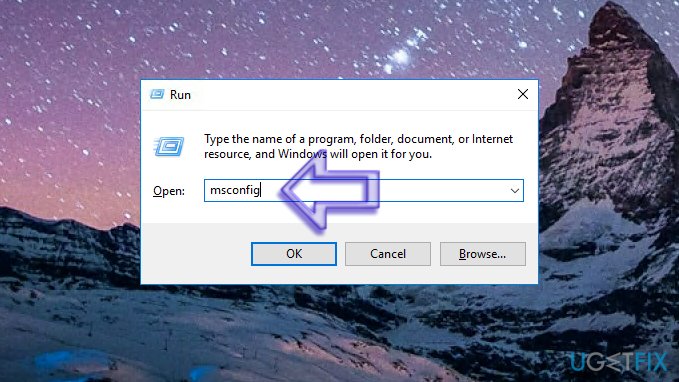
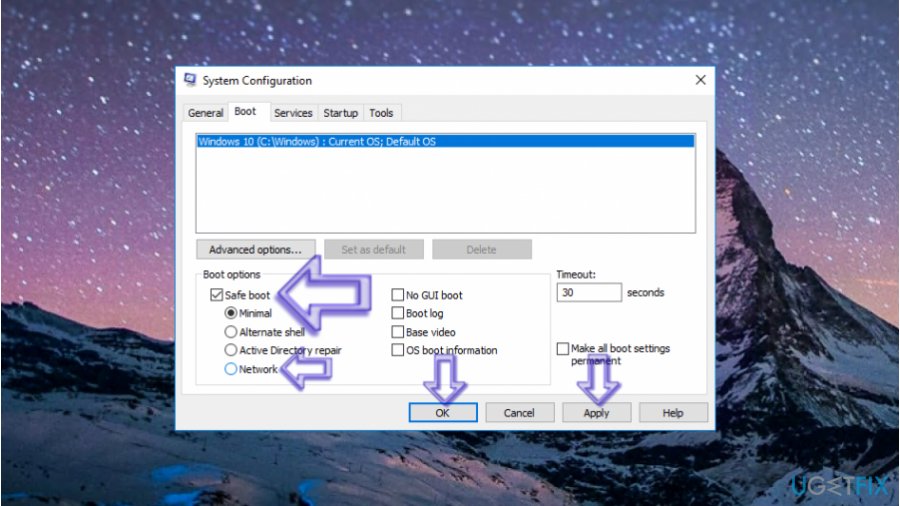
Enter msconfig panel - Now, go into Boot tab and select Safe Boot option. If you haven’t downloaded the recommended software yet, choose Safe Boot + Network option. Press Apply and OK.
Safe boot instructions - You will be asked whether you want to restart your computer now. Agree by clicking Restart.
- Once in the Safe Mode, start a system scan. If you need to download a spyware/malware removal tool first, do it as soon as your system loads fully and becomes ready to function. We advise downloading the software we recommend from our website - it is a legitimate link to get the official and secure version of the software.
- Remove UtcSvc virus using anti-malware software.
Method 2. Disable Utcsvc in Windows 10
In case anti-malware programs detected zero malware on your computer but the utcsvc.exe process still runs in your system, it means that the process is legitimate and belongs to Microsoft. However, if you are concerned about your privacy, you can use Settings app in Windows 10 to set telemetry level to the lowest possible level. This is how you should do it:
- Click on the magnifying glass icon next to Windows Start menu and type Settings to find the Settings application. Click on the matching result to open it.
- Now, go to Privacy and then to Feedback & Diagnostics (you will find it in the list of different panels on the left). Here, choose Basic: Send the data necessary to keep Windows up to date and secure option.
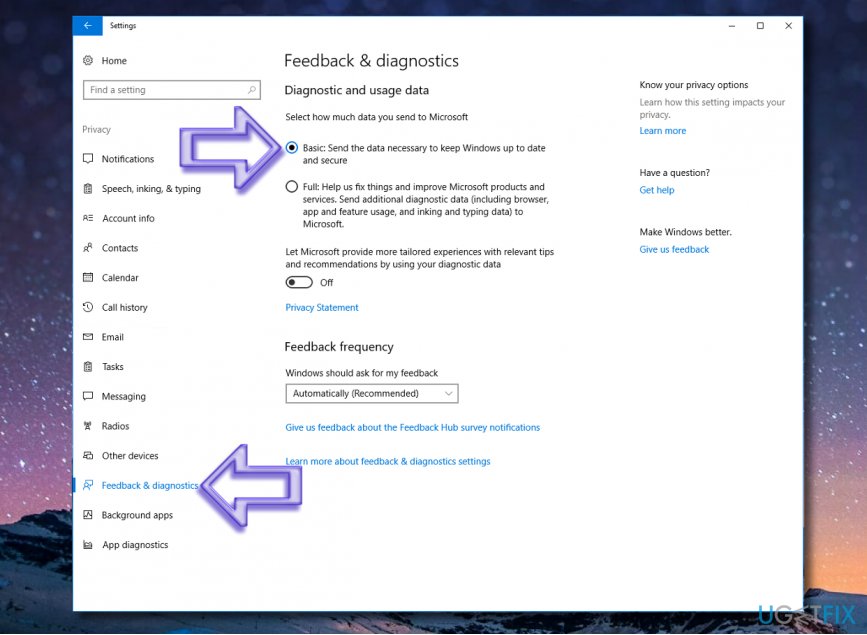
Turn telemetry level to basic - Close the Settings app.
If you have encountered a different problem related to Utcsvc process, feel free to send a question to UgetFix team, and we will gladly help you to solve it. Also, if you have found a solution for a certain problem, you can share it with our community in the comments section below. Additionally, we suggest looking for professional advice regarding utcsvc malware on the 2-Spyware website.
Bottom line
To uninstall Utcsvc.exe, consider adjusting your telemetry settings to Basic and scanning your system for malware. If the process persists, use a reputable antivirus program to remove any malicious files. If none of these solutions work, further investigation into your system's security may be necessary.
Frequently asked questions
Utcsvc.exe is a system process related to the Windows Update service that can sometimes cause issues like high CPU usage. Uninstalling it may help resolve performance problems.
You can uninstall Utcsvc.exe by accessing the Task Manager, locating the process, and ending it, or by using the Windows Settings under 'Apps' to remove any related programs.
Yes, uninstalling Utcsvc.exe may impact your ability to receive updates, as it is part of the Windows Update framework, so proceed with caution.




Report an issue
What's wrong with this guide? We review every report and update or remove content.
Report received — thank you. We'll review and fix it.
You need a free account to submit a report.
Be the first to comment