How to remove
“Internet Security Alert! Code: 055BCCAC9FEC” Pop-Up
from Windows
Remove the “Internet Security Alert! Code: 055BCCAC9FEC” pop-up on Windows 10 or 11 easily. Trust our expert-tested methods for quick relief!

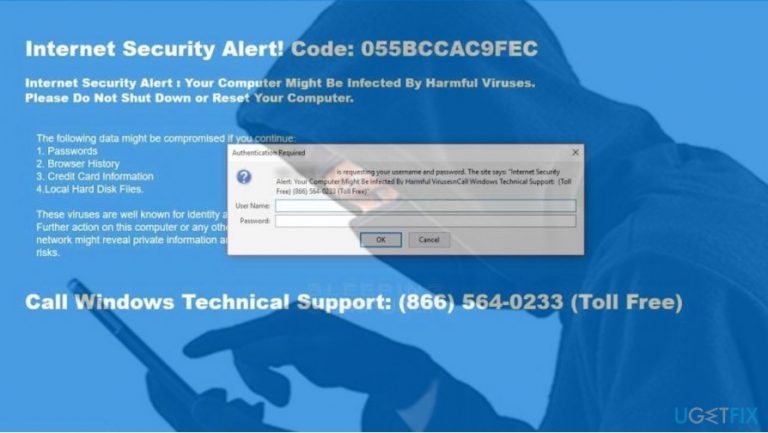
How does How to Remove “Internet Security Alert! Code: 055BCCAC9FEC” Pop-Up end up on your PC?
- Pop-up developed by shady third parties
- Tech-support scam
- RDN/TROJAN.WORM!055BCCAC9FEC association
- Browser freezing tactic
- Trick to induce fear of virus infection
Repairs Windows system files, removes malware, and restores a clean OS state — without reinstalling.
When I browse on the Internet with Firefox, I get a BSOD, which freezes the browser. It says “Internet Security Alert! Code: 055BCCAC9FEC.” Then the pop-up with a technical support telephone number.
By the way, it says that my PC may be infected with a serious virus, so I’m a bit worried because a couple of days ago I installed several apps from third-party download source. I haven’t called tech support yet because I doubt whether the pop-up is genuine.
It’s weird why my antivirus did not detect any virus. Could you please tell me what I should do. Thanks!
“Internet Security Alert! Code: 055BCCAC9FEC” is not a genuine Windows support alert. This pop-up has been developed and is currently managed by shady third parties whose purpose is to promote doubtful services.
The “Internet Security Alert” is a Tech-Support-Scam,[ref en-1] which roots from the same family as RDN/TROJAN.WORM!055BCCAC9FEC and RDN/YahLover.worm!055BCCAC9FEC scams. All rogue alerts share the same hexadecimal code,[ref en-2] but the design, content, and names differ.
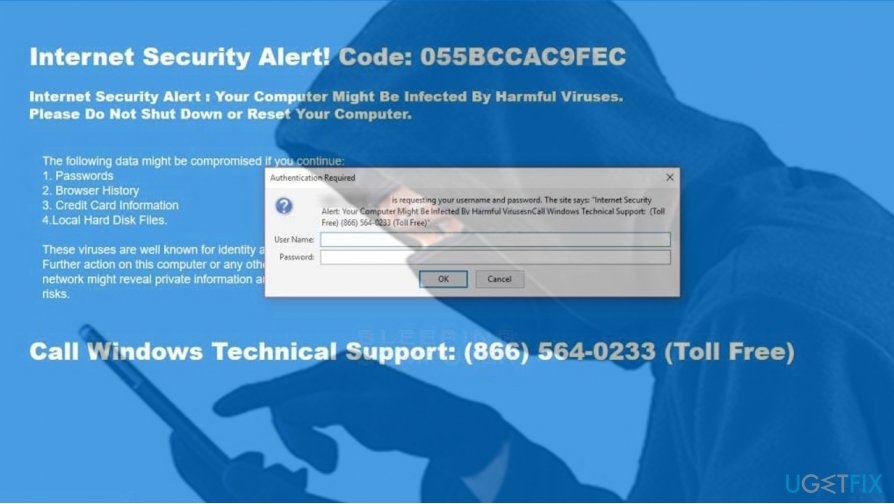
If you stumbled upon this UgetFix post, you must have encountered the “Internet Security Alert” or you are interested in cyber security news. Anyway, you should be aware of its operation strategy. First of all, the pop-up blocks the current website and freezes the web browser, be it Google Chrome, Mozilla Firefox or Edge, completely.
That’s a measured move of scammers. When the browser freezes, the PC’s owner is forced to read all information provided on the “Internet Security Alert! Code: 055BCCAC9FEC” pop-up and, therefore, trick he or she into believing that the system may be infected and needs professional maintenance.
Less experienced PC users may fall for this trick. Therefore, we want to warn the community to be aware of this fake pop-up and restrain from calling the pretend-to-be Microsoft certified technicians.[ref en-3] The latter may try to swindle you by foist you useless services or even worse – to connect to your PC remotely and inject malicious programs into it.
The “Internet Security Alert! Code: 055BCCAC9FEC” scam distribution techniques
The emergence of the fake pop-up and frozen web browser is just a peak of an iceberg. Although all information provided on the message is fake, the fact is that your PC is infected by potentially unwanted program (PUP), namely adware.
Vigilant PC users noticed that the occurrence of the “Internet Security Alert” technical support scam coincides with the installation of other free programs. That’s because the scam spreads as an attachment of freewares disguised under quick or basic installation options.
All in all, the only way to stop “Internet Security Alert! Code: 055BCCAC9FEC” scam from showing up on your screen is to remove the potentially unwanted program from the system and then reset web browser’s default settings.
“Internet Security Alert! Code: 055BCCAC9FEC” removal guide
We would strongly recommend removing “Internet Security Alert! Code: 055BCCAC9FEC” adware automatically. In other words, use a professional anti-malware utility. We would recommend [d1]. First of all, boot your PC into Safe Mode and then run a full system scan. This program should uninstall all potentially unwanted programs along with their registry entries, as well as fix current system's errors.
IMPORTANT: automatic “Internet Security Alert! Code: 055BCCAC9FEC” removal using anti-malware tool will not reset the web browser. Therefore, you'll have to do so manually. The guide is given at the end of this post.
Manual “Internet Security Alert! Code: 055BCCAC9FEC” pop-up removal
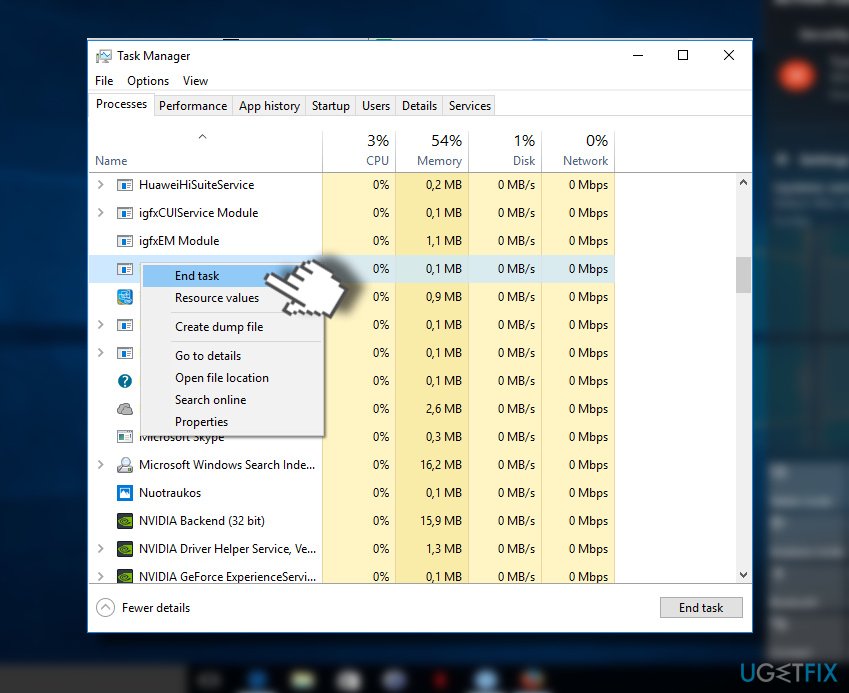
1. Sometimes “Updates Recommended” scam freezes the web browser. In this case, press Ctrl + Alt + Del and open Task Manager.
2. Open Processes tab and locate the process of your web browser.
3. Click it and select End Task.
4. Now press Windows key + S and type Control Panel.
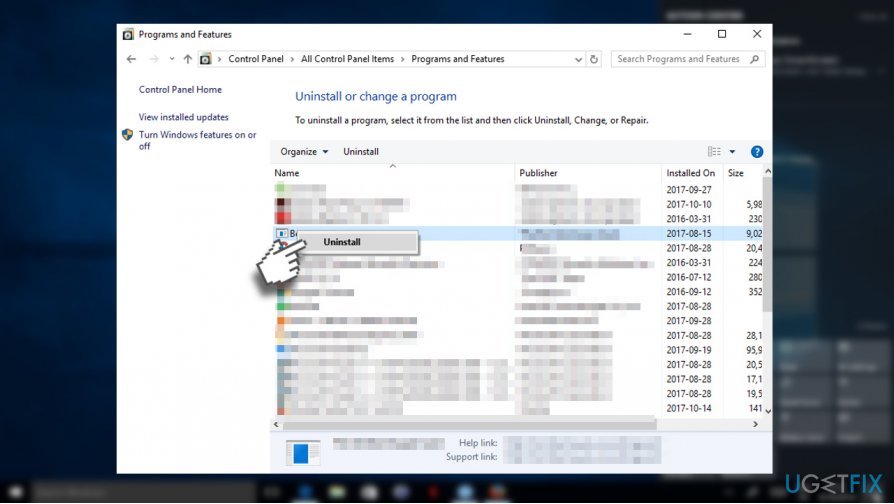
5. Open it and select Programs & Features.
6. Find all suspicious programs, click on them and select Uninstall.
7. After that, reset Google Chrome. Open it, but don’t restore the last browsing session.
8. Click on the menu icon (three vertical dots) at the top-right corner of the screen.
9. Open Settings and select Show Advanced Settings.
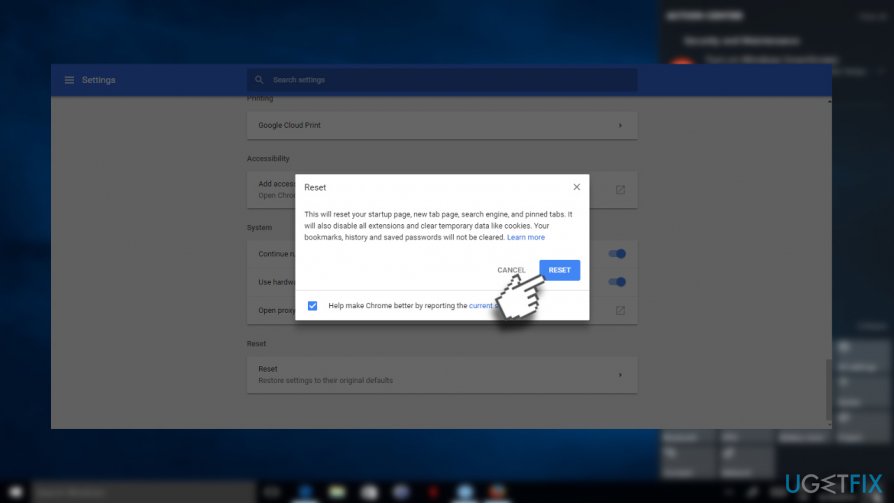
10. Find Reset Settings option and click it.
11. To confirm the option, click Reset.
Bottom line
To resolve the issue, avoid calling the fake tech support and consider running a full antivirus scan to detect any potential threats. Additionally, clear your browser cache and consider resetting your browser settings. If these steps do not work, seek professional help from a trusted technician.
Frequently asked questions
You can remove the pop-up by running a full scan with Windows Defender and uninstalling any suspicious applications from the Control Panel.
Check for recently installed software or browser extensions that seem unfamiliar, and remove them through the Settings app under Apps.
To prevent future pop-ups, ensure your Windows operating system is updated and use a reliable antivirus program to block malicious software.




Report an issue
What's wrong with this guide? We review every report and update or remove content.
Report received — thank you. We'll review and fix it.
You need a free account to submit a report.
Be the first to comment