How to remove
Uninstall Waltr
from Windows
Discover effective ways to uninstall unwanted programs on Windows 10 and 11 effortlessly. Expert-tested methods ensure a smooth experience, zero traces …

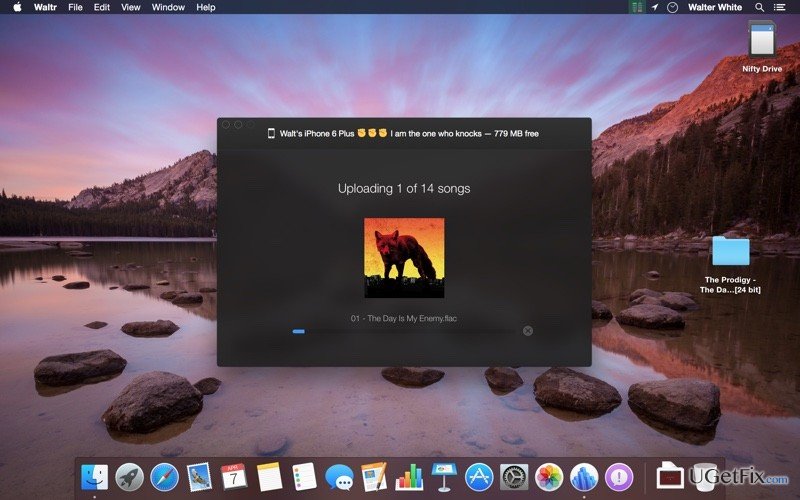
How does How to Uninstall Waltr on Mac OS X end up on your PC?
- Incomplete removal of the application
- Various useless files left installed
- Dragging the icon to Trash instead of proper uninstallation
- Potential background processes still running
- Error messages caused by remnants of the program
Repairs Windows system files, removes malware, and restores a clean OS state — without reinstalling.
Why can't I uninstall Waltr from my Mac? Is it a virus or something? Please advise.It's a pity that you haven't mentioned what aspects let you know that you did not uninstall Waltr on Mac OS X successfully. We assume that you have either noticed it working in the background of the system or have started receiving error messages saying that you cannot open one or another application because Waltr prevents that. Anyway, obviously incomplete removal of this application cause you some troubles and even make you think that it's malicious.
Luckily, there are no evidence that would prove the fact that Waltr is a virus. In reality, it's a reliable program developed by Softorino. It has bee designed “to make it easy to upload and convert any music or video file to an iPad or iPhone". Besides, it has already gained popularity among Internet users and has reached several millions of users all around the world. Therefore, the reason why you can't uninstall Waltr on Mac once and for all is actually related not to the program itself but rather to the removal process that you apply.
Presumably you have clicked Waltr icon and dragged it to Trash. Aren't we right? In fact, uninstalling of programs is slightly more complicated than that. Do you know what has happened to your Mac if you have recently removed Waltr on Mac by taking it to the trash folder? In fact, you have removed the main executable of this program but have left various useless files installed. Therefore, try to imagine what can happen with your Mac if you keep removing programs by dragging their icons to Trash? Do you imagine how crammed with useless files it may become? How much free space is wasted? How slow it may become? If you want to keep your machine working fast and smooth, you should always uninstall programs completely. Therefore, for a complete Waltr uninstalling, we recommend using a tool like, for instance, [rev id=”MacKeeper”] or [rev id="CleanMyMac"].
How can I uninstall Waltr on Mac OS X?
Usually, Mac users believe that it's enough to remove the program in the most primitive way, which is:
- Open the Applications folder;
- Click Waltr icon and hold it;
- Drag the icon to the Trash;
- Select Empty Trash.
However, this method for getting rid of programs is not proper, so you may gradually burden your Mac with useless files which sooner or later may take up lots of free space, cause registry errors, diminish performance and so on. Once you initiate the aforementioned steps, you should also check other locations on your Mac that may contain Waltr leftovers. For example, start checking these folders:
- /Library/Application Support/;
- /Library/ Preferences/.
Fortunately, Mac experts have developed several Mac optimization tools that can take care of a full system maintenance. We speak about [rev id=”MacKeeper”] and [rev id="CleanMyMac"]. These tools can not only uninstall Waltr on Mac OS (for free) but may also take care of other unnecessary files, free space consumers, system errors and other issues that you Mac may not be able to perform as it used to before.
Bottom line
To completely uninstall Waltr on Mac OS X, it is recommended to use dedicated tools like MacKeeper or CleanMyMac to ensure all associated files are removed. If these methods do not resolve the issue, consider seeking further assistance or exploring alternative uninstallation methods.
Frequently asked questions
Yes, although Waltr is primarily for Mac OS X, if you have a Windows version, you can uninstall it using the Control Panel or Settings app.
To completely remove Waltr from Windows 10, go to Settings > Apps, find Waltr in the list, click on it, and select 'Uninstall'.
No, you don't need a special tool; the standard uninstall options in Windows 11 will suffice to remove Waltr.




Report an issue
What's wrong with this guide? We review every report and update or remove content.
Report received — thank you. We'll review and fix it.
You need a free account to submit a report.
Be the first to comment