How to remove
Uninstall Avast Secure Browser
from Windows
Easily uninstall Avast Secure Browser on Windows 10 or 11 with our expert-tested guide. Get it done quickly and hassle-free, zero traces left!


How does How to uninstall Avast Secure Browser end up on your PC?
- Bundled installation with Avast antivirus
- Hidden among optional components during installation
- Unconscious installation by users
- Software bundling marketing technique
- Automatic sending of usage statistics to Avast servers
Repairs Windows system files, removes malware, and restores a clean OS state — without reinstalling.
I am using Avast antivirus for quite a while now and after one of the usual updates, I have noticed Avast Secure Browser on my computer. I am pretty sure I did not install it and now I am not sure how to remove it. However, how did it appear on my PC? Please, help uninstall Avast Secure Browser! Thank you in advance.
Avast Secure Browser is one of the additional elements which is bundled with Avast antivirus. Usually, people unconsciously install it together with the security software as it is hidden among the optional components during the installation procedure. Thus, people are tricked to get it on their systems without direct permission.
Software bundling[ref en-1] is a marketing technique which allows distributing Avast Secure Browser and the antivirus as one program. Even though this spreading method is entirely legal, our experts categorize it unfair from the standpoint of the computer users.
Currently, people are searching for a reliable Avast Secure Browser review in 2019, since there are a vast of questions about the trustworthiness of this program. The developers claim that this software is designed to make the browser more secure, faster and reduce interruptions.
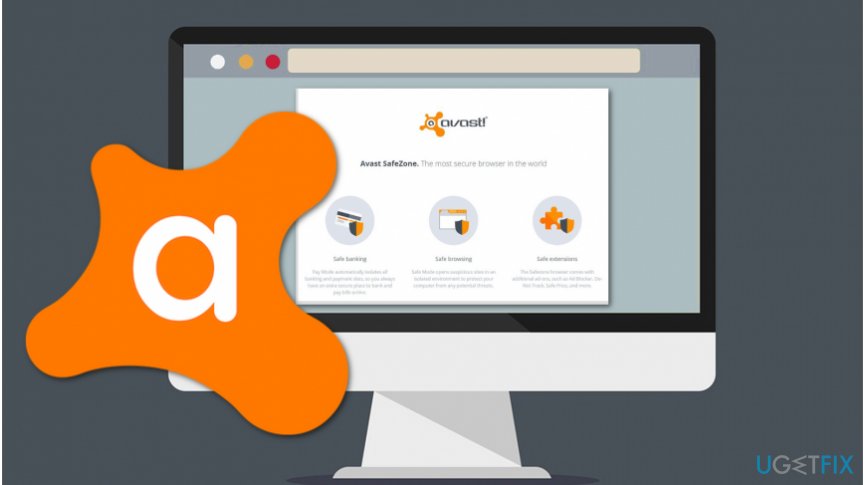
Nevertheless, Avast Secure Browser is a privacy and security-focused, Chromium-based project by security vendor Avast, and is also a result of a discontinued SafeZone browser, which was abandoned a few years ago. The software was developed through the years and renamed to what it is today in early 2018.
Avast Secure Browser incorporates multiple useful features, including:
- Adblock
- Anti-phishing
- Anti-tracking
- HTTPS Encryption[ref en-4]
- Password manager
- Privacy Cleaner
- Flash Blocker
- Hack Check
- Webcam guard
- Anti-fingerprinting, etc.
If you find any of these features useful, you might want to refrain from uninstalling Avast Secure Browser and start using it instead. Nevertheless, there are multiple downsides to the application, and that is why others might want to get rid of it (for example, this privacy-focused browser automatically sends usage statistics to Avast servers, although this feature can be disabled).
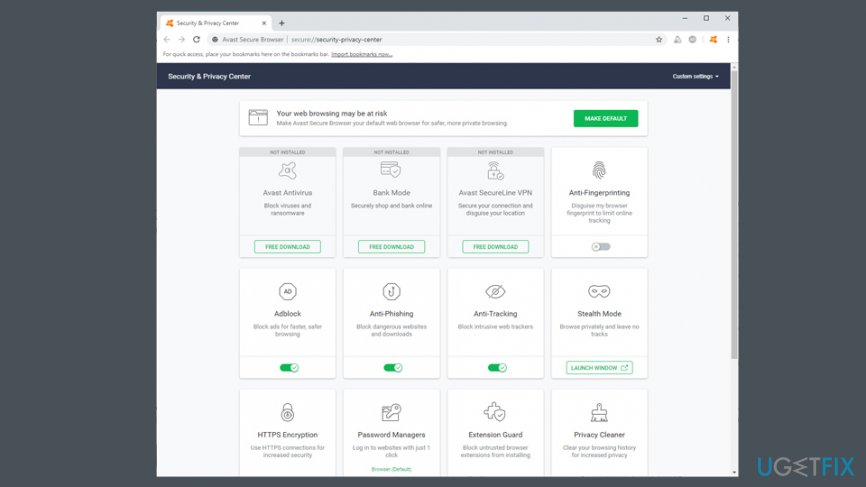
When it comes to usability, Avast Secure Browser is very similar to Google Chrome (as it is based on Chromium), so users can expect similar resources usage, speeds, and other aspects of the browser.
Although, people continue wondering if Avast Secure Browser is safe since they notice this program installed on their systems without permission. In some cases, users might even call it Avast Secure browser virus, although the statement is not correct, as viruses modify other programs in order to spread even further,[ref en-5] which is not the case with Avast Secure Browser. However, users permit to get this software if they do not pay enough attention during the installation procedure of the antivirus.
Below you will find instructions showing how to uninstall Avast Secure Browser and protect your system from bundles programs. Note that they are often classified as potentially unwanted programs (PUPs)[ref en-2] that can even significantly deteriorate your browsing experience or make it unbearable.
Avast Secure Browser uninstall guide
There are two ways how you can uninstall Avast Secure Browser — manually and automatically. Since this is not the only software that spreads via bundling scheme and some programs might even be dangerous, we strongly advise you to get a professional security software and a reliable system optimization tool for protection.
Our experts recommend scanning your computer with [d1]. This software is an all-in-one program which not only fixes damaged Windows registry[ref en-3] entries but can reinstall the operating system completely without losing programs. Additionally, there are some steps you should take if you want to avoid Avast Secure Browser setup and infiltration in the feature:
- Always read EULA, Terms of Use, and Privacy Policy when installing programs;
- Download software only from authorized websites using a direct link;
- Choose Custom/Advanced settings over Recommended/Quick ones;
- Follow each step of the installation procedure;
- If you notice a pre-selected checkmark, de-select it to avoid PUPs;
- Always use a robust antivirus.
Step 1. Uninstalling Avast Secure Browser from Windows
- Stop all Avast programs on the computer;
- Open Windows Start Menu and go to Control Panel;
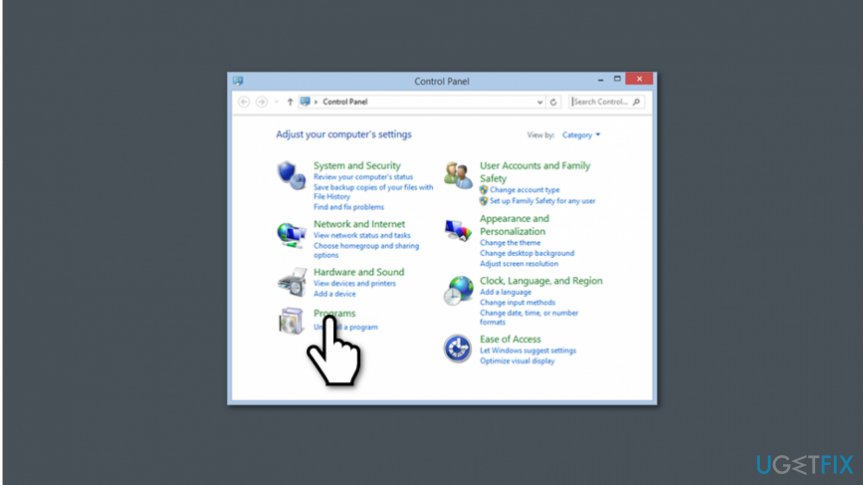
Uninstall avast secure browser - Click Programs;
- Search for Avast Secure Browser and right-click on it (note: you should also uninstall Avast antivirus if you do not want it on your computer or if it got installed without your direct permission);
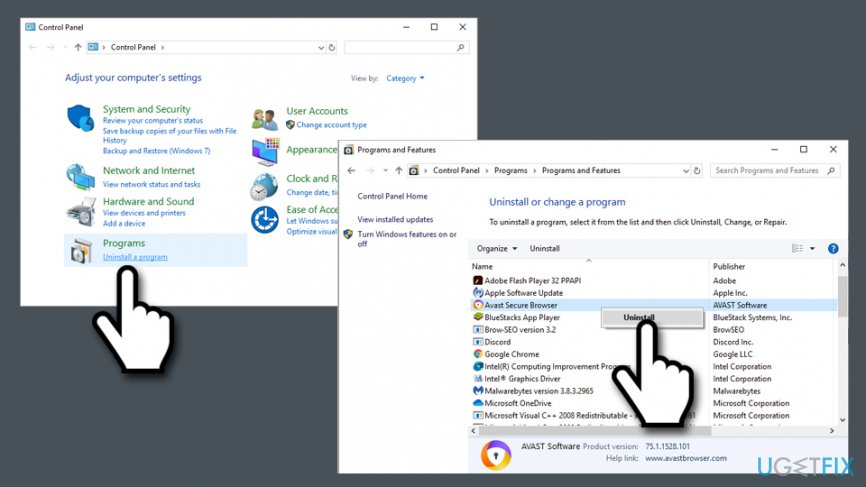
Avast secure browser uninstall from windows via control panel - Select Uninstall;
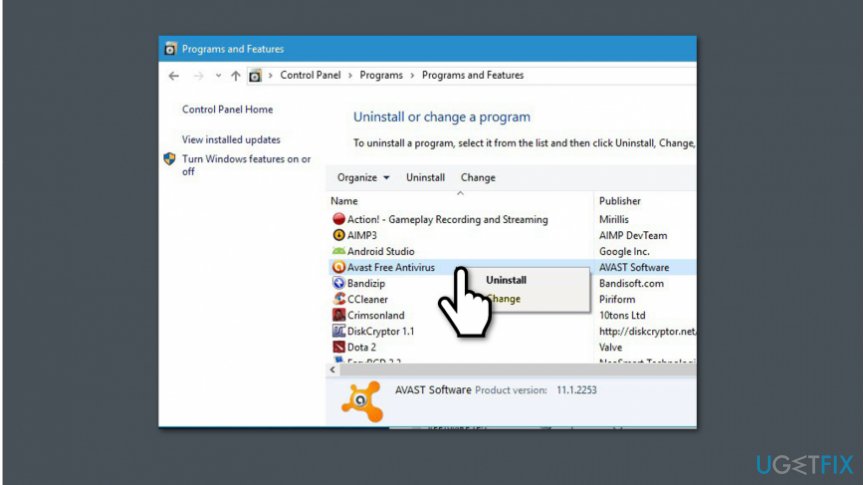
Get rid of avast secure browser software - Restart the computer.
Step 2. Reset settings on the browser which is affected by Avast Secure Browser software
- Open Google Chrome browser;
- Press on three vertical dots on the top-right corner of the window;
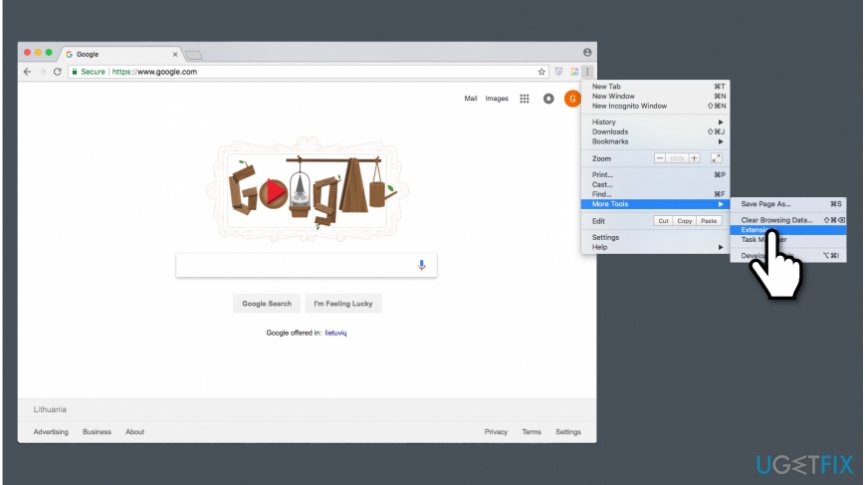
Avast secure browser uninstall - Select More Tools and click Extensions;
- Find Avast Secure Browser extension and uninstall it.
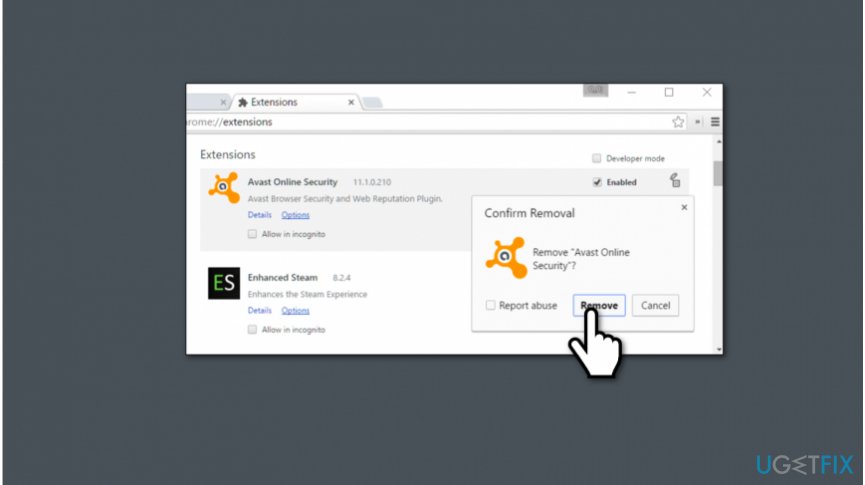
Avast secure browser removal - Restart the browser.
NOTE: These instructions can be altered to suit other browsers which are affected by Avast Secure Browser as well.
Bottom line
To uninstall Avast Secure Browser, you can go to the Control Panel and remove it from the list of installed programs. If you encounter any issues during the uninstallation process, consider using a dedicated uninstaller tool. If none of these methods work, you may need to seek further assistance from Avast support.
Frequently asked questions
To uninstall Avast Secure Browser from Windows 10, go to 'Settings', select 'Apps', find Avast Secure Browser in the list, and click 'Uninstall'.
Yes, you can completely remove Avast Secure Browser from Windows 11 by navigating to 'Settings', selecting 'Apps', clicking on 'Apps & features', finding the browser, and choosing 'Uninstall'.
If Avast Secure Browser doesn't uninstall properly on Windows, try using the Avast Uninstall Utility in Safe Mode to ensure all components are removed.




Report an issue
What's wrong with this guide? We review every report and update or remove content.
Report received — thank you. We'll review and fix it.
You need a free account to submit a report.
Be the first to comment