How to recover
File locked by Uyjh ransomware
from Windows
Recover files locked by Uyjh ransomware on Windows 10 or 11 effortlessly. Get expert-tested solutions to restore your data quickly and securely.

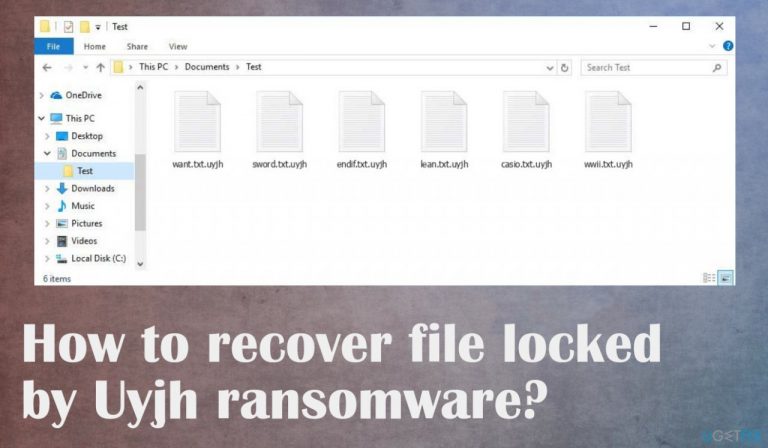
What leads to How to recover file locked by Uyjh ransomware?
- Downloaded programs from torrents
- Use of pirated software
- Infection starts silently
- Files are encrypted before ransom is demanded
- Ransomware creators release new versions frequently
Repairs Windows system files, removes malware, and restores a clean OS state — without reinstalling.
I downloaded some programs from torrents and I guess now I have this ransomware on the machine. I know it is my fault, but I need to get my files back. Backups are not up to date and I need my university work to get recovered. The extension is .uyjh. I cannot find decryption options online. I need help! Can you offer any solutions?
The worst thing about these threats is the file-locking process because the infection starts silently and once data is encrypted, the ransom gets demanded. Uyjh ransomware demands money via text file _readme.txt and scares people with claims about the option of decrypting files.
The amount is $980 in the form of Bitcoin, but criminals even offer a 50% discount to encourage people to pay the sum. This is the worst solution because criminals cannot provide solutions and the decryption tool in exchange for the payment. The options here are limited, unfortunately.
It is due to the changes that Djvu ransomware creators have made in recent years. It is more advanced and improved, so users have no option but to pay the ransom to restore their data.[ref en-1] The ransomware creates various issues and the malware is controlled by the criminals, so once those files get locked, note that the machine has been already compromised further than file-locking.
More on the ransomware infection
The Uyjh file virus is one of the more recent ransomware viruses to make its way online. This type uses game or software cracks, pirated packages for NBA games among other things in order to deliver threats.[ref en-2] Creators release new versions very often, so there are a lot of versions out at the same time.
It's no surprise that the ransomware virus creators are relying on fear tactics and false claims about possible decryption methods. They offer 50% off if paid before 72 hours, but their only goal is to get money from you as quickly as possible with dangerous offers. You should also avoid connecting with the criminals via emails like [email protected] or [email protected]. There are alternate options for threat removal and file repair. Focus on those.
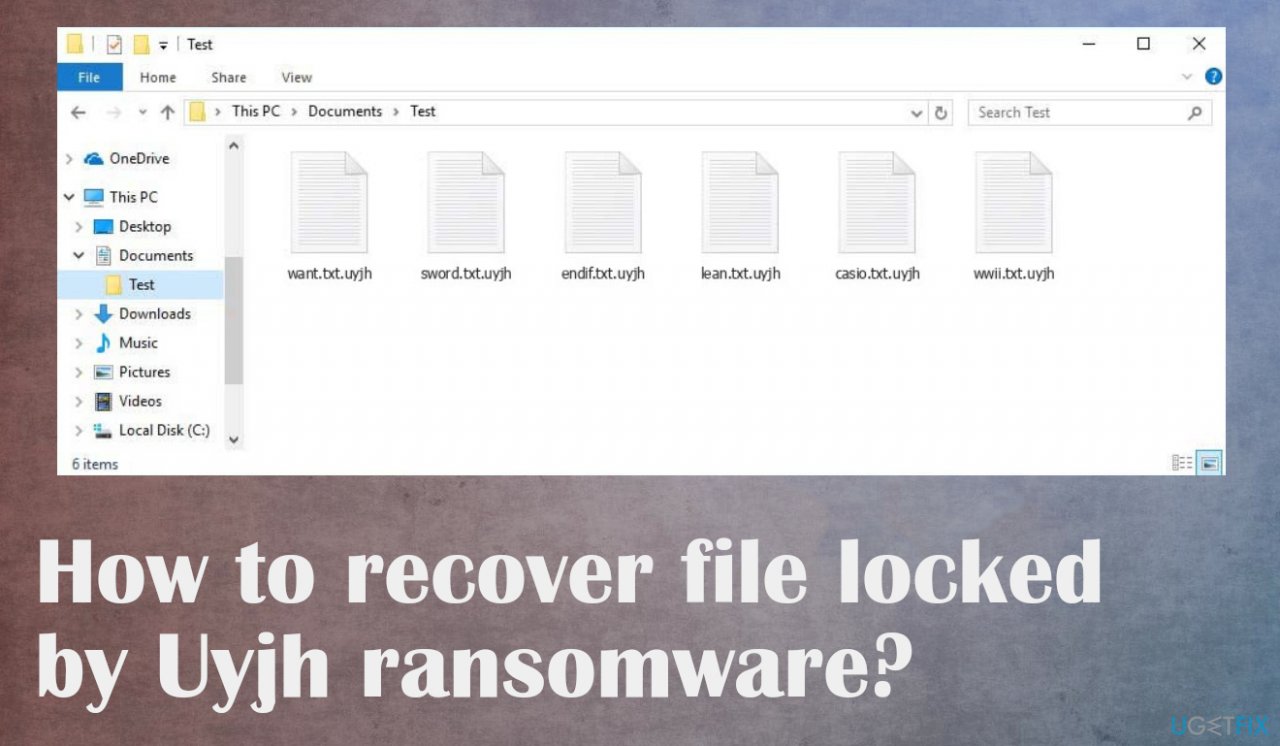
1. Remove the active virus before anything else
Threat actors use various methods to infiltrate and often there are various trojans, malware involved in the distribution. Even when you get those files locked after the pirating software installation or due to the malspam emails with malicious attachments[ref en-3] and viruses, you can receive additional threats too.
Anti-malware tools are needed here because the program can detect all possibly malicious programs and files running on the system. Threats can affect the performance and ransomware persistence, so run the proper antivirus tool and remove Uyjh file virus from the machine.
2. Repair corrupted or altered system files
Various system processes are controlled by the files in the system folder. There are additional issues that the threat creates and users cannot notice. The DLL files and Windows operation system data can get corrupted by the ransomware that runs on the machine. It affects various processes needed for ransomware removal and file recovery.
- Install the PC optimization app like [d1].
- Run the full system scan and wait for the complete analysis.
- Follow the on-screen steps.
- Allow the machine to get checked.
- Check the Summary.
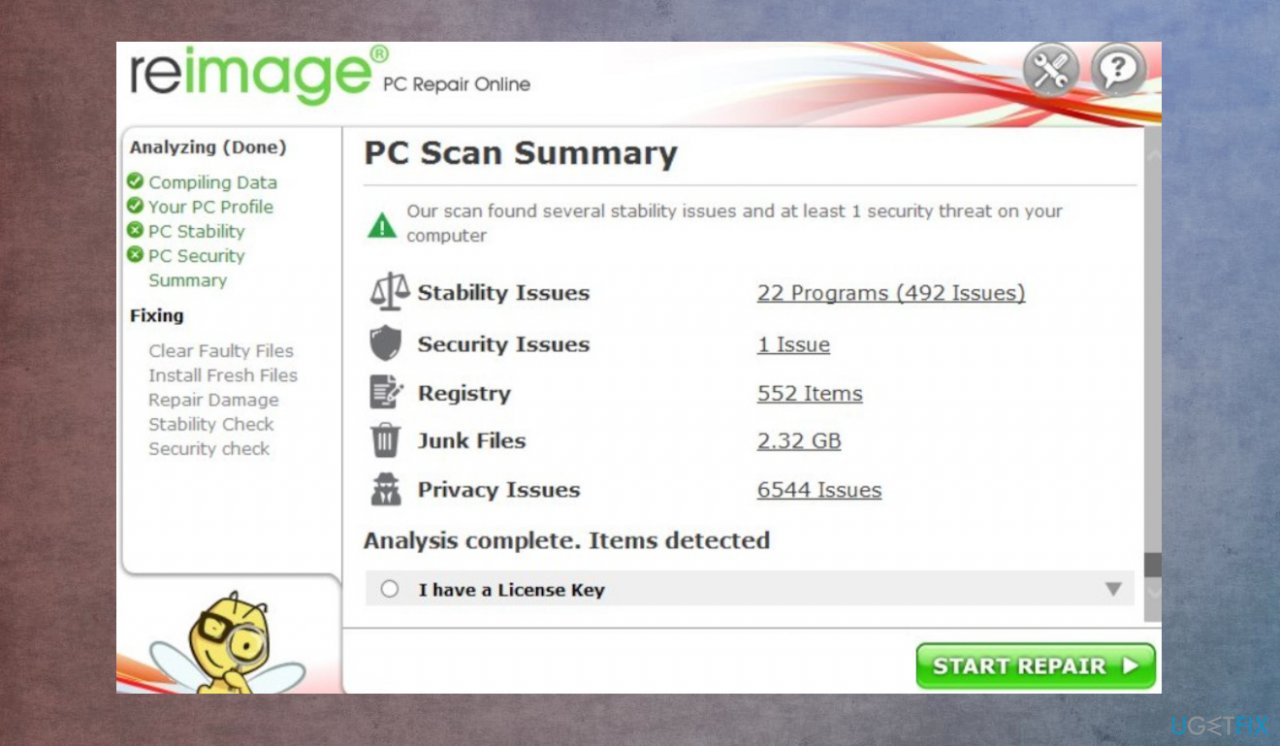
Uyjh ransomware file recovery reimage - You can fix issues manually from the list.
- Purchasing a licensed version can help repair serious issues.
3. Check if the decryption is possible
Threat family is known for a while, but the decryption tools take a lot of time to develop, especially when these ransomware creators make advanced changes to their malware. Offline IDs that were used by one version to all devices were helpful in the past, but this option is no longer used. Online Keys are primarily used by the Uyjh ransomware, so options here are limited, but you still should check the opportunity.
- Download the app on official Emsisoft website.
- Once decrypt_STOPDjvu.exe shows up – click it.
- Follow the steps on the screen.
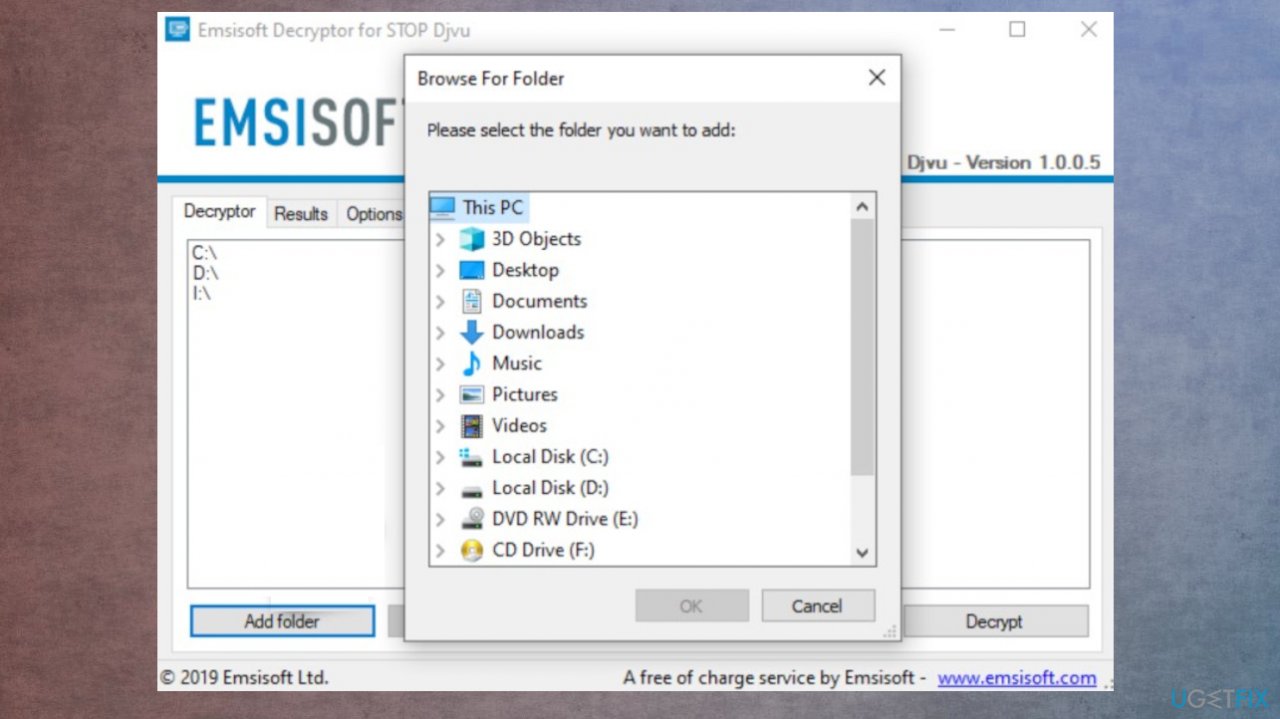
Uyjh ransomware file recovery decryption emsisoft - The tool should locate the affected folders.
- You can also do it by pressing Add folder at the bottom.
- Press Decrypt.
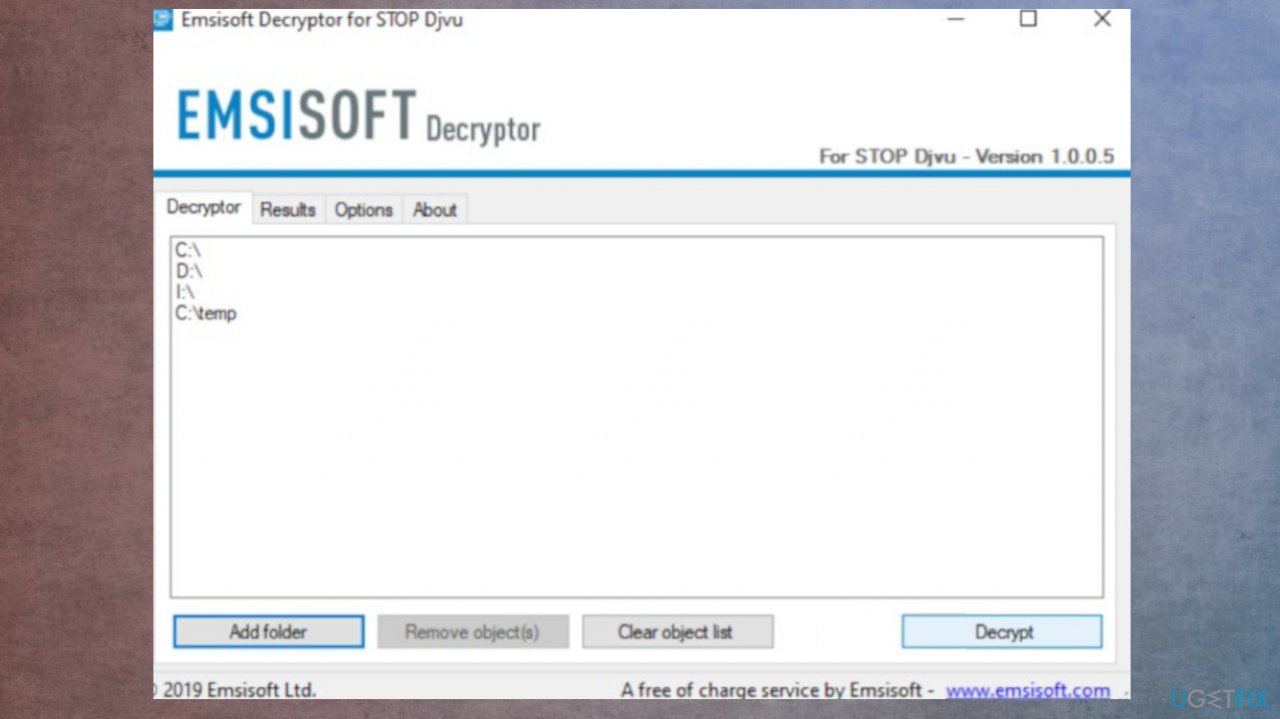
Uyjh ransomware file recovery decryption - Results determine decryption options.
4. Try to use the data recovery tool
- We can recommend [rev id="Data Recovery Pro"].
- Follow installations.
- Once that is finished, use the application.
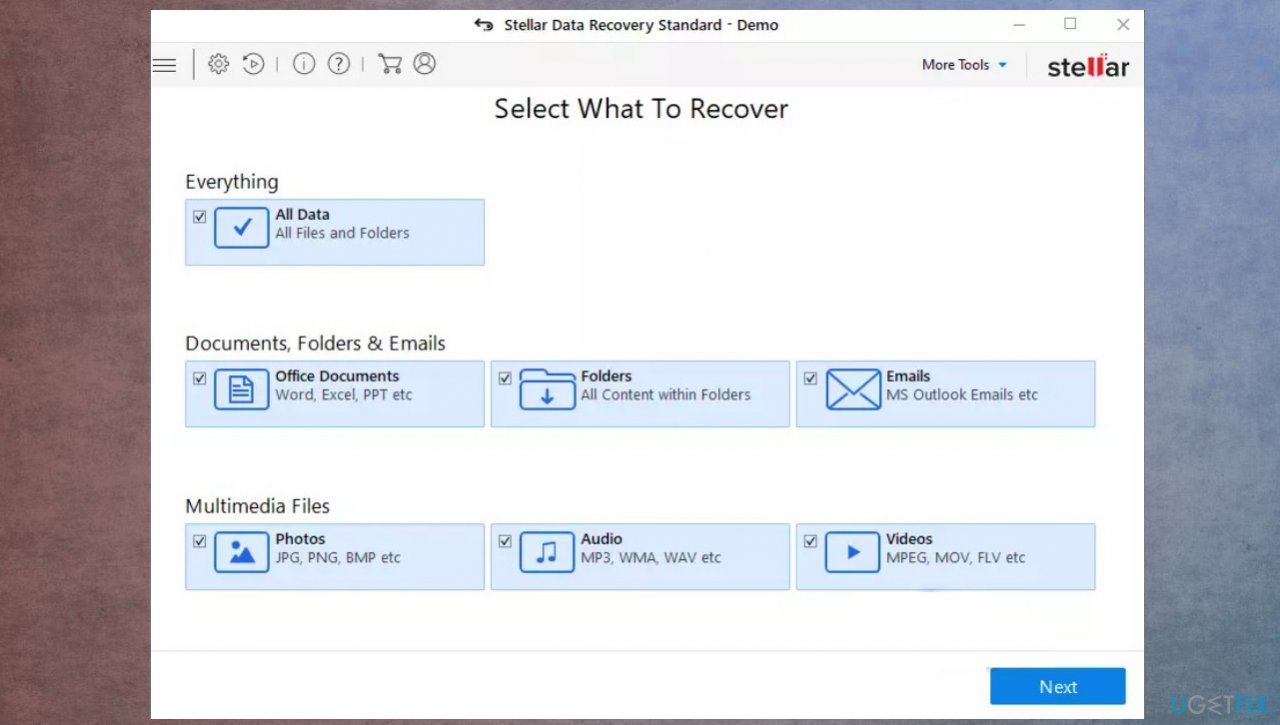
Uyjh ransomware file recovery data folders - Select Everything or pick individual folders to recover.
- Press Next.
- Enable Deep scan at the bottom.
- Pick which Disk you want to be scanned.
- Scan.
- Hit Recover to restore files.
Bottom line
To recover files locked by Uyjh ransomware, consider using available decryption tools, restoring from backups, or seeking professional help. If these options do not work, it is advisable to refrain from contacting the criminals, as they may not provide a solution even if the ransom is paid.
Frequently asked questions
Immediately disconnect your device from the internet to prevent further encryption and then run a full antivirus scan to remove the ransomware from your system.
You can try using file recovery software or restore your files from a backup if you have one, as there are currently no known decryption tools specifically for Uyjh ransomware.
Keep your Windows 10 or Windows 11 system updated, regularly back up your files, and use reputable antivirus software to provide real-time protection against ransomware.




Report an issue
What's wrong with this guide? We review every report and update or remove content.
Report received — thank you. We'll review and fix it.
You need a free account to submit a report.
Be the first to comment