How to recover
Files after Jhgn ransomware attack
from Windows
Effortlessly recover files lost to Jhgn ransomware on Windows 10 or 11. Follow expert-tested methods for a secure restoration with zero traces left.

What leads to How to recover files after Jhgn ransomware attack?
- Files are locked due to Jhgn ransomware attack
- Ransomware demands payment for decryption
- The .jhgn appendix indicates the files are affected
- The encryption process alters the original code of the files
- The ransomware is part of the Djvu family and is persistent
Repairs Windows system files, removes malware, and restores a clean OS state — without reinstalling.
Hey. I heed serious help. Files now are locked and useless on the computer. Jhgn virus locked them and demands money now. I don't believe the claim that decryption is possible here. Can you recover the files for me or is there anything I might do myself to solve this?
Ransomware is a threat demanding payment in exchange for the alleged file decryption.[ref en-1] The sum is $980, and criminals even offer a 50% discount in the first 72 hours after the attack. These criminals behind the threat are not worthy of your trust, so paying the ransom is never recommended.
The best way to fight the threat is to remove it as soon as possible and right after those files get locked. The .jhgn appendix indicates the name of the threat and shows which data is damaged and made unopenable. Locked files are not permanently damaged unless the encryption happens again. However, there are no easy ways to solve the locked file issue when it comes to cryptovirus like this.
The file locking process is the encryption[ref en-2] using powerful algorithms that alter the original code of the file to make the piece useless. It is not permanent, but the damage might not be reversed without proper decryption tools. There is a need to recover these files or replace them with copies from a backup.
There are some options, however. These involve interference with the machine and additional tools. This Jhgn ransomware is coming from Djvu ransomware family, and the threat actors ensure that the virus is persistent and runs longer than it is needed, so users cannot repair files easily or at all.
1. Terminating the ransomware
Threat elimination requires anti-malware tools because the full system scan using a proper AV tool or the security program based on virus detection[ref en-3] can fully clear the machine from any cyber threats. Do not fall for the false claims that the people behind the virus list on the ransom note. There are no guarantees that criminals can or would restore those encrypted files for you.
The infection can be a result of the primary trojan or malware infiltration because ransomware is often a secondary payload in cyber attacks when attackers use exploits. These anti-malware tools can detect various malicious pieces and stop the active virus from moving further and damaging the machine more. Then you can deal with the encoded .jhgn files yourself.
2. Repairing affected system files
- Install [d1].
- Run the full system scan and wait for the analysis.
- Follow the on-screen instructions.
- Allow the machine to get checked.
- Check the Summary.
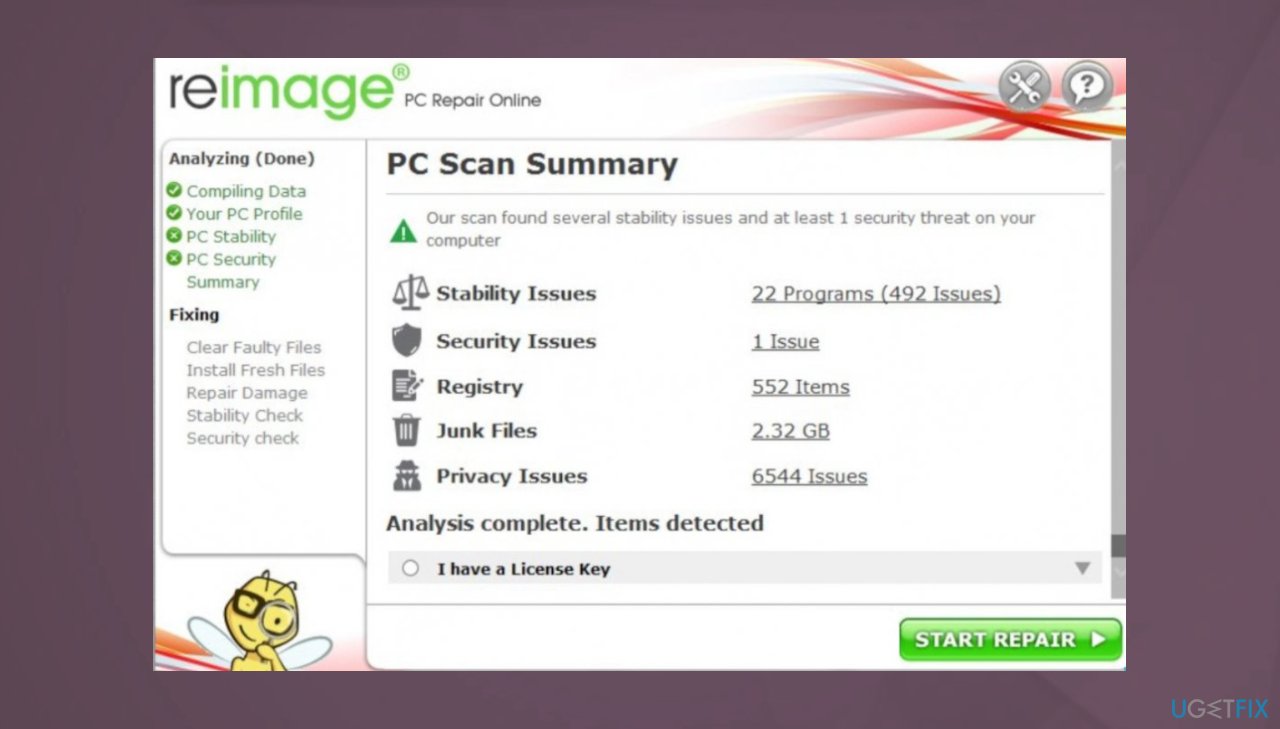
Jhgn file recovery reimage - You can fix issues manually from the list.
- Purchasing a licensed version can help repair serious issues.
3. Decrypting encrypted common data
Sometimes the file decryption is possible with these newer versions too because the connection and processes fail, so these offline ids get used instead of the online keys, and malware encodes files leaving the option for the recovery still. Try to run the tool and see if the recovery is possible in this instance.
- Download the app on official Emsisoft website.
- Once decrypt_STOPDjvu.exe shows up – click it.
- Follow the steps on the screen.
- The tool should locate the affected folders.
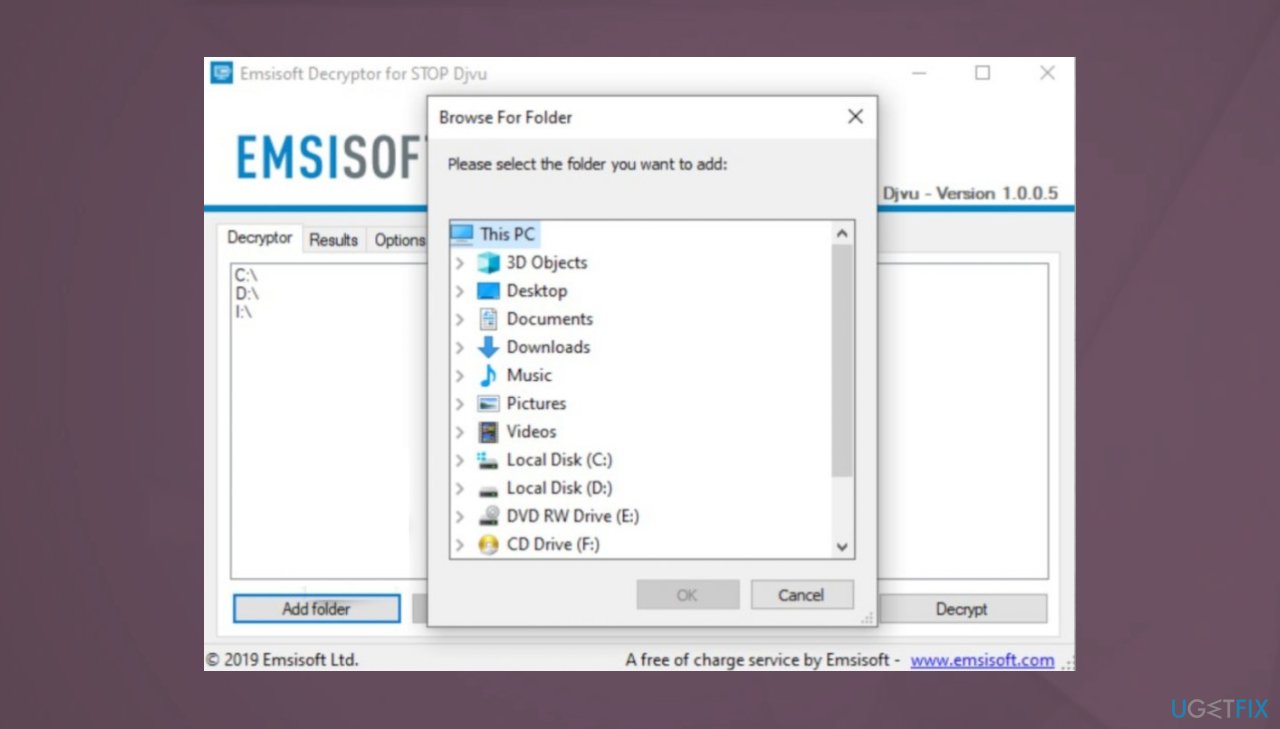
Jhgn file recovery decrypt tool - You can also do it by pressing Add folder at the bottom.
- Press Decrypt.
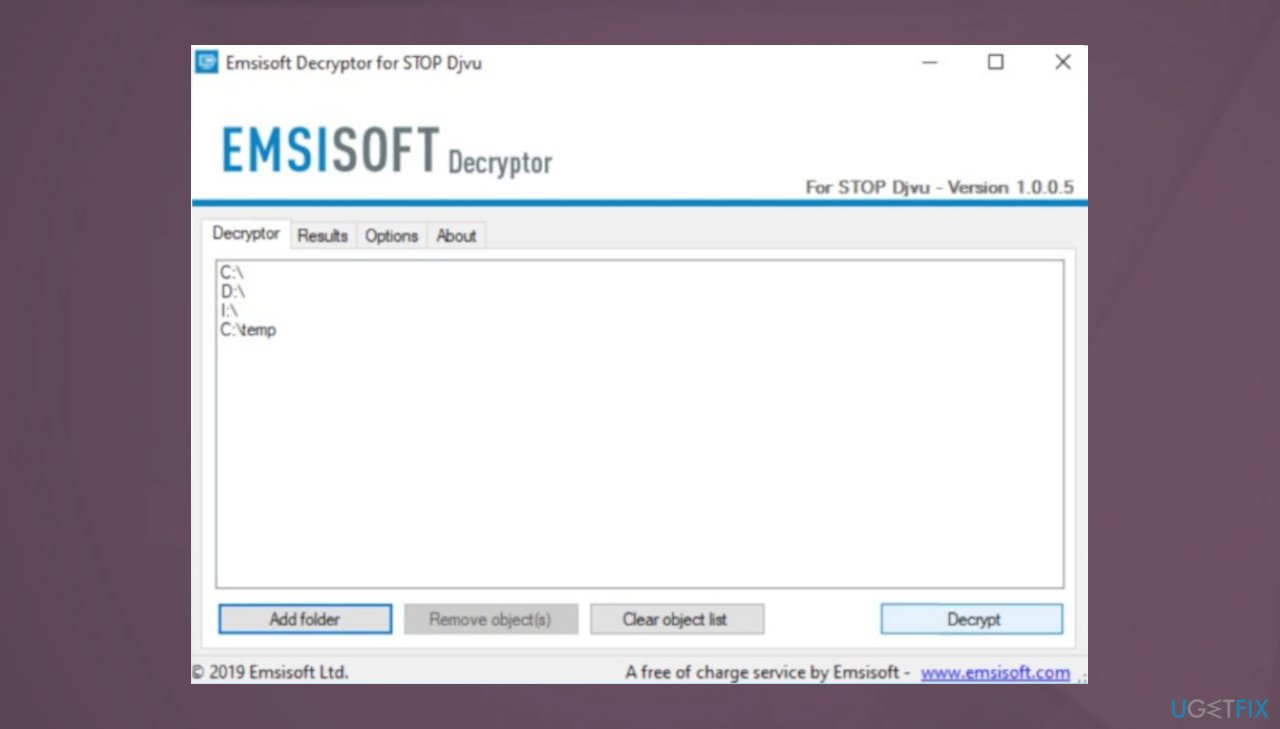
Jhgn file recovery decrypt files - Results determine decryption options.
4. Restoring the data
- Get a tool for file repair. We can recommend [rev id="Data Recovery Pro"].
- Download from a trustworthy source.
- Follow installations until it is complete.
- Once that is finished, run the application.
- Select Everything or pick individual folders/ files to recover.
- Press Next.
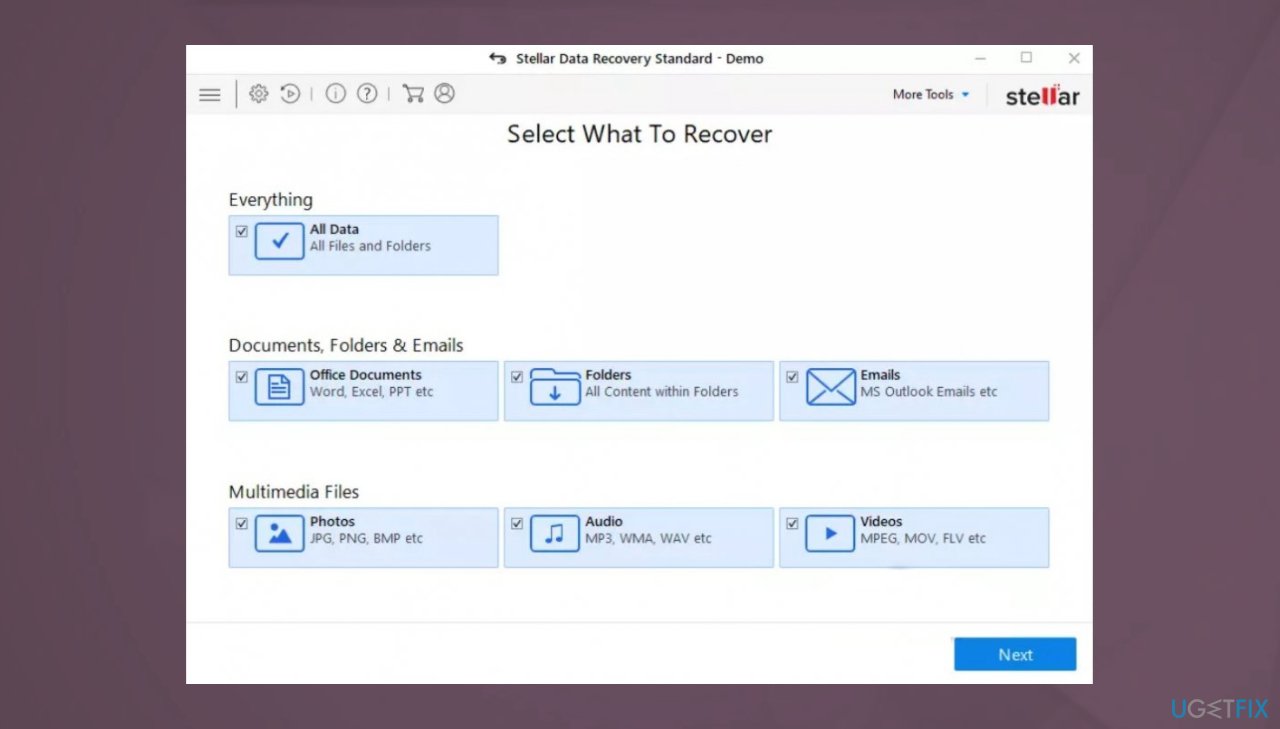
Jhgn file recovery restoring stellar - Enable Deep scan at the bottom.
- Pick which Disk you want to be scanned.
- Scan.
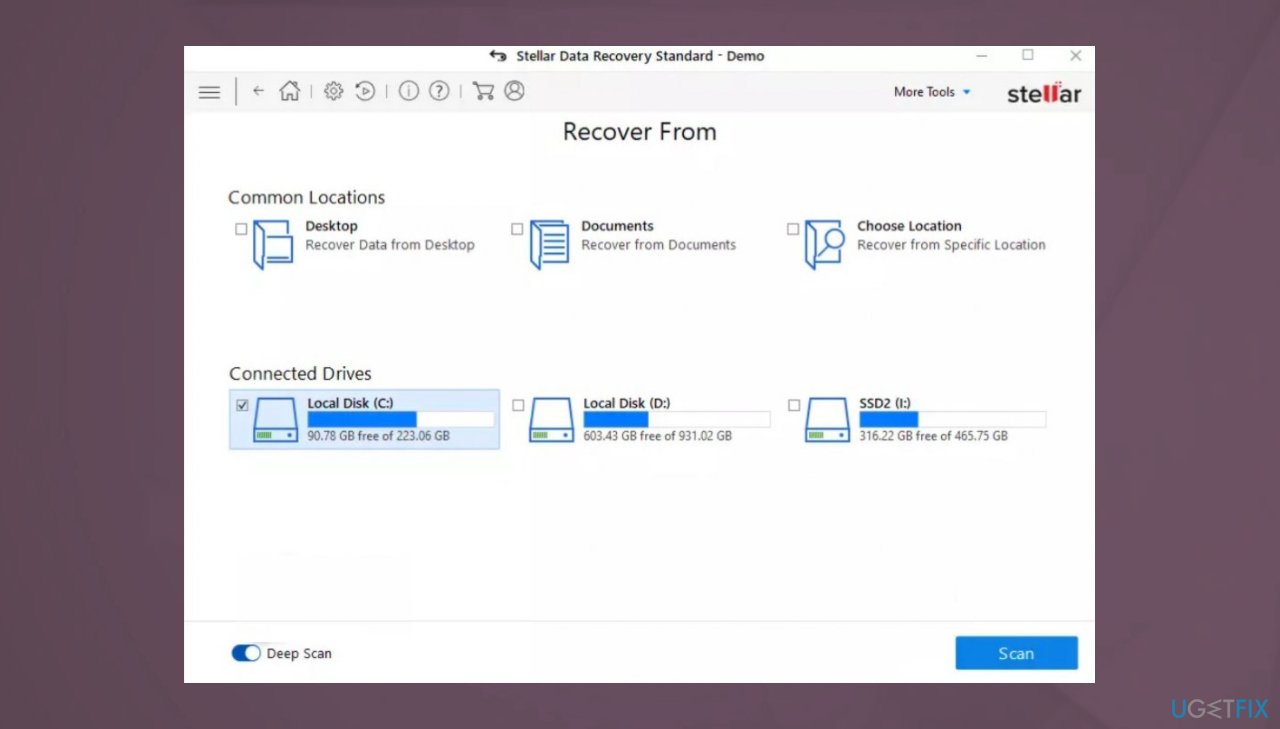
Jhgn file recovery data tool - Hit Recover to restore files.
Bottom line
To recover files after a Jhgn ransomware attack, it is essential to remove the ransomware using anti-malware tools and perform a full system scan. If files cannot be decrypted, consider restoring them from backups. If none of these solutions work, seek professional help.
Frequently asked questions
Disconnect your computer from the internet to prevent further data encryption and then run a full antivirus scan to remove the ransomware. After that, look for backup options to restore your files.
Yes, you can try using Windows File History or Previous Versions feature to restore files to their earlier states before the attack. However, this may only work if you had these features enabled prior to the infection.
Currently, there is no known decryption tool specifically for Jhgn ransomware, so your best option is to restore from backups if available. Always keep your system updated and backups current to mitigate future risks.




Report an issue
What's wrong with this guide? We review every report and update or remove content.
Report received — thank you. We'll review and fix it.
You need a free account to submit a report.
Be the first to comment