How to recover
Files Encrypted by Diablo6 Ransomware
from Windows
Discover effective methods to recover files encrypted by Diablo6 ransomware on Windows 10 and 11. Expert-tested solutions await you, fixed in minutes.

What leads to How to Recover Files Encrypted by Diablo6 Ransomware?
- Computer infected with Diablo6 ransomware
- Desktop wallpaper changed
- Presence of diablo.htm file on desktop
- Files corrupted and renamed with .diablo6 extension
- Ransomware downloaded via VBS file from ZIP attachment
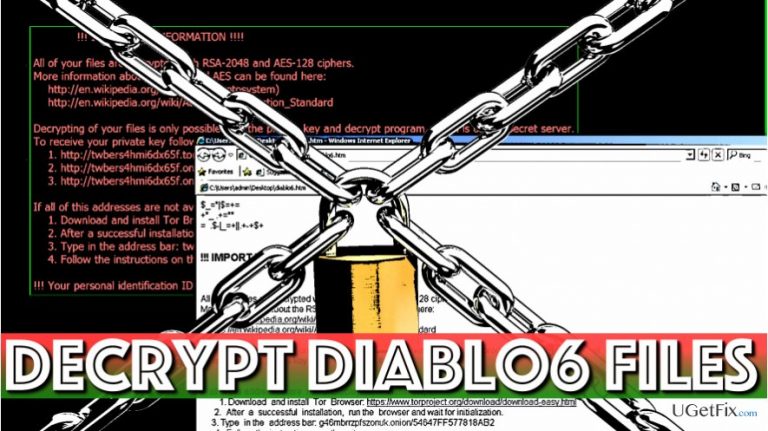
- Ransom note dropped as diablo6.htm
Repairs Windows system files, removes malware, and restores a clean OS state — without reinstalling.
I think my computer was infected with a virus! My desktop wallpaper was changed, and I also found a diablo.htm file on the desktop.
All my files (on the desktop as well as in other folders) were corrupted and renamed strangely. They have .diablo6 file extensions now, too. I followed the instructions in the HTM file and accessed a web page that sells “Locky decryptor.” Is this some kind of joke or am I dealing with something serious? I want to recover files now!
Diablo6 is a ransomware virus that belongs to Locky malware family. This virus is currently being pushed via a massive spam campaign that sends emails to potential victims with a ZIP attachment that contains ransomware downloader (VBS file). Once executed, the VBS file downloads Locky Diablo6 to the computer and lets it encrypt all of the victim's data.
The ransomware uses RSA-2048 and AES-128 ciphers with ECB mode to securely lock victim’s files. The virus uses .diablo6 file marker to sign each encrypted file. Earlier Locky’s versions were using .osiris, .zepto, .aesir, .odin, .loptr and other file extensions. As soon as the virus successfully corrupts victim’s files, it drops a ransom note diablo6.htm and sets a BMP version of it as desktop’s background.
The ransomware is used as an extortion tool to force potential victims to pay a ransom in exchange for a decryption software widely known as Locky Decryptor. However, we do not recommend paying the ransom. Instead, we strongly recommend removing the virus. To remove Diablo6 ransomware, we recommend using [d1] software.
If you can’t download it to your system because the virus in your computer prevents you from doing so, please follow these instructions to recover access to your system. Do not forget to reboot your computer into normal mode after removing the virus and perform a system scan again. Only after a successful Diablo6 removal, you can start applying possible data recovery methods.
Recover Files Encrypted by Diablo6 Ransomware
There are several methods you can use to recover your files. They all require patience, so arm yourself with it. We hope that your computer is clean now since you removed the Locky variant from it using a trustworthy anti-malware software.
Method 1. Use a data backup
- If you exported data copies to an external disk some time ago, you could use them to restore the data that Diablo6 encrypted. We recommend you to create another data copy using your backup (use a secure computer to do it).
- Once you are 100% sure that the virus has been removed, plug the data backup device into the computer that was compromised.
- Wait until your computer detects it and open the folder with your data copies.
- Import them to your computer by selecting all of them and drag them to a desirable folder on your PC.
Method 2. Use file recovery software
We recommend you to try Data Recovery Pro for data recovery. The tool has proved to be an efficient software when dealing with corrupted or accidentally deleted files.
- Download [rev id=”Data Recovery Pro”].
- Install the software using guidelines provided by its installation wizard.
- Open the software and perform a system scan with it. The program will detect the encrypted data and attempt to recover it.
Method 3. Restore files with the help of Windows Previous Versions
If you need to decrypt only several files individually, try using the following method. We hope that you have created a System Restore point earlier; otherwise, this method won’t work for you.
- Choose a file that you want to decrypt and right-click on it. Go to Properties and Previous Versions tab.
- Look at Folder versions section and select the file version that you want to recover. Click Restore.
Method 4. Try ShadowExplorer software
- Download ShadowExplorer software.
- Install the program using the instructions provided by ShadowExplorer installer. Open the program and click the button in the top left corner to see a drop down menu. Select the disk with encrypted data and then choose a folder that you want to recover.
- Select Export. You might also want to specify where to export the recovered file versions.
Method 5. Locky Decrypter
It is your choice whether to pay the ransom or not. We strongly recommend you not to pay it because it provides no guarantees regarding data recovery.
Bottom line
To recover files encrypted by Diablo6 ransomware, it is recommended to remove the virus using specific software and reboot the computer into normal mode. After successful removal, you can apply data recovery methods. If none of these methods work, consider seeking professional data recovery services.
Frequently asked questions
Immediately disconnect your device from the internet to prevent further encryption, then use a reputable antivirus to scan and remove the ransomware. After that, consider using a data recovery tool that supports Windows 10 to attempt recovery of your files.
Yes, you can attempt to recover your files using backup solutions or third-party decryption tools if available, but success is not guaranteed. Always ensure your Windows 11 system is backed up regularly to avoid data loss.
You can use the File History feature on Windows 10 or Windows 11 to restore previous versions of your files if it was enabled before the attack. Additionally, System Restore points may help revert your system to a state before the ransomware infection.




Report an issue
What's wrong with this guide? We review every report and update or remove content.
Report received — thank you. We'll review and fix it.
You need a free account to submit a report.
Be the first to comment