How to recover
Files Encrypted by Jaff Ransomware
from Windows
Recover files encrypted by Jaff Ransomware on Windows 10 or Windows 11 effortlessly. Expert-tested methods ensure zero traces left of your data loss.

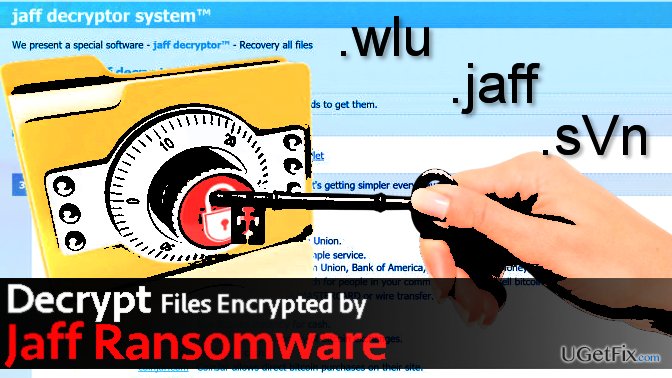
What leads to How to Recover Files Encrypted by Jaff Ransomware?
- Files were encrypted by Jaff ransomware
- Jaff ransomware is distributed via Necurs botnet
- Different versions of Jaff ransomware use different file extensions
- Ransom notes are created with specific names for each variant
- The latest variants leave multiple ransom note files
Repairs Windows system files, removes malware, and restores a clean OS state — without reinstalling.
Hello, today my files were encrypted by a malicious computer virus called Jaff ransomware. It has corrupted all files and added .sVn file extensions to them. I heard that there is a decrypter for earlier versions of this ransomware, the ones that were using .wlu or .jaff file extensions. Is there any way to decrypt .sVn files for free?
Jaff ransomware virus is a malicious computer program that is rapidly distributed with a help of Necurs botnet. Currently, there are three versions of the ransomware, and each of them adds different file extensions and uses different names for the ransom notes:
- .jaff file extension virus used to drop ReadMe.txt, ReadMe.html and ReadMe.bmp file;
- .wlu file extension virus dropped these files: README_TO_DECRYPTI.txt, README_TO_DECRYPTl.bmp, README_TO_DECRYPT.html;
- .sVn file extension virus uses the following names for the ransom notes: !!!!README_FOR_SAVE FILES.txt and !!!SAVE YOUR FILES.bmp. The latest variants leave !!!!!SAVE YOUR FILES!!!!.txt and !!!SAVE YOUR FILES!.bmp files.
While some security researchers believed that it might be a variant of Locky ransomware, others proved them wrong. In fact, the virus seemed to be extremely dangerous and sophisticated, although experts from Kaspersky proved that it is only the appearance of the virus that was scary. Jaff decryption tool is available, and it works for all versions of the virus, including .jaff, .wlu, and .sVn variants. If your files were encrypted, you must complete some tasks in a specific order if you want to recover your data and continue using it successfully.
Step 1. Remove Jaff ransomware completely
- Before you try to decrypt your files, remove the ransomware so that it could not interfere with the decryption process.
- Reboot your PC into Safe Mode (see a guide on how to do it here) and launch anti-spyware software such as [rev id=”Reimage”]. Scan the system with it.
- Remove detected malware and related components.
Step 2. Restore .jaff, .wlu, .sVn file extension files
Method 1. Recover your files using RakhniDecryptor
- Download RahkniDecryptor from official Kaspersky website.
- Check if the decryptor’s version is 1.21.2.1 (or higher).
- Click Start scan and then choose the folder that contains files you want to decrypt.
- The decryptor should ask you to select a ransom note. Find it, select it and click Open.
- Wait until the decryptor restores all files from your selected folder.
- Repeat 3-5 step with every folder that contained important files.
In case you were infected with an updated version of the Jaff malware, the decryptor might now work. In such case, try one of the following techniques:
Method 2. Run a scan with Data Recovery Pro
- Install [rev id=”Data Recovery Pro”] according to information provided by its installer.
- Launch it and scan the system to detect files that can be recovered.
- Restore them.
Method 3. Use Volume Shadow Copies
Volume Shadow Copies can be used in case the computer virus leaves them on the system after encrypting all files. The majority of such malicious programs delete these copies so that the victim couldn’t recover encrypted files without paying the ransom. We have already provided a comprehensive guide on how to restore files using Shadow Volume Copies.
Bottom line
To recover files encrypted by Jaff ransomware, you must first remove the ransomware completely and then use the RakhniDecryptor tool to decrypt the files. Ensure that you have the correct version of the decryptor and follow the steps carefully. If these methods do not work, consider seeking professional help.
Frequently asked questions
Immediately disconnect from the internet to prevent further data loss and stop the ransomware from communicating with its server. Then, look for any backups you may have before attempting recovery methods.
Yes, you can use reputable data recovery software like Recuva or specialized decryption tools provided by cybersecurity firms, but results may vary depending on the ransomware's encryption method.
Restoring your system to a previous state using System Restore may help, but it depends on whether the restore points were created before the infection.




Report an issue
What's wrong with this guide? We review every report and update or remove content.
Report received — thank you. We'll review and fix it.
You need a free account to submit a report.
Be the first to comment