How to recover
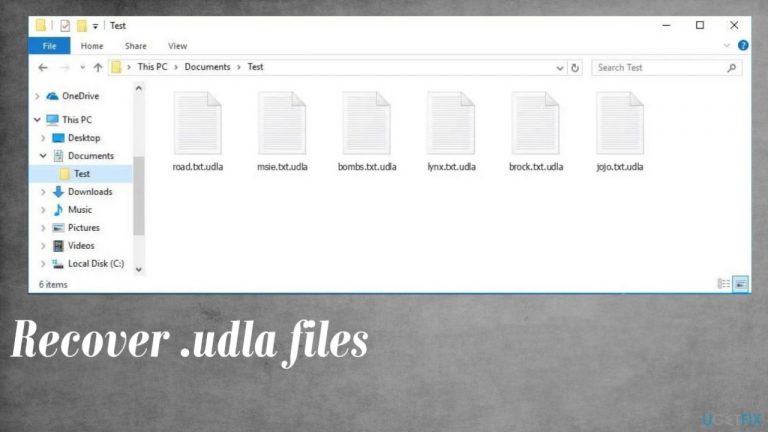
Files locked with .udla extension
from Windows
Quickly restore files locked with the .udla extension on Windows 10 or 11. Our expert-tested guide ensures your data is recovered with zero traces left.

What leads to How to recover files locked with .udla extension?
- Ransomware infection
- Downloading pirated software
- Using torrents for software
- Exposure to malicious files
- Infection from macro viruses
Repairs Windows system files, removes malware, and restores a clean OS state — without reinstalling.
Hello. I am devastated. My files that I need for university work got encrypted and locked. Now documents, images, even audio files are all marked with .udla extension. So this is ransomware? I think I caught that when trying to get the Adobe program from torrents. Bad on my end. However, can I do anything about it?
Ransomware is a cyber threat that focuses on army-grade encryption[ref en-1] and direct money extortion procedures. The latter is possible because of the file-locking because people get scared into paying the demanded sum via ransom note _readme.txt that is appearing on the machine once files get marked with .udla extension.
Cybercriminals are targeting people by falsely claiming that their data can be unlocked, so they contact hackers and pay large sums. The exchange rarely happens, so people are left without money and with damaged data. Sometimes victims will just receive another message demanding more payments instead of getting access to decrypted files or decryption tools.
The Udla file virus is a version of Djvu ransomware that uses NBA game cracks, software licenses, or pirating packages to deliver these threats with the help of malicious files with macro viruses, for example. Creators release new versions with minimal alterations in order to make them unique from other types while staying under the radar.
It happens at least weekly, and all the newer versions are no longer decryptable. At least easily or quickly. You need to react to the infection right away, so the virus is stopped, and then files can be recovered using alternate options. Paying is never recommended because ransomware creators rely on extortion all the time.[ref en-2]
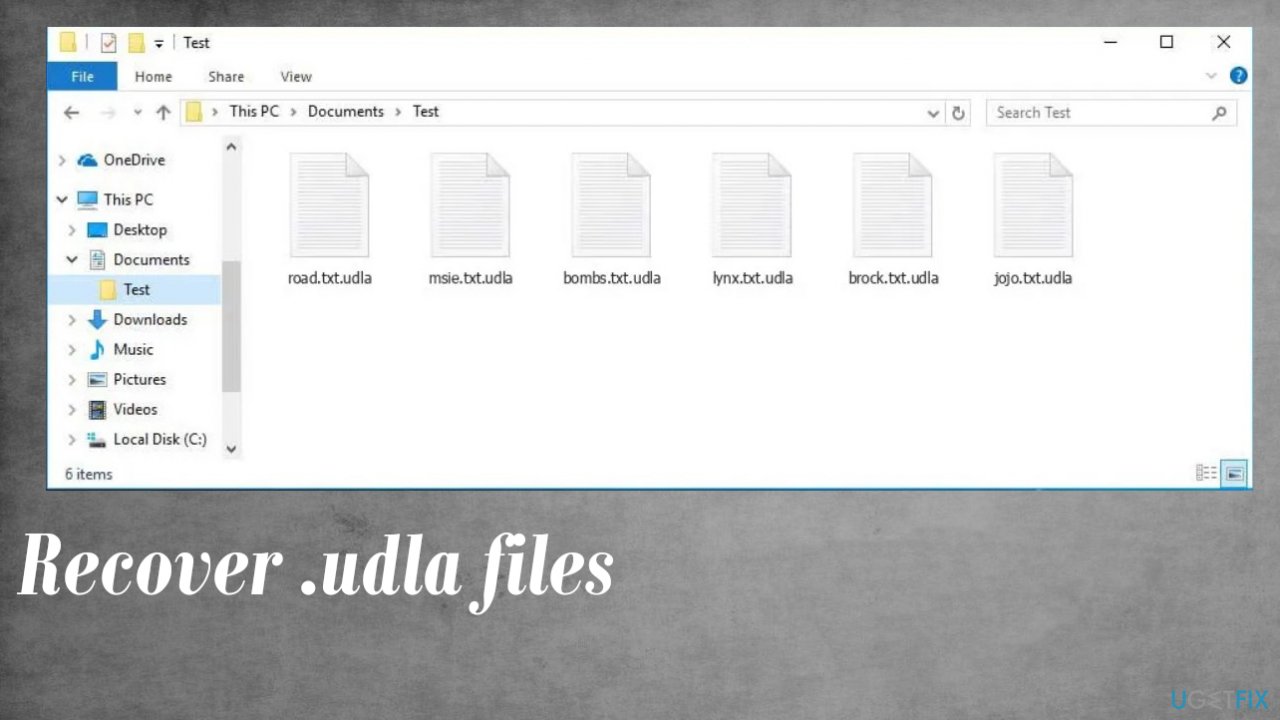
1. Terminate the virus
The best way to get rid of this pesky virus is by using an anti-virus tool. The one thing you need in order for it to work properly though, and what will help keep your system safe from any additional malware or cyber threats altogether. If there's anything additional installed beside the Udla ransomware, tools like this help to find them.
This is a very serious threat that you should never ignore. The file virus can cause more problems and harm your machine if left unchecked by an anti-malware tool or security program. These encoded files themselves are not malicious, but there are data placed on the machine, like EXE or DLL pieces that have been known to carry additional malware.
Detection rates[ref en-3] determine how well these programs are able to remove active viruses from the system once they've been detected. This is not the same as file recovery or decryption, do not forget about that.
2. Repair altered or corrupted system files
Data in various system folders can be damaged and this is the issue with virus leftovers and damage. You need to take care fo this before the file recovery can be introduced.
- Get a program like [d1].
- Download the app from a trustworthy source.
- Launch installation procedure.
- Once the program is running, start the system analysis.
- Check the results in the Summary.
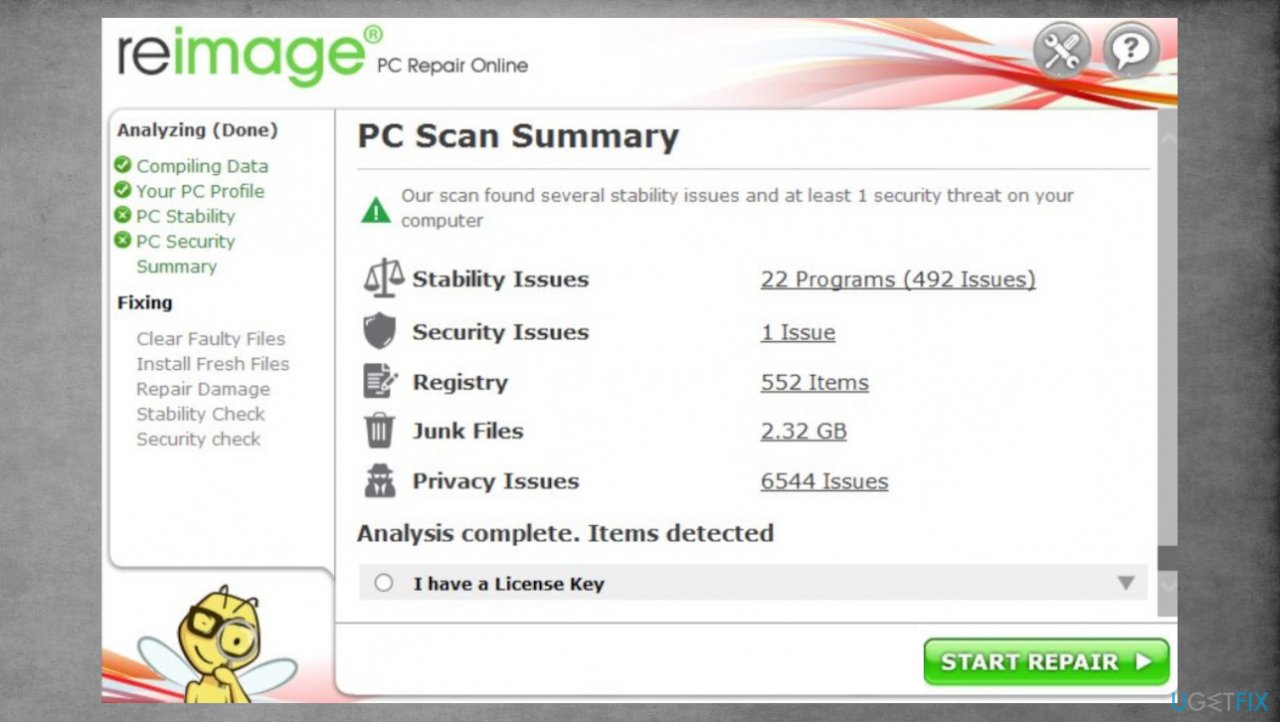
Djvu reimage repair udla - Fix problems that are detected.
- We recommend you purchase the license and fix them automatically.
3. Check if the decryption tool can work
The offline key forming feature of this program was previously very helpful because it gave access to all victims of some of the versions. The tools helped victims to recover their data. However, now that each device has its own unique key made during the infection process the option is not available. Online keys are mainly used nowadays, but sometimes the connection might fail, so try to check if the tool can help you.
- Download the app on official Emsisoft website.
- Once decrypt_STOPDjvu.exe shows up – click it.
- Follow instructions on the screen.
- The tool should automatically locate the affected folders.
- You can also do it by pressing Add folder at the bottom.
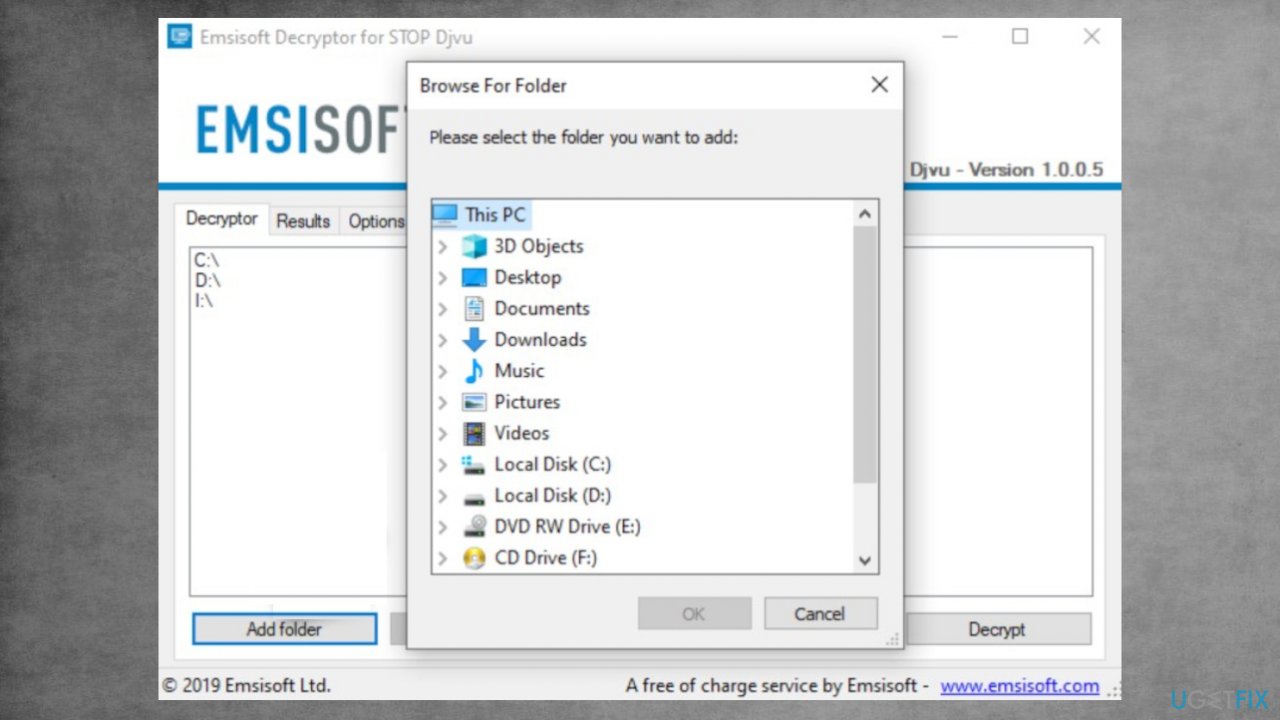
Recover udla files fix decrypt - Press Decrypt.
- There are particular results that can occur. Those determine if the decryption option is possible for your files or not.
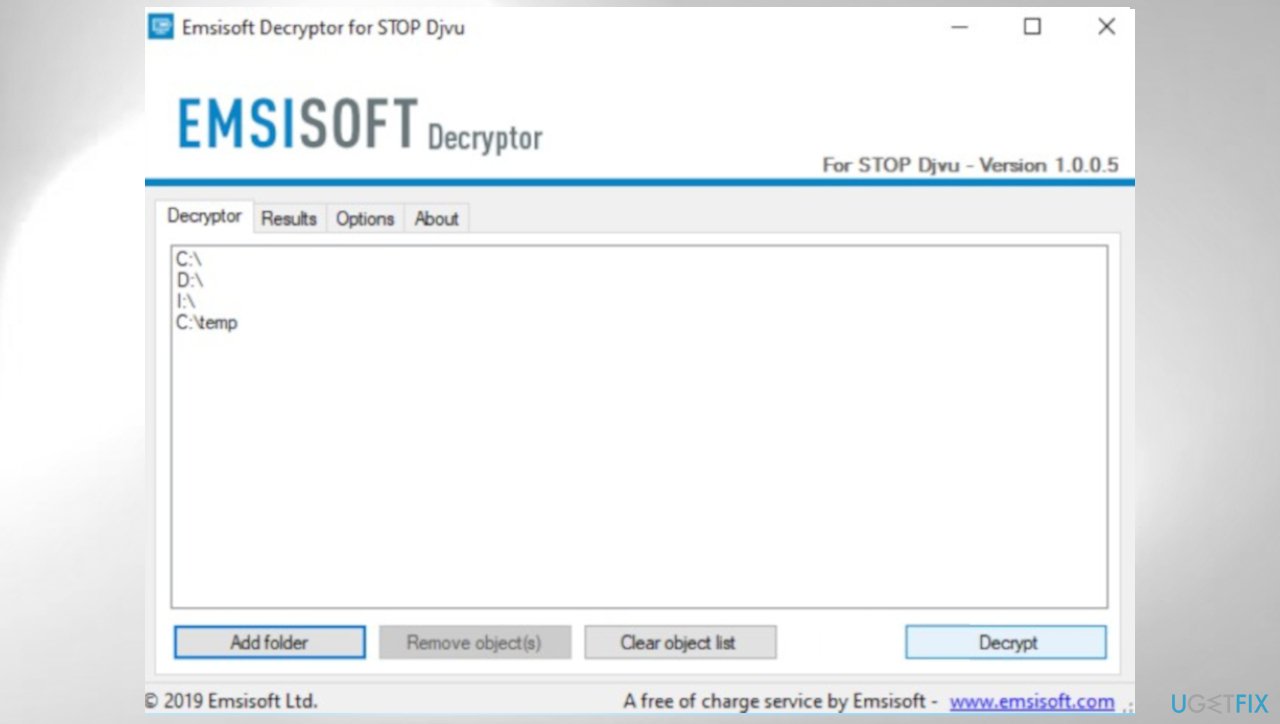
Djvu decrypt emsisoft udla
4. Recover data using the particular application
- Get a program like [rev id="Data Recovery Pro"] that is designed to restore files.
- Install it fully n the machine.
- Follow the instructions.
- Select Everything or pick individual folders for recovery.
- Press Next.
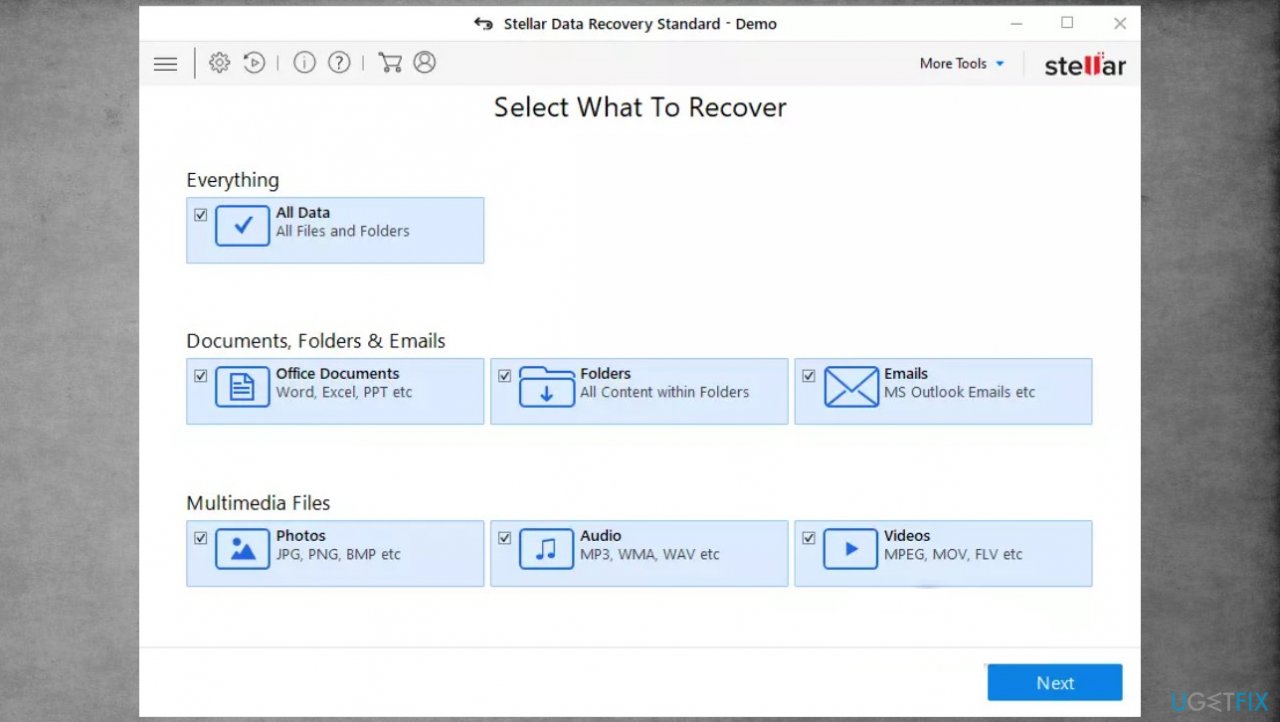
Djvu stellar data recovery udla - Enable Deep scan and pick which Disk you want to scan.
- Press Scan and wait for the process to end.
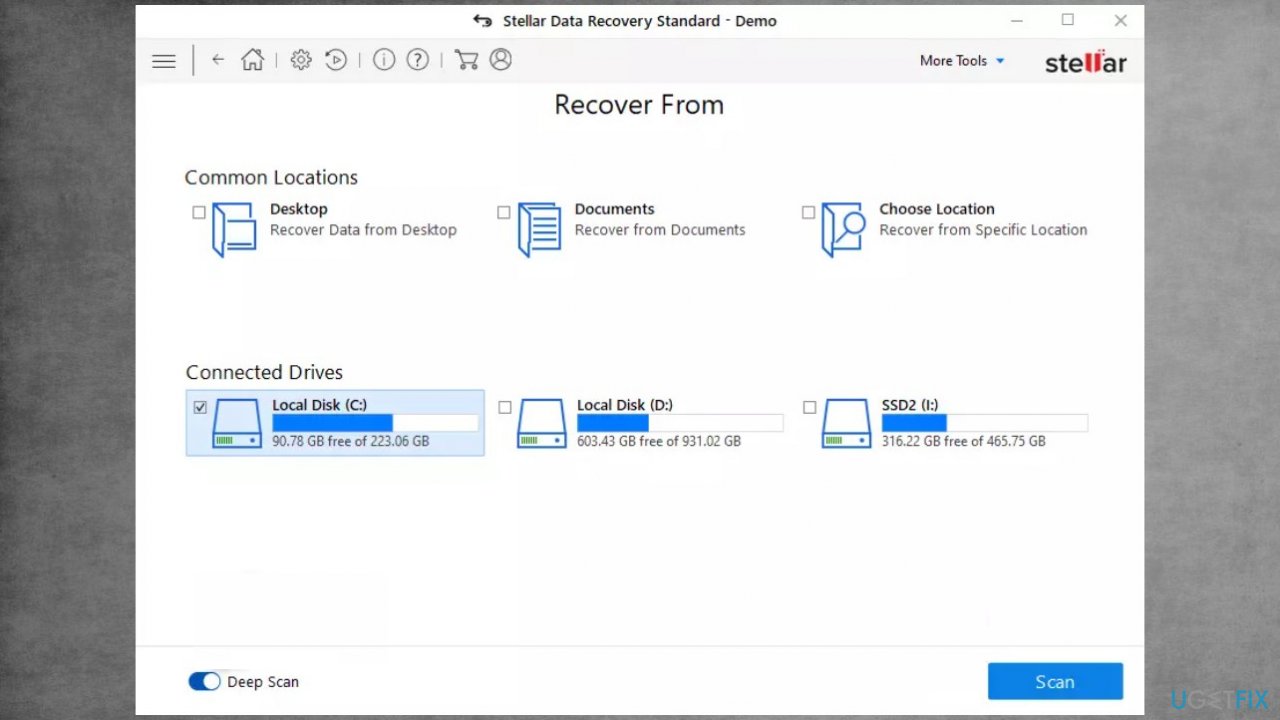
Recover udla files fix recovery - You can now pick which folders/files to recover.
- Press Recover to repair your files.
Bottom line
To recover files locked with the .udla extension, it is crucial to terminate the virus using an anti-virus tool and ensure your system is safe from additional threats. Paying the ransom is not recommended, as it rarely leads to file recovery. If these steps do not work, consider seeking professional help or using data recovery services.
Frequently asked questions
You can try using a reliable data recovery software or restore your system to a previous state using Windows System Restore to recover files with the .udla extension.
Decrypting .udla files typically requires specific decryption tools or methods; ensure you have backups before attempting any recovery process on Windows 11.
To prevent future .udla file locks, keep your Windows 10 or Windows 11 system updated and use a reputable antivirus program to protect against malware.




Report an issue
What's wrong with this guide? We review every report and update or remove content.
Report received — thank you. We'll review and fix it.
You need a free account to submit a report.
Be the first to comment