How to recover
Locked .nuhb files
from Windows
Unlock your .nuhb files on Windows 10 and 11 effortlessly with our expert-tested solutions. Recover lost files quickly, with zero traces left.

What leads to How to recover locked .nuhb files?
- Virus infection from opening a malicious email
- Encryption of files by Nuhb ransomware
- Ransom demands from the malware creators
- Frequent release of new ransomware variants
- Lack of universal decryption tools available
Repairs Windows system files, removes malware, and restores a clean OS state — without reinstalling.
Data locked with .nuhb extension. Help! I think I opened the wrong email and got the virus on the computer. I just received the message in the text file and all files on Windows cannot be opened. Do you have a tool that decrypts?
The virus like this Nuhb ransomware is not a joke. These treats are focused on ransom demands and encryption procedures.[ref en-1] The particular infection is a version of another malware known for years. We have covered the recovery options for other versions, and we should sadly inform you that this latest addition is not decryptable at this point.
There might be tools developed later on, but at the moment, researchers cannot make a tool universal for all the variants. Especially since the creator releases at least two versions into the wild weekly. The ransom note _readme.txt has never been changed, nor have the contents. The infection creators ask for the $980 in the form of Bitcoin[ref en-2] via this ransom note and offer a discount that should encourage them to pay up.
Even contacting these criminals can end up with more malicious files and programs on the machine. These ransomware creators become more and more financially motivated, so when you contact them but refuse to pay, an additional extortion message can be sent to you.
Threat actors care about the money, so your files are not the theme for worries. Do not pay! There are no guarantees that criminals will or even can recover encrypted .nuhb data for you. These decryption tools are difficult to make and rare to find, so alternate options are the solution for you only. We list a few methods that can help to fight the malware and restore the affected files in system folders or even encoded pieces.
Step 1. Eliminate the active virus
These infections are seriously damaging because ransomware like this Nuhb file virus can affect the commonly used files and significantly damage the experience on the system. Your device gets affected and becomes slower than before from the first moments of infiltration. The threat runs in the background and can affect more than those common files, so the system needs to be properly cleared.[ref en-3]
There are no official decryption tools that could quickly help victims to remove the infection and repair or even decode affected images, documents, audio, or video files. The best solution here is to remove the infection, stop the particular activities and processes with anti-malware tools and then move on with available options from third-party developers.
Running a full system scan with the AV engine can improve the performance further because Nuhb ransomware might be deployed with the help of other malware like trojans or worms, so these tools indicate all potential threats and make the machine virus-free again. Then you can rely on other options for the system and file repair.
NOTE: active virus removal, file decryption, and data recovery are three separate processes. Eliminating the virus will not restore affected files and decryption tools cannot remove the active virus from the system.
Step 2. Repair damaged system components
Threats like this can do more damage to system folders not only lock commonly used files on the machine. The Nuhb ransomware virus and the initial Djvu virus family are known for releasing additional files and programs to ensure the persistence of the file-locking virus. You need to stop the processes, and repair system files and features, so the machine is running smoothly and can perform functions needed for the data restore.
- Install the PC repair tool [d1].
- Run the installation and launch a tool after that.
- Follow instructions for the system check.
- Once it is successful, review the results.
- Check the Summary of the found issues.
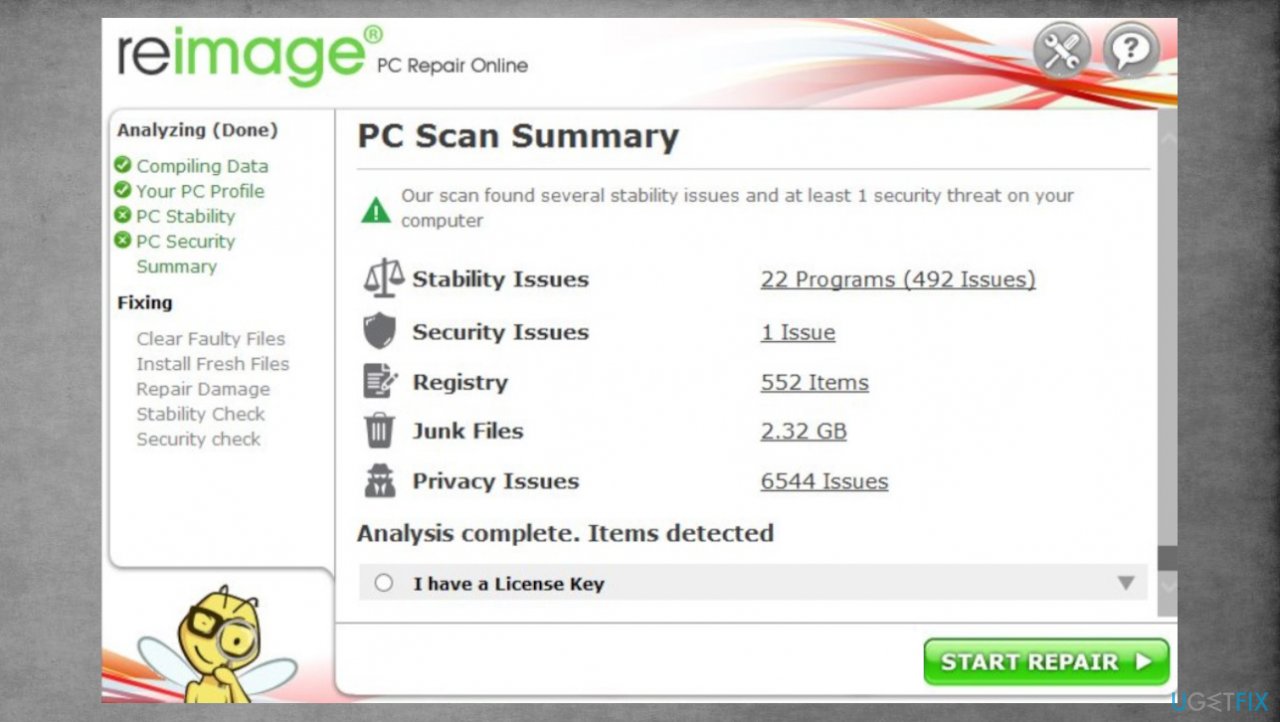
Djvu reimage repair nuhb - Fix any problems manually.
- You can also purchase the license for more in-depth help.
Step 3. Try the decryption tool
Decryption is a serious and difficult procedure. There are no universal decryption tools that could work for all and every ransomware, so you cannot restore those freshly locked files right away. The family previously was decryptable because developers started to use offline IDs when encoding files.
However, these functions were altered in the later years and since 2019 the family releases new versions weekly with the advanced method. These threats, including the Nuhb file virus, rely on online IDs and cannot be decrypted right away. These methods are different because the key that is needed for decryption can be either unique for each device - online key or the same for all the devices affected by the same variant - offline.
You should check the possibilities, nevertheless. Sometimes these functions fail and the server cannot properly connect to the remote virus, so the encryption process is interfered with. The scan results can indicate if there is any solutions for your files.
- Download the app on official Emsisoft website.
- Once decrypt_STOPDjvu.exe shows up, launch the installation.
- The tool should locate the affected folders once the system check is initiated.
- You can also press Add folder at the bottom.
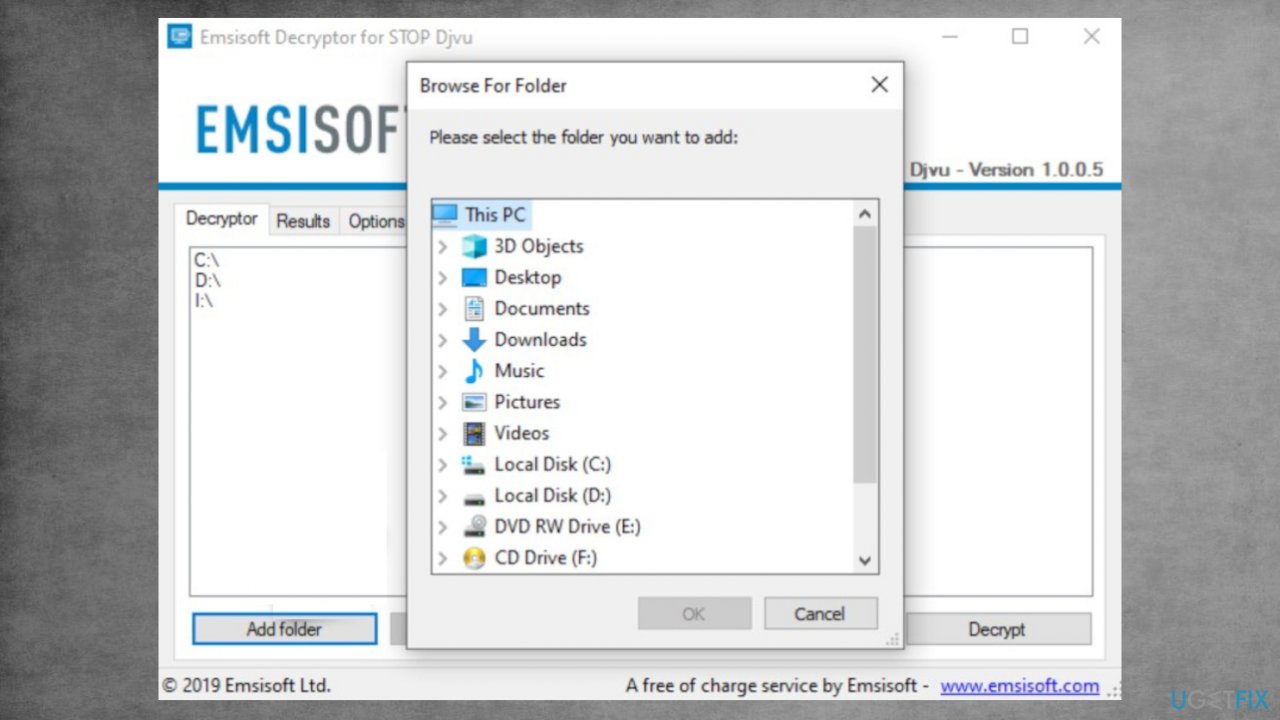
Recover nuhb files fix decryp - Press Decrypt.
- Results after the check determine if your files can be decrypted.
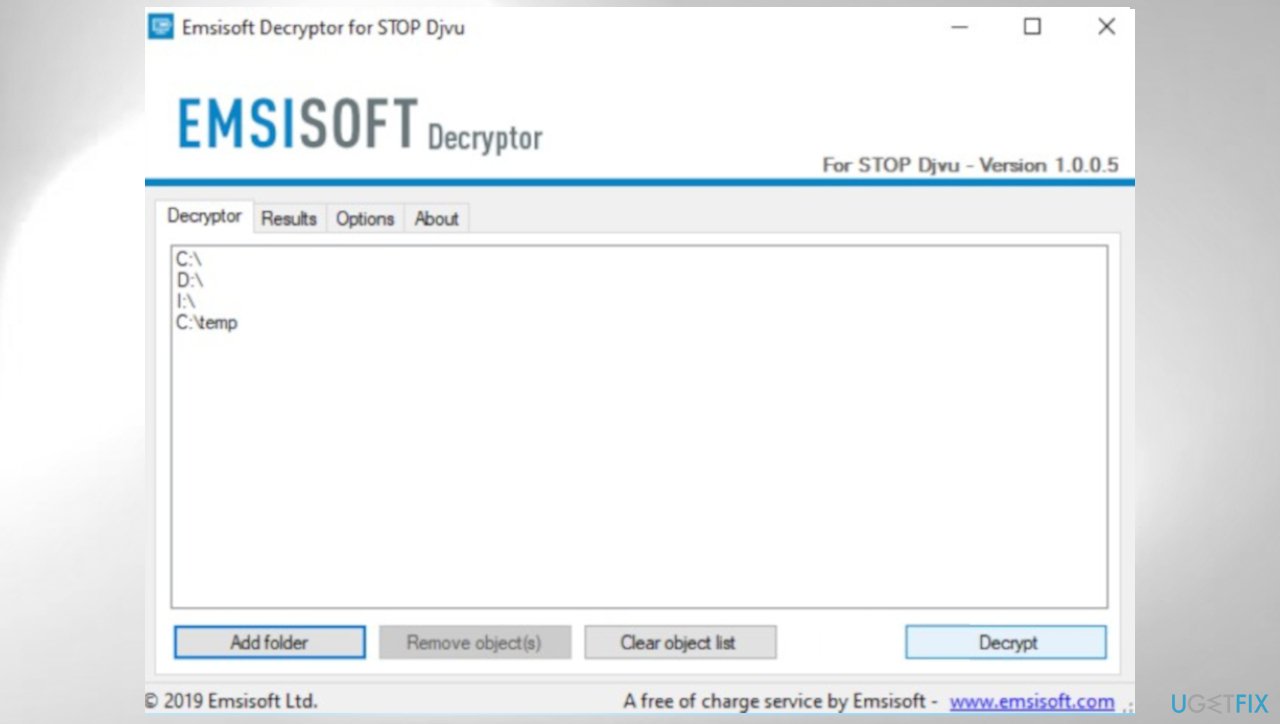
Djvu decrypt emsisoft nuhb
Step 4. Use the file recovery tool
- Get a tool for file recovery. There are third-party apps like [rev id="Data Recovery Pro"].
- Follow installations on the screen.
- Use the application once it is done.
- Select Everything or pick individual folders to recover.
- Press Next.
- Run the Deep scan.
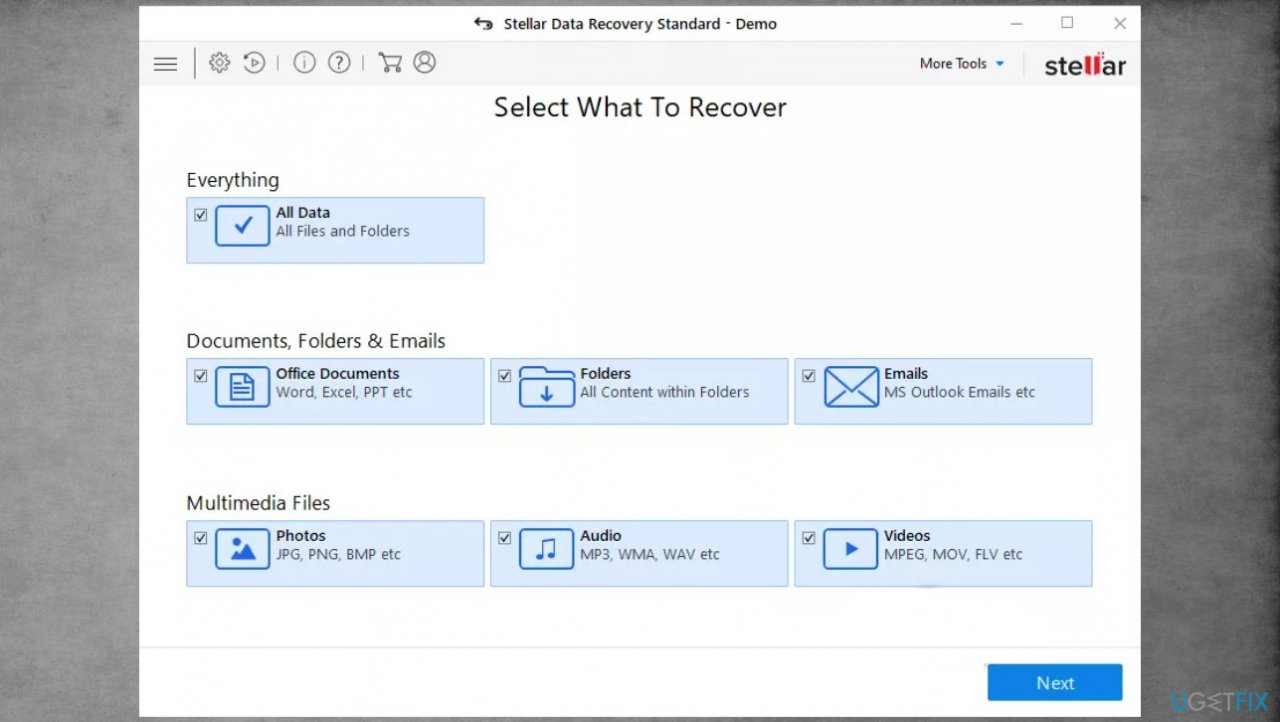
Djvu stellar data recovery nuhb - Pick which Disk you want to be scanned.
- Hit Scan.
- Hit Recover to restore files.
Bottom line
To recover from a Nuhb ransomware infection, it is essential to eliminate the active virus and avoid contacting the criminals. Additionally, consider using alternate recovery methods to restore affected files. If none of these solutions work, seek professional help or wait for potential future decryption tools.
Frequently asked questions
To recover locked .nuhb files on Windows 10, try using a file recovery software that supports this file type, or restore the files from a previous backup if available.
Windows 10 and Windows 11 do not have a specific built-in tool for .nuhb file recovery, but you can use File History or System Restore to revert to previous states where the files were accessible.
Yes, you can attempt to recover locked .nuhb files on Windows 11 by using data recovery software or checking the Recycle Bin for earlier versions before they were locked.




Report an issue
What's wrong with this guide? We review every report and update or remove content.
Report received — thank you. We'll review and fix it.
You need a free account to submit a report.
Be the first to comment