How to recover
Missing Start Menu tiles
from Windows
Restore your missing Start Menu tiles on Windows 10 with these expert tips. Quick fixes and proven methods to get your menu back—fixed in minutes!

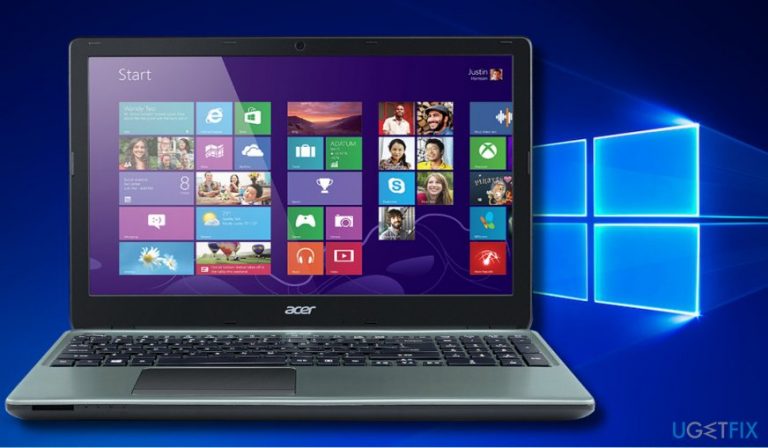
What leads to How to recover missing Start Menu tiles on Windows 10?
- Installation of the Fall Creators Update (V-1709)
- Corrupted update components during installation
- Existing problems in the current Windows version
- Missing app tiles belonging to the default list
- Inability of Cortana to find needed app tiles
Repairs Windows system files, removes malware, and restores a clean OS state — without reinstalling.
Hello all. So I've eventually installed the Fall Creators Update and found my Start Menu Tiles missing. Could you please explain what is wrong here?
Missing Start Menu App tiles after the installation of Windows 10 updates is a widespread problem, which manifested after the release of Fall Creators Update (V-1709). Although Microsoft has supposedly fixed this problem with the emergency update KB4048955, this problem keeps evolving in 2018.[ref en-1]
Windows 10 Fall Creators Update is a huge update that overcomes the design, functions, features, apps, and whatnot. Thus, it would be naive to expect that the installation of the update will be initiated on each Windows OS perfectly.
However, people accuse Microsoft, not for the initial bugs, but their persistence.[ref en-2] Missing Menu Tiles, Broken Start Menu, No Start Menu tiles, Windows tiles not showing up, etc. are just a few examples of the names that people give for this problem.
The tiles that go missing differ on each PC. Many people reported only apps like Store, Skype, MSN News, Business and Sport, Netflix missing, while the others found a completely broken Start Menu containing only a few tiles at all. Many people fell into the panic thinking that the Fall Creators Update removed all the apps. However, that's barely possible because most of the missing app tiles belong to the list of defaults. Besides, all of the installed apps that are missing from the Start Menu can be found in Settings -> Programs & Features or Control Panel -> Programs & Features.
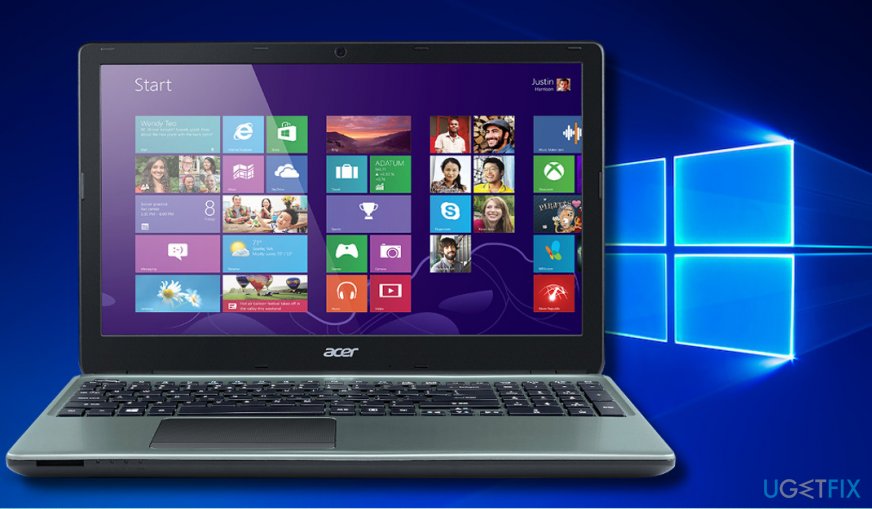
However, Cortana[ref en-3] cannot find the needed app tiles. Microsoft did not provide an explanation why the newest Windows build brakes the Start Menu, but it's clear that some of the update components are either corrupt or gets corrupted during the installation. This may happen due to the problems existing in the current Windows version.
The guide on how to recover missing Start Menu tiles
There are several methods that you can try to get the missing apps back to the Start Menu. You can either recover them using a PowerShell script, reset missing apps one-by-one, reset File Explorer, or get back to the previous build.
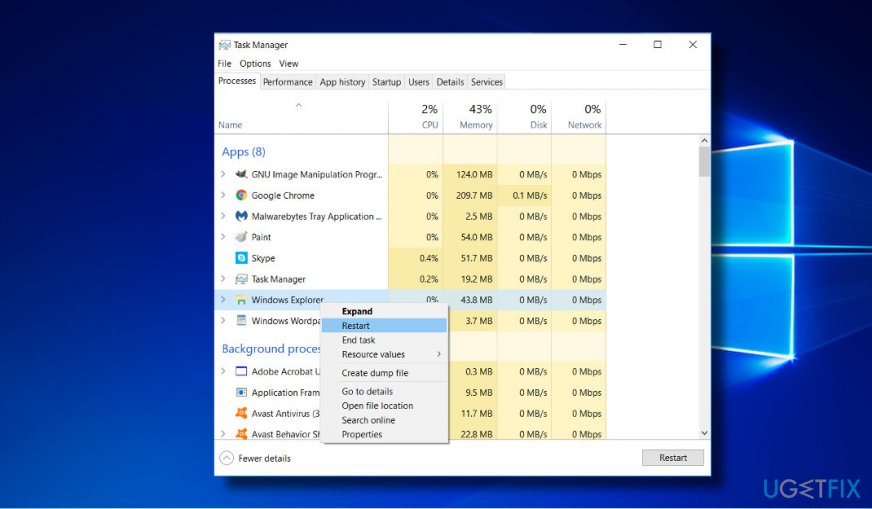
Method 1. Restart File Explorer
- Press Ctrl + Alt + Del and open Task Manager.
- Under Processes tab, find Windows Explorer process.
- Right-click on it and select Restart.
- If that did not help, right-click on it, and select Disable. Wait a while and then Star the process.
- Alternatively, you can open Command Prompt (Admin) and type the taskkill /f /im explorer.exe command. Press Enter to execute it.
Method 2. Repair or Reset the missing apps manually
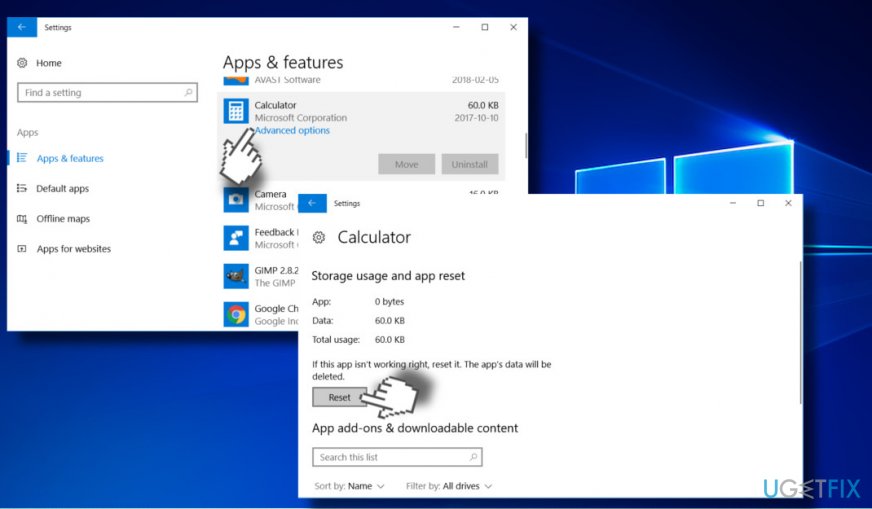
If only one or couple of app tiles are missing from the Start Menu, you can try to reset individual programs by following these steps:
- Press Windows key + I and open Apps.
- Expand the Apps & features section and find the app that is not visible on the Start Menu.
- Click on the app’s entry and select Advanced options.
- If you see a Repair option, click it. If this option is not available or failed to restore the app, then repeat the steps listed above except that instead of clicking Repair button, click Reset.
Method 3. Re-register missing Start Menu tiles with PowerShell script
This method applies for those who found lots of app tiles missing after the installation of Windows 10 feature update. To run the PowerShell script, please follow these steps:
- Press Windows key and type PowerShell.
- Right-click on PowerShell option and select Run as administrator.
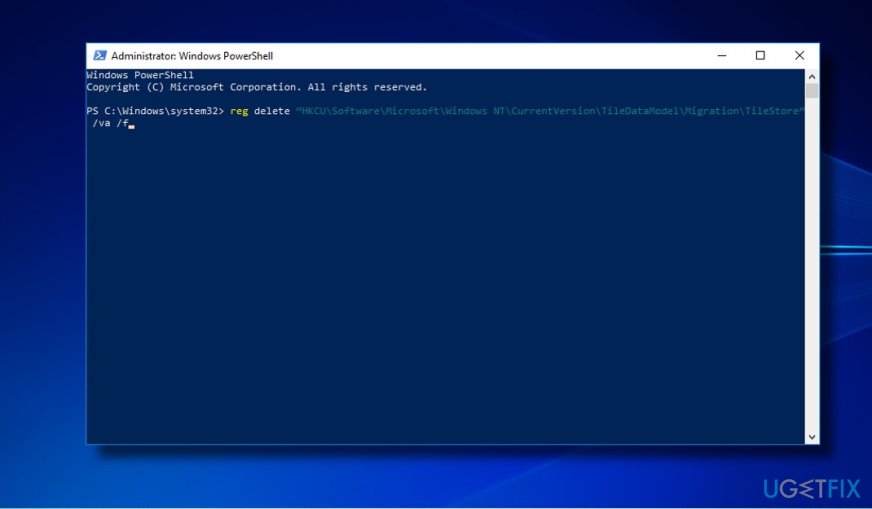
- Paste the following commands in the PowerShell window:
reg delete “HKCU\\Software\\Microsoft\\Windows NT\\CurrentVersion\\TileDataModel\\Migration\\TileStore” /va /f
get-appxpackage -packageType bundle |% {add-appxpackage -register -disabledevelopmentmode ($_.installlocation + "\\appxmetadata\\appxbundlemanifest.xml")}
$bundlefamilies = (get-appxpackage -packagetype Bundle).packagefamilyname
get-appxpackage -packagetype main |? {-not ($bundlefamilies -contains $_.packagefamilyname)} |% {add-appxpackage -register -disabledevelopmentmode ($_.installlocation + "\\appxmanifest.xml")}
- Now close PowerShell and check if the missing apps were successfully pinned to the Start Menu.
If none of these methods helped, our recommendation would be to go back to the previous build. The culprit of the broken Start Menu may stem from the previous version files that might have damaged the V-1709 installer. When you restore the previous version, try to scan your PC with [d1] to fix the existing system's problems.
Bottom line
To recover missing Start Menu tiles, you can try using a PowerShell script or reset the missing apps one-by-one. If these methods do not work, consider checking the Settings or Control Panel for your installed apps.
Frequently asked questions
You can recover missing Start Menu tiles by resetting the Start Menu layout through the Settings app or by rebuilding the Windows icon cache using Command Prompt.
No, restoring the Start Menu tiles will not affect your installed applications; it will only refresh the tiles displayed on the Start Menu.
Yes, there are third-party tools available that can help restore missing Start Menu tiles, but it's recommended to try built-in Windows options first for better stability.




Report an issue
What's wrong with this guide? We review every report and update or remove content.
Report received — thank you. We'll review and fix it.
You need a free account to submit a report.
Be the first to comment