How to recover
Restore files after Mpag ransomware attack
from Windows
Recover lost files after an Mpag ransomware attack on Windows 10 or 11. Expert-tested methods ensure your data is safe and recoverable in minutes.

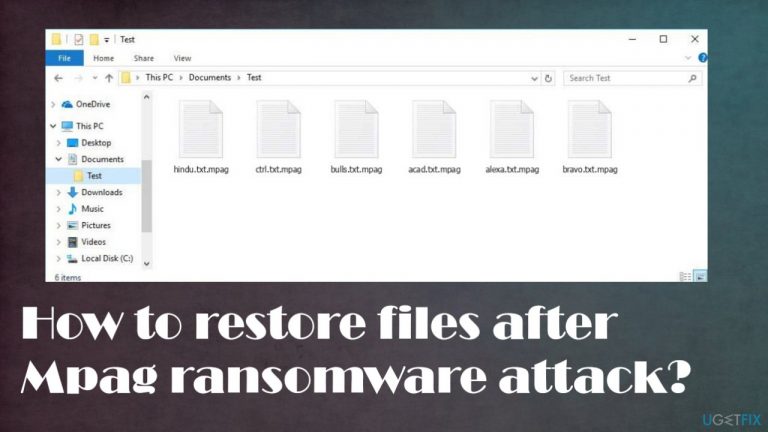
What leads to How to restore files after Mpag ransomware attack?
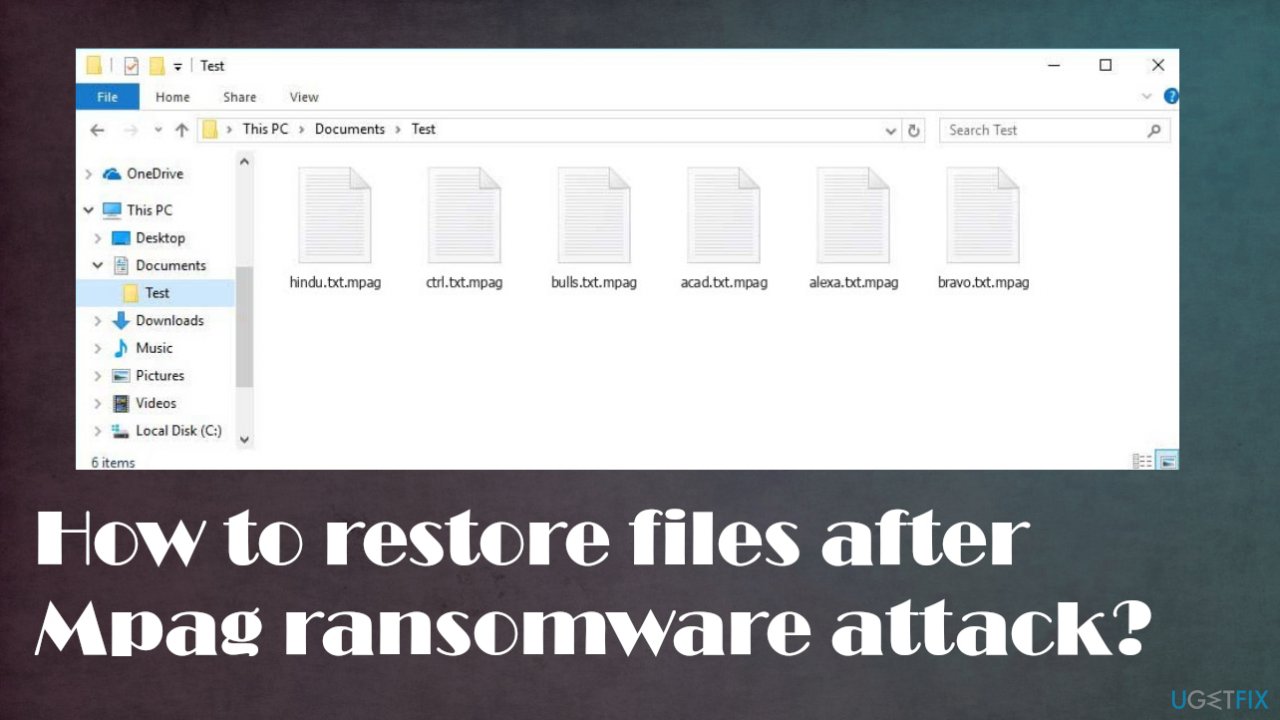
- Files are locked with .mpag ransomware marker
- Infection can happen quickly without symptoms
- Ransomware creators demand payment in Bitcoin for file restoration
- Threat spreads via torrents and pirating platforms
- Infection family has been advanced since August 2019
- No tools can 100% restore locked data
Repairs Windows system files, removes malware, and restores a clean OS state — without reinstalling.
Hello. I need your help. My files got locked with .mpag ransomware marker, and I need the option for recovery. I have no backups at all, so I am prepared to lose them all, but maybe there are some options there? Is it decryptable?
The most important thing and the worst issue with these ransomware-type threats is the file-locking that cripples the system and frustrates users because their files get possibly permanently locked.[ref en-1] The infection can happen quickly without any symptoms on the machine, but once the data is locked and altered - ransomware is pretty much done with its operation.
From there, there are limited options for the system renewal and file recovery because ransomware creators ask for a large sum of money in Bitcoin for the possible file restoration, and the system requires serious repairs because processes can be significantly affected by any malware infections. Especially cryptovirus.[ref en-2]
What is this ransomware?
Mpag file virus is focusing on file locking because this is the option that can provide a reason behind the money demands. The threat can spread around using various tactics, but users[ref en-3] report the Djvu ransomware family versions reading mainly via torrents and pirating platforms because NBA video game cracks, software license versions, and other popular program packages can be sent with the malware payload.
The infection family is spreading since 2018, and it is more advanced since August 2019 when creators introduced the online id forming method to the mix and improved the encoding procedures. The infection is no longer decryptable since then. However, there are other options for file recovery.
Threat infiltrates the machine and relies on disturbing the processes further. Once the encoding is done the _readme.txt file is dropped on the machine and in various folders where these marked files can be found. Paying is not an option, so ignore these messages and do not contact the people behind the threat.
What can be done from here?
There are no tools that could 100% restore locked data or repair any other issues with the machine, but termination of the ransomware is possible and successful when the right tools are used. You need to remove the ransomware before doing anything about the Mpag ransomware file decryption because there is a high risk of getting files locked again if the virus is running.
We understand that your main focus and worry are those encoded files, but focus on virus removal, then repair system functions since there are a lot of features that can help with removal and recovery. Then, and only when the machine is virus-free can you rely on the file repair options. Those might include your backups, and these instances show how important it is to have those up to date.[ref en-4] Follow our tips thoroughly.
1. Terminate the infection
If you've been targeted by Mpag ransomware, don't pay the ransom! It is never an option. Anti-malware tools can remove any infection before unrecoverable damage occurs. Eliminating the threat is not the same as decryption. However, recovering files without eliminating an infestation will lead to permanent hardware damage on your computer or additional issues.
You should get a tool like anti-malware tools or a program running based on AV detection. This is the best way to find all malicious files and programs that can affect the computer. A full system scan indicates all those malicious pieces and helps you terminate the ransomware before recovering the affected data.
2. Repair corrupted data
Malware can do a lot of damage to your computer system besides the direct damage to those encoded files. Once it's installed, the virus will alter important sections like Windows' registry database and boot process to keep the threat running. You need to recover this corrupted data to have the machine running smoothly.
- Install [d1].
- Run the full system scan and wait for the complete analysis.
- Follow the on-screen steps.
- Allow the machine to get checked.
- Check the Summary.
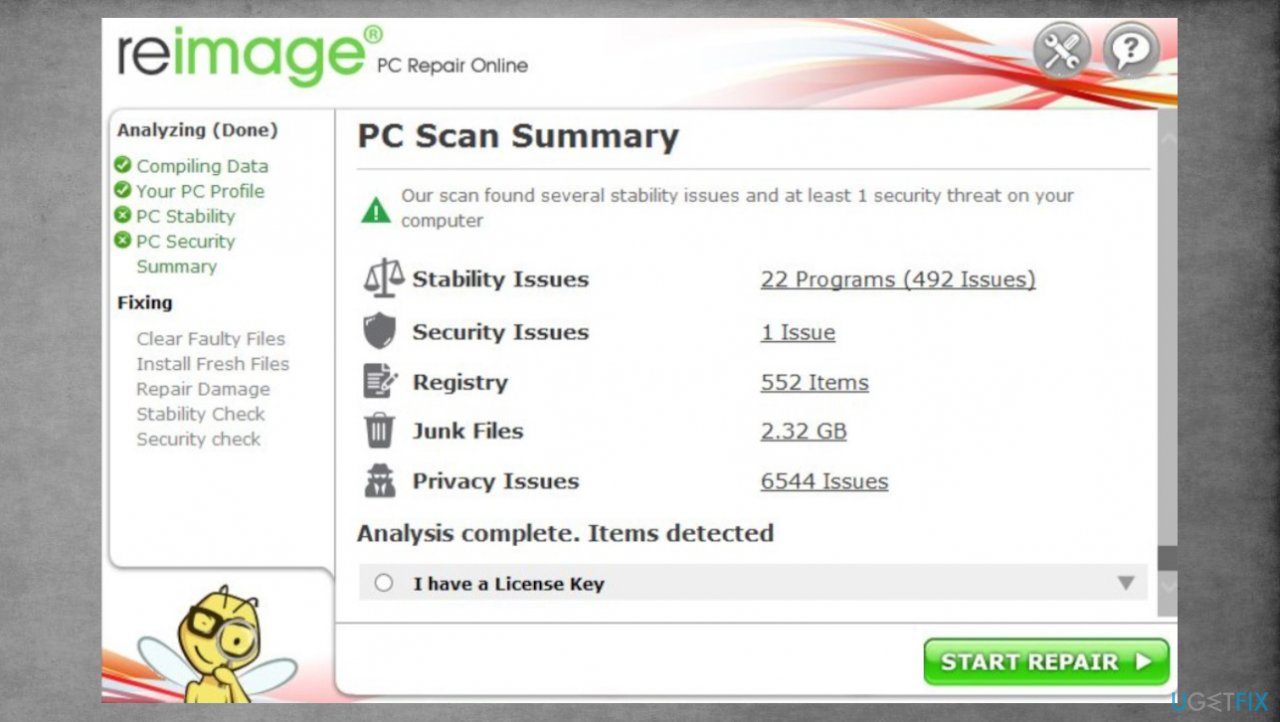
Djvu reimage repair mpag - You can fix issues manually from the list.
- Purchasing a licensed version can help repair serious issues.
3. Check the possible decryption option
The malware research team was able to obtain decryption keys for the threats previously associated with this group, but now some new alterations to the virus mean people will never get their files back unless someone pays up. The decryption key is needed for each affected device because keys are created separately. The inline key method means that unique ids are made for each device that is affected by the same threat. Offline ids that are uniform with a version can be used for many machines. So you can try this tool still.
- Download the app on official Emsisoft website.
- Once decrypt_STOPDjvu.exe shows up – click it.
- Follow the steps on the screen.
- The tool should locate the affected folders.
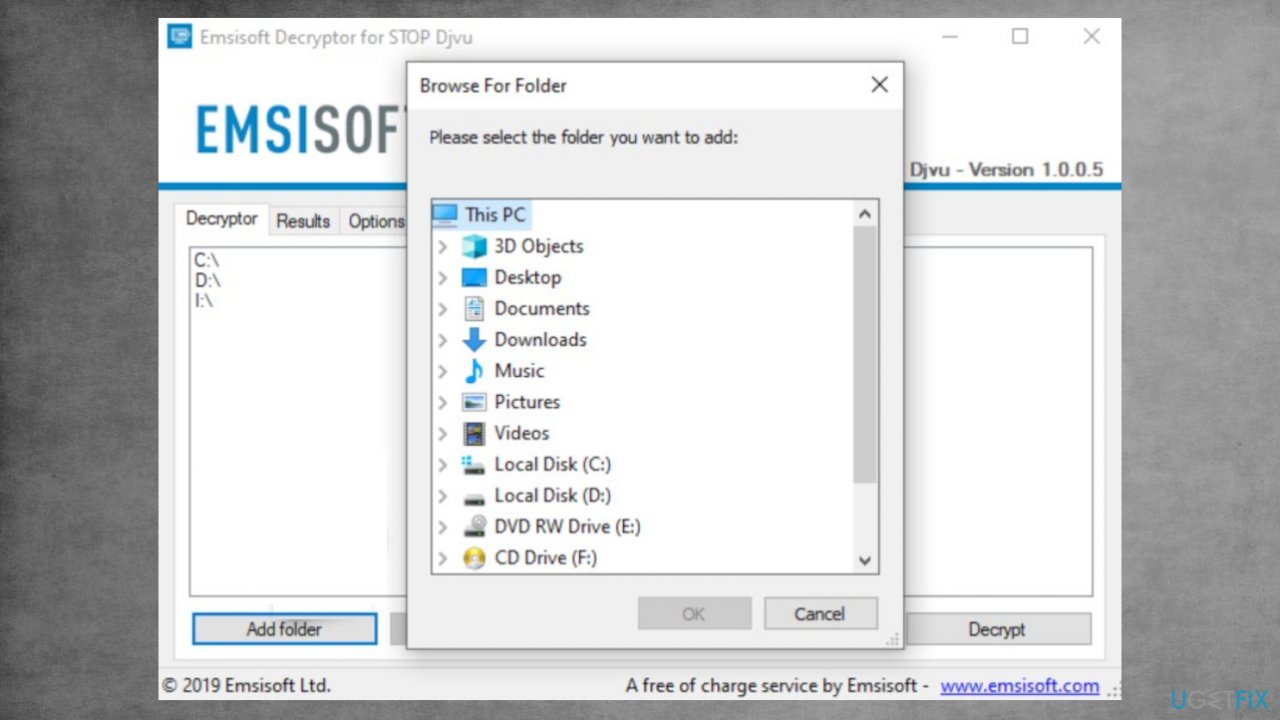
Recover mpag files fix decrypt - You can also do it by pressing Add folder at the bottom.
- Press Decrypt.
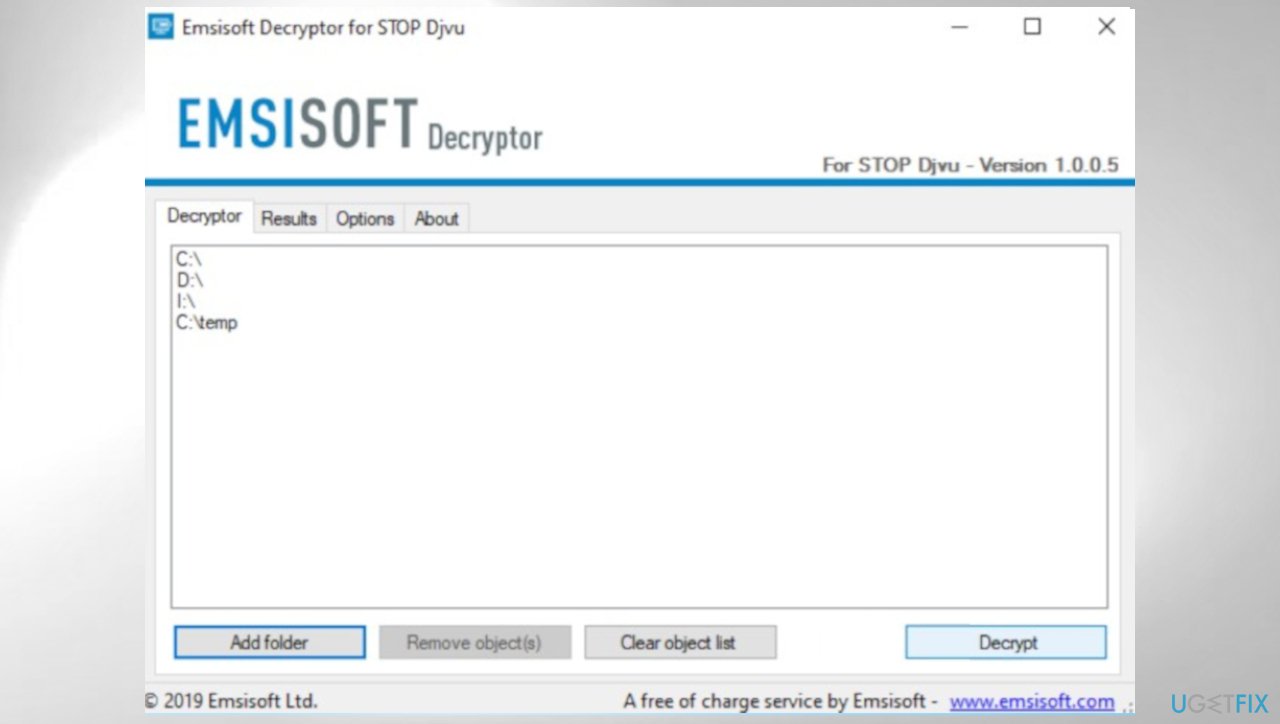
Djvu decrypt emsisoft mpag - There are particular results that can occur indicating if the decryption is possible.
4. Use data recovery software
Try a tool designed for data recovery after such instances. We can recommend [rev id="Data Recovery Pro"].
- Get a tool from a trustworthy source.
- Follow installation instructions.
- Once that is finished, use the application.
- Select Everything or pick individual folders to recover.
- Press Next.
- Enable Deep scan at the bottom.
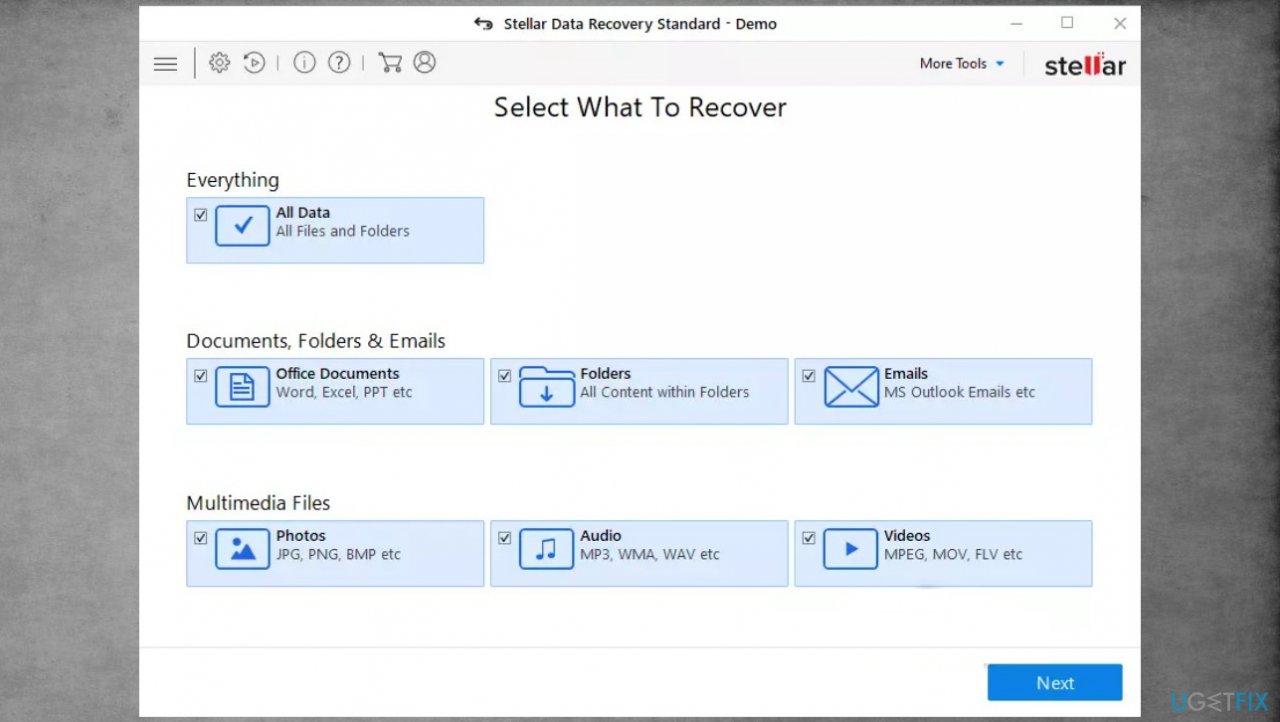
Djvu stellar data recovery mpag - Pick which Disk you want to be scanned.
- Scan.
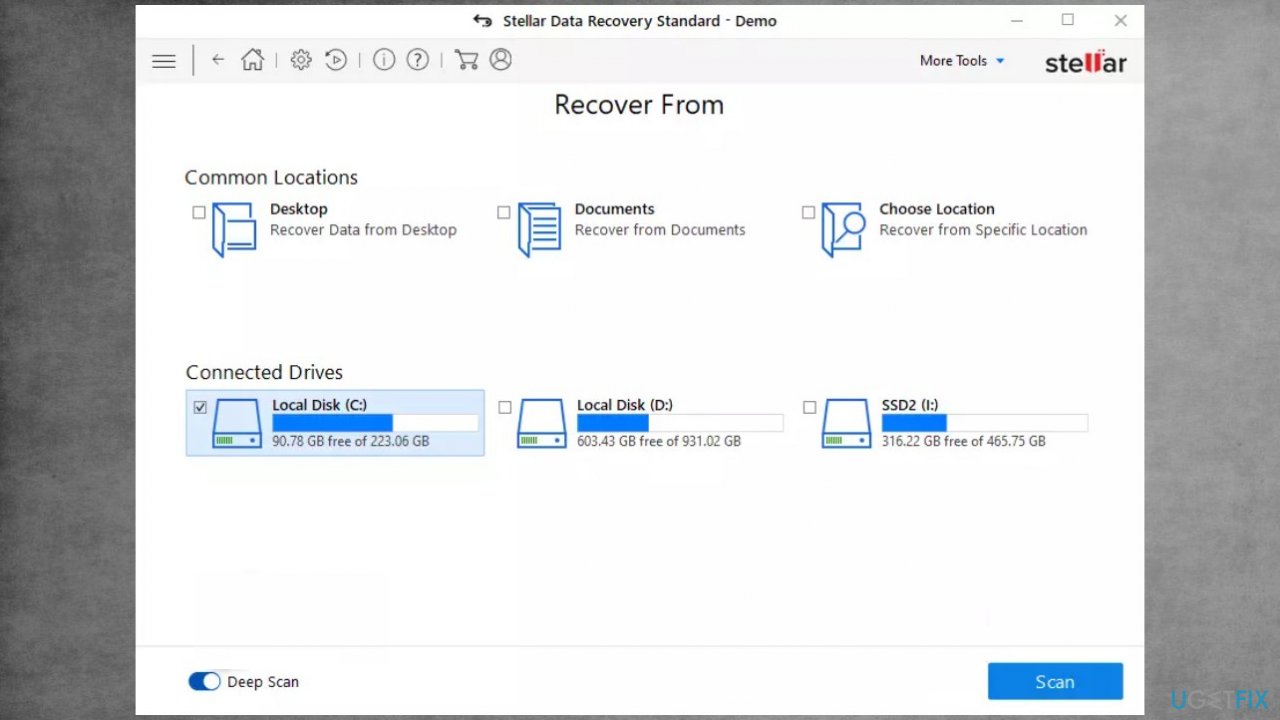
Recover mpag files fix recovery - Hit Recover to restore files.
Bottom line
There are limited options for recovery after an Mpag ransomware attack, as the infection is no longer decryptable. Users are advised to ignore payment demands and focus on terminating the ransomware. If none of the recovery options work, consider seeking professional help or using system repair tools.
Frequently asked questions
Immediately disconnect from the internet to prevent further data encryption, then run a reputable antivirus tool to remove the ransomware. After that, assess your backup options to restore your files.
While recovery without a backup is challenging, you can try using specialized data recovery software to retrieve lost files, but success is not guaranteed. It's crucial to also seek professional help if the data is critical.
After recovery, make sure to update your antivirus software, enable Windows Defender, and create regular backups to protect against future attacks. Additionally, consider using a firewall and keeping your Windows 10 or Windows 11 system updated.




Report an issue
What's wrong with this guide? We review every report and update or remove content.
Report received — thank you. We'll review and fix it.
You need a free account to submit a report.
Be the first to comment