How to remove
Bitdefender VPN
from Windows
Uninstall Bitdefender VPN from Windows 10 or Windows 11 seamlessly. Follow our expert-tested guide for a hassle-free removal process, fixed in minutes.


How does Bitdefender VPN end up on your PC?
- Limited server availability
- Connection issues due to server distance
- Single VPN connection at a time
- 200 MB daily traffic limit per device
- Uncertainty about data storage practices
Repairs Windows system files, removes malware, and restores a clean OS state — without reinstalling.
Bitdefender VPN - a new feature included in security software by default

Bitdefender is a highly reputable anti-virus software developer which focuses on malware detection and removal from users' computers. Nevertheless, the firm recently introduced a VPN (Virtual Private Network) feature which is included by default in some of the Bitdefender products, such as Bitdefender Total Security or Bitdefender Internet Security. In addition to the free option, developers also offer a stand-alone version - Premium VPN.
Bitdefender VPN allows users to surf the web anonymously, protect their personal data, and hide IP number from everybody - internet provider, advertising and insurance agencies, etc.
Bitdefender's VPN service is remarkable, although there is a lot of space for improvement. Nevertheless, lets dig into the review of the product.
Bitdefender VPN - specifications and functionality
Although Bitdefender is quite new in the VPN field, it offers a decent amount of functions, considering it included together with anti-virus products, making a perfect solution for those who do not wish to pay extra for a VPN service. Here's what Bitdefender VPN has to offer:
- one VPN connection at the time
- 200 MB limited traffic a day per device
- secure encryption
- compatibility with Windows, Android, macOS, and iOS
- support for L2TP/IPsec, IKEv2 VPN, and OpenVPN protocols
BitDefender VPN offers default server users are automatically connected to - and then can browse undisclosed. However, if the server is located far away or there are some connection troubles the browsing experience may suffer. Unfortunately, the amount of servers online is still limited; thus, if you live somewhere far away from the server, you may have a pretty slow connection.
BitDefender VPN does not share your IP address, browsing history, links you click, or similar data with any third-parties. However, we are not sure if the company stores the search data anywhere, and whether or not it is accessible to anyone. The firm does collect information about connection speed, crashes, and other similar technical data for service improvement purposes.
Premium VPN - what you get
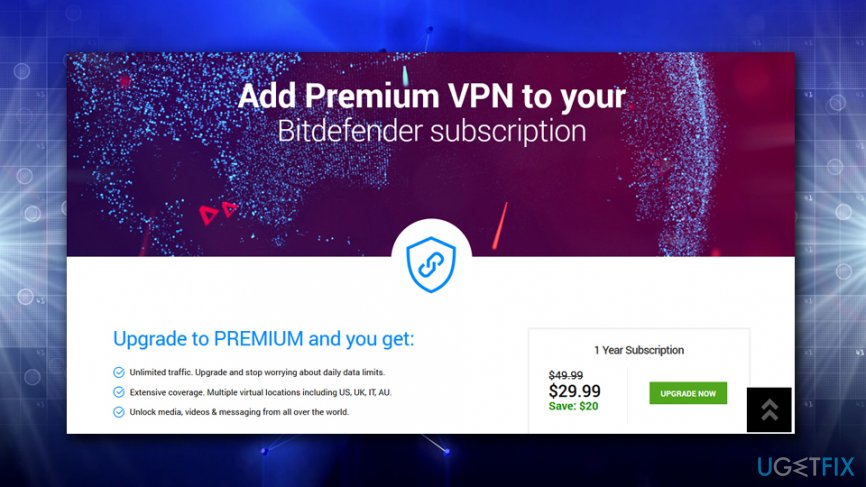
The Bitdefender Premium VPN service is also available as a stand-alone service currently pricing at $29.99 for a year. The service works as a subscription, so users should remember to cancel it if they want to discontinue using it. This package removes 200 MB daily data limit (it is unsurprising that this amount of traffic can be used up quickly, especially with the capabilities of modern websites) and allows users to choose the preferred server to connect to (the free version links to a default, or the closest, server).
Nevertheless, users who do not need to use VPN regularly and only want to use internet banking or social media browsing safely should be fine without purchasing the Premium version.
The importance of the VPN
A VPN allows users to connect to the internet anonymously, i.e., the connection on both ends is encrypted. Thus, every time a person connects through wireless networks in public places (like libraries, bus stations, cafes, hotels, etc.) the connection is secured and no cybercrooks can steal sensitive information, such as bank account details, names, addresses, social network passwords and similar data. Additionally, the IP address is not visible to anybody.
Furthermore, a VPN allows users to browse the internet without restrictions. Meaning, that in some countries where some (or most) online content is restricted, users can access various websites which otherwise would be unreachable. It is especially useful for people who are controlled by oppressive governments.
Unfortunately, hackers also utilize this service to hide from authorities and malware hunters. Additionally, cybercrooks also employ a Proxy and usually use Linux operating system to perform malicious tasks and stay anonymous. Nevertheless, a VPN is still an essential tool in today's society, as data selling business is blooming. Sadly, it compromises users' privacy.
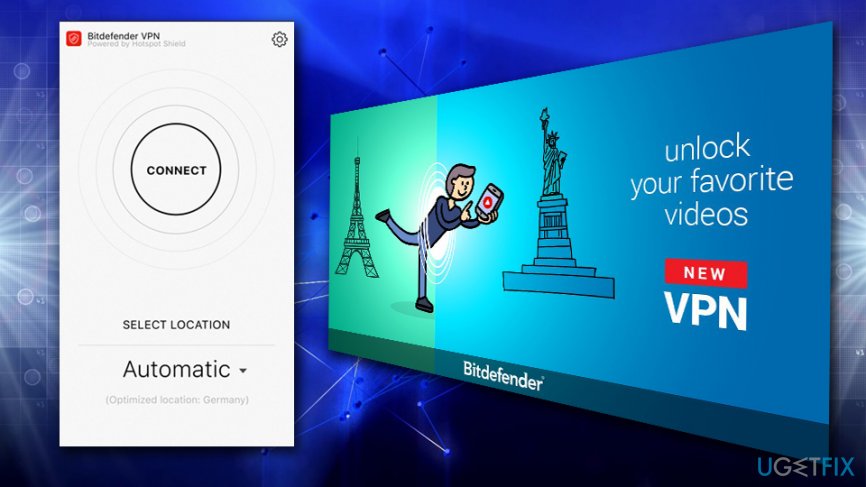
To conclude, we think that usage of VPN is vital to anyone who values their privacy, and we believe that Bitdefender VPN is an excellent choice, as it is stable and reliable. The service could be improved by increasing number of servers available, as well as adding the ability to bypass more restrictions (as some websites cannot be accessed even with Bitdefender's VPN). However, those who need constant protection would have to buy the Premium version, which may be costly, depending on where you live.
Bottom line
To improve your experience with Bitdefender VPN, consider checking your server location, ensuring a stable internet connection, and monitoring your daily data usage. If you continue to face issues, you may want to explore alternative VPN services or contact Bitdefender support for further assistance.
Frequently asked questions
To uninstall Bitdefender VPN from Windows 10, go to 'Settings', select 'Apps', find Bitdefender VPN in the list, and click 'Uninstall'. Follow the on-screen instructions to complete the removal process.
If Bitdefender VPN won't uninstall on Windows 11, try using the Control Panel by navigating to 'Programs and Features', selecting Bitdefender VPN, and clicking 'Uninstall'. If that fails, consider using a dedicated uninstaller tool.
Yes, to completely remove Bitdefender VPN from Windows, you can use the Bitdefender Uninstall Tool available on their website, which ensures all related files and settings are deleted.




Report an issue
What's wrong with this guide? We review every report and update or remove content.
Report received — thank you. We'll review and fix it.
You need a free account to submit a report.
Be the first to comment