How to remove
How Can I Remove http://p.chango.com/static/c.js From My Site
from Windows
Easily eliminate http://p.chango.com/static/c.js from your Windows 10 or Windows 11 device with expert-tested methods. Fix issues in minutes!

How does How Can I Remove http://p.chango.com/static/c.js From My Site end up on your PC?
- Injected by hosting provider
- Installed potentially unwanted program (PUP)
- Malicious browser extension
- Suspicious extensions like Text Enhance
- Extensions like VideoFileDownload and videoDownload
Repairs Windows system files, removes malware, and restores a clean OS state — without reinstalling.
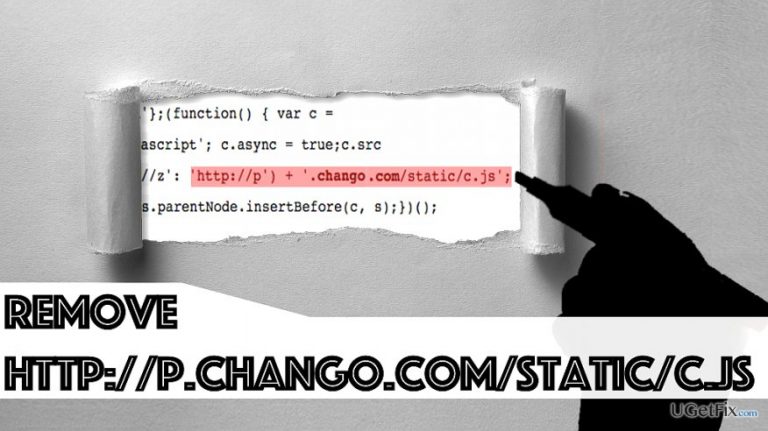
Hello. I own a website, and I found a suspicious code line injected into the script. The code line links to http://p.chango.com/static/c.js. What can I do about it and how can I get rid of it?
p.chango.com/static/c.js is a link associated with Chango company, which is now acquired by Rubicon Project, Inc. To put it simply, this company automates online advertising. The indicated script can appear in your browser due to several reasons. This URL functions as a tracker that collects some personally non-identifiable information about your online activities. It may have been injected into your website by your hosting provider; however, the script might appear on your website after installing a potentially unwanted program (PUP) that injects this code into your browsers silently. Our team has provided every possible solution to this problem. Please try the following techniques to remove http://p.chango.com/static/c.js domain from your website/browser. If one of them do not work for you, proceed and try the next one.
Remove http://p.chango.com/static/c.js from the website
Method 1. Discontinue behavioral advertising
In some cases, it was enough to visit the official Rubicon Project’s website and stop behavioral advertising in order to make http://p.chango.com/static/c.js go away. All that you need to do is:
- Access Rubicon Project site here. Here, look at the Your Preferences section.
- Choose Please discontinue all behavioral advertising. [...] option and hit save my preferences.
- Check if the suspicious script keeps appearing or not.
Method 2. Remove rogue browser extensions and associated applications
It turns out that one of the leading p.chango.com causes is a malicious extension added to headmaster’s web browser. For this reason, you have to check each of your web browsers for suspicious extensions installed without your knowledge. We are talking about Text Enhance, VideoFileDownload and videoDownload extensions, which are capable of injecting ad scripts to online HTML editors (some of them are used by Joomla! or Wordpress). To remove these shady extensions, follow the instructions given below. OPTIONAL: Reset the affected browser after removing the associated extensions. If you are unsure what is the right way to reset browser settings, check out this guide by the 2-Spyware team.
Remove the virus from your computer system
- Windows OS: Go to Start menu and search for Control Panel. Open the matching result and then go to Programs and Features or Add/Remove Programs panel. Here, find suspicious programs such as videoDownload (or similar), right-click on their names and select Uninstall.
- Mac OS: Go to the Applications folder and move suspicious apps to Trash.
Remove from Chrome
- Open Chrome browser, click on three dots in the upper right corner and then choose Settings.
- On the left side, click on Extensions. Here, click the Trash bin icon next to extensions you wish to remove.
Remove from Firefox
- Launch Firefox, and click on three bar icon at the upper right corner of the browser window. Choose Add-Ons option.
- Go to Extensions tab and delete all suspicious add-ons from here.
Remove from Internet Explorer
- Click on the gear icon at the upper right corner of IE window and click on Manage add-ons.
- Right-click on every suspicious add-on and select Disable.
Remove from Safari
- In Safari, click on Safari name in the menu tray and go to Preferences. In Preferences, go to Extensions tab.
- Here, find unwanted add-ons and click Uninstall button next to them.
Remove from Microsoft Edge
- Open Microsoft Edge. Select More(...) to open its menu. Then go to Extensions.
- Here, right-click every suspicious extension and select Remove.
Method 3. Scan the system for malware/spyware infections
If the provided methods do not help you to remove the suspicious script, try running a system scan with reputable anti-malware like [d1]. It can automatically detect the problem, remove it and optimize the PC system afterward. You can use another anti-spyware or anti-malware software if you have one, just make sure it has the latest updates installed and is a reputable one.
Bottom line
To remove the http://p.chango.com/static/c.js script, you can discontinue behavioral advertising on the Rubicon Project's website or remove rogue browser extensions. If these methods do not resolve the issue, consider resetting your browser settings.
Frequently asked questions
You can use your browser's developer tools to inspect network activity and see if the script is being loaded. Additionally, check your installed programs for any suspicious applications that may be related to it.
First, identify and remove any scripts or plugins that reference the URL in your website's code. Then, ensure your website is scanned for malware and clean any infected files.
Yes, you can run a full scan with Windows Defender on Windows 10 or Windows 11 to detect and remove any malware that may be associated with the URL.




Report an issue
What's wrong with this guide? We review every report and update or remove content.
Report received — thank you. We'll review and fix it.
You need a free account to submit a report.
Be the first to comment