How to remove
Delete Your Google Account
from Windows
Easily delete your Google account on Windows 10 or Windows 11 with our expert-tested guide. Get it done swiftly and securely, no traces left!


How does How to Delete Your Google Account end up on your PC?
- You have multiple Google accounts that you no longer use.
- You want to declutter your online life by removing unused accounts.
- You may have decided to leave Google services for personal reasons.
- You are unaware of the consequences of deleting your account.
- You need to change your contact email for services linked to your Google account.
Repairs Windows system files, removes malware, and restores a clean OS state — without reinstalling.
I have a few Google accounts. However, I use only one. Thus, I would like to delete the ones I do not use. However, I found it a complicated procedure. Could you explain to me how it’s done?
Google account gives access to various Google services,[ref en-1] such as Gmail, Youtube, Google + and more. Thus, once you create the account, you get access to all their services. Undoubtedly, it’s convenient because you do not need to remember all the different usernames and passwords.
However, if you have more than one Google account or you decided to leave Google services for some personal reason, you might find the removal of the account slightly complicated. However, it’s possible to delete Google Account within a couple of minutes. Additionally, you will be given up to 3 weeks for recovery if you change your mind.
Before you remove your Google Account, you have to learn what happens once you do that. Shortly speaking, you will lose all the information that you saved, received or bookmarked using all Google services. Thus, after deletion you:
- lose your email account with all sent and received emails, drafts, contacts, etc.
- lose access to Google calendar[ref en-2] and all the tasks you were scheduled;
- won’t be able to download apps from Google Play;
- lose subscriptions, apps, movies and other content you bought via Google Play;
- lose YouTube subscriptions, playlists, and uploaded content.
Additionally, if you use Google Chrome, you will also lose all saved and bookmarked data in the browser too. However, if none of this scares you and makes considering re-thinking account’s deletion process, follow the guide below and declutter your online life.

Steps for deleting your Google Account
If you are certain that you no longer need Google account, you should download all the needed information and delete your account entirely.
Additionally, if you have used your email to log in to particular accounts or used as a contact email for your bank or other services, you must add a new email to them.[ref en-3] Otherwise, you won’t be able to access them.
Step 1. Download your information from Google Account
- Go to Google Dashboard to see and manage all the information that is included in your Google Account.
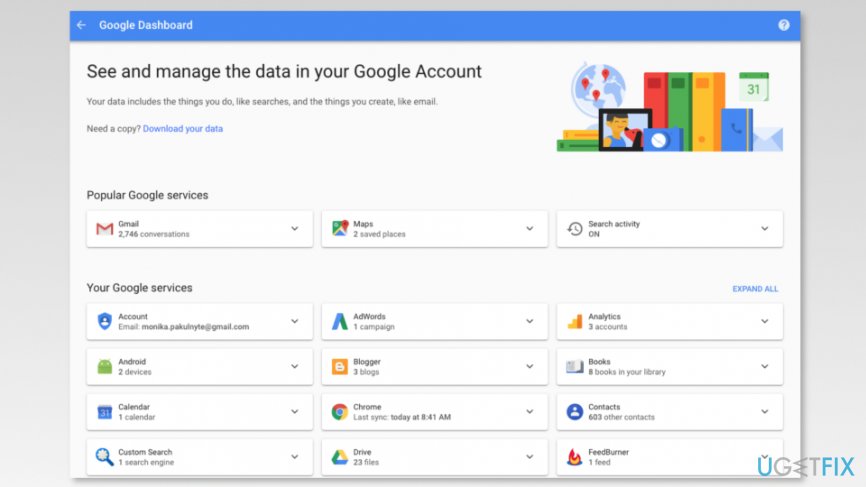
Screenshot of google dashboard - In the same page, you will see Download your data link. Click on it.
- In the Download your data page, choose the data you want to include and click Next button at the end of the list.
- Then click Create Archive button and wait until the copy of the needed information is created.
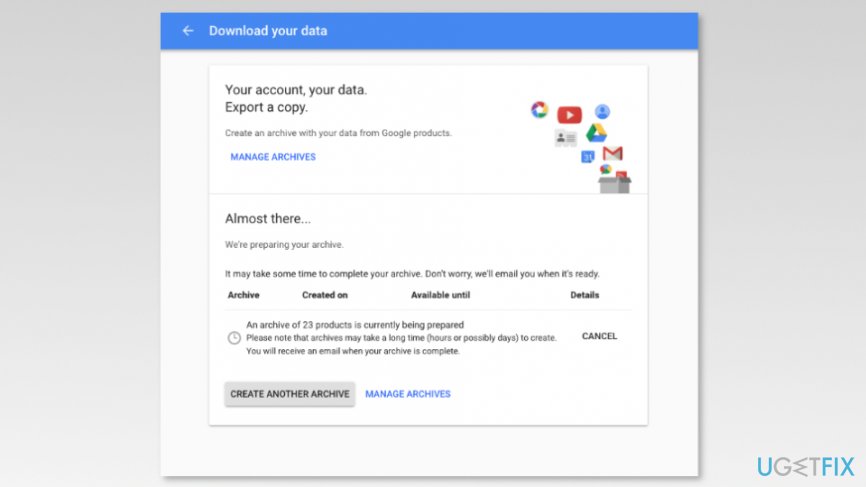
Download your data page
Step 2. Delete Google Account
- Go to Delete your Google Account page.
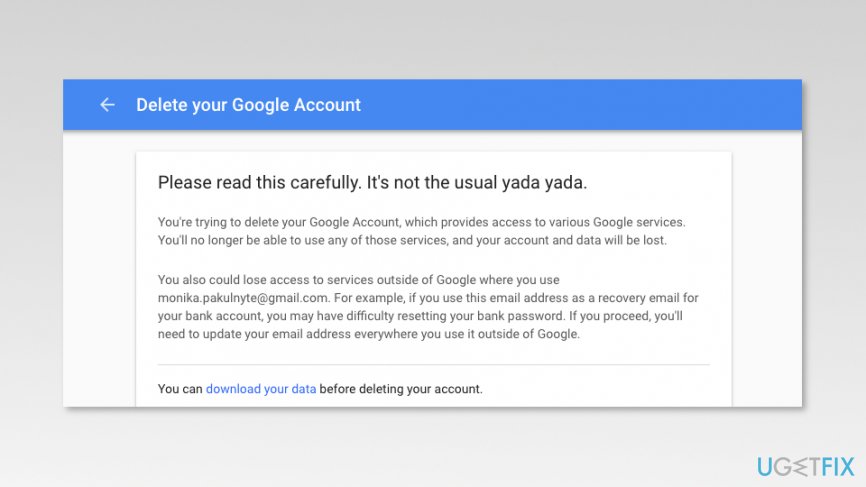
Delete your google account page - Log in to the account if needed.
- At the end of Delete your Google Account page, you have to mark two checkboxes and then click Delete Account button.
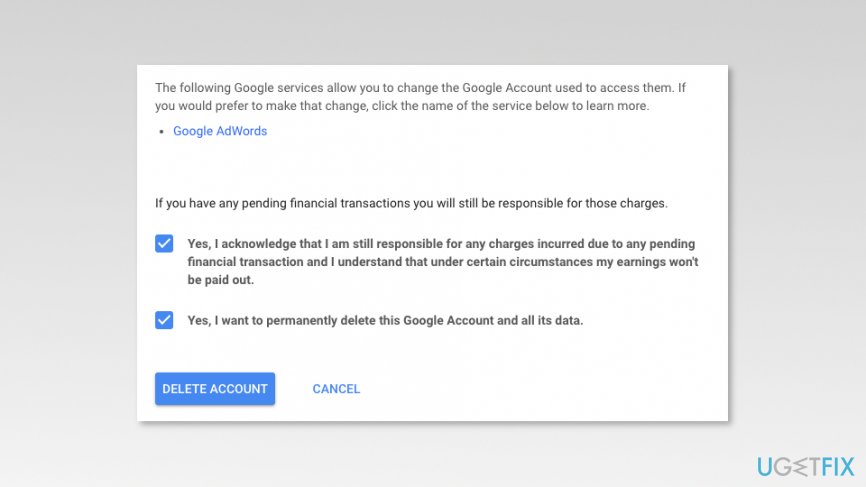
Mark checkbockes to delete google account - Confirm deletion.
Note. Google gives 2-3 weeks to recover your account if you change your mind or forget to export some of the needed data. If you decide to restore it, you should follow the guide provided on the Google support page.
Bottom line
To delete your Google account, you should first download all necessary information and ensure that you update your email for any linked services. Follow the steps outlined in the guide to complete the deletion process. If you encounter issues, consider seeking further assistance.
Frequently asked questions
To delete your Google account, open your web browser, go to the Google Account settings, and navigate to 'Data & personalization' where you can find the option to delete your account.
Yes, deleting your Google account can affect programs that rely on Google services, such as Google Drive or Chrome, as you will lose access to any data associated with that account.
If you delete your Google account, you may have a limited time to recover it, but once the account is permanently deleted, recovery is not possible.




Report an issue
What's wrong with this guide? We review every report and update or remove content.
Report received — thank you. We'll review and fix it.
You need a free account to submit a report.
Be the first to comment