How to remove
Fix critical system error: x679Qs5m
from Windows
Resolve critical system error x679Qs5m on Windows 10 and 11 effortlessly. Get expert-tested solutions and uninstall troublesome programs in minutes.

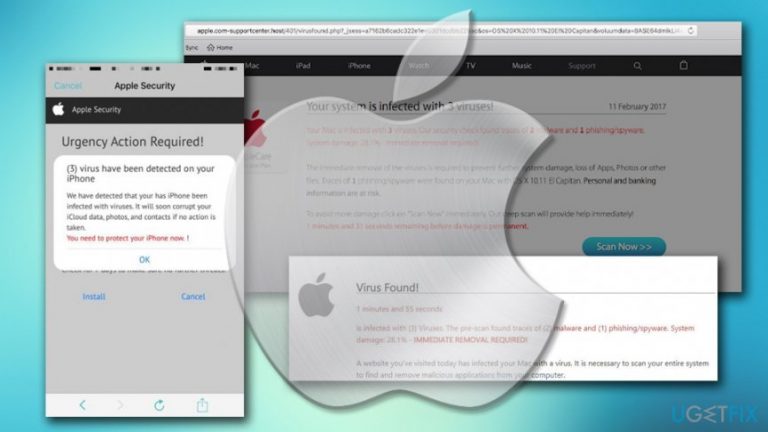
How does How to fix critical system error: x679Qs5m end up on your PC?
- Fake alert message
- Adware installed on the computer
- Software bundling
- Potentially unwanted programs
- Infiltration without user notice
Repairs Windows system files, removes malware, and restores a clean OS state — without reinstalling.
Hello, I am using Mac OS X and was casually browsing the internet, when suddenly I received a message saying that my computer is infected with 3 critical viruses, with the error code x679Qs5m. I got quite worried as I never received such message before, especially in a browser. I have not proceeded with any actions yet. What is that and what should I do? Please help!
Error: x679Qs5m is a fake alert that users can see on their Google Chrome, Mozilla Firefox or Safari browsers. We can assure you that the message is false and no severe viruses harmed your computer so far. Nevertheless, the appearance of this fraudulent website on your screen might indicate that you have adware[ref en-1] installed on your computer.
Adware is generally harmless software which is created to generate revenue through advertisement. Unfortunately, in many cases, the developers try to achieve financial benefits through unfair ways. Primarily, because adware infiltrates computers without users noticing. It can be installed via software bundling,[ref en-2] presented as a legitimate and useful software or get injected by another potentially unwanted program.
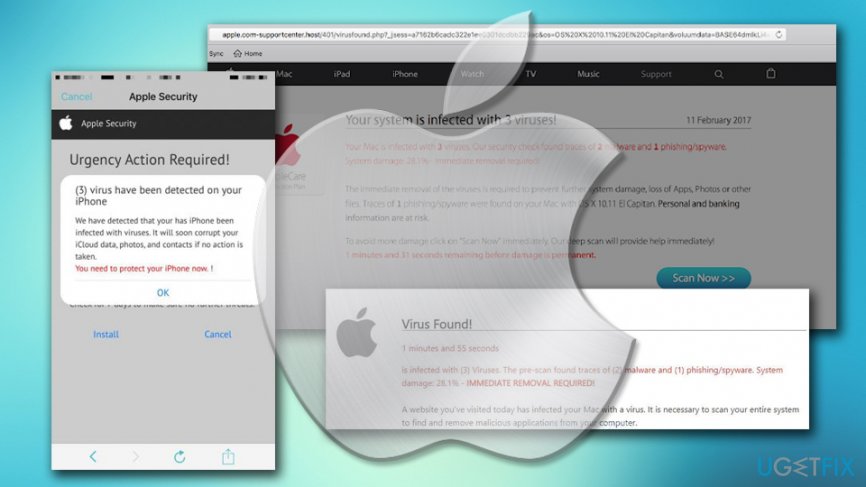
Adware can lead to potentially dangerous domains, such as phishing, survey or tech support scam,[ref en-3] or even-malware ridden websites. Developers usually guard themselves by stating that they are not responsible for the content that their software can lead to. Thus, even if your Mac got infected with nasty malware, adware authors will be not liable for it.
The creators of Error: x679Qs5m website are criminals, although there is not much to be done to stop them from such activities. The only real protection is users being aware of the scam. Most of the computer-savvy individuals already cracked the fake error messages and can recognize one relatively quickly. The bogus Error: x679Qs5m message states the following:
Your Mac is infected with (3) critical Virus! Critical System Error: x679Qs5m (Urgent)
Your Mac (MacOS 10.13 High Sierra) system is infected with (3) virus. The pre-scan has found (2) malware and (1) phishing / spyware. Kernel Cache Damage: 28.1% - Immediate Scan is required to prevent system corruption.
May lose your hard drive content in 1 minutes and 30 seconds.
As evident, users who are not so experienced with computers may think that this message is real, as Mac interface is used to deceive people. What is more, users are apparently given a short amount of time to proceed with the action required to allegedly save their PC.
The truth is, the only action required by users is to uninstall Error: x679Qs5m by removing the associated adware program. It is relatively easy to do - you can either use security software or eliminate the suspicious application manually. Check our instructions below.
Uninstall Error: x679Qs5m using professional security software
Users who press "Continue" when the fake message shows up, put their personal data[ref en-4] or money at risk. Cybercrooks might ask to provide such information as email address, name and surname and even credit card details. In most cases, crooks want to sell bogus software, making users believe that it is necessary in order to protect themselves from "dangerous viruses."
In reality, all you have to do is to remove adware which initiates redirects to malicious websites like Error: x679Qs5m. For that, we suggest you scan your Mac OS X using [d1] - a professional security tool that can detect and eliminate various malware, spyware, and potentially unwanted programs. Additionally, it can fix the system if any technical problems persist.
Uninstall Error: x679Qs5m adware manually
We do not recommend this method to users who are not that familiar with computers and their functionality. If you are up for the challenge, however, please follow the following guide:
- Click on Go button and pick Applications
- When the applications folder opens, detect all the questionable apps
- Right-click on the program and select Move to Trash
As soon as removal of all questionable applications is done, you will have to reset each of the affected browsers.
Clean Google Chrome
- Click on the Menu in the top-right corner and select Settings
- You will see a Main Menu on the top-left, click on it
- Choose Extensions
- Click on Remove next to each of the questionable extensions
- Go to Menu > Settings, and select Main Menu again
- Pick Reset and clean up
- On the main window, pick Restore settings to their original defaults
- When prompted by the warning message, pick Reset Settings
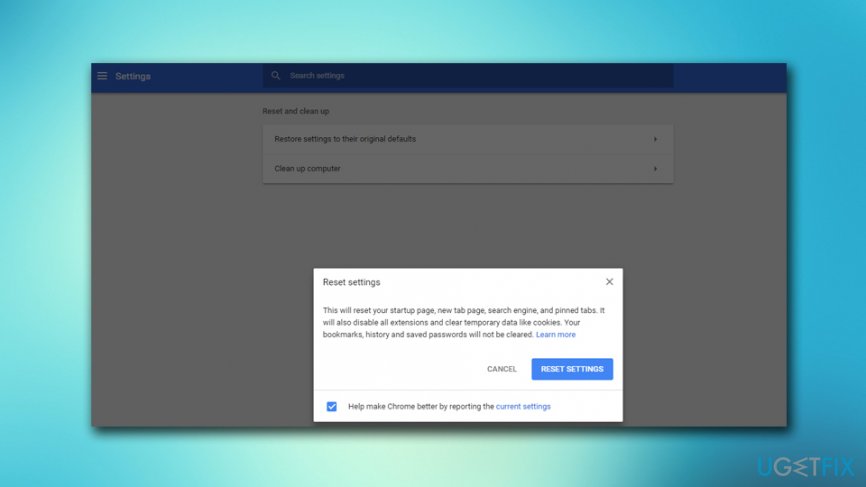
Critical system error x679qs5m reset chrome
Refresh Mozilla Firefox
- Open Menu in the top-right corner and select Add-ons
- Open Extensions
- Remove all unwanted extensions by pressing Remove
- Next, go to Menu > Help > Troubleshooting information
- Click on Refresh Firefox
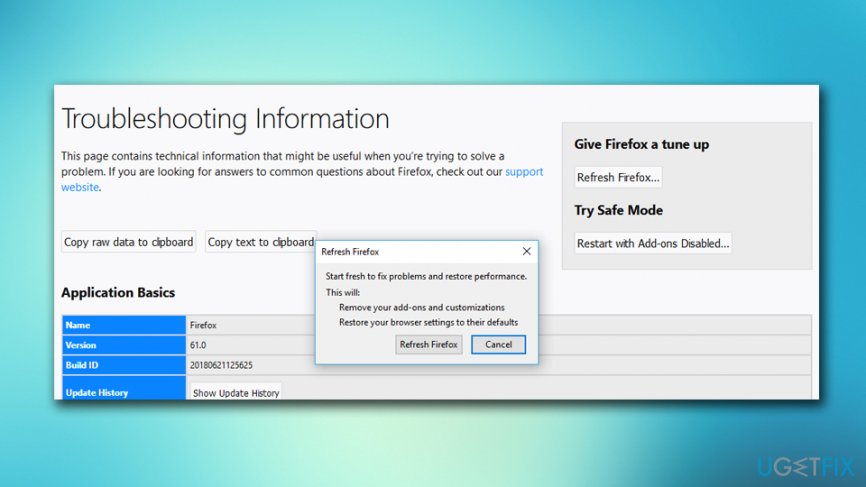
Critical system error x679qs5m reset firefox
Reset Safari
- Click on Safari on the top-left corner and choose Preferences
- Go to Extensions tab
- You will find a list of installed extensions. Remove unwanted ones by clicking Uninstall
- Go to the Safari menu again and pick Reset Safari
- Select all the tick boxes and press Reset
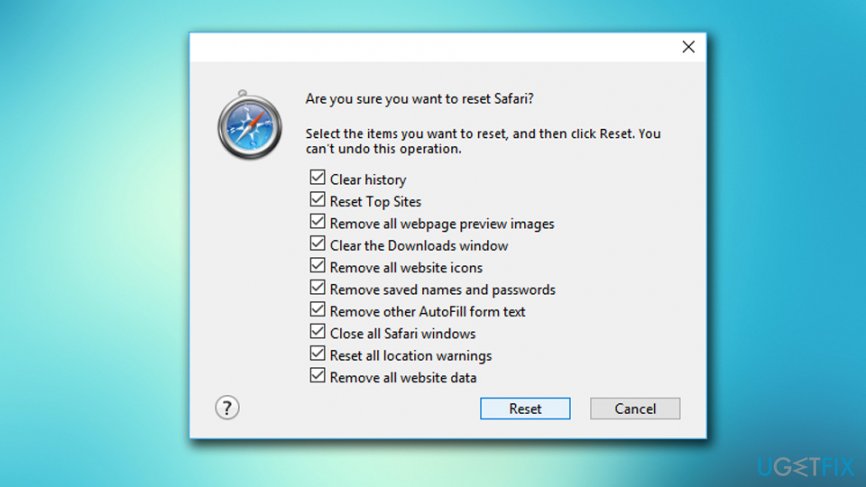
Critical system error x679qs5m reset safari
Bottom line
The Error: x679Qs5m is a fraudulent alert indicating adware presence rather than actual viruses. To address this, users should remove any adware and ensure their software is from trusted sources. If these steps do not resolve the issue, consider seeking professional tech support.
Frequently asked questions
Start by booting your computer into Safe Mode, which can help you troubleshoot and remove any problematic programs causing the error.
You can uninstall the program by going to Settings > Apps in Windows 10 or Windows 11, selecting the program, and clicking 'Uninstall'.
Yes, you can use built-in tools like the System File Checker (SFC) or DISM to repair corrupted files that might be leading to the error.




Report an issue
What's wrong with this guide? We review every report and update or remove content.
Report received — thank you. We'll review and fix it.
You need a free account to submit a report.
Be the first to comment