How to remove
Fix ERROR #AP7MQ79
from Windows
Resolve ERROR #AP7MQ79 on Windows 10 or 11 effortlessly. Enjoy quick fixes and expert-tested solutions for uninstalling stubborn programs. Fixed in minu…

How does How to fix ERROR #AP7MQ79 end up on your PC?
- Fake messages from a malicious website
- Presence of adware on the computer
- Scare tactics used by cybercriminals
- Intrusive advertisements disrupting browsing
- Risk of clicking on harmful links
Repairs Windows system files, removes malware, and restores a clean OS state — without reinstalling.
Hi, I recently have been browsing the internet on my laptop, and I got a "Security Warning" with an error code ERROR #AP7MQ79. It tells me that if I close the page, the computer access will be disabled. What am I supposed to do? Do I have a virus on my computer? Should I call the provided number? Please help!
Tech support scams[ref en-1] are quite common, and ERROR #AP7MQ79 is one of them. Users can encounter fake messages when they get redirected from a malicious website, or when they have an adware[ref en-2] program lurking inside their PC. If you encountered ERROR #AP7MQ79 fake alert more than once, you have to take care of adware removal to make the persistent messages to go away.
Adware is a sneaky type of application that generates various advertisements. The displayed adverts can be shown in various forms, including pop-ups, pop-unders, banners, coupons, and video/audio auto-plays. To say the least, this activity is especially intrusive and can disturb daily browsing sessions.
While adware is not considered to be malware, it still posses many risks when it comes to internet safety and online security, especially when users carelessly click on produced links and ads. Cybercriminals use scare tactics[ref en-3] to make users call the provided number. The bogus ERROR #AP7MQ79 message states:
YOUR COMPUTER HAS BEEN BLOCKED
ERROR #AP7MQ79
Call immediately: (Free)
Do not ignore this critical alert.
If you close this page, your computer access will be disabled to prevent further damage to our network. Your computer has alerted us that it has been infected with a virus and spyware. the following information may be lost.
1. Connect Facebook
2. Credit Card details
3. Access to the e-mail account
4. Photos stored on this computer
Contact us immediately so our engineers can guide you through the phone removal process. Please call us within 5 minutes to prevent your computer from being disabled.
Call immediately to:
While for a trained eye the fake alert can be easily recognized, less computer-savvy users might think that there is something wrong with their PC's, and important personal data like credit card details are in danger.
If you see ERROR #AP7MQ79 alert on your screen, do not panic. Simply close down the browser, and never contact the fake technicians via the provided number. In case you do, they may ask for you to grant them remote access to your PC, demand to disclose your personal data, or make you buy software you do not need. Remember, it is just a scam!
As evident, there is no need to fix ERROR #AP7MQ79, as it is entirely fake. All you have to do is to remove adware causing ERROR #AP7MQ79 bogus messages to appear regularly. There are two ways you can accomplish that - either by using security software that would eliminate all components automatically or by deleting adware manually and then refreshing all installed browsers.
Uninstall ERROR #AP7MQ79 causing adware automatically
Users who ignore the recurring message and do not remove adware associated with it are at risk or personal data theft and malware infections. Therefore, the immediate ERROR #AP7MQ79 adware removal is a must. If you are not that computer-savvy individual, we suggest you download and install [rev id="Perfect Uninstaller"], which can get rid of the annoying app automatically.
Finally, to fix all the mess that the adware might have left, you should scan your machine using [d1]. This software is capable of restoring Windows or Mac OS X back to the normal state and remove all the virus damage.
Uninstall ERROR #AP7MQ79 from Windows
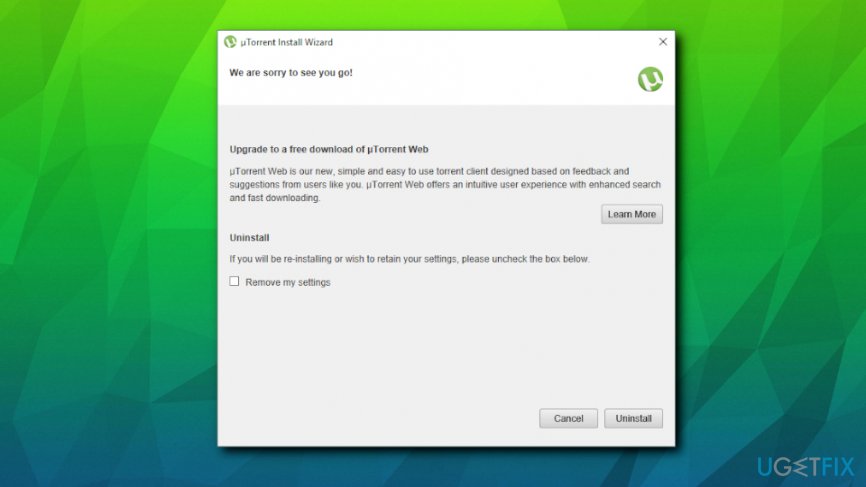
- In the search box, type in Control Panel and open it;
- Then, pick Uninstall a program;
- Sort all the software by the installation date, and pick the one that looks suspicious/unknown
- Double-click on the suspicious software, pick Yes and proceed with the uninstallation instructions
Uninstall ERROR #AP7MQ79 from Mac
- Click on Go at the top-left of your screen and and select Applications
- In the Applications folder, detect the suspicious apps
- Right-click on the program and select Move to Trash
Reset Google Chome
As soon as you are done with the elimination of suspicious programs, you need to make sure that browsers are clean and have no traces left. Perform the following on Google Chrome:
- Click on the Menu and pick Settings
- You will see a Main Menu on the top-left, click on it
- Pick Extensions
- Click on Remove next to each of the suspicious extensions
- Go to Menu > Settings, and pick Main Menu again
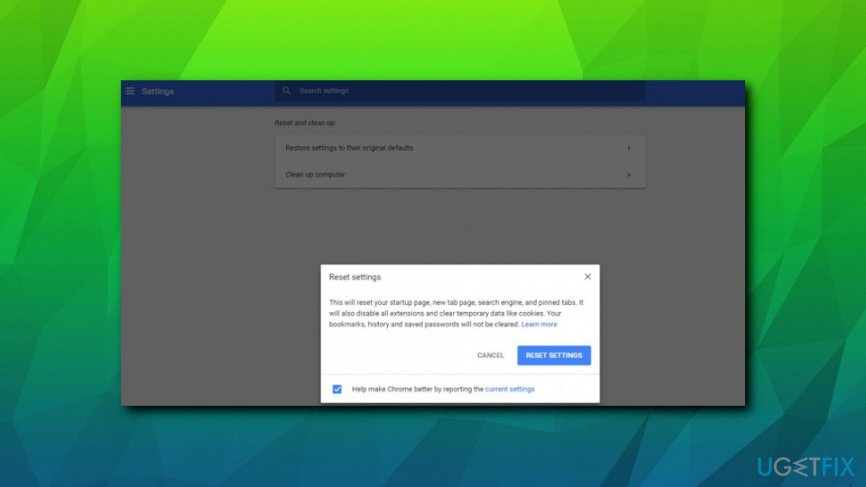
- Select Reset and clean up
- In the main window, pick Restore settings to their original defaults
- Finally, choose Reset Settings
Reset Mozilla Firefox
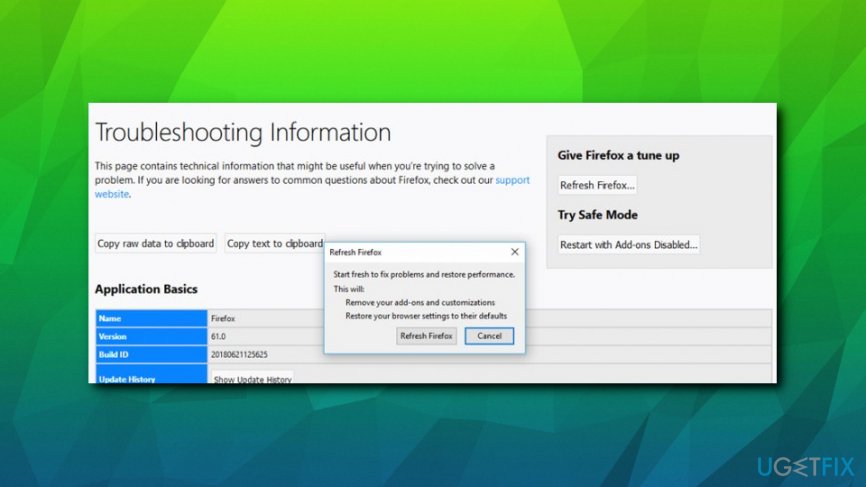
- Pick Menu in the top-right corner and choose Add-ons
- Open Extensions
- Press Remove next all suspicious extensions
- Now, go to Menu > Help > Troubleshooting information
- Click on Refresh Firefox
Bottom line
To resolve the ERROR #AP7MQ79 issue, users should remove any adware present on their system and avoid calling the provided number in the alert. If these fixes do not work, consider seeking professional tech support for further assistance.
Frequently asked questions
You can try using the built-in Troubleshooter for uninstalling programs in Windows 10, which can help resolve issues related to ERROR #AP7MQ79. Additionally, running a system file checker scan may fix any underlying problems that prevent proper uninstallation.
Yes, using third-party uninstaller tools on Windows 11 can help remove stubborn programs and potentially resolve ERROR #AP7MQ79 by cleaning up residual files and registry entries.
You can attempt to manually remove the program by deleting its folders and files, then using the Registry Editor to eliminate any leftover entries, which may help clear ERROR #AP7MQ79 without needing to reinstall.




Report an issue
What's wrong with this guide? We review every report and update or remove content.
Report received — thank you. We'll review and fix it.
You need a free account to submit a report.
Be the first to comment