How to remove
“Firefox requires a manual update” pop-up
from Windows
Get rid of the annoying "Firefox requires a manual update" pop-up on Windows 10 and 11 effortlessly. Expert-tested methods for a hassle-free experience.

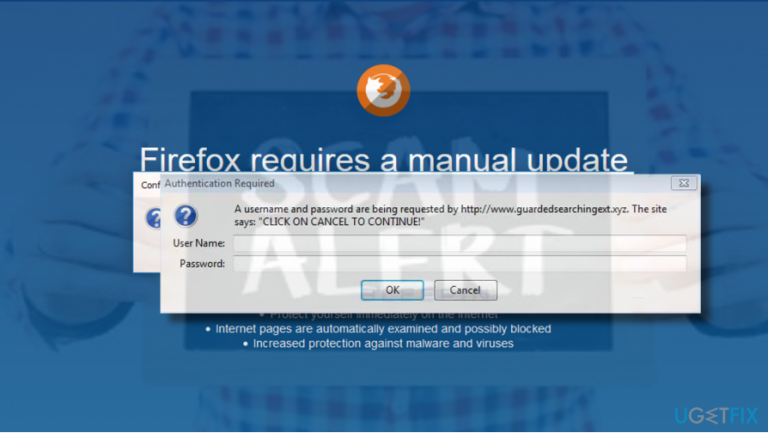
How does How to remove “Firefox requires a manual update” pop-up end up on your PC?
- Rogue or scam alert pretending to be an official update request
- Installation of adware programs on the PC
- User redirection to infected web domains
- Inexperienced PC users being tricked into revealing login details
Repairs Windows system files, removes malware, and restores a clean OS state — without reinstalling.
Hi, all. Could you please tell me how to disable forced Mozilla Firefox update prompts? I keep getting a message that says “Firefox requires a manual update.” I have updated it once, but the pop-up did not stop from being generated. Thanks!
“Firefox requires a manual update” is NOT a genuine update request generated by Mozilla Firefox[ref en-1] web browser. This alert is a rogue or scam, which aims at tricking less experienced PC users into revealing their login details and installing shady third-party programs.
Naturally, the “Firefox requires a manual update” alert shows up on Mozilla Firefox web browser exceptionally, but you may get similar pop-ups with modified textual information on Chrome, IE or Edge. This scam pretends to be an official request generated by Mozilla Firefox support team. It says “Firefox requires a manual update” and has an Install Now[ref en-2] button. To convince people that the update is a must, such persuasive claims are provided:
Protect yourself immediately on the internet
Internet pages are automatically examined and possibly blocked
Increased protection against malware and viruses
If the user clicks on the Install Now button, the “Firefox requires a manual update” pop-up throws an Authentication Request, which asks for User Name and Password. Please, DO NOT enter your credentials as they may be transmitted to cyber criminals and used for fraudulent activities.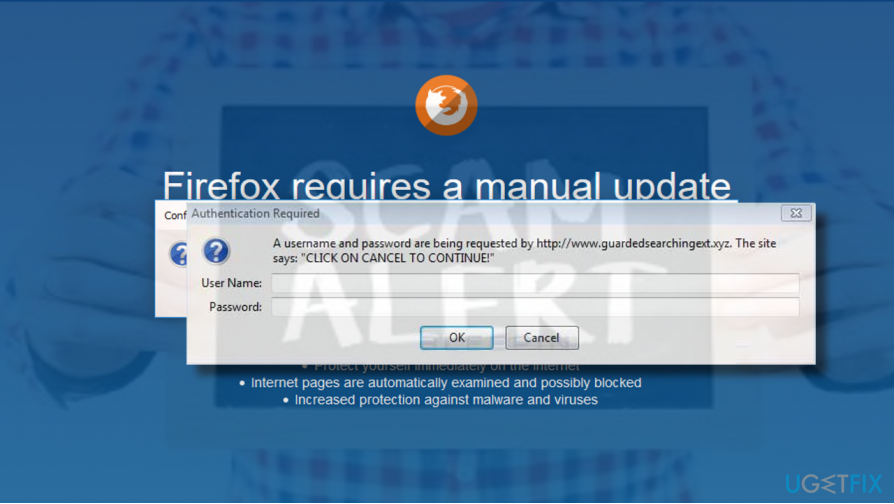
Usually, Firefox starts generating this rogue update request pop-up when the user installs an adware[ref en-3] program to the PC. Adware can’t get to the system without PC user’s approval, but usually they are installed as “invisible” freeware attachments. Additionally, the user may come across the “Firefox requires a manual update” pop-up after being redirected to infected web domains.
Disabling “Firefox requires a manual update” pop-up
If “Firefox requires a manual update” pop-up is one-time case, then you should simply close the domain that you are currently seeing and prevent from visiting it again. If Mozilla Firefox got frozen, then you should press Ctrl + Alt + Del, open Processes tab on Task Manager. Then find Mozilla Firefox, click on its entry, and select End Task.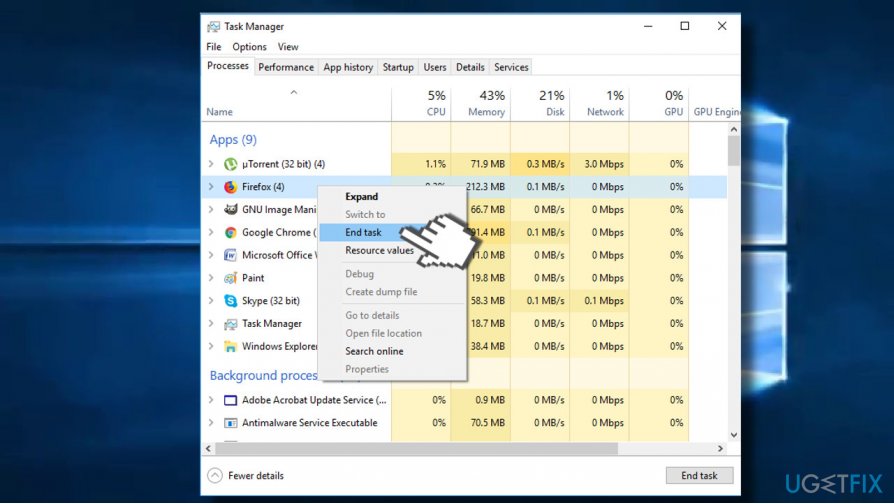
If you keep receiving “Firefox requires a manual update” and similar scam alerts, then you should immediately check the system for malware. Most probably an adware got installed on the system and injected a potentially unwanted browser add-on.
To uninstall “Firefox requires a manual update” adware, you can either install [d1] and run a scan with it or perform the following steps:
- First of all, open Task Manager and disable suspicious processes, including Mozilla Firefox if it's still stuck with the “Firefox requires a manual update” pop-up.
- Then press Windows key + I to open Settings.
- Open Apps section.
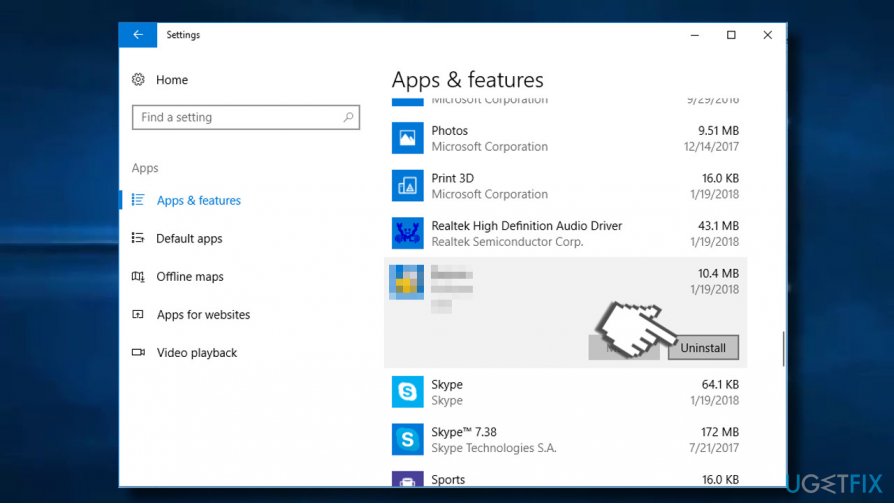
- Check the whole list of installed apps. You should look for the apps that you are not familiar with, for instance various Shopping assistants, download managers, converters, boosters, and so on. The date of such apps should coincide with the emergence of the “Firefox requires a manual update” scam. Click on such entries and select Uninstall.
- Alternatively you can access Control Panel -> Programs & Features. Select unwanted app, right-click on it and click Uninstall.
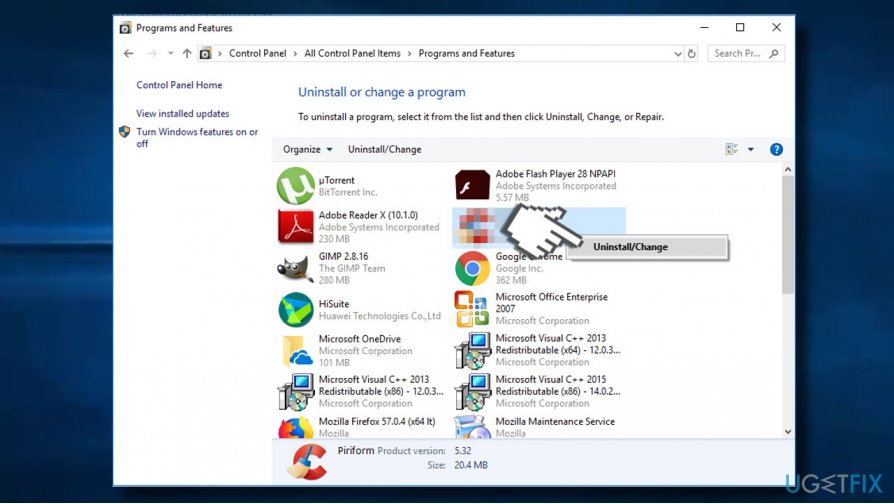
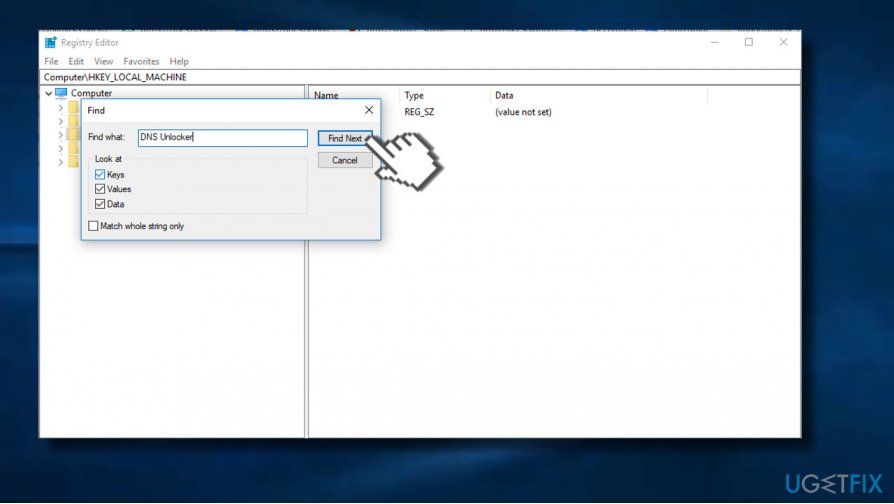
- Then press Windows key + R, type regedit, and hit Enter.
- Press Edit -> Find Next and enter the name of the program that you've removed before.
- If Registry Editor returns some entries, remove them all.
By performing these steps you'll eliminate an adware that triggers “Firefox requires a manual update” prompt. However, Mozilla Firefox most probably contains an add-on, which, unless removed, will keep showing a rogue alert, causing redirects, and displaying suspicious ads. To eliminate all components of the adware, we would strongly recommend resetting Mozilla Firefox:
- Open Mozilla Firefox and click on menu icon (three horizontal lines at the top right corner of the window).
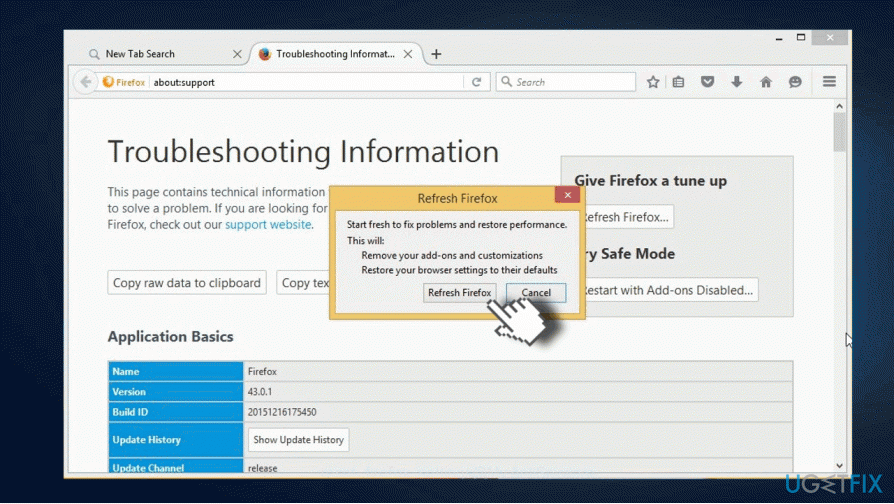
- Type about:support in the address bar and press Enter to open Troubleshooting information page.
- Now click Refresh Firefox button and Refresh Firefox again on the confirmation window.
- Click Finish and restart the browser.
- Finally, reboot your PC.
Bottom line
To disable the pop-up, close the domain if it appears once, or end the Firefox task via Task Manager if it freezes. If the issue persists, consider checking for adware and avoiding suspicious websites.
Frequently asked questions
You can disable the update notifications by opening Firefox, going to Options, then selecting 'General' and changing the update settings to 'Never check for updates.'
Yes, you can uninstall Firefox by going to Settings, selecting 'Apps,' finding Firefox in the list, and clicking 'Uninstall.'
If the pop-up persists, try refreshing Firefox by going to Help > Troubleshooting Information and selecting 'Refresh Firefox' to restore it to default settings.




Report an issue
What's wrong with this guide? We review every report and update or remove content.
Report received — thank you. We'll review and fix it.
You need a free account to submit a report.
Be the first to comment