How to remove
Four virus
from Windows
Remove the Four virus from your Windows 10 or Windows 11 device quickly and safely. Expert-tested methods ensure zero traces left behind.

How does How to remove Four virus end up on your PC?
- Adware infiltration from suspicious program downloads
- Installation of apps outside official app stores
- Browser redirects triggered by ad-supported applications
- Fake security alerts promoting bogus software
- Scammers using device-specific information to deceive victims
Repairs Windows system files, removes malware, and restores a clean OS state — without reinstalling.
Can you help me to deal with notifications about Four virus? My browser delivers this pop-up that my computer is infected, but I am sure it’s not true. But how can I stop them showing up in my browser?
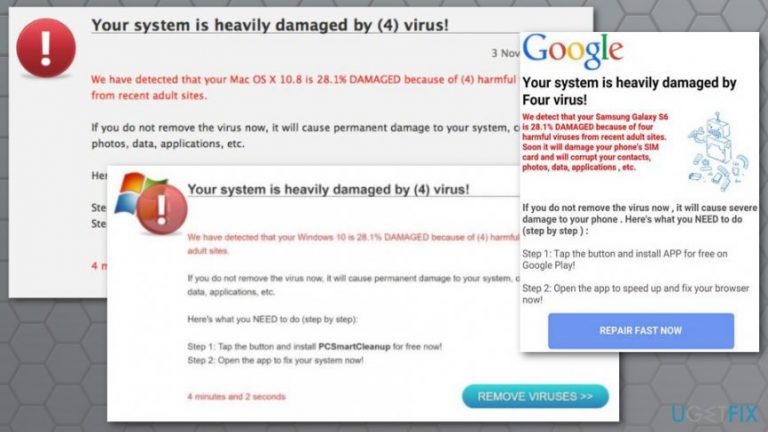
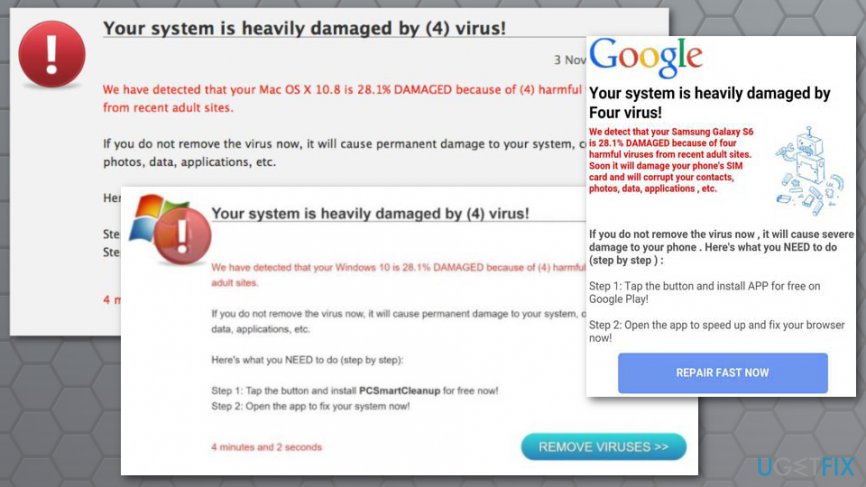
Four virus is an online scam that might show up on the browser in the form of a security alert which warns about detected dangerous viruses. There are a couple of versions of this online scam.[ref en-1] However, all of them have the same purpose - to promote bogus security software called PCSmartCleanup.
Such activities are often triggered by adware.[ref en-2] It’s a potentially unwanted program (PUP)[ref en-3] that might get into the computer, laptop, tablet or smartphone when downloading suspicious programs or installing apps outside official app stores.
Soon after the infiltration, this ad-supported application starts browser redirects to sites that deliver one of these alerts:
- “Your system is heavily damaged by (4) virus!”
- “Your system is heavily damaged by Four virus!”
The fake message might seem legitimate. It might use Google, Windows or Apple credentials. Additionally, it includes the model of the device. For instance, it might tell that your Samsung Galaxy or iPhone was infected. This information definitely increases chances that victims of the scam believe in the hoax.
The further content of the scam alert tells that people have to take immediate actions to remove Four virus. Scammers ask to take only two steps:
- Install suspicious security program or application.
- Run the app and supposedly fix the browser and malware from the device.
However, following these steps and installing questionable PCSmartCleanup tool might lead to more problems. The promoted software is useless. It might operate as spyware or help to download malware on the mobile devices or computers.
Hence, if your browser keeps redirecting to “Your system is heavily damaged by (4) virus!” site, you should check the system for adware program. Once you uninstall the ad-supported application and eliminate its related components, you have to reset web browser.
Two methods to remove Four virus from the computer
There are two methods how you can get rid of the Four virus and its annoying activity. Keep in mind that none of them include following instructions in the pop-up window. The first method (recommended) is to rely on security software and scan the device. The second option suggests doing the job yourself.
Method 1. Get rid of Four virus automatically
Automatic Four virus removal is the best way to get rid of this cyber threat. It doesn’t matter it was your smartphone, tablet, laptop or computer was infected with malware, all of the versions can be removed within a few minutes with anti-malware software.
We recommend using [rev id=“Reimage"] for virus elimination. However, you can choose your preferred anti-malware/anti-spyware software. Do not forget that you need to use updated security software.
Method 2. Manual Four virus removal
To get rid of this cyber threat manually, you have to find and uninstall adware which is responsible for redirects to the scam website. Additionally, you have to look up for other files, apps, extensions, programs and other components related to this potentially unwanted application.
Remove Four virus from Windows
- Open Start and access Control Panel.
- Navigate to Programs (or Add/Remove programs, Programs and Features).
- Choose Uninstall a program option.
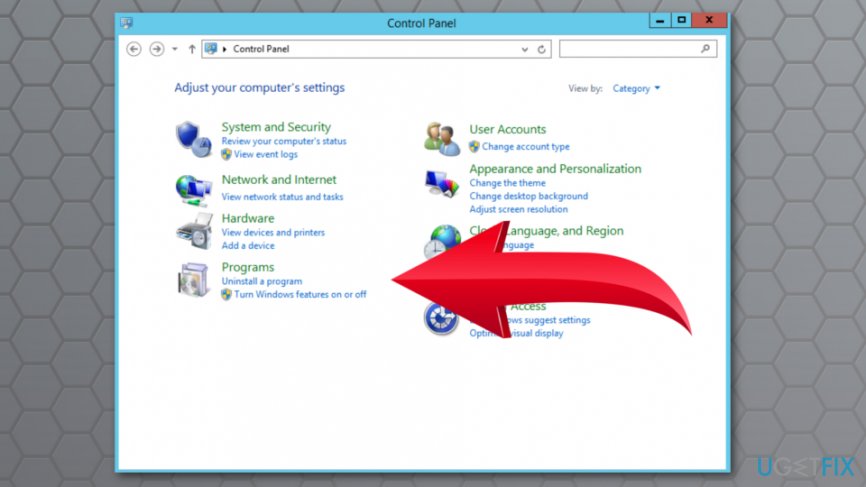
Open uninstall a program - In the appeared list, you have to find Four and other related applications. Select them and click Uninstall button.
- Click OK to save the changes.
If you cannot find any suspicious programs, check your browser’s extensions. The PUP may have arrived on the system as a browser extension. Hence, you have to check all of the browsers that are installed on your PC. Browser reset is also recommended.
Eliminate Four virus from Mac OS X
- Click Go button in the top left corner of the screen and open Applications.
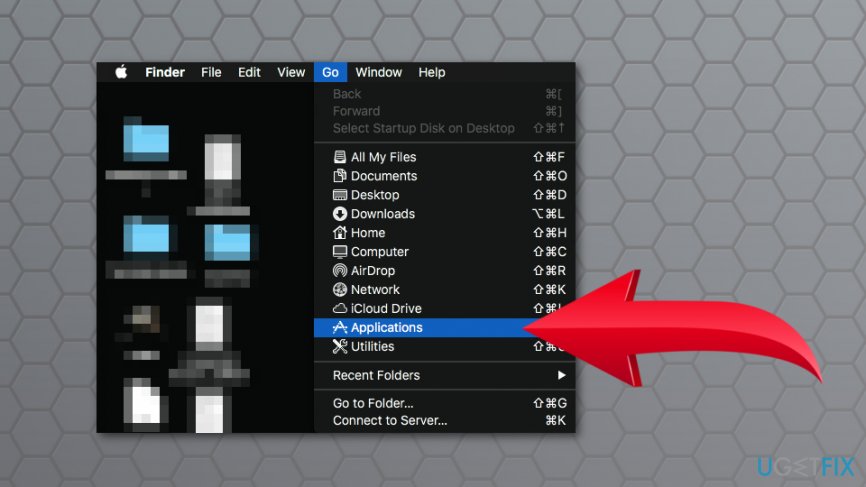
Open applications - In the Applications folder find suspicious applications that might be related to Four virus. Right-click these apps and choose Move to Trash option.
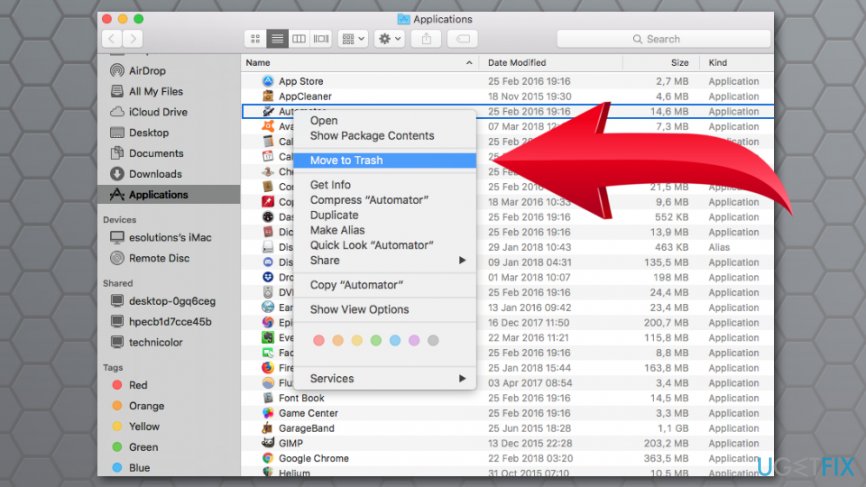
Move to trash suspicious applications
After app removal (or you did not find any suspicious components), you have to make sure that any suspicious extensions were not installed without your knowledge. Uninstall them and reset all web browsers installed on your Mac.
Bottom line
To remove the Four virus, you should first check your system for adware and uninstall any related applications. After that, resetting your web browser is recommended. If these steps do not resolve the issue, consider seeking further technical assistance.
Frequently asked questions
To remove the Four virus from Windows 10, start by using Windows Defender to run a full system scan and then follow up by uninstalling any suspicious programs from the Control Panel.
Yes, you can use a reputable third-party antivirus software to scan and remove the Four virus from your Windows 11 system, but ensure it is up-to-date for the best results.
To prevent future infections of the Four virus on Windows, keep your operating system and all software updated, and avoid downloading files from untrusted sources.




Report an issue
What's wrong with this guide? We review every report and update or remove content.
Report received — thank you. We'll review and fix it.
You need a free account to submit a report.
Be the first to comment