How to remove
Uninstall Avira Free Antivirus 2016
from Windows
Easily uninstall Avira Free Antivirus 2016 on Windows 10 or 11 with our expert guide. Follow our clear steps for a hassle-free removal. Fixed in minutes!

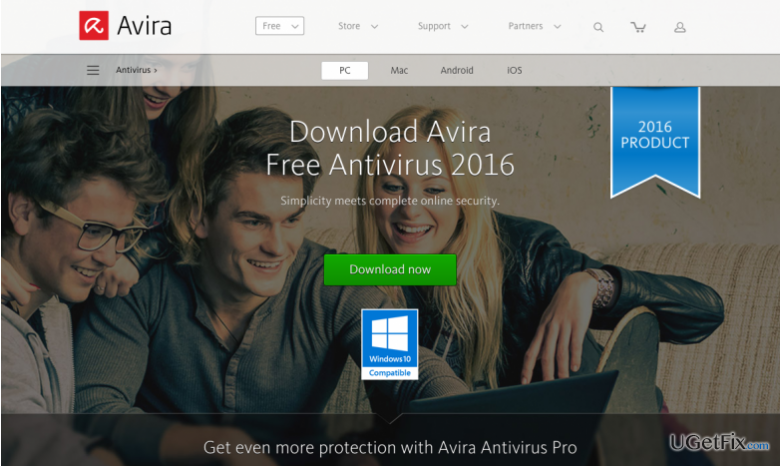
How does How to Uninstall Avira Free Antivirus 2016 on Windows end up on your PC?
- User dissatisfaction with the software
- Desire to switch to a different antivirus program
- Need to ensure computer security against new viruses
- Increased activity of malware programs
- User uncertainty about proper uninstallation procedures
Repairs Windows system files, removes malware, and restores a clean OS state — without reinstalling.
Hi! I have installed Avira Free Antivirus 2016, tried it, but I did not like it. Now, I am thinking of buying a full version of another antivirus program. Can you tell me how should I uninstall this free antivirus software? I am not sure how to do it properly.
Recently, the developers of various malware programs have become very active. New viruses are actively spread, so securing your computer in advance is a must. No matter if you are a very cautious computer user, viruses can still affect you as they tend to be spread in very creative ways. Computer security experts recommend installing an antivirus program in order to keep your computer safe. Avira Free Antivirus 2016 is definitely one of the best antivirus programs. It was developed by a German company - Avira GmbH & Co. KG.It is a software that can protect your computer from various computer threats, viruses, and other harmful programs. Besides, this software can scan the search outcomes every time you use any web search service and rate the security of web pages in the search results.
The variety of antivirus programs is increasing every day, and it is not surprising that users have the freedom of choosing whichever product they like. However, if you have decided to use another antivirus software, we will help you to remove Avira Free Antivirus 2016 software in a proper way. Follow the guidelines below:
How to Uninstall Avira Free Antivirus 2016 on Windows?
There are several different ways how to remove Avira Free Antivirus 2016 software.
Method 1:
- Hit ‘Start Menu‘ → ‘All Programs‘.
- Find Avira Free Antivirus 2016 folder, open it and locate ‘Uninstaller’ icon.
- Double-click on it and follow the process.
Method 2:
- Launch ‘Start Menu‘ → ‘Control Panel‘ → ‘Programs‘ → ‘Programs and Features’ (Windows 7).
- Right click on ‘Start‘ → ‘Programs and Features‘ (Windows Vista/Windows 8.1)
- Click ‘Start’ → ‘Settings’ → ‘System’ → ‘Apps & features’ (Windows 10)
- Launch ‘Start Menu‘ → ‘Control Panel‘ → ‘Add/Remove Programs‘ (Windows XP)
- Detect Avira Free Antivirus 2016 and click ‘Change/Remove‘ or ‘Uninstall.’
- Click ‘Yes‘ to perform the removal and then wait until the process is over.
The first part of Avira Free Antivirus 2016 removal should be done. Now, you need to clean the Windows Registry from the Avira Antivirus’ remains. Follow these steps attentively:
- Open ‘Start Menu‘, type “regedit” in the search box and hit ‘Enter‘ to open Registry Editor.
- Here you should find and remove all registry entries that belong to Avira Free Antivirus 2016. Search for the files located in folders:
- HKEY_CURRENT_USER\Software\Avira Free Antivirus 2016,
- HKEY_LOCAL_MACHINE\Software\Avira Free Antivirus 2016,
- (HKEY_LOCAL_MACHINE\Software\Microsoft\Windows\CurrentVersion\Run\eg ui).
Then, locate and remove all files in these system folders:
- C:\Program Files\Avira Free Antivirus 2016,
- C:\Document and Settings\All Users\Application Data\Avira Free Antivirus 2016,
- C:\Documents and Settings\%USER%\Application Data\Avira Free Antivirus 2016.
After performing these steps, you should get rid of Avira Free Antivirus 2016. If these instructions seem to be confusing, you can just use an automatic software removal tool - Perfect Uninstaller [rev id="Perfect Uninstaller"].
Bottom line
To uninstall Avira Free Antivirus 2016, you can either use the uninstaller from the Start Menu or access the Programs and Features section in the Control Panel. If these methods do not work, consider seeking additional support or using a dedicated uninstaller tool.
Frequently asked questions
To uninstall Avira Free Antivirus 2016 on Windows 10, go to Settings > Apps, find Avira in the list, click it, and select 'Uninstall.' Follow the prompts to complete the removal process.
Yes, in Windows 11, you can open the Control Panel, navigate to Programs and Features, locate Avira Free Antivirus 2016, right-click it, and choose 'Uninstall'.
If you have trouble uninstalling Avira Free Antivirus 2016, consider using the Avira Uninstall Tool, which is specifically designed to remove all components of the software from Windows 10 or Windows 11.




Report an issue
What's wrong with this guide? We review every report and update or remove content.
Report received — thank you. We'll review and fix it.
You need a free account to submit a report.
Be the first to comment