How to remove
Uninstall IObit Malware Fighter
from Windows
Easily uninstall IObit Malware Fighter from Windows 10 or 11 with our expert-tested guide. Get rid of unwanted software in minutes!

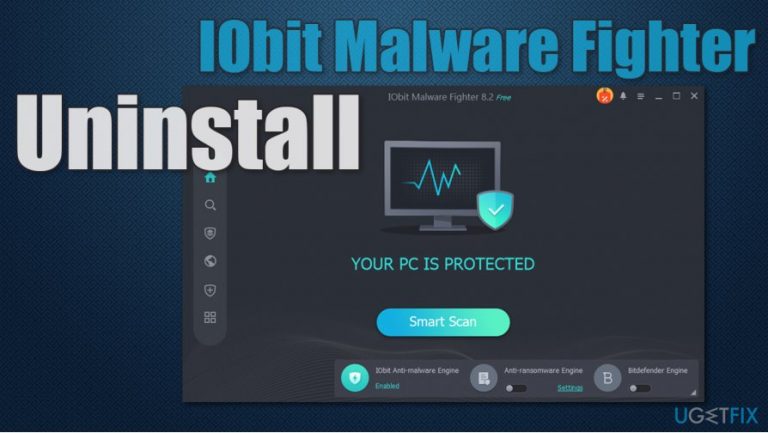
How does How to uninstall IObit Malware Fighter end up on your PC?
- Installed through software bundling
- Part of a partner program allowing third-party installations
- Aggressive promotion of IObit products in the mid-2000s
- Known as bloatware with difficult removal processes
- Bundled with toolbars and browser hijackers
Repairs Windows system files, removes malware, and restores a clean OS state — without reinstalling.
Hello, I found this program on my PC - IObit Malware Fighter. I don't know how it got there, any advice on how to remove it completely? Thanks in advance.
IObit Malware Fighter is an anti-malware software that is offered by IObit - a tech company that was established back in 2004. According to its developers, this product is a "powerful and comprehensive anti-malware and anti-virus program that can protect your PC against the latest spyware, adware, ransomware, Trojans, keyloggers, bots, worms, hijackers, viruses, etc." It is also claimed that the app is using two engines[ref en-2] - that one of Bitdefender and IObit one.
However, there are many reasons why users might want to uninstall IObit Malware Fighter from their machines. First of all, the app is known for its partner program, which allows all types of third-parties to participate in it. Thus, many users might find it installed on their system seemingly out of nowhere. This happens due to a distribution technique known as software bundling[ref en-3] - this is when several applications are compiled into a single installer.
To avoid unintentional installation of unknown programs, users should be aware of optional components within a standalone installer, especially if it is downloaded from third-party websites. Here are some tips that should help:
- Be attentive during the installation process - never skip through steps;
- Read the fine print;
- Remove all the ticks from checkboxes (unless it is ToS agreement);
- Decline all the deals and offers;
- Watch out for misleading button placements;
- Always pick Advanced/Custom installation settings instead of Recommended/Quick ones.
IObit is known to be the so-called "bloatware" developer that specializes in PC optimization and maintenance tools. Back in the mind-2000s, the products from the company were aggressively pushed all over the internet, and many users were calling them viruses, as the removal was not user-friendly at all, and many struggled with it. Besides, program installers were also found bundled with various toolbars and browser hijackers in the past, including the Conduit toolbar.[ref en-1] The company seems to have distanced away from these unfair practices, and IObit Malware Fighter removal should not cause too many problems if performed correctly.
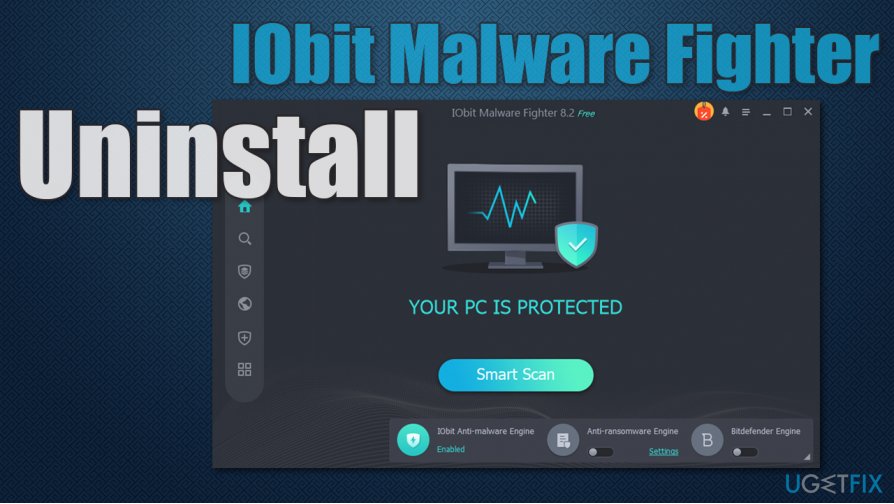
Finally, the free version of IObit Malware Fighter does not include the advanced Bitdefender's engine and does not provide real-time protection, which completely defeats the purpose of anti-malware software. If you want comprehensive protection, you would have to upgrade the product, although there are plenty of other security solutions that provide much better results.
In any case, if you want to uninstall IObit Malware Fighter from your system, follow the steps we provide below. Before you start, we would like to recommend an alternative for this app - [d1]. It can serve as a PC optimization utility and also fix various issues on your machine automatically.
Shut down IObit Malware Fighter
To make the IObit Malware Fighter uninstall process smooth, you should first close down the program. Here's how to do it:
- Click on the Show hidden items icon on the taskbar to open system tray
- Right-click on program's icon and select Exit
- When the confirmation prompt shows up, click Yes.
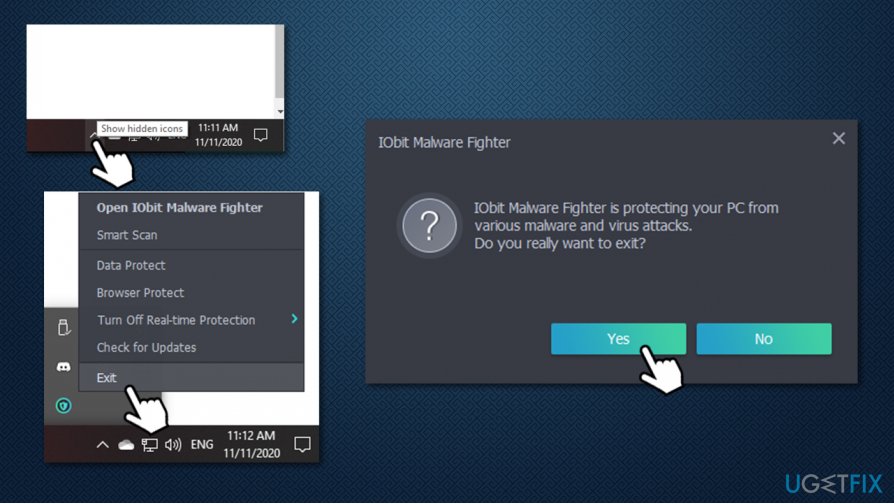
How to uninstall iobit malware fighter shut down the program
You should also close down all the related services and background processes via the Task Manager:
- Press Ctrl + Shift + Esc to open the Task Manager
- Click on More details
- Locate all the IObit entries within the Processes section
- Right-click on each of them and select End task.
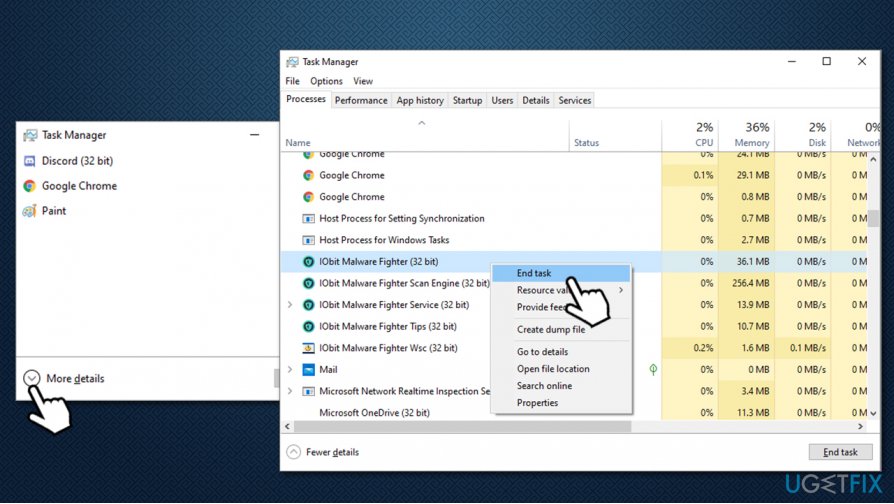
How to uninstall iobit malware fighter shut down processes
Option 1. Uninstall IObit Malware Fighter via Control Panel
- Type in Control Panel in Windows search bar and press Enter
- In the new window, go to Programs > Uninstall a program
- From the list, find iObit Malware Fighter entry
- Right-click on it and select Uninstall
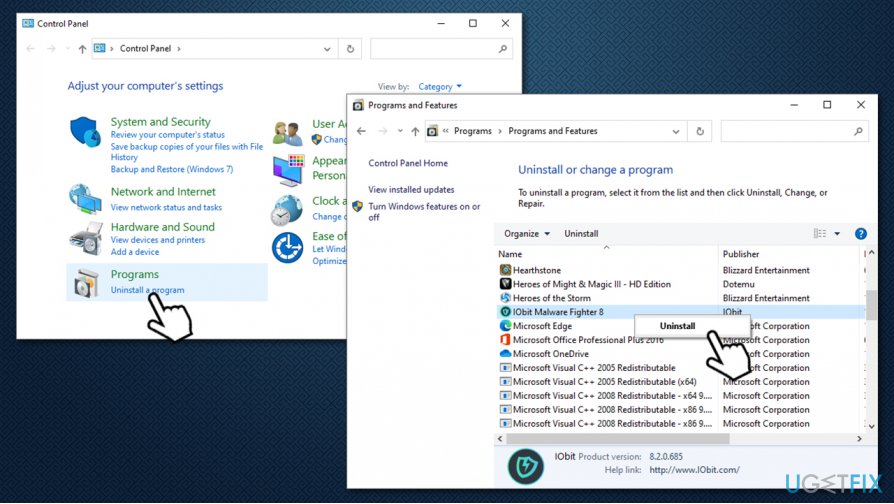
How to uninstall iobit malware fighter use control panel - On the new window tick all the options - Quarantined files, configuration files and license files
- Click Next
- After a brief moment, a pop-up telling you that the uninstallation process was completed successfully will show up
- Reboot your PC.
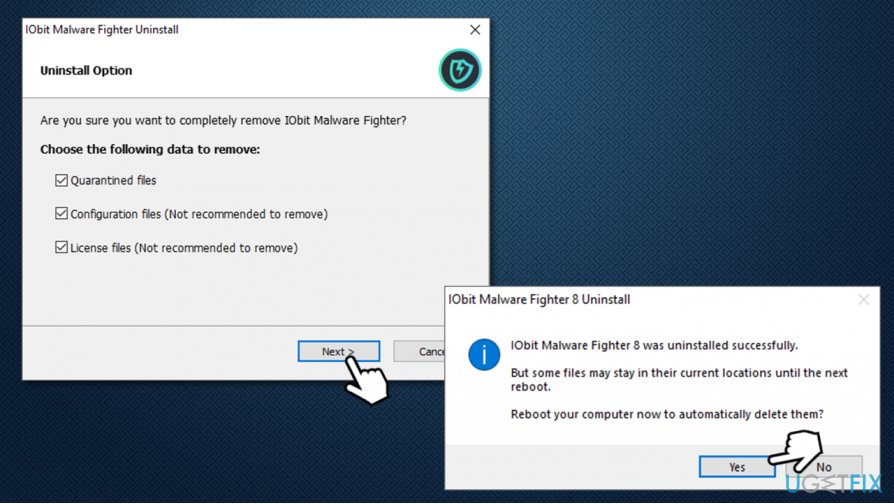
How to uninstall iobit malware fighter finish uninstall
Option 2. Remove IObit Malware Fighter using unins000.exe
- Go to the following location on your PC:
C:\\Program Files (x86)\\IObit\\IObit Malware Fighter
- In here, you will see bunch of files
- Scroll down until you locate unins000.exe - double click it
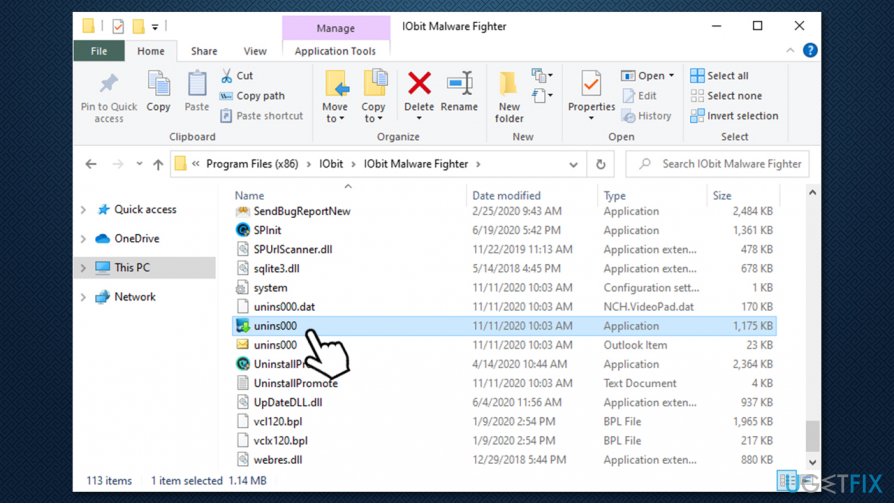
How to uninstall iobit malware fighter uninstall with unins000 - Continue with on-screen instructions (also described in the above step).
Remove the program's leftovers via the Registry
This step is completely option but might be helpful for users who had a corrupted installer or ran into other problems with the app. Before you start, please backup your registry:
- Type in regedit in Windows search and press Enter
- If User Account Control shows up, click Yes
- Click on File > Export...
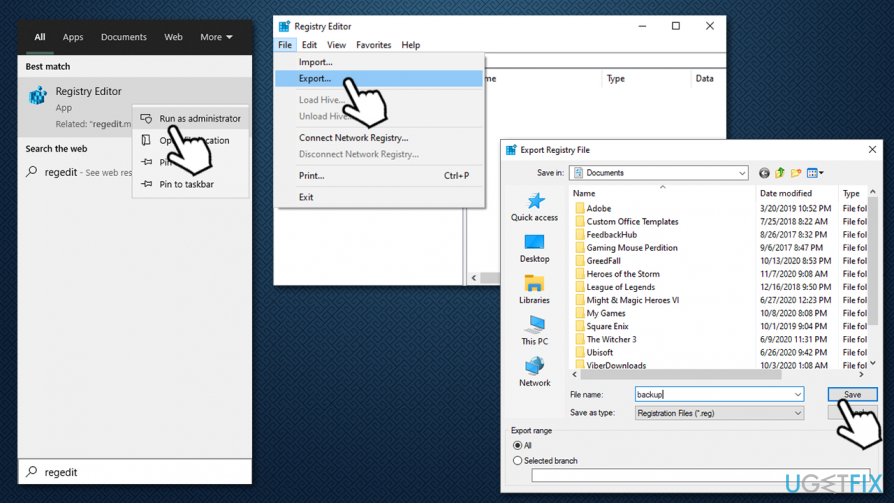
How to uninstall iobit malware fighter backup registry - Pick the location for your backup, enter a name of the file and click Save. Remember where the backup is located
Once backup is ready, you can delete the registry entries of the program to completely remove IObit Malware Fighter from your machine.
- Open Registry Editor as explained above
- Press Ctrl + F on your keyboard
- Type in IObit Malware Fighter in the search box and press Find Next
- Delete the IObit entries by right-clicking and pressing Delete
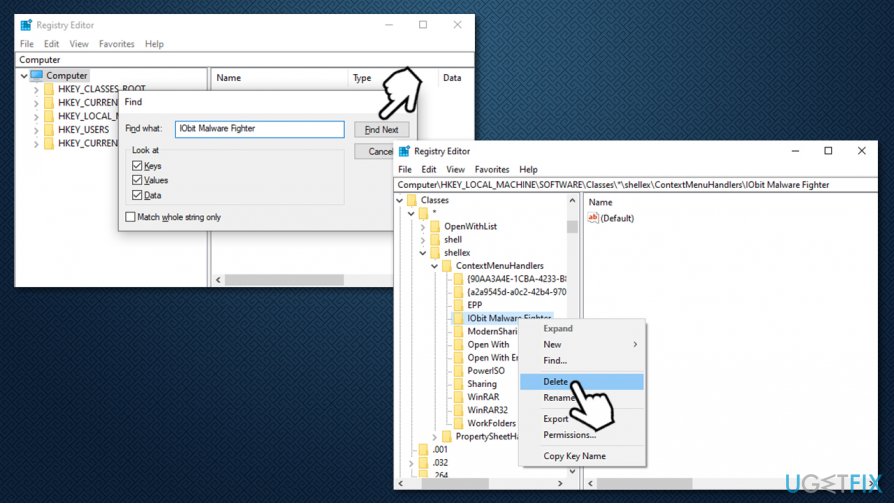
How to uninstall iobit malware fighter delet program registry - To find next entries, press F3 on your keyboard.
Bottom line
To uninstall IObit Malware Fighter, users should be attentive during installation, read fine print, and choose Advanced/Custom installation settings. If you still encounter issues, consider using dedicated uninstaller software or seeking professional help.
Frequently asked questions
To uninstall IObit Malware Fighter from Windows 10, go to Settings > Apps, find IObit Malware Fighter in the list, and click 'Uninstall.' Follow the on-screen prompts to complete the removal process.
Yes, you can remove IObit Malware Fighter by opening Control Panel, selecting 'Programs and Features,' finding IObit Malware Fighter, and clicking 'Uninstall.'
If IObit Malware Fighter won't uninstall on Windows, try using the IObit Uninstaller tool or boot into Safe Mode and attempt the uninstallation again.




Report an issue
What's wrong with this guide? We review every report and update or remove content.
Report received — thank you. We'll review and fix it.
You need a free account to submit a report.
Be the first to comment