How to remove
Uninstall SafePCKit
from Windows
Easily uninstall SafePCKit from Windows 10 or 11 with our expert-tested guide, ensuring your PC is clean and secure. Fixed in minutes!

How does How to uninstall SafePCKit end up on your PC?
- Installed via software bundles
- Pretends to be a legitimate application
- Operates as a potentially unwanted program (PUP)
- Uses intentional false positives to persuade users
- May remove wrong system files and registries
Repairs Windows system files, removes malware, and restores a clean OS state — without reinstalling.
What kind of program is SafePCKit? I found it installed on my PC, but I can’t remember installing it. Should I keep it?
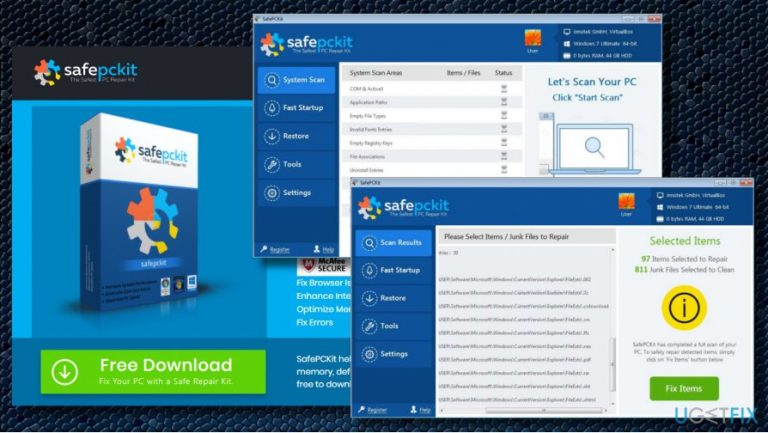
SafePCKit by Stealth Kit LLC is dubbed as a PC optimization utility.[ref en-1] According to its developers, the tool is capable of repairing Windows Registry, cleaning junk files, optimizing system memory, defragging PC, enhancing Internet speed, and, in general, improving overall PC’s performance.
SafePCKit tool pretends to be in collaboration with McAfee and Norton, but there’s no official for these facts from the mentioned security giants and it’s not very likely to be true. Contrary, reputable security software like Norton or McAfee should recognize the SafePCKit optimizer as a malware.[ref en-2]
The truth is that the SafePCKit just pretends to be a legit application. In reality it can hardly fix any Windows errors because it operates as a potentially unwanted program (PUP). When it performs a scan, the PC’s user gets a list of all issues. If the user wants to fix them, SafePCKit malware will ask him/her to purchase a full license key.
Please do not buy the SafePCKit license as you will lose your money for nothing. This so-called “system optimizer” uses intentional false positives to persuade people that their PCs have problems. However, SafePCKit tool is not worth your money. If you have doubts whether your PC is currently encountering problems, run a scan with a reliable optimization tool, for instance, [d1] and check what issues it reports. We are pretty sure that the scan results of the SafePCKit and Reimage won’t coincide.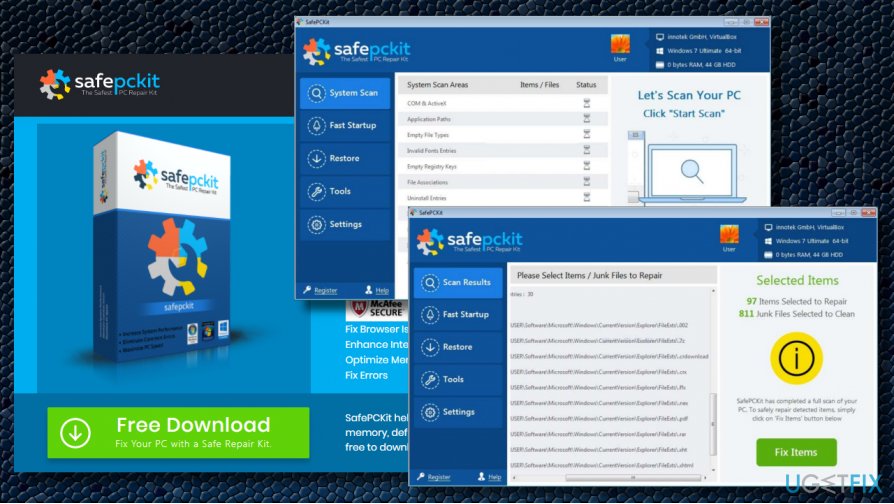
In general, we would strongly recommend you to remove SafePCKit PUP. Although the term “virus” is not suitable to describe it, it may slow down system’s performance and remove wrong system files and registries. Additionally, due to the ability to enter PC’s via software bundles unrecognized and unfair money earning strategy, the SafePCKit removal is highly advisable.
SafePCKit removal instructions
SafePCKit is a rogue optimization utility, which may diminish PC’s performance. In the worst case scenario, it may cause serious damage by removing the wrong registry entries[ref en-3] or core system files, so we would strongly recommend removing it without a delay. You can do that manually or automatically using either reputable antivirus or software removal tool.
Uninstall SafePCKit manually
- Click on Ctrl + Shift + Esc to open Task Manager.
- Find SafePCKit process, right-click on it, and select End task.
- Close Task Manager and click Windows key + I.
- Select Apps and open Apps and Features section on the left pane.
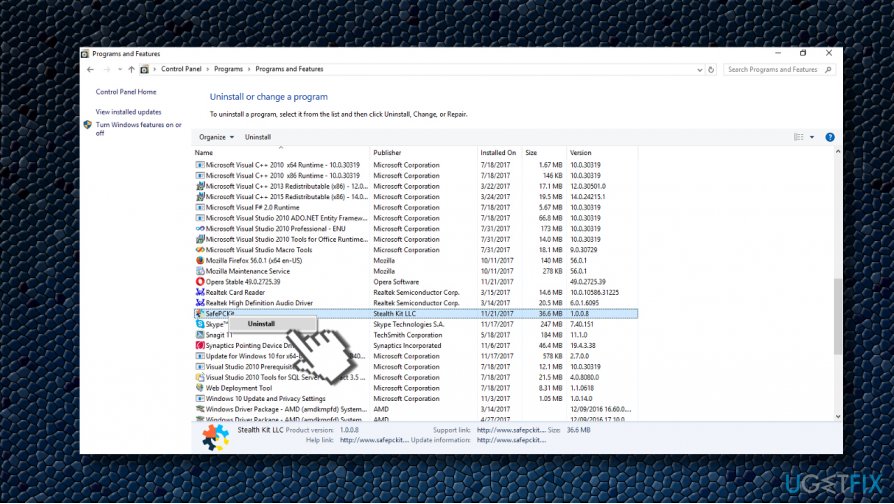
Safepckit in programs and features - Find SafePCKit, click it, and select Uninstall.
- Alternatively, you can access Control Panel -> Programs & Features.
- Find SafePCKit on the list, click on it, and select Uninstall.
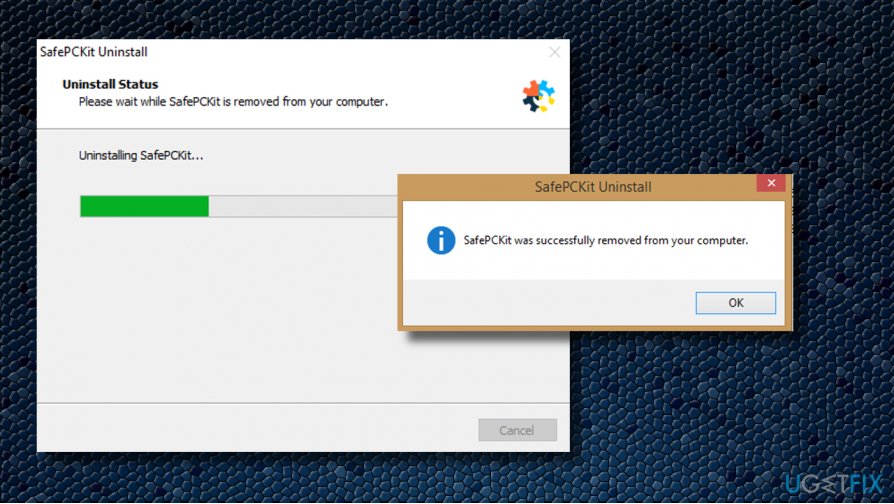
Safepckit removal successfull - Now press Windows key + R, type regedit, and hit Enter.
- Open Edit tab, click Find next and type SafePCKit .
- If the finder detects some remnants of the optimizer, remove them.
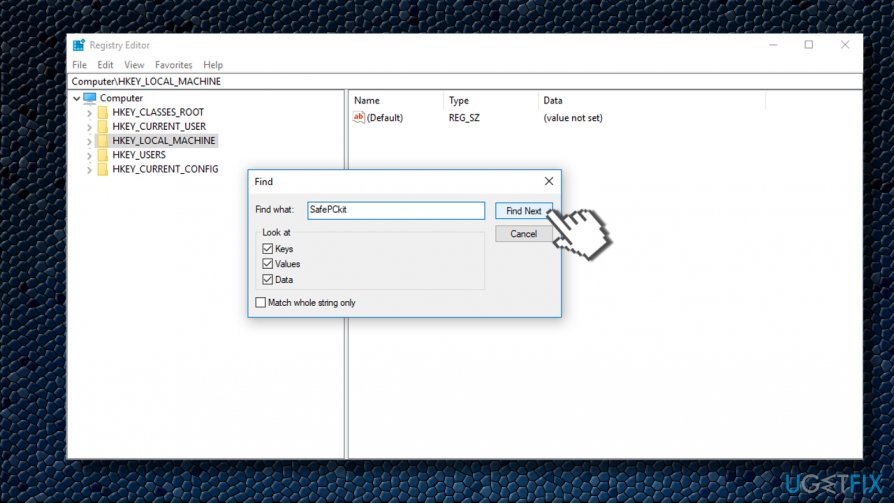
Safepckit removal from registry
Remove SafePCKit with a professional antivirus
Although currently not all security vendors included the SafePCKit into the PUP/virus database, most of the antivirus and anti-malware tools recognize it as an unwanted program. Therefore, if you have a reliable security software installed, make sure to update it and run a full system scan. That should be more than enough to uninstall SafePCKit virus and all its remnants. Our recommendation is [d1].
Eliminate Smart PC Mechanic with a software removal tool
Optimization tools that fall for the PUP category can easily be removed with software removal programs like [rev id="Perfect Uninstaller"]. This and similar programs uninstall the main executable and all the supporting files. Perfect Uninstaller is extremely useful when the program that you want to remove is not included in the list of Programs and Features.
Bottom line
To uninstall SafePCKit, it is recommended to use reliable optimization tools to check for issues and remove the program through the Control Panel. Additionally, running a scan with trusted antivirus software can help ensure your system is clean. If these methods do not work, consider seeking professional assistance.
Frequently asked questions
To uninstall SafePCKit from Windows 10, go to Settings > Apps > Apps & features, locate SafePCKit in the list, select it, and click on 'Uninstall.' Follow the on-screen prompts to complete the removal.
Yes, on Windows 11, you can uninstall SafePCKit by right-clicking the Start button, selecting 'Apps and features,' finding SafePCKit, and choosing 'Uninstall'.
If SafePCKit doesn't appear in the Apps list on Windows 10 or Windows 11, try using a third-party uninstaller tool or check the program's installation directory for an uninstaller executable.




Report an issue
What's wrong with this guide? We review every report and update or remove content.
Report received — thank you. We'll review and fix it.
You need a free account to submit a report.
Be the first to comment