How to remove
Uninstall Window Security Master
from Windows
Easily uninstall Window Security Master on Windows 7 with our expert-tested guide. Get your PC back in minutes with clear steps and zero traces left.

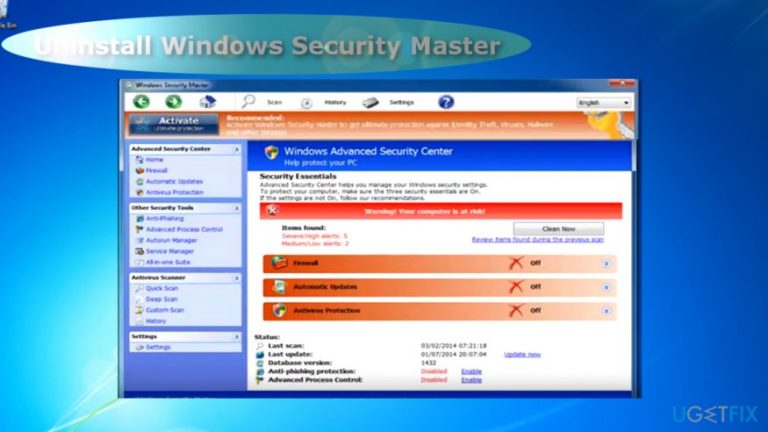
How does How to Uninstall Window Security Master on Windows 7 end up on your PC?
- Detected Trojan.Ransom in the system
- Displays counterfeit alerts about system issues
- Interferes with browser performance
- Leaves registry files to hinder removal
- Distributed as an add-on to freeware
Repairs Windows system files, removes malware, and restores a clean OS state — without reinstalling.
This program detected Trojan.Ransom in my system. To do that, the program offers to buy the full version. It also occasionally shows identify theft alerts. Is my system really infected or is this program a scam?
Windows Security Master operates as a rogue anti-virus software[ref en-1]. It functions similarly to PC optimizers which frighten users with dozens of counterfeited alerts about system issues or infected system.
However, this program is much more troublesome. It is classified to Rogue.FakeVines group of PUPs.[ref en-2] It has an identical design and operation method as Windows Antivirus Helper. The apps were most active in 2014, though Windows 7 users might still spot them even now. Both programs display additional notifications[ref en-3] alarming users about the infected operating system. Here is an example:
Error
Potential malware detected. It is recommended to activate the protection and perform a thorough system scan to remove the malware.
It also interferes with browser performance or even security tools. In some cases, it even prevented users from launching them. Furthermore, the program also leaves its registry files on the device.
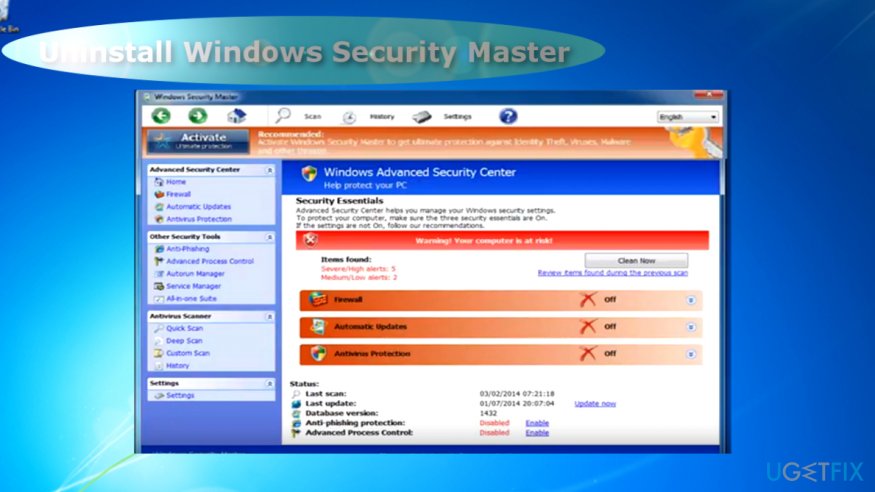
Their purpose is to trouble Windows Security Master removal. On the other hand, there is no need to worry as below instructions will assist in eliminating the software completely. You might also want to uninstall the program which you accidentally downloaded Windows Security Master with.
Bear in mind that both rogue apps are distributed as additional add-ons to freeware. Thus, once you install any program, choose “Custom” rather than “Recommended” settings. Unmark optional add-ons before installing the primary software. Now let us review the steps which will help you remove Windows Security Master.
Step 1. Boot the computer in Safe Mode
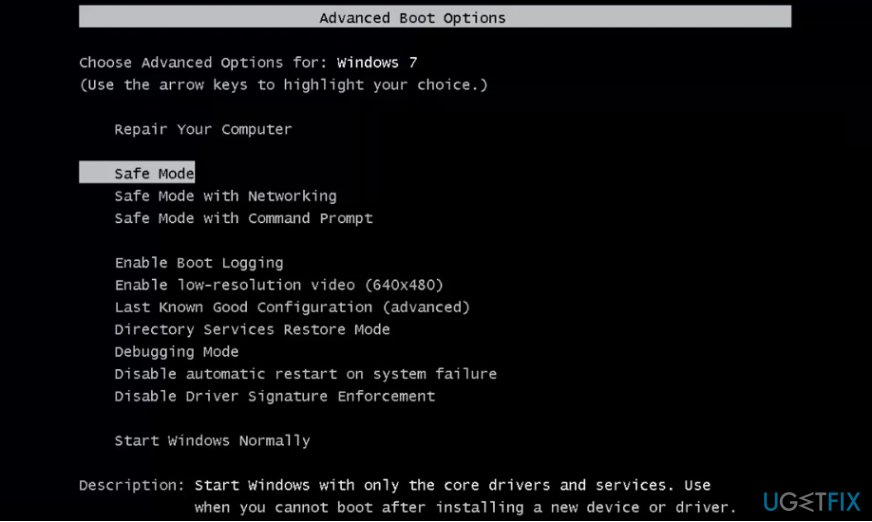
Since the program mostly targets Windows 7 users, restart the system the following way:
- Reboot the PC. Before Windows logo appears, tap F2 or F8 to launch setup settings.
- Once they are loaded, navigate to Safe Mode entry with arrow keys and press Enter.
Step 2. Launch Registry Editor
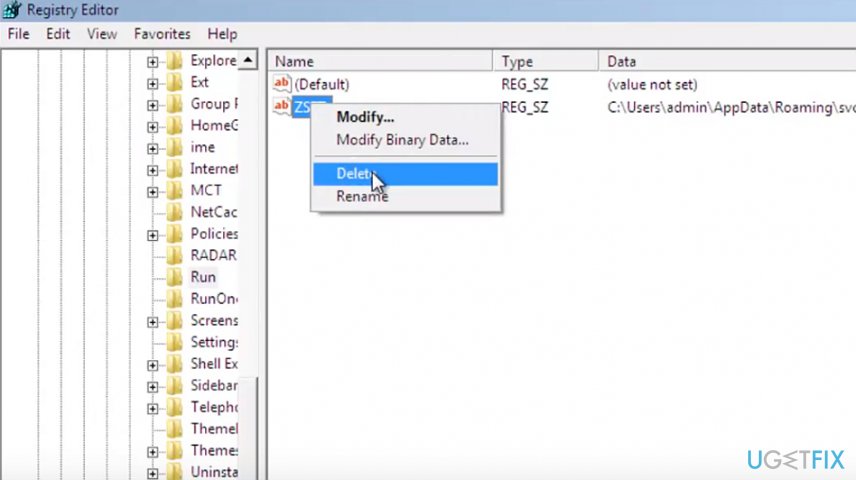
- When the device launches in the mode, press Windows+R button, enter regedit and hit Enter.
- Registry Editor opens. Go to My Computer/HKEY_CURRENTY_USER/Software/Microsoft/Windows/CurrentVersion/Run/.
- Right-click on the ZSFT file and select Delete. Click Yes.
- Registry Editor.
Step 3. Delete remaining files
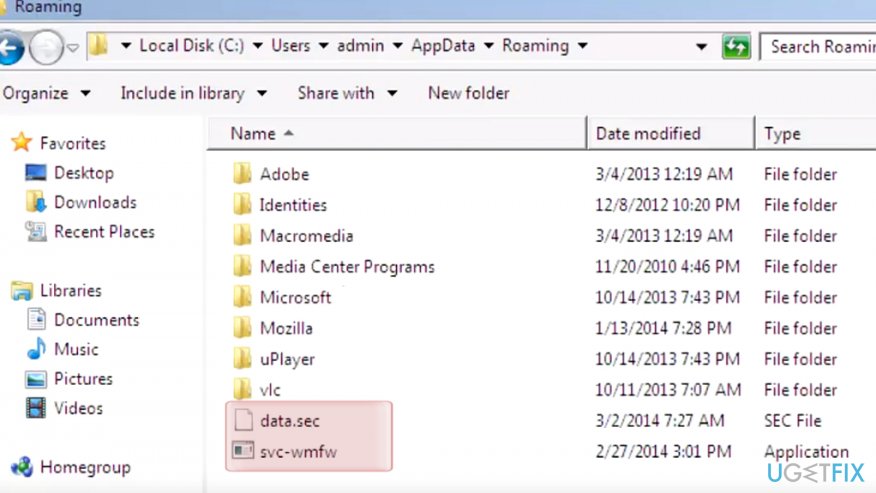
- Navigate to Local Disk/User/admin/AppData/Roaming.
- Later on, mark data.sec and svc-wmfw files with the mousepad, right-click on the selection and choose Delete. Restart the system into Normal mode.
Scan the system once again to make sure no files remain. You can use [d1] for the following.
Bottom line
To remove Windows Security Master, boot the computer in Safe Mode and use the Registry Editor to delete related entries. If these steps do not resolve the issue, consider seeking professional help or using dedicated malware removal tools.
Frequently asked questions
If Window Security Master is not listed in the Control Panel, you can try using a third-party uninstaller tool to remove it. Alternatively, you can search for its installation folder and manually delete the files.
Uninstalling Window Security Master should not impact your Windows 7 security settings, as it is a third-party application. However, ensure that you have another antivirus program installed to maintain protection.
Yes, you can boot into Windows Safe Mode and attempt to uninstall Window Security Master, which may help bypass any issues caused by the program running in the background.




Report an issue
What's wrong with this guide? We review every report and update or remove content.
Report received — thank you. We'll review and fix it.
You need a free account to submit a report.
Be the first to comment