How to remove
Uninstall Zedge
from Windows
Easily uninstall Zedge from your Windows 10 or Windows 11 device with our expert-tested guide. Get it done quickly and efficiently—zero traces left!

How does How to uninstall Zedge end up on your PC?
- Freemium model with automatic charges after trial
- Reminders about starting a free trial or purchasing a full version
- Ads within the app
- User dissatisfaction with app functionality
- Concerns over app credibility
Repairs Windows system files, removes malware, and restores a clean OS state — without reinstalling.
Hello, I and not very good with smartphones, and I need your help because of it. I was wondering if you could help me uninstall Zedge from my phone? Help is much appreciated.
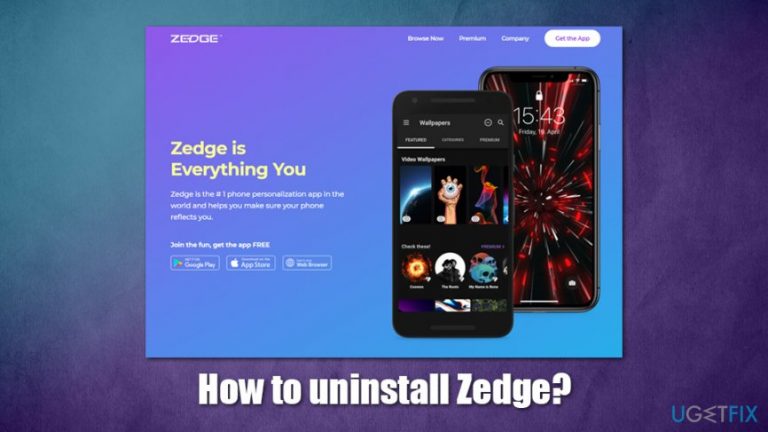
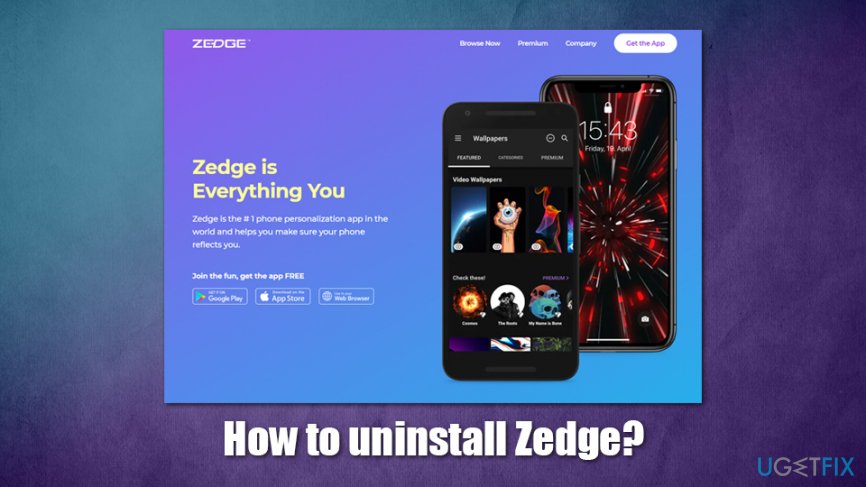
Zedge is an app that allows users to personalize their phones with various additions, such as wallpapers, emoticons, ringtones, sticker packs, video clips, and much more. While it is initially designed for mobile devices like Android and iOS, users can also download Zedge for Google Chrome, Mozilla Firefox, MS Edge, and web browsers (on both Mac and Windows systems).
In general, Zedge is well received by users, and, according to its official website, currently has more than 400 million app installs and 30 million active users. While there can be many uses for the app, as it offers a large variety of downloadable content that might be attractive for many, there might be several reasons why users seek information on how to uninstall Zedge from all platforms.
First of all, Zedge is freemium[ref en-3] - it means that some features can be used for free, but premium content is only available through its paid version. Many users can make use of the app completely free of charge, although they can try a Zedge Premium as a three-day trial. Unfortunately, once the trial is finished, users are charged automatically via the Google Play or Apple's App Store if the trial is not canceled manually.
Luckily, the change does not apply if users uninstall Zedge before the trial expires, so you should not worry about getting charged in such a case. However, some apps were found guilty of charging users even after they uninstall them from their devices,[ref en-2], so it is always advisable checking terms of trial before proceeding.
Because the app is free, those who do not acquire a Premium version will also encounter several reminders about starting a free trial or buying a full version. Another reason why somebody would like to uninstall Zedge is due to ads - not all users are keen on dealing with that.
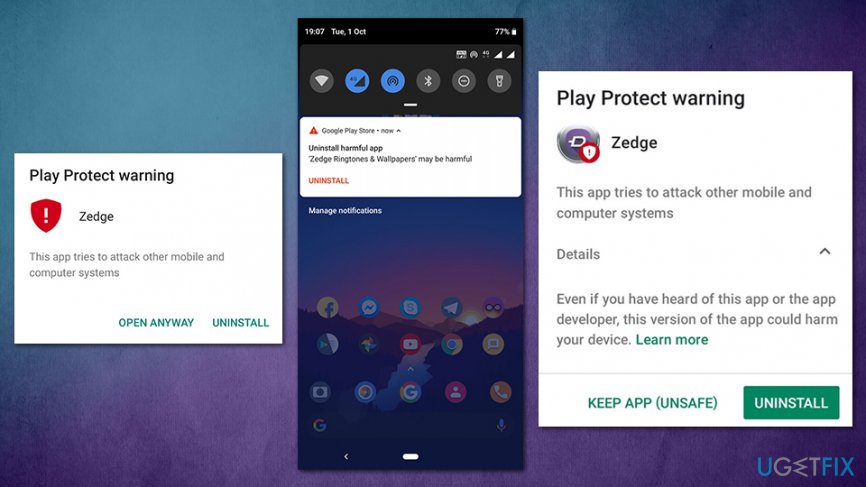
At the end of 2019, Zedge received a lot of questions regarding its credibility and functionality, as Play Protect began to mark the app as unsafe and malicious. As a result, the application was pulled out of Google Play, leaving many users wondering if their devices are now compromised. However, to answer the question "is Zedge unsafe," it is most certainly "no" - the app is legitimate.
September's incident occurred due to a bug within the software, as, after an update to the app or the operating system rendered it vulnerable to cyberattacks. While the developers were trying to sort it out, the app was eliminated from the official store - it was back a very short time later. Developers explained in their post on Twitter:[ref en-1]
We experienced being suspended from Google Play for 72 hours due to a bug within one of our 3rd party integrations causing excessive network latency testing. We appealed the suspension to Google, which was approved, and we removed the 3rd party integration and submitted
Nonetheless, if you still want to uninstall Zedge, please follow the instructions we provide below - it should not cause you many troubles.
Uninstall Zedge from Android
Since Zedge is a legitimate application, there should be no difficulties when trying to uninstall it. Nevertheless, keep in mind that the instructions may vary to a degree depending on your Android version and smartphone brand.
- From the menu, tap on Settings
- Select Apps & notifications/Applications/Apps
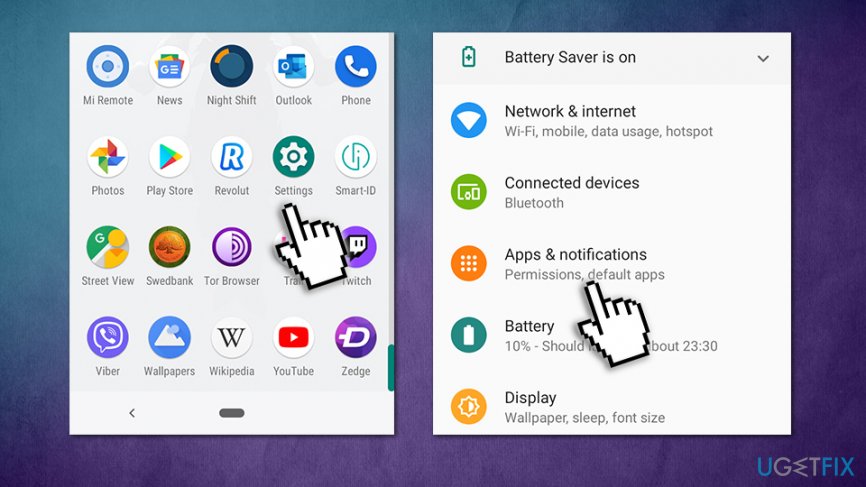
How to uninstall zedge android go to settings - View the full list of the installed apps by picking See all
- Scroll down until you encounter Zedge entry - tap on it
- Now select Uninstall
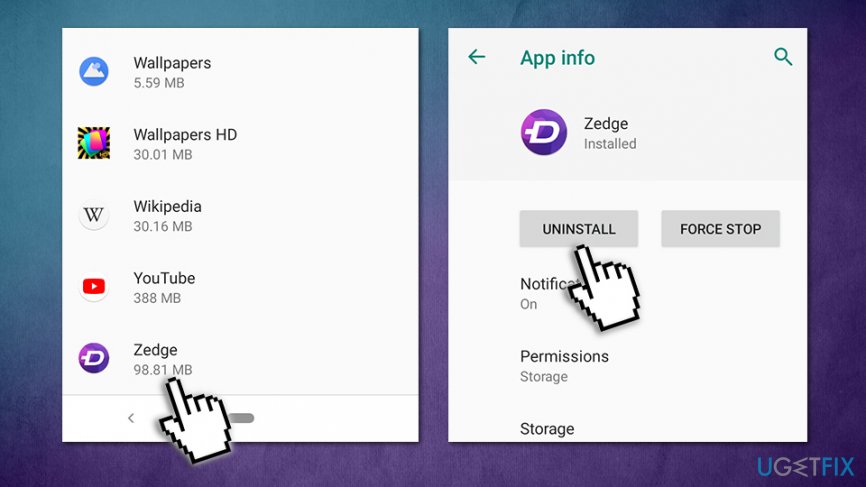
How to uninstall zedge uninstall app
Uninstall Zedge from iPhone
Getting rid of apps from iPhone or iPad is very simple - follow these steps:
- Locate the icon of Zedge on your screen
- Press and hold it for a few seconds
- You will see an "X" at the top left corner
- Press the cross and then confirm with Remove
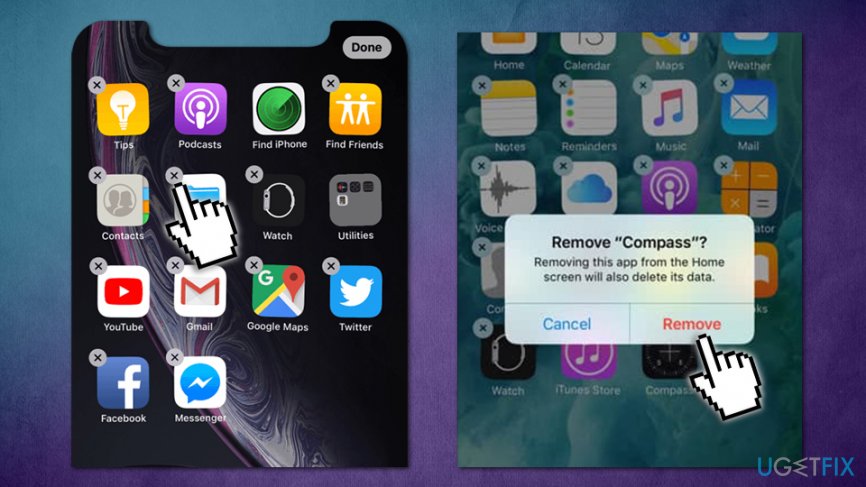
How to uninstall zedge uninstall from iphone
Bottom line
To uninstall Zedge, users can remove the app from their device or browser settings. If issues persist, checking the terms of the trial and ensuring proper uninstallation procedures are followed is advisable. If none of these solutions work, consider reaching out to customer support for further assistance.
Frequently asked questions
To uninstall Zedge from Windows 10, go to Settings > Apps > Apps & features, find Zedge in the list, click on it, and select 'Uninstall.' Follow the prompts to complete the uninstallation.
Yes, you can remove Zedge using Control Panel on Windows 11 by navigating to Control Panel > Programs > Programs and Features, locating Zedge, right-clicking it, and selecting 'Uninstall.'
If Zedge doesn't appear in the Apps section on Windows, try checking for it in the Start menu, right-clicking the app icon, and selecting 'Uninstall' from there.




Report an issue
What's wrong with this guide? We review every report and update or remove content.
Report received — thank you. We'll review and fix it.
You need a free account to submit a report.
Be the first to comment