How to remove
Uninstall Zemana AntiMalware
from Windows
Easily uninstall Zemana AntiMalware from Windows 10 or 11 with our expert-tested guide. Get it done quickly and efficiently, with zero traces left.

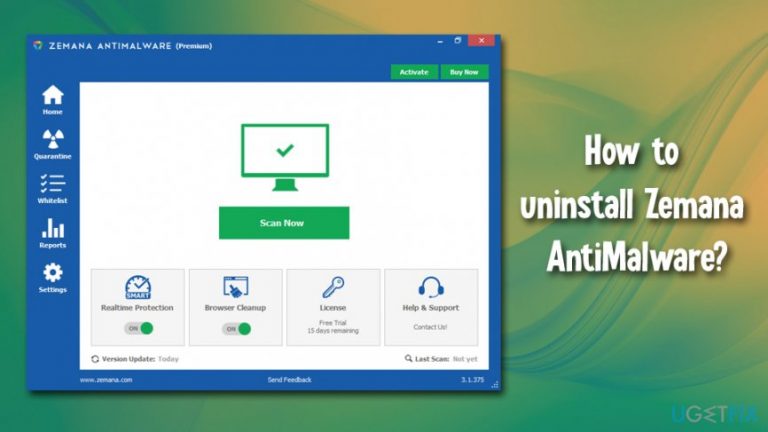
How does How to uninstall Zemana AntiMalware end up on your PC?
- Previous security app was too intrusive
- Hogged computer resources during long scans
- Zemana Anti-Malware Free does not offer real-time protection
- Complaints from multiple users about ineffective protection
- Presence of fake programs claiming full protection
Repairs Windows system files, removes malware, and restores a clean OS state — without reinstalling.
Hi, I had some problems with my previous security app, as it was too intrusive and hogged my computer resources during long scans, so I decided to get rid of it. Instead, I found Zemana Anti-Malware offered on one of tech forums. I was wondering if it is a good solution for the PC? Should I uninstall and look for something else instead? Thanks for the advice.
Zemana Anti-Malware is a sophisticated, cloud-based[ref en-1] anti-malware scanner which is offered in either Free or Premium versions. Considering there are many security applications out there, it sometimes becomes rather difficult to choose, and for a good reason.
According to research performed by the independent testing lab IT AV-Comparatives in March 2019, one-third of all Android security apps are completely worthless, and some - even harmful.[ref en-2] Of course, when it comes to PC and Mac, things are a little different, but there are plenty of fake programs that claim full protection but do not deliver.
Therefore, should you uninstall Zemana Anti-Malware or is it worth keeping?
Zemana Anti-Malware was established back in 2007 by college graduates, who embodied the vision of safer internet. Years later, the software is well established and reputable: it does not engage in dodgy practices and is quite competitive when it comes to detection rates.
Features that Zemana Anti-Malware security solution can offer are:
- Removal or potentially unwanted programs, such as adware, scareware, browser hijackers, etc.;
- Termination of high-profile threats like ransomware, rootkits,[ref en-3] torjans, and similar;
- Easy-to-use interface;
- No significant system resource usage during scans or the idle operation;
- Low false-positive rates;
- Works well with other security solutions (no conflict);
- Zero-day vulnerability detection, etc.
As evident, Zemana Anti-Malware has many perks and can be useful in many situations. However, just like any other malware removal solutions, Zemana is not perfect.
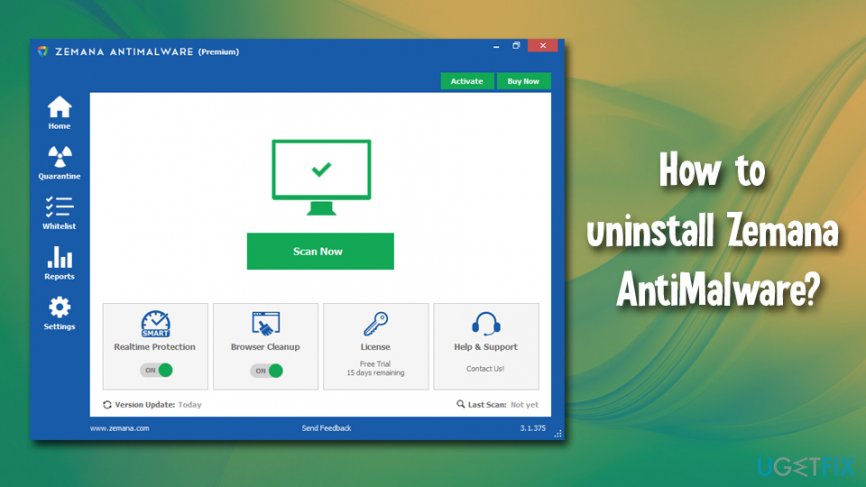
Zemana Free does not offer real-time protection, and if users want to acquire it, they need to pay for the full license. It would be all good, (most reputable applications are not free) but the purchase does not warrant full protection. Multiple users complained that the anti-virus fails to protect them in real-time, so the paid solution is hardly better than the free one. Additionally, some versions of the software might be difficult to get rid of, as certain processes remain running in the background, even after users uninstall Zemana Anti-Malware.
If you decided that Zemana Anti-Malware is not for you and you are having troubles with its termination, we prepared a detailed guide on how to uninstall Zemana Anti-Malware and all its traces from the computer.
Solution 1. Remove Zemana Anti-Malware using unins000.exe file.
- Press Win + E on your keyboard to open File Explorer.
- Go to the following folder: C:\\Program Files (x86)\\Zemana\\AntiMalware (note that this is default installation folder - it might be located somewhere else, depending where you chose to install it to).
- Double-click the Unins000.exe file. After the activation, the removal process should start.
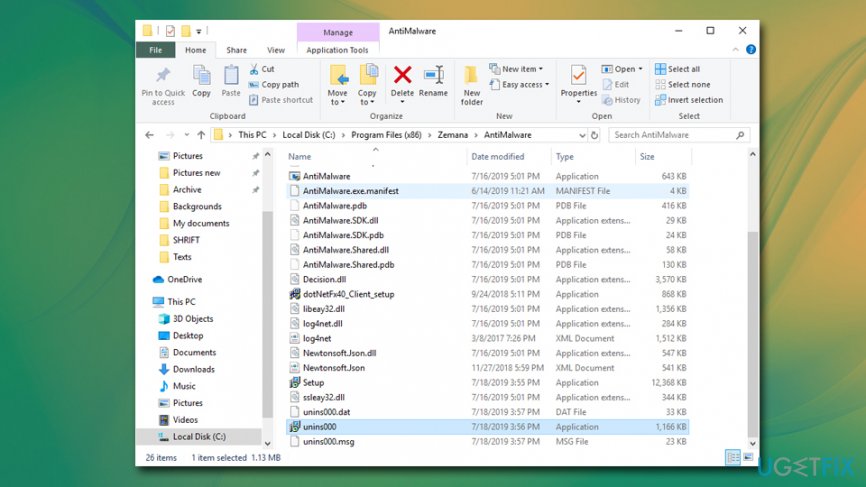
Uninstall zemana anti malware via the program files folder - When the procedure is finished, press Win + R
- Type in regedit and press Enter to access Registry Editor.
- Find these folders:
- HKEY_CURRENT_USER\\Software\\Zemana\\
- HKEY_LOCAL_MACHINE\\SOFTWARE\\Zemana
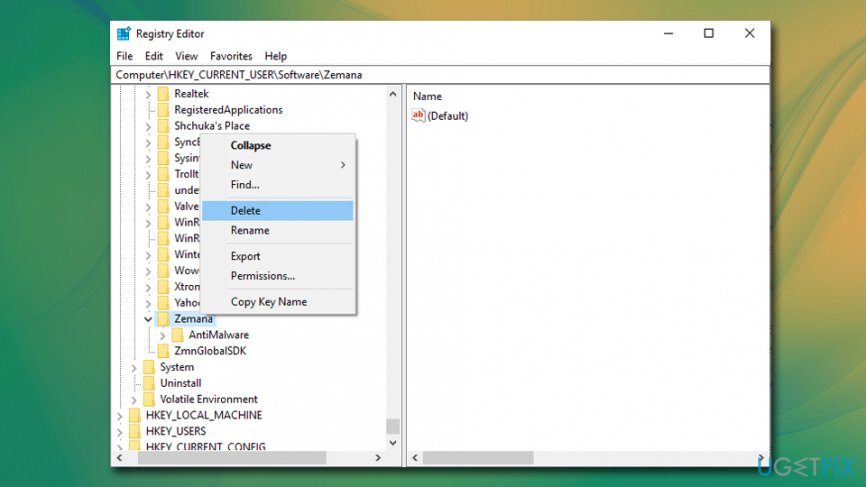
Uninstall zemana anti malware delete windows registry keys
Delete them to eliminate Zemana Antimalware completely. Restart your computer for the modifications to take effect.
Solution 2. Uninstall Zemana Antimalware via the Control Panel
- Type in Control Panel into Cortana's search box and hit Enter.
- Under Programs, select Uninstall a program.
- Find Zemana AntiMalware app and double-click to begin uninstallation process.
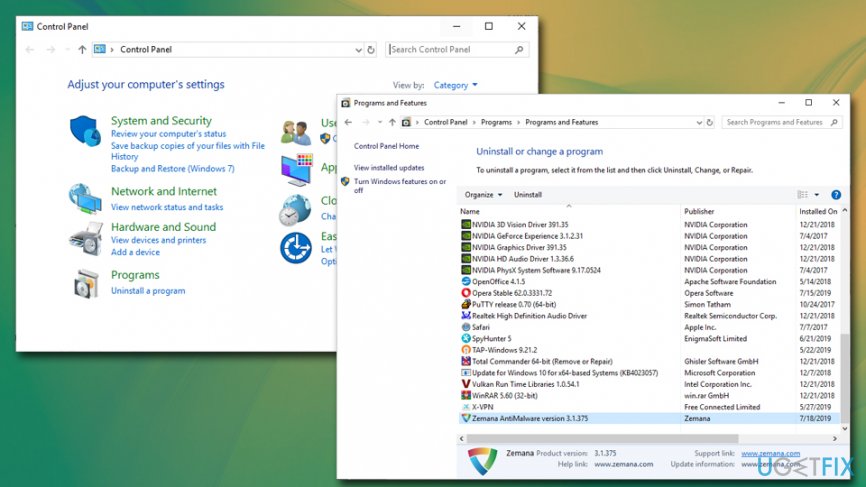
Uninstall zemana anti malware via control panel - You should also delete the registries that we mentioned in the solution No. 1 - delete Zemana-related registry entries.
- Reboot the computer.
Solution 3: Use automatic options
There are plenty of applications that offer automatic program removal. However, we must warn you that program uninstallers can often not function as intended or even be adware in disguise. Therefore, we suggest you carefully pick legitimate applications that would terminate all the related process automatically and remove Zemana traces.
If you require a solution for your Registry or need a general fix for any problems that you are having with your Windows machine, we would strongly recommend [d1].
Solution 4. Shut down ZAM controller service
If you cannot uninstall Zemana Anti-Malware via the control panel, it is possible that ZAM controller service is running, hence preventing main program removal. Here's how to fix it:
- Press Win + R on your keyboard.
- Type in services.msc and hit Enter or click OK.
- When the Services window opens, scroll down to locate ZAM controller service.
- Right-click on it and select Stop.
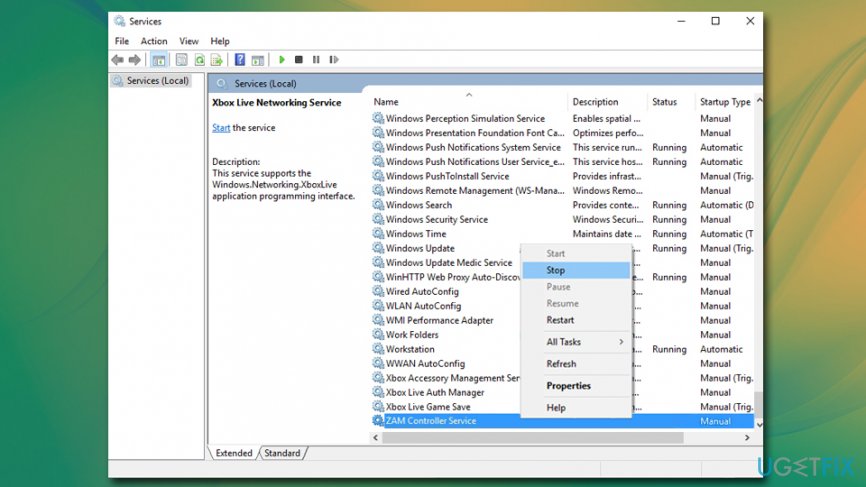
Uninstall zemana anti malware stop zam controller service - Try to uninstall Zemana antivirus once again.
Bottom line
Zemana Anti-Malware offers features like removal of potentially unwanted programs and termination of high-profile threats, but it lacks real-time protection in the Free version. If you find that Zemana is not meeting your needs, consider uninstalling it and exploring other reputable security solutions. If none of the fixes work, it may be best to consult a professional for further assistance.
Frequently asked questions
To uninstall Zemana AntiMalware on Windows 10, go to Settings > Apps, find Zemana AntiMalware in the list, click on it, and select 'Uninstall.' Follow the prompts to complete the uninstallation process.
Yes, you can remove Zemana AntiMalware on Windows 11 by opening Control Panel, selecting 'Programs and Features,' locating Zemana AntiMalware, and clicking 'Uninstall.'
If Zemana AntiMalware won't uninstall on Windows, try using the built-in uninstallation tool from the Zemana website or boot into Safe Mode and attempt the uninstallation again.




Report an issue
What's wrong with this guide? We review every report and update or remove content.
Report received — thank you. We'll review and fix it.
You need a free account to submit a report.
Be the first to comment