How to remove
What is C:PragramDataAccapiapihost.exe and how to remove it
from Windows
Discover the purpose of C:\ProgramData\Accapi\apihost.exe on Windows 10 and 11, and learn effective removal methods. Expert-tested solutions included.

How does What is C:PragramDataAccapiapihost.exe and how to remove it end up on your PC?
- Presence of legitimate software utilizing apihost.exe
- Association with unwanted software
- Potentially malicious programs installed without knowledge
- Scheduled tasks executing the file automatically
- Startup entries configured to run the executable
Repairs Windows system files, removes malware, and restores a clean OS state — without reinstalling.
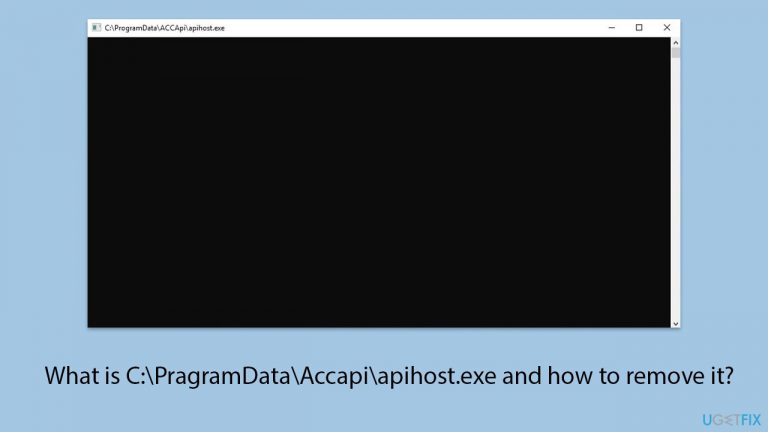
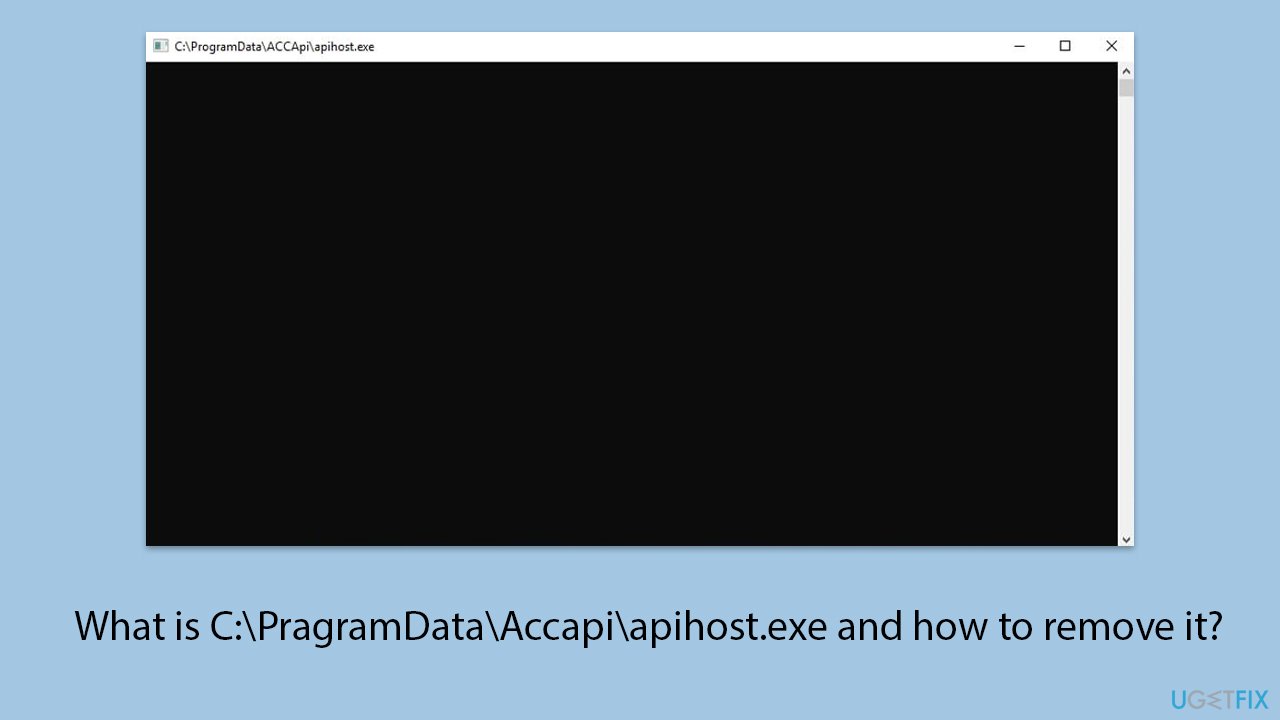
There is a Command Prompt window that comes up on my PC every 30 seconds or so and then disappears. The window is called "C:\PragramData\Accapi\apihost.exe" but the pop-up is empty with nothing in it. What is this and how do I remove it?
The ProgramData folder in Windows is a hidden system folder that stores application data used by multiple users on the computer. This folder contains configuration files, settings, and other data necessary for applications to function correctly. One of the files that might be found in this directory is apihost.exe.
Apihost.exe, located in C:\ProgramData\Accapi, is an executable file that users sometimes encounter in a rather disruptive manner. Specifically, users report seeing a blank Command Prompt window with the title "C:\ProgramData\Accapi\apihost.exe" appearing at regular intervals. This recurring window can be distracting and indicates that the apihost.exe process is running repeatedly in the background.
What causes the apihost.exe pop-up?
The appearance of the apihost.exe issue can be attributed to several factors. One possible cause is the presence of legitimate software that utilizes this executable for certain background tasks.
However, this file might also be associated with unwanted software or potentially malicious programs that have been installed on your system without your knowledge.
The regular appearance of the Command Prompt window suggests that the file is being executed periodically, which might be due to scheduled tasks or startup entries configured to run this executable automatically.
How to remove C:\PragramData\Accapi\apihost.exe window?
To remove the C:\PragramData\Accapi\apihost.exe pop-up window, it is important to identify the source of the file and determine whether it is essential for your system’s operations. One effective approach is to scan your system for malware, as malicious software could be responsible for the recurring appearance of apihost.exe.
Additionally, performing a Clean Boot can help isolate whether the issue is caused by third-party software or services. Using tools like Autoruns can also be helpful to disable unnecessary startup entries or scheduled tasks associated with this file, thereby preventing it from executing repeatedly.
Instructions on how to investigate and remove the apihost.exe file will be provided below. Before proceeding, try running a powerful PC utility [d1] - an automatic solution for many common Windows problems.
Fix 1. Scan for malware
Malware can cause the apihost.exe file to run repeatedly, disrupting your system. Scanning your computer for malware can identify and remove any malicious software that might be causing this issue. You can use any reliable third-party security software, employ Microsoft Security Scanner, or simply Windows Defender:
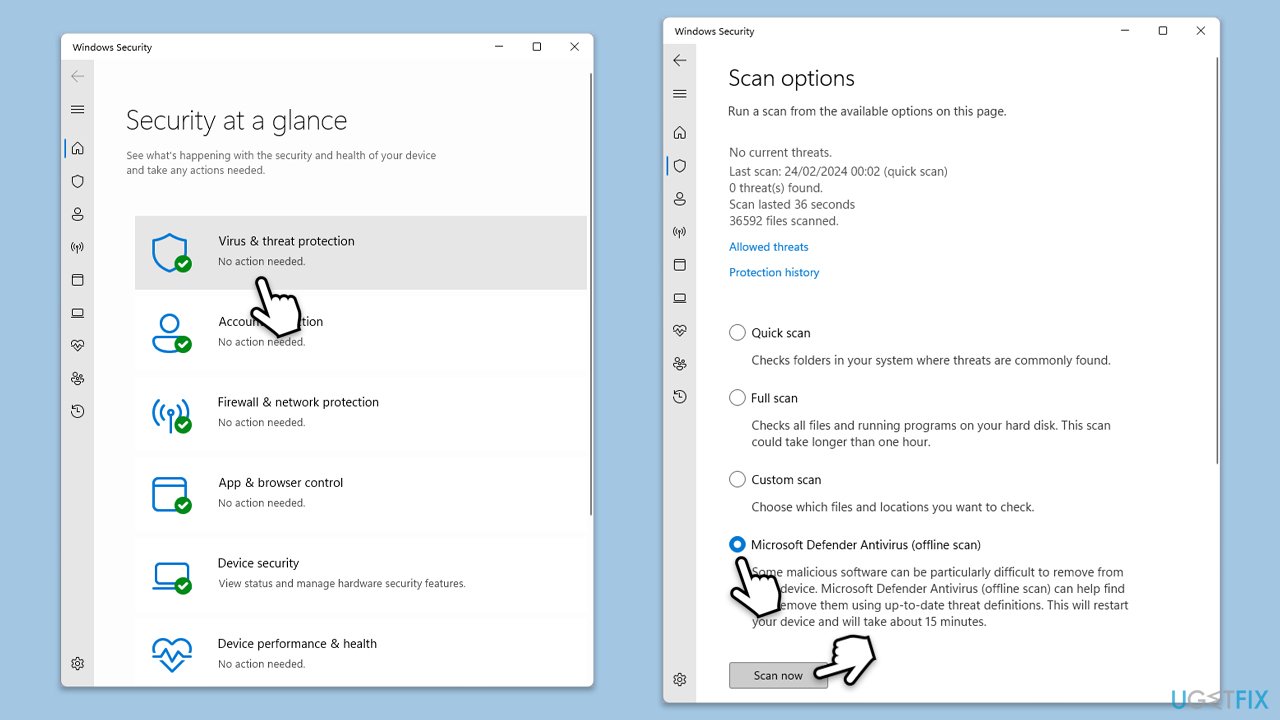
- Type Windows Security in the Windows search bar and hit Enter.
- Select Virus & threat protection.
- Pick Scan options.
- Choose Microsoft Defender Offline scan and click Scan now.
- Your computer will immediately reboot and begin a deep scan.
Fix 2. Use Autoruns
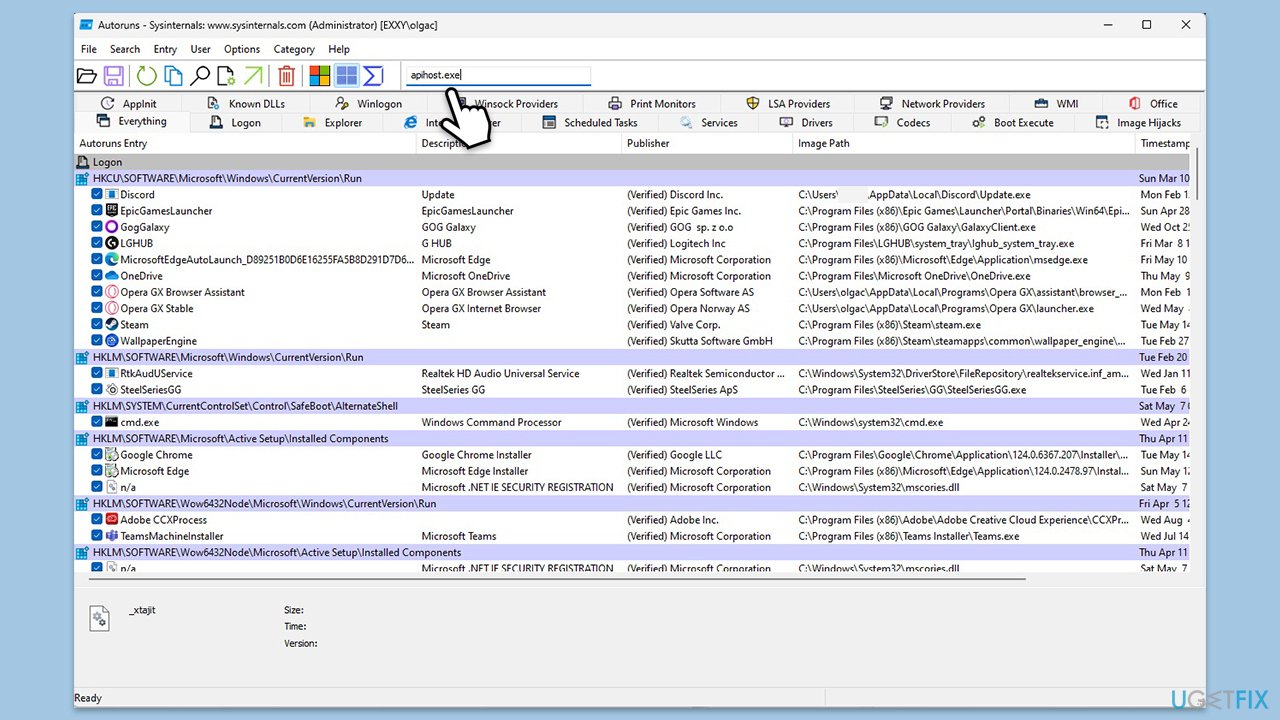
Autoruns is a utility that shows you what programs are configured to run during system bootup or login. Using it can help you disable unnecessary startup entries related to apihost.exe.
- Download and install Autoruns from the official Microsoft website.
- Unrar Autoruns.exe or Autoruns64.exe, depending on your system type.
- Right-click on the application and select Run as administrator.
- In the Quick Filter search box at the top, type in apihost.exe.
- Right-click on the found entry (or entries) and select Delete.
- Restart your PC.
Fix 3. Remove the file via File Explorer
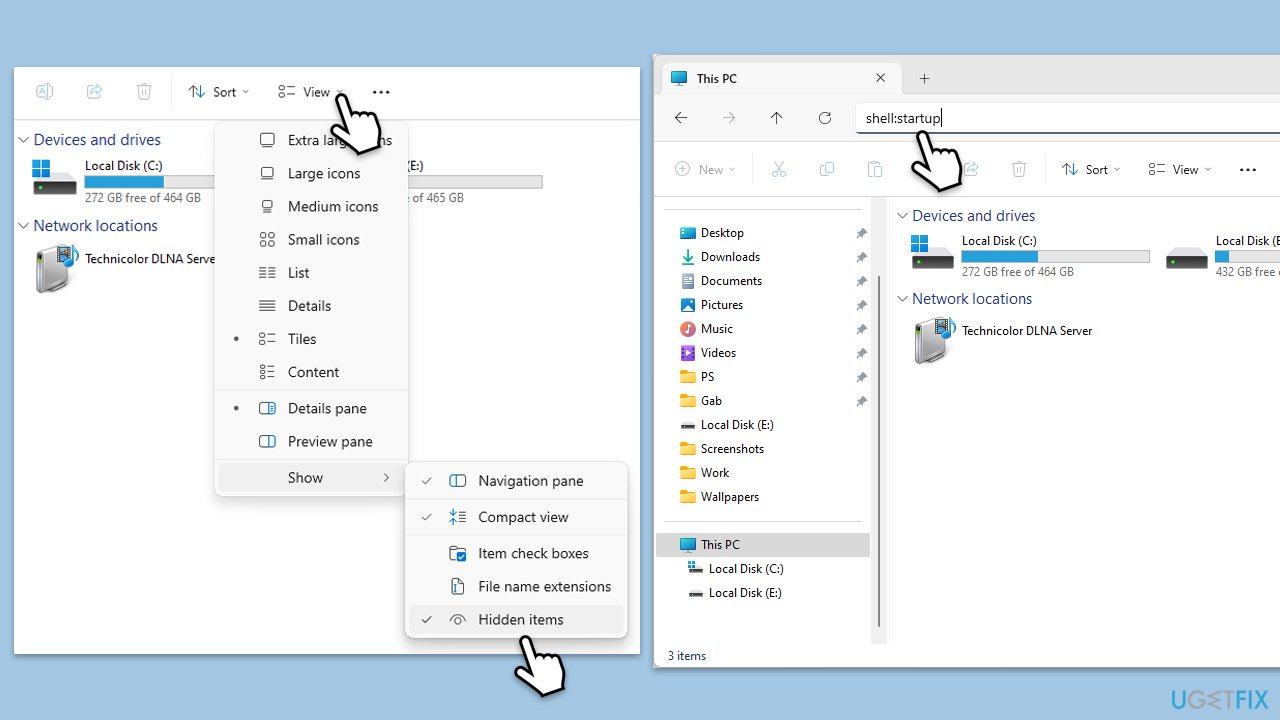
If you can't remove apihost.exe via Autoruns because you are getting a "Failed to delete apihost.exe.lnk" error message, you can do it via File Explorer. Make sure hidden files are visible before proceeding.
- Press Win + E to open File Explorer.
- At the top of the Window, in the address bar, type in shell:startup and press Enter.
- Remove the unwanted entry manually.
- Next, navigate to C:\ProgramData directory and delete Accapi folder.
- Empty the Recycle Bin if needed and restart your PC.
Fix 4. Check scheduled tasks
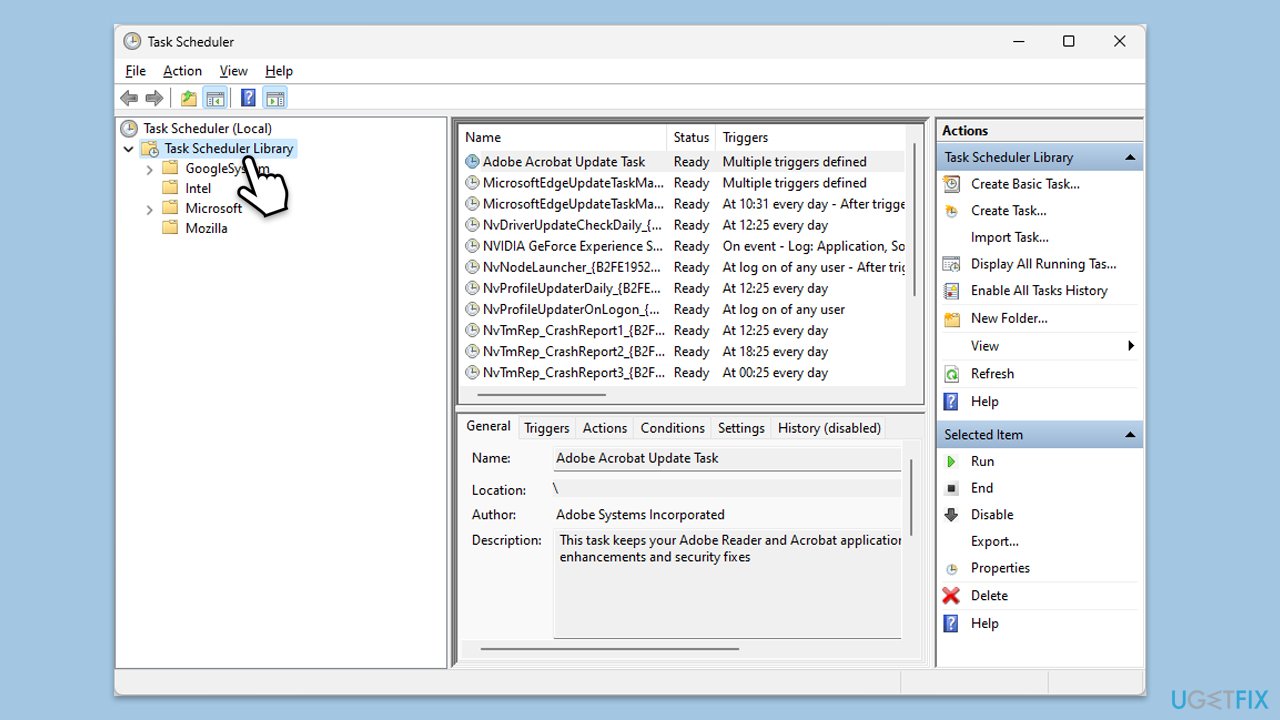
Scheduled tasks can run programs at specified times, which might be causing apihost.exe to execute periodically. Reviewing and removing unnecessary scheduled tasks can help.
- Type Task scheduler in Windows search and press Enter.
- In the task scheduler window, click on the Task scheduler library.
- Look for any tasks related to apihost.exe or Accapi.
- Right-click the task and select Delete.
- Restart your system.
Bottom line
To remove the C:\ProgramData\Accapi\apihost.exe pop-up window, scan your system for malware and perform a Clean Boot to isolate the issue. Using tools like Autoruns can help disable unnecessary startup entries or scheduled tasks. If these steps do not resolve the issue, further investigation may be necessary.
Frequently asked questions
C:PragramDataAccapiapihost.exe is typically associated with application data and may be linked to legitimate software, but it can also be a sign of malware. It's essential to verify its origin before deciding to keep or remove it.
To remove C:PragramDataAccapiapihost.exe, you can use the Task Manager to end its process, then navigate to its location and delete the file. Additionally, running a full system scan with Windows Defender or another trusted antivirus can help ensure your system is clean.
If C:PragramDataAccapiapihost.exe reappears, it may indicate a persistent malware infection or a related application that reinstalls it. In this case, consider performing a deeper malware scan and checking your installed programs for anything suspicious.




Report an issue
What's wrong with this guide? We review every report and update or remove content.
Report received — thank you. We'll review and fix it.
You need a free account to submit a report.
Be the first to comment