How to fix
“Your windows license will expire soon” error
on Windows
Resolve the "Your Windows license will expire soon" error on Windows 10 or 11 effortlessly. Get expert-tested solutions and fix it in minutes!

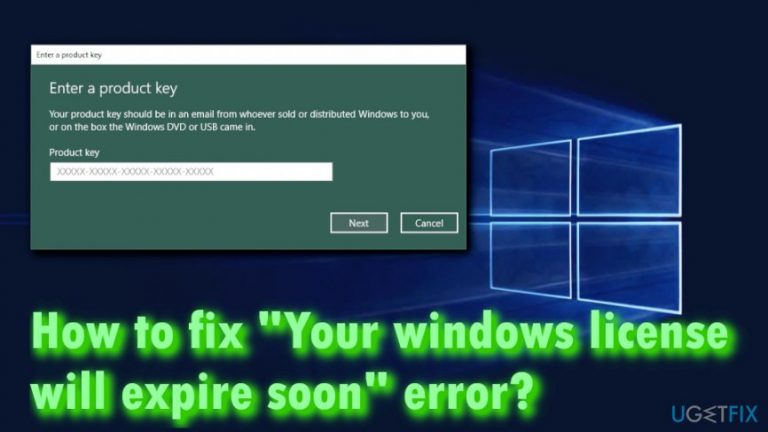
What causes How to fix “Your windows license will expire soon” error?
- Windows recognizes the upgraded OS as a standalone installation
- The license key embedded in the BIOS could be rejected
- The system may require reactivation after the free upgrade period
- Users may not have entered the product key correctly
- The Windows activation process may have encountered an error
Repairs Windows system files, removes malware, and restores a clean OS state — without reinstalling.
Hello, I have a problem with Windows activation. I did upgrade from Windows 8.1 to Win 10 for free back when it was released, and I had no issues whatsoever. However, in the past couple of days, I have been getting this message that my Windows license will expire soon. Why is this happening? I thought that the license is not needed with the free upgrade? Please help me! Much appreciated.
When Windows 10 came out back in 2015, Microsoft announced that everybody who is using a licensed version of the OS could upgrade to the newest version for free.[ref en-1] All users needed is the product key, and they could download the firmware for the new OS from Windows servers or Windows store. A lot of people used that option and did not have any problems with their operating systems. However, users started complaining on forums that they are getting the "Your windows license will expire soon" error.
Because the update is free, "Your windows license will expire soon" error should not be occurring to those who ungraded using the product key of previous Windows version. However, it does happen and can be extremely annoying to users, as the computer then starts restarting every few hours, disrupting the work on the machine and potentially losing non-saved data. The error states the following:
Your windows license will expire soon
You need to activate Windows in Settings
Users are then prompted to go to Settings and enter the product key there. However, some complained the license key (which is embedded in the BIOS)[ref en-2] could be rejected.
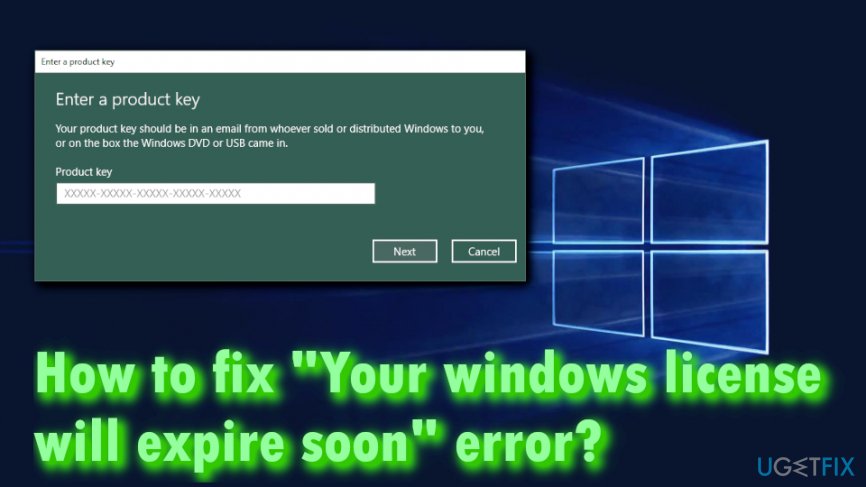
You see "Your windows license will expire soon" error because the system is recognizing the upgraded OS as a standalone installation of Windows 10, as you get a free three months trial after installing the fresh operating system on any device.
While you can contact your computers' manufacturer tech support that would guide you through the process, we first recommend you try to fix "Your windows license will expire soon" error using the guide provided below.
In this video you will find information about fixing this error:
[youtube JXeXOw9aOhY]
Fix 1. Restart Windows Explorer
Restarting Windows Explorer might help you fix "Your windows license will expire soon" error. To do so, please follow these steps:
- Press CTRL+SHIFT+ESC to open Task Manager
- Find Windows Explorer process, right-click on it and press End task
- Next, press Windows key + R and type in explorer.exe and click OK
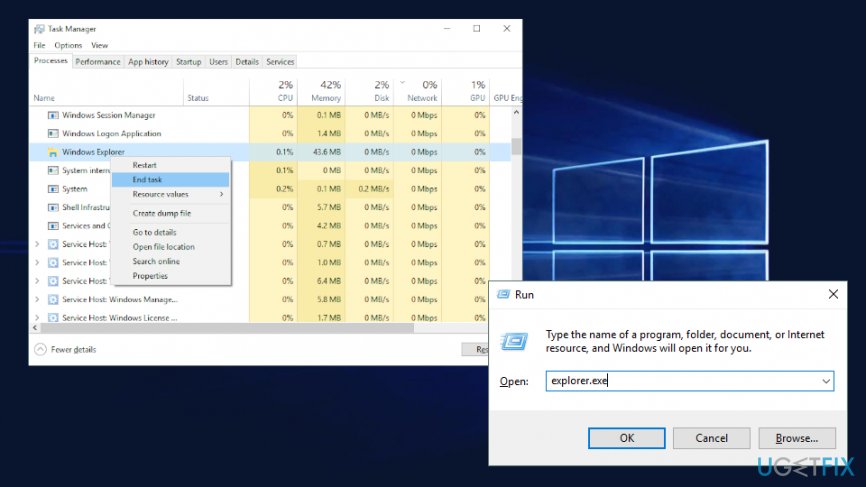
Your windows license will expire soon restart windows explorer - Open Command Prompt (admin) by typing cmd into the search box and right-clicking on the results and picking Run as administrator
- Type in slmgr –rearm and hit Enter. Restart you PC
- If the previous command did not help use slmgr /upk and press Enter, restarting the machine afterwards
Fix 2. Scan your system for errors
System errors can cause all kind of problems, and "Your windows license will expire soon" might be one of them. We recommend you download and install PC repair tool [d1] and scan the device immediately. The software has a built-in database which consists of more than 25,000 legitimate up-to-date Windows files that can be injected into a compromised system.
Fix 3. Disable Windows License Manager Service
A simple, yet not optimal "Your windows license will expire soon" error fix can be achieved by disabling Windows License Manager Service. Follow these steps:
- Press Windows key + R and type in services.msc
- Find Windows License Manager Service, right-click on it and press Properties
- Once Properties window opens, under the Startup type select Disabled, press the Stop button to stop it and click OK
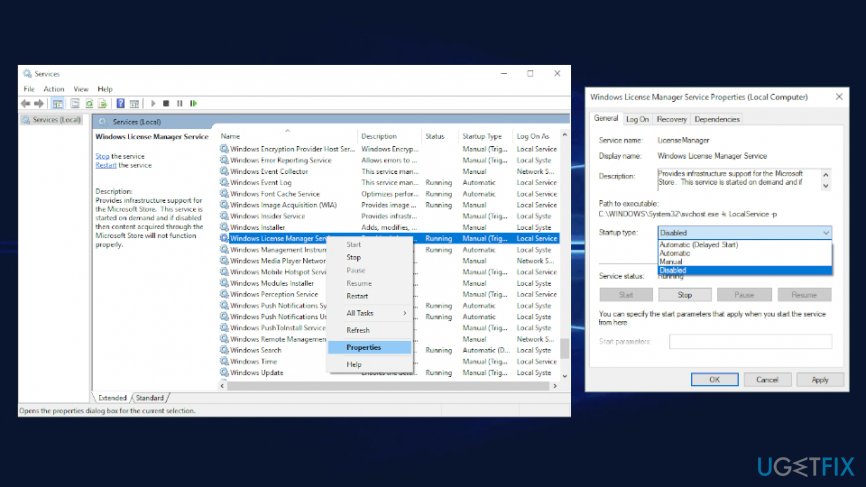
Your windows license will expire soon disable windows services
Fix 4. Find your product key using Command Prompt
- Go to Command Prompt (admin) once again
- Type in wmic path SoftwareLicensingService get OA3xOriginalProductKey and hit Enter
- Write down your key
- Once the error occurs again, go to settings and enter the activation key
Some users reported[ref en-3] that they cannot access the destination via the error. You can enter the code via Settings yourself:
- Right Click on Start button and select Settings
- Go to Update and Security > Activation
- Select Change product key
- Enter the code and press Next
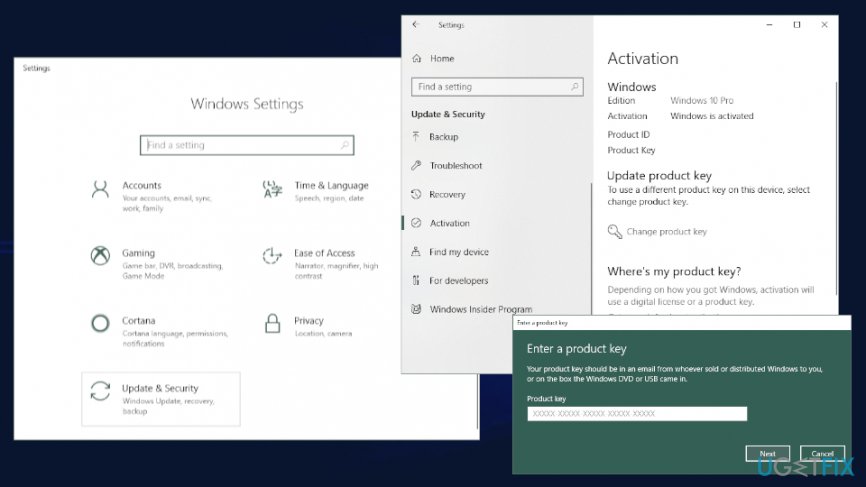
Your windows license will expire soon enter your product key
Fix 5. Reset your computer using Media Creation Tool
Some users reported that resetting the machine using Media Creation Tool helped the to update their systems and fix "Your windows license will expire soon" error. Download the tool from the official website and run on-screen instructions
Bottom line
To fix the 'Your windows license will expire soon' error, users can try entering the product key in Settings, contacting their computer manufacturer for support, or ensuring that their system is properly activated. If none of these solutions work, consider reaching out to Microsoft support for further assistance.
Frequently asked questions
You can resolve this by checking your activation status in Settings, then re-entering your product key or activating Windows through the Troubleshooter option.
Try running the Activation Troubleshooter from the Settings app under Update & Security, which can automatically detect and fix common activation issues.
Ensure that your Windows 10 or Windows 11 is always activated by keeping your product key handy and regularly checking for updates.




Report an issue
What's wrong with this guide? We review every report and update or remove content.
Report received — thank you. We'll review and fix it.
You need a free account to submit a report.
Be the first to comment