How to fix
“Failed to get player information from the server” error
on Windows
Resolve the “Failed to get player information from the server” error on Windows 10 and 11 effortlessly with expert-tested solutions. Fixed in minutes!

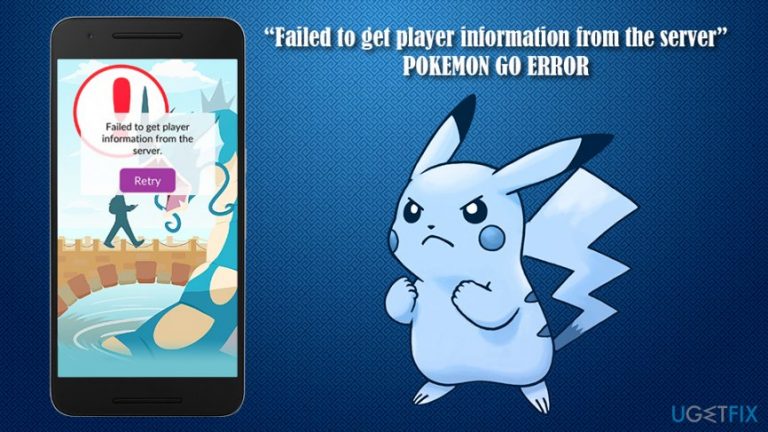
What causes How to fix “Failed to get player information from the server” error?
- Failed attempt to get game data from the server
- Issues related to GPS tracking
- Server-related problems
- Client-related problems
- Failed account sync with the servers
Repairs Windows system files, removes malware, and restores a clean OS state — without reinstalling.
Hello. For some reason, I can't launch Pokemon GO. Instead I receive the "Failed to get player information from the server" error. Is there anything I can do to play the game smoothly? Thanks in advance.
Originally created by game designer Satoshi Tajiri (Nintendo) in 1990, the Pokemon franchise became a global phenomenon, recognized and loved by millions of fans around the world. To no surprise, Pokemon GO was a highly anticipated title when it came out back in July of 2016, published by American company Niantic. Millions of users grabbed their Android phones or iPhones and rushed to the streets to catch 'em all.
Pokemon Go got around 1.3 million downloads just within a week of being released and currently has over 600 million active users worldwide.[ref en-3] And while the game was a tremendous success, it did have several setbacks right from its release, such as the "Failed to get player information from the server" issue.
Users also said that Pokemon Go failed to log in on multiple occasions, or that Pokemon GO failed to get game data from the server. As a result, many users were unable to enjoy the game, just like many others did, which was causing a lot of frustration among players.
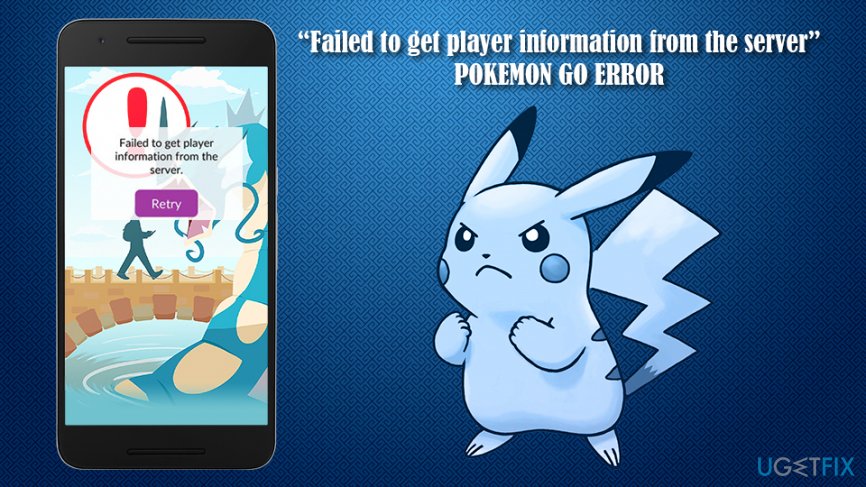
The game uses augmented reality with the help of a GPS and internet (3G or 4G) to allow users to walk around their local streets and catch Pokemon - otherwise known as pocket monsters. "Failed to get player information from the server" is one of the reasons why users can't play the game since the issue is related to the GPS - it helps the game to track users' location, which is crucial for the gameplay.
The reason for this error is the failed attempt to get game data from the server of Pokemon GO, consequently preventing the account sync with the servers. While, in some cases, reasons for this issue can relate to servers themselves, there other client-related problems that could be the reason for Pokemon Go failed to login.
In this guide, we will show ways how to fix "Failed to get player information from the server" error manually, so follow each step below carefully. Additionally, we recommend using [d1] to organize and make your phone run smoothly.
Method 1. Clear cache and Reinstall Pokemon GO
The easiest way to fix “Failed to get player information from the server” error is to remove the app and reinstall it. The steps below explain how to do it on Android:
- Go to Settings and select Applications/Apps/Apps & Notifications
- Select View all apps/See all apps
- Pick Pokemon GO from the list
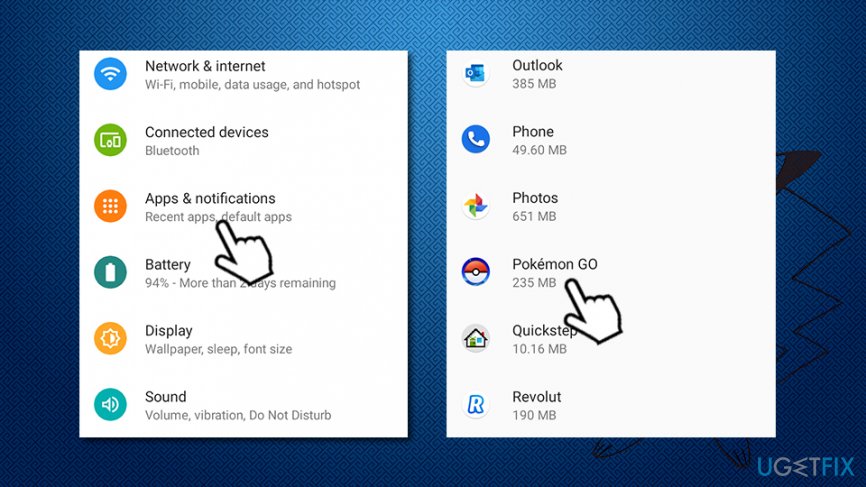
Fix failed to get player information from the server pokemon go error go to settings - Press Clear Data and then Clear Cache
- Then, tap the Uninstall button
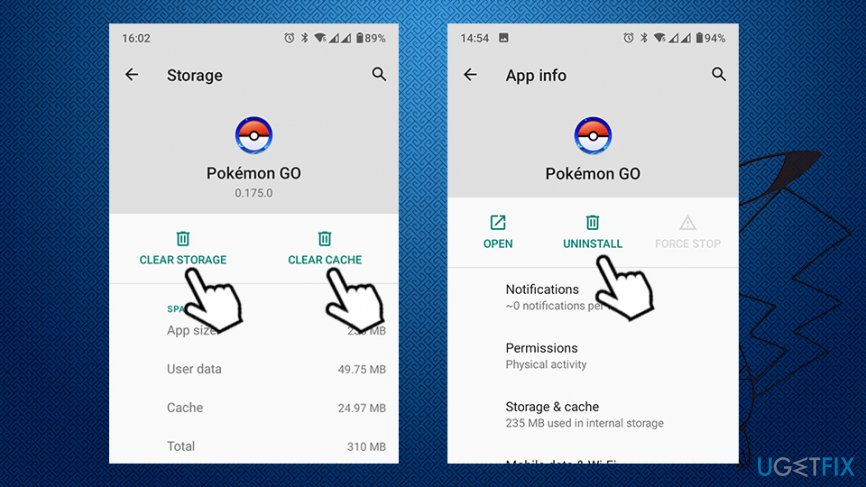
Fix failed to get player information from the server pokemon go error go clear cahce uninstall - Go to Google Play and download the app once again
To uninstall Pokemon GO from iPhone, follow these steps:
- On your screen, find Pokemon GO app
- Press and hold the game's icon
- Tap on the "X" at the left corner of the app icon
- When prompted, select Delete
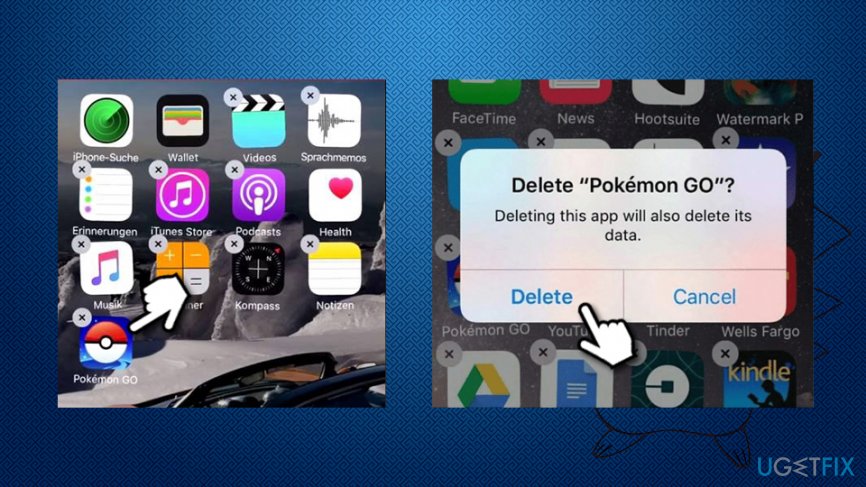
Fix failed to get player information from the server pokemon go uninstall from iphone
Method 2. Switch your device to Airplane mode
- Close Pokemon GO app
- Open Notification panel on your phone (slide down from the top)
- Locate Airplane mode icon and tap it
- Open Pokemon GO app. Here you should see Niantic logo and then Loading bar
- When you will see a notification saying No Internet Connection, switch to Normal mode
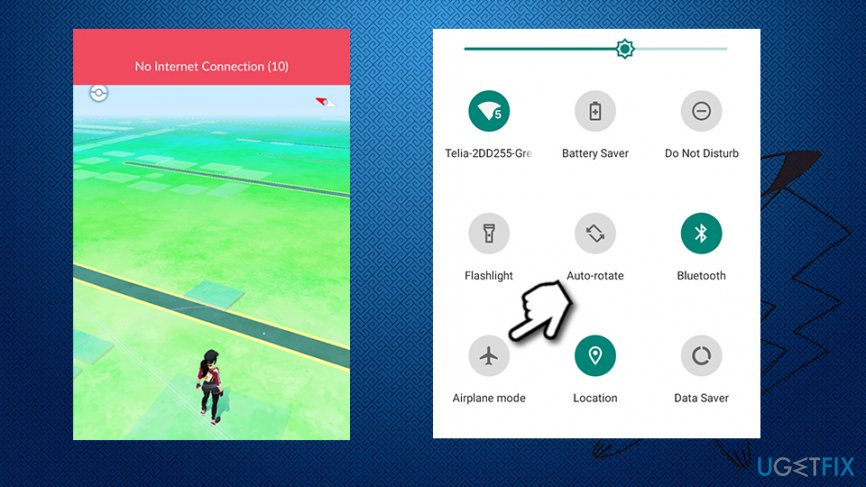
Fix failed to get player information from the server pokemon go turn on airplane mode - Wait a few minutes and you should be allowed to play
Method 3. Check Pokemon GO servers
When dealing with errors like "Failed to get player information from the server," it is important to understand that the reasons for it could be something out of your control. For example, Niantic acknowledged several times that the servers were overloaded and that the company is trying to deal with the issues:[ref en-1]
Thank you for your patience. We have been working to fix the server issues. We will continue rolling out #PokemonGO to new countries soon.
Thus, sometimes the servers might not be working well, and you will simply have to wait until everything is back to normal (experiencing technical difficulties is relatively common, even for huge companies that release AAA games).[ref en-2] Nevertheless, if Pokemon GO failed to get game data from the server, you could check its connection on http://ispokemongodownornot.com website. Note that the game is not eligible in all countries, so that might also be the reason for the "Failed to get player information from the server" error.
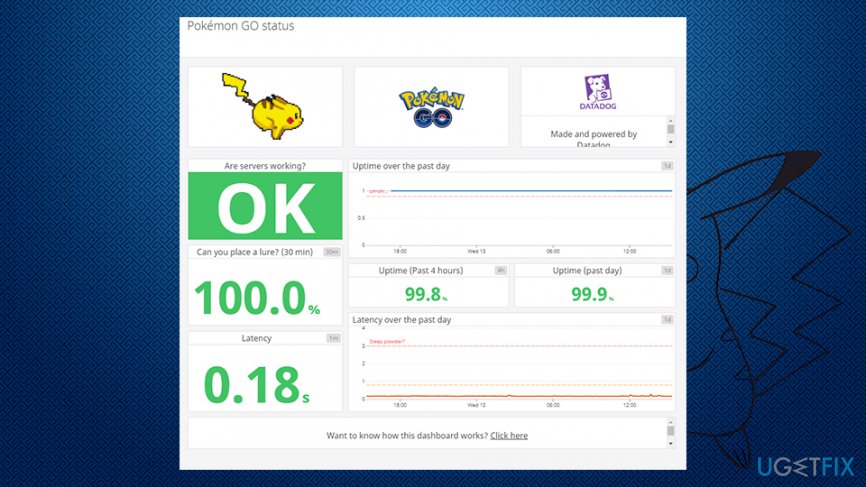
Bottom line
To fix the "Failed to get player information from the server" error, you can check your GPS settings, ensure a stable internet connection, and try logging in again. If these solutions do not work, consider reinstalling the game or checking for server outages.
Frequently asked questions
This error often occurs due to network connection issues or server outages affecting online gaming services on Windows 10. Ensuring a stable internet connection and checking the game server status can help resolve the problem.
To troubleshoot this error on Windows 11, try restarting your router and running the game as an administrator. Additionally, check for any pending Windows updates that may affect network functionality.
Yes, ensure that your Windows 10 firewall or antivirus is not blocking the game application, and verify that your network settings are properly configured to allow game connections.




Report an issue
What's wrong with this guide? We review every report and update or remove content.
Report received — thank you. We'll review and fix it.
You need a free account to submit a report.
Be the first to comment