How to fix
The operation can’t be completed because one or more required items can’t be found
on Windows
Resolve the "operation can't be completed" error on Windows 10 or 11 effortlessly. Get expert-tested solutions to help you fix it in minutes.


What causes How to fix The operation can’t be completed because one or more required items can’t be found?
- Hard disk issue
- Non-existent share point of file
- Partial download of data
- Document in use
- Lack of permission to manage files
- File name contains illegal characters
Repairs Windows system files, removes malware, and restores a clean OS state — without reinstalling.
Hello, I have encountered the same error on my Mac in different instances: when trying to install a program and deleting two files by moving them to trash. I get this The operation cannot be completed because one or more required items can't be found. (Error code -43) message. I tried to delete files one at the time and there is nothing different. I don't know what to do. Is there any solution?
The operation cannot be completed because one or more required items can't be found. (Error code -43) in particular is one of the most frustrating MacOS errors that occur on the screen and keeps users from deleting needed files or folders. This sounds strange, and the annoying as many people report this particular MAC Error.[ref en-1]
This error also occurs when you cannot empty the Trash entirely on your device. "The operation can’t be completed because one or more required items can’t be found" is a more common message from not so long list of Mac OS errors. It is more common for the Mac OS X El Capitan or OS X 10.2 users.[ref en-2]
The operation can’t be completed because one or more required items can’t be found can appear due to the hard disk issue, non-existent share point of file or partial download of the data or a document in use. It is possible that you have no permission to manage such files or the document is locked, so this message occurs.
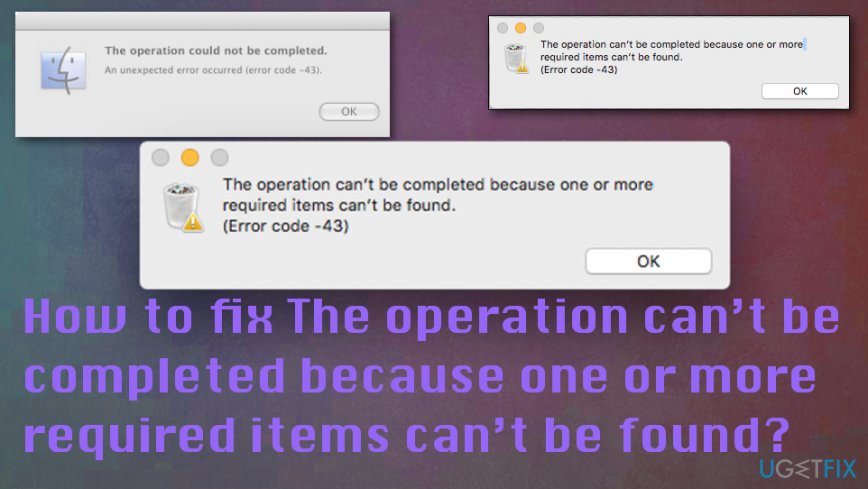
This Error - 43 is related to file system problem and can be fixed, but the main thing you need to determine is the particular reason behind this error that shows the following message:
The operation can’t be completed because one or more required items can’t be found. (Error code -43)
Sometimes this error can appear on the screen due to the simple thing of illegal characters in the name of the file or a document. @ ! # % ^ $ * are considered illegal for naming your files, so the error The operation can’t be completed because one or more required items can’t be found may appear because of this fact. You can fix the issue by just renaming your file if this is the case. However, other fixes for this Mac error "The operation can’t be completed because one or more required items can’t be found" involve more advanced solutions.
Possible ways to fix "The operation can’t be completed because one or more required items can’t be found" error
One of the reasons why “The operation can’t be completed because one or more required items can’t be found. (Error code -43)” occurs is the corrupted download of the file or that the document you trying to move is not fully downloaded. Easy fixes for this particular issue may include renaming the file, checking a particular program or application that uses the file and keeps you from moving it. However, other issues may cause this system error. You should scan the machine with a proper tool and find possibly corrupted or malicious files. Since those can be eliminated quickly, the error gets fixed immediately when malware is the only reason for the Error.[ref en-3] If not, try at least a few methods from the list below.
Use Disk Utility to fix The operation can’t be completed because one or more required items can’t be found error
- Navigate to the Apple menu and choose Restart.
- Press and hold Command + R keys until you see the Apple logo on the screen.
- Click on Disk Utility option before selecting Continue.
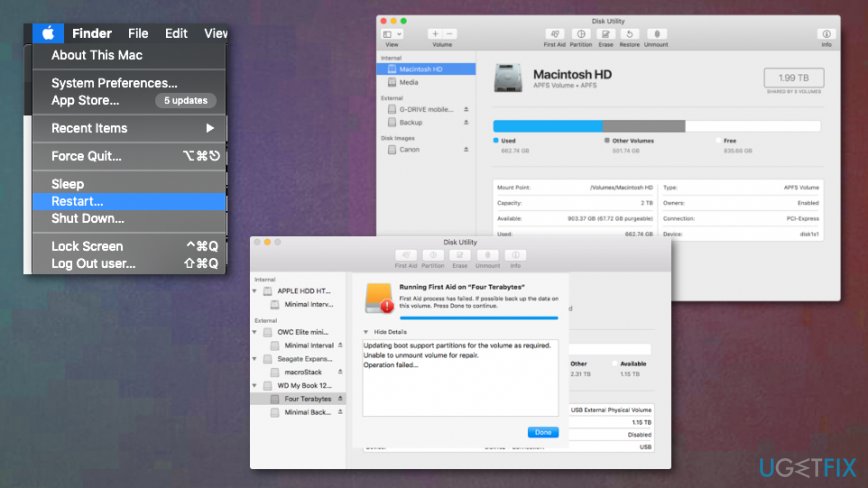
How to fix the operation cant be completed because one or more required items cant be found first aid - Choose the disk you want to repair and press First Aid button to proceed with the Disk Utility check.
- Click Run and wait for the Disk Utility report. There might be various issues with your drive or none of them. Click Show Details to learn about the particular problem.
Delete Locked files
- Locate to Terminal and launch the chflags -R nouchg command.
- Then open your Trash and select the item, drag everything to the Terminal window and press Return/Enter button.
- Empty the trash.
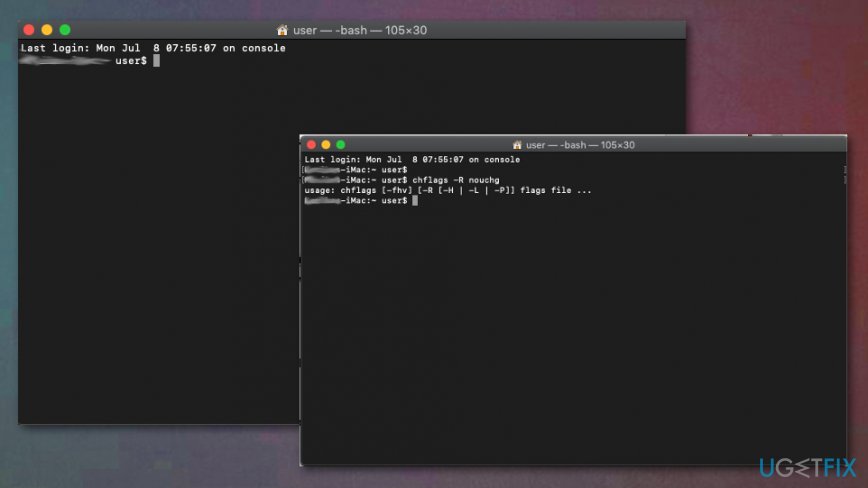
How to fix the operation cant be completed because one or more required items cant be found terminal
Reset NVRAM/ PRAM to fix The operation can’t be completed because one or more required items can’t be found
By resetting NVRAM (nonvolatile random-access memory) you can solve the error since this is a small amount of memory that your device stores.
- Turn off the device and run it on again. As soon as it starts to boot holde the following keys at the same time:
Option, Command, P, R. - The device would proceed with the startup process and some settings like volume, time and date get reset.
Bottom line
This error can often be resolved by checking for hard disk issues, ensuring the file is not in use, and verifying permissions. Additionally, renaming files to remove illegal characters may help. If none of these solutions work, further investigation into the file system may be necessary.
Frequently asked questions
You can try running the System File Checker tool by opening Command Prompt as an administrator and typing 'sfc /scannow'. This will scan and repair any corrupted system files that may be causing the error.
Ensure that your Windows 11 is fully updated, as updates can fix bugs and improve system stability. Additionally, check if the files or folders involved are still present and not deleted or moved.
Yes, try safely ejecting and reconnecting the external drive, then check if the files are accessible. If the issue persists, run the Disk Check utility by right-clicking the drive in File Explorer, selecting 'Properties', and then choosing 'Tools'.




Report an issue
What's wrong with this guide? We review every report and update or remove content.
Report received — thank you. We'll review and fix it.
You need a free account to submit a report.
Be the first to comment