How to fix
Btrll.com certificate error
on Windows
Resolve the btrll.com certificate error on Windows 10 or 11 quickly and easily. Follow expert-tested solutions for a hassle-free experience. Fixed in mi…

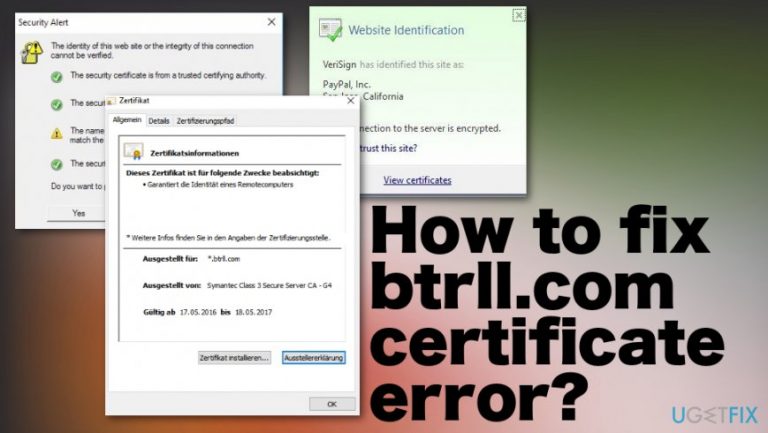
What causes How to fix btrll.com certificate error?
- Certificate has expired
- Misconfiguration on the web server
- Invalid certificate warning from the website
- Related applications causing conflicts
- Continuous pop-up errors leading to system crashes
Repairs Windows system files, removes malware, and restores a clean OS state — without reinstalling.
Hello, the last few days I'm getting a pop-up related to btrll.com certificate. The error says it is invalid and cannot do anything since it goes into a loop. It happens on the laptop and on desktop too. I cannot find any applications, and antivirus tool cannot indicate anything. How do I get rid of this issue?
Certificate errors usually connected to particular websites when the certificate has expired.[ref en-1] So btrll.com certificate error should indicate the issue with a domain itself. Your system, unfortunately, can be exposed to something malicious if you visit the unprotected page, hence the system error and warnings.
Btrll.com certificate error is related ta a website that is operated by Bright Roll, the company that is owned by Yahoo. This site distributes online ads, so the warning can indicate a misconfiguration on the page or the web server itself where ads are shown. This is not a malware infection indication, so don't worry about that.[ref en-2]
However, btrll.com certificate error creates a loop of back-to-back warnings that can even go dozens at the time that can cause system crashes or display something suspicious and possibly malicious on the screen. Users get concerned about these continuous pop-up errors exactly for that reason.[ref en-3]
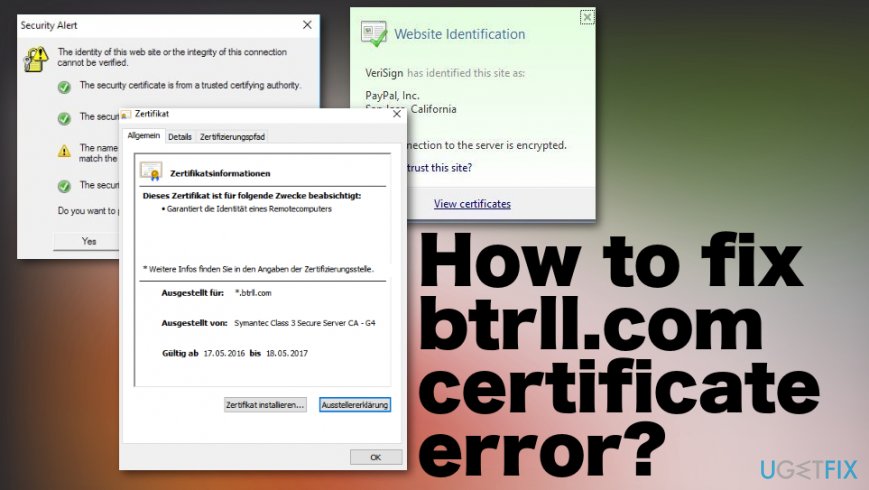
How to fix btrll.com certificate error
Unfortunately, since btrll.com certificate error is related to the security certificate of the website, you cannot have all the control in your hands. However, some of the sources say that Skype and other programs or sites like Facebook may be related to the issue and particular warning messages. If that is the issue, it might be troublesome to solve the problem. There are a few fixes that you can try on your own device, so try them one by one.
Fix btrll.com certificate error by checking the time and date on your computer
- Find the clock icon in the bottom right corner and select Adjust date/time.
- Check the time and date and if those aren't correct, Turn off Set time automatically option.
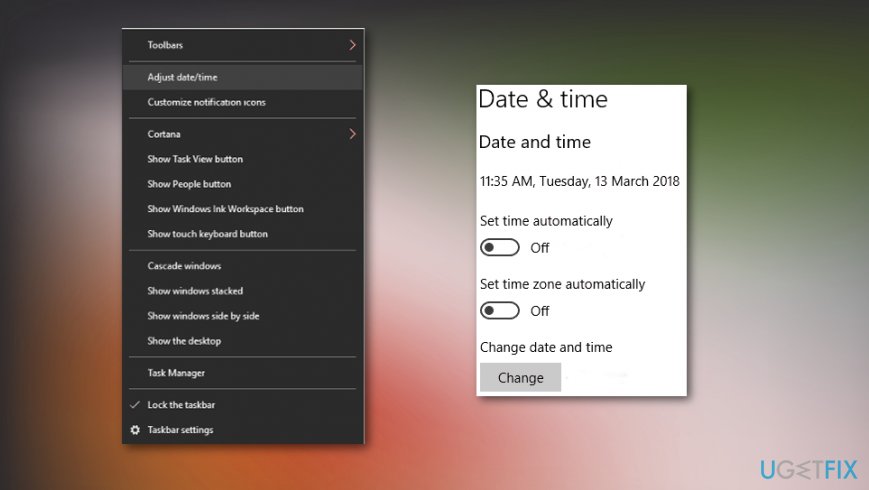
How to fix btrll com certificate error date time - Click Change.
- Check if the problem is resolved.
Install needed certificates
- When the error occurs, open the information windows and click View Certificates.
- Then, Install Certificate and follow through the instructions.
- Check if the certificate was signed by a security company.
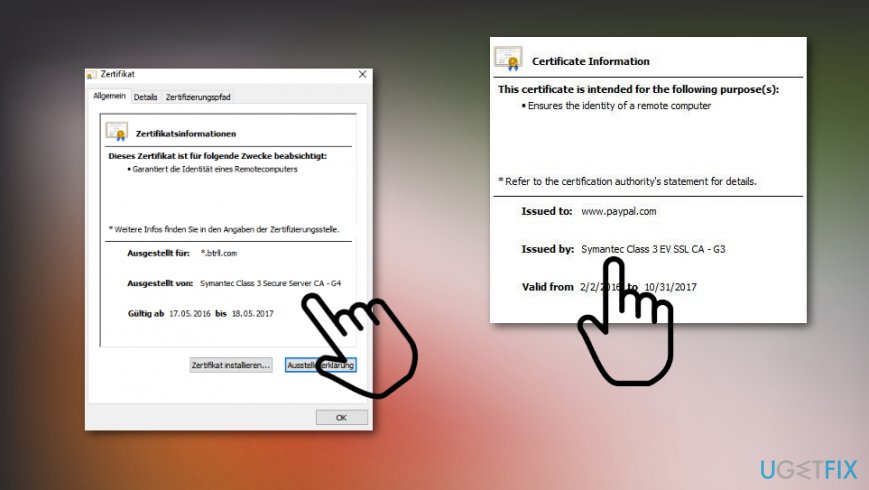
How to fix btrll com certificate error legit
Reset all settings to fix btrll.com certificate error
- Go to Internet Explorer Tools, then Internet Options and choose the Advanced Tab.
- Click Reset.
- Check Clear all personal settings.
- Click Reset and reboot the computer to apply all changes.
Remove problematic Windows update to possibly fix btrll.com certificate error
- Go to Settings.
- Navigate to Update&Security section.
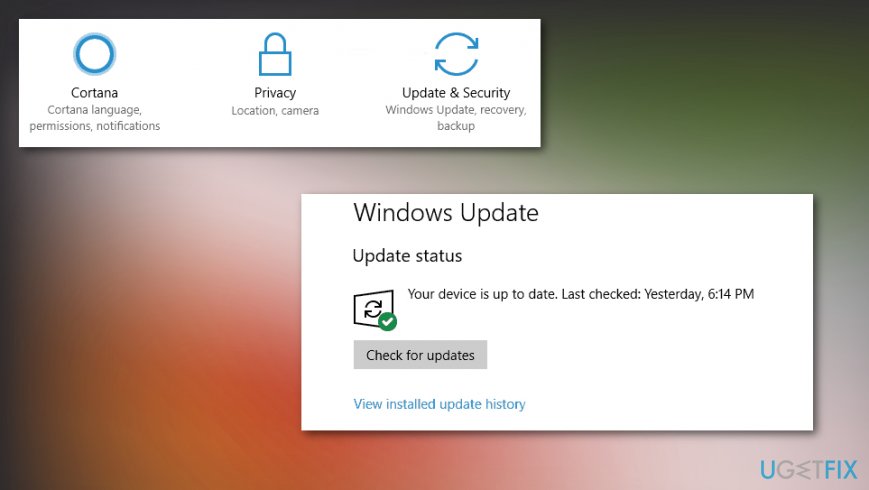
How to fix btrll com certificate error check updates - Then click on View installed update history.
- Check the list of recent updates and click Uninstall updates.
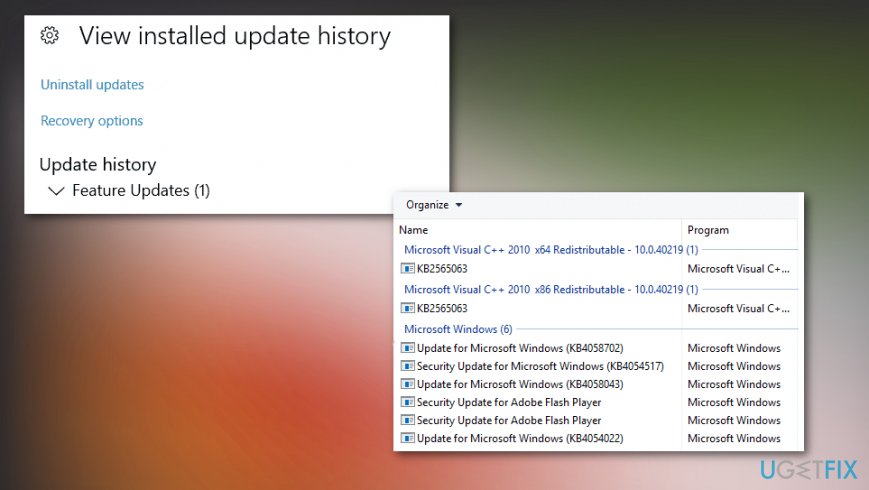
How to fix btrll com certificate error remove recent updates - Find the recent update and double-click to remove it.
- Once you are done with the update removal, check inf the issue is resolved.
Bottom line
To fix the btrll.com certificate error, you can try troubleshooting steps such as checking related applications like Skype and Facebook, or adjusting your browser settings. If these solutions do not resolve the issue, consider reaching out to web server operators or waiting for them to fix the misconfiguration.
Frequently asked questions
To fix the btrll.com certificate error on Windows 10, try clearing your browser's cache and cookies, then check your system date and time settings to ensure they are correct.
Make sure your browser is updated to the latest version by navigating to the settings menu and checking for updates, which can help resolve the btrll.com certificate error.
Disabling security features like Windows Defender or your firewall may temporarily allow access, but it is not recommended as a long-term solution for the btrll.com certificate error.




Report an issue
What's wrong with this guide? We review every report and update or remove content.
Report received — thank you. We'll review and fix it.
You need a free account to submit a report.
Be the first to comment