How to fix
Ms-settings:personalization-background error
on Windows
Resolve the ms-settings:personalization-background error on Windows 10 and 11 effortlessly. Troubleshooting made easy with expert-tested solutions.

What causes How to fix ms-settings:personalization-background error?
- Windows 10 update issues
- Inability to access the program
- Default program associations are missing
- Potential malware interference
- System bugs in operating system updates
Repairs Windows system files, removes malware, and restores a clean OS state — without reinstalling.
Hello, I get an error when trying to open Windows Display Settings and I think this issue is related to the fact that I updated from Windows 8.1 to Windows 10. Everything runs okay, but right-clicking on the Desktop leads to ms-settings:personalization-background error. What can I do to fix it? Is there something that I did so this error now occurs?
This ms-settings:personalization-background error appears on the screen when Personalize or Display settings get selected after a right-click on the desktop, as users report.[ref en-1] Unfortunately, the issue is most likely associated with Windows 10 updates because most of these user complains involve upgrading to Windows 10 from the earlier operating system.[ref en-2]
The message of this error can differ and state about various Microsoft settings and issues regarding particular programs or actions. Generally, this Windows error appears while trying to open Display settings and personalize them. In most cases, the error occurs because Windows cannot access the program.
It might seem that you need to install a program that is creating an association with ms-settings:personalization-background error. However, this suggestion from the system itself is confusing because this is the process involving default programs that have never created such issues before.
The full ms-settings:personalization-background error pop-up can state the following:
This File does not have a Program Associated with it for performing this action. Please install a program or, if one is already installed, create an association in the Default Programs control panel.

How to fix ms-settings:personalization-background error
It is unfortunate but the ms-settings:personalization-background error is caused by a bug in operating system updates. It also can display ms-settings:notifications error besides the personalization-background error message. We cannot provide one solution for all these issues or say that you can use one tool or step and fix the error entirely. You should run a system scan with a tool like [d1] to ensure that malware[ref en-3] is not involved, and then try to solve the problem with manual methods listed below or check for more recent Windows updates, restore the system to a previous working point.
Reset Windows Store cache
- Press the Windows button and R keys at the same time to open the Run box.
- The type WSReset.exe and press Enter.
- Close the window and try to launch the personalization settings.
Create a new Account to fix ms-settings:personalization-background error
- Open the command box and type control userpasswords2.
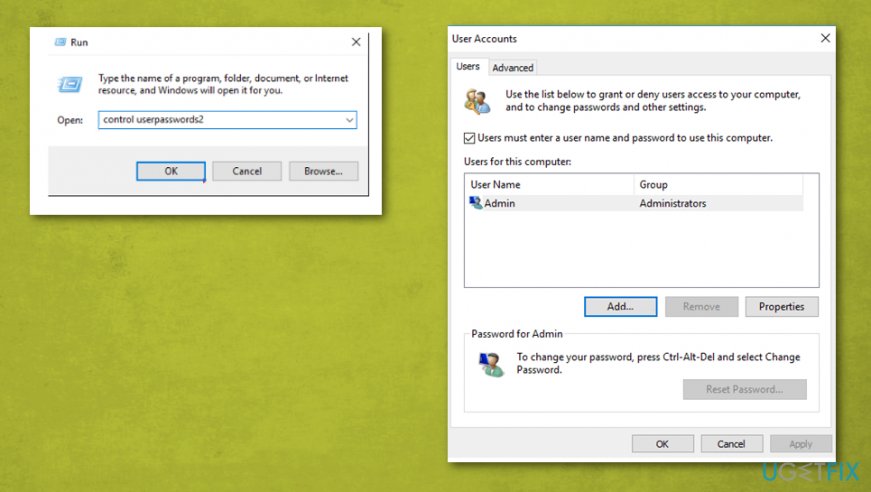
How to fix ms settingspersonalization background error user accounts - Once the window opens, select the Add button and create the new account.
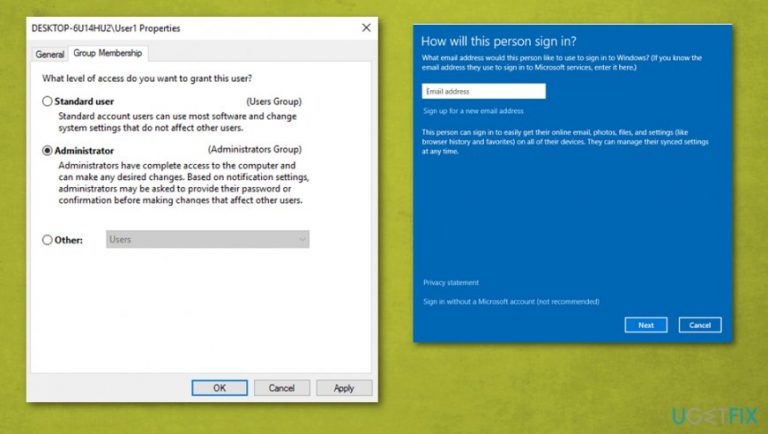
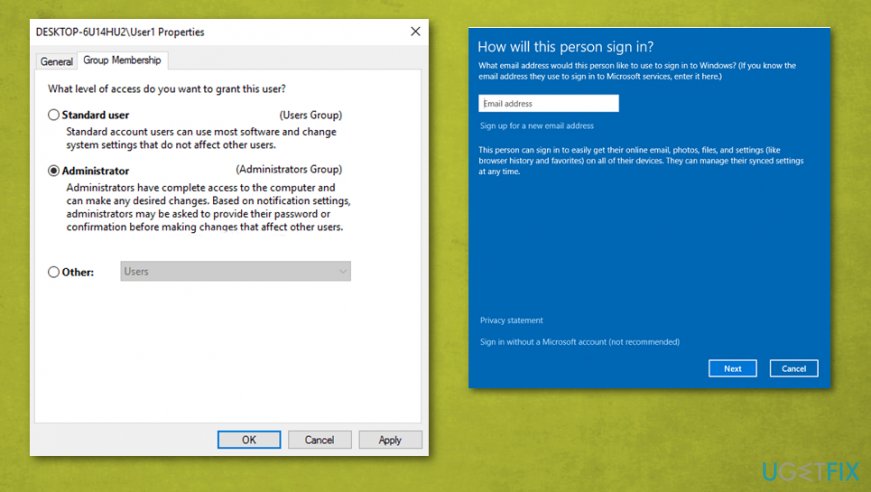
- Sign in without a Microsoft account.
- On the screen that opens choose Local account.
- When the main window appears, select Properties and click Group Membership tab.
- Select Administrator and press OK to exit.
How to fix ms settingspersonalization background error account ms - Try to launch Personalization or Display settings again.
Run DISM tool and System File Checker to fix ms-settings:personalization-background error
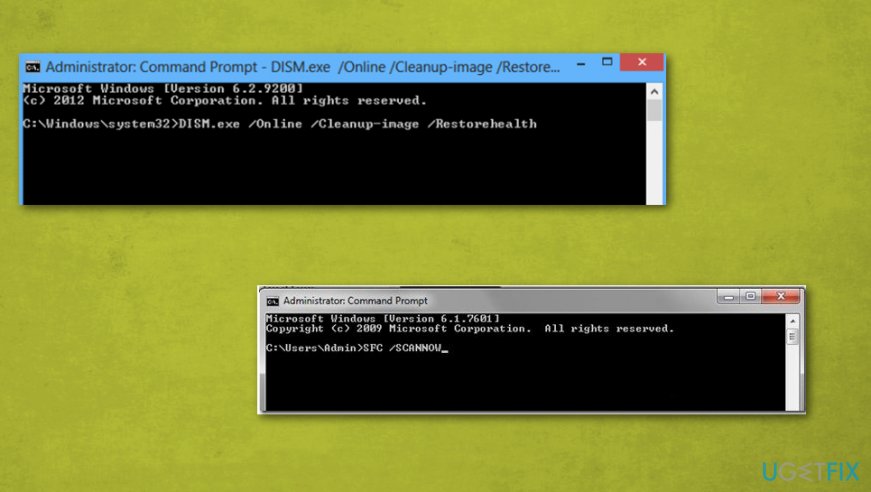
- Open Command Prompt and type SFC /SCANNOW.
- Reboot the machine when the scan finishes.
- Open CMD yet again and then type Dism.exe /Online /Cleanup-Image /Restorehealth
- When the system gets repaired with DISM tool, restart the device.
How to fix ms settingspersonalization background error command prompt
Bottom line
To fix the ms-settings:personalization-background error, you can run a system scan to check for malware, reset the Windows Store cache, check for recent Windows updates, or restore the system to a previous working point. If none of these solutions work, further troubleshooting may be necessary.
Frequently asked questions
This error typically occurs due to corrupted system files, improper settings, or issues with the Windows Registry related to personalization features.
You can try resetting the Settings app by going to Settings > Apps > Apps & features, finding the Settings app, and selecting 'Advanced options' to reset it.
Yes, running the System File Checker (sfc /scannow) can help repair corrupted system files that may be causing the ms-settings:personalization-background error in Windows 10 or Windows 11.




Report an issue
What's wrong with this guide? We review every report and update or remove content.
Report received — thank you. We'll review and fix it.
You need a free account to submit a report.
Be the first to comment