How to fix
0xc00d36c4 error when playing music files
on Windows
Resolve the 0xc00d36c4 error while playing music files in Windows 10 or 11 quickly and easily. Expert-tested solutions to enjoy your music hassle-free!

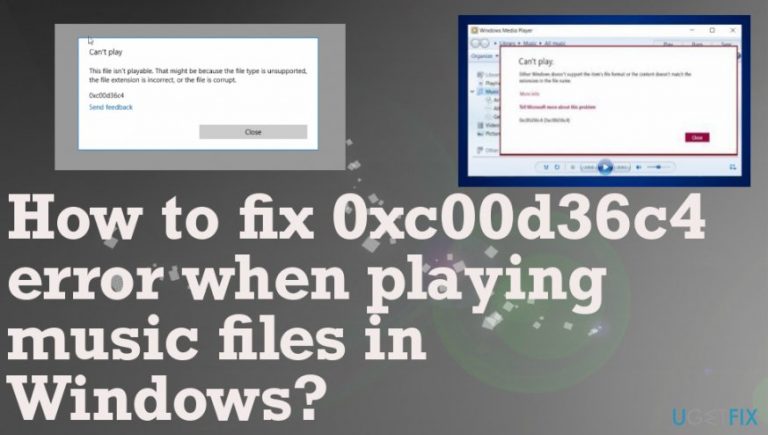
What causes How to fix 0xc00d36c4 error when playing music files in Windows?
- Media player does not support the respective format
- File might be corrupted
- Wrong codec
- Error occurred during file formatting
- Corrupted registry files
Repairs Windows system files, removes malware, and restores a clean OS state — without reinstalling.
Hello. I noticed that when I try to play audio files, an error message pops up saying that it could not be opened. The message contains 0xc00d36c4 error code and says something about a corrupted file. Occasionally, it happens with video files as well. Do you know how to solve this problem?
This Windows file 0xc00d36c4 error is not new and users[ref en-1] encounter the message quite often when trying to watch videos or listen to audio files on the machine. Unfortunately, this media error shows up after fresh installations of OS or Windows updates. Likewise, some system bugs appear and it prevents the effective operation of system programs and functions. The same error notification might appear in computers that manage two or more user accounts as well.
After the system update, some applications on the Windows App Store might not open properly as well.[ref en-2] Therefore, the error is likely to appear when you attempt to open the files from your portable data storage device or the phone connected to the PC. Whether you are using Windows Media Player, Groove or Xbox, you might run into this problem as well. There are different reasons for this phenomenon.
The error might be triggered because the media player does not support the respective format, the file might be corrupted, or the codec is wrong. Additionally, if you tend to create music and video files by yourself, it is likely that an error occurred while finishing the formatting. As a result, it led to a bigger issue. However, there is no need to worry as we will assist you and provide several methods to deal with this problem. After completing the easy steps, you will be able to enjoy your music and videos again. 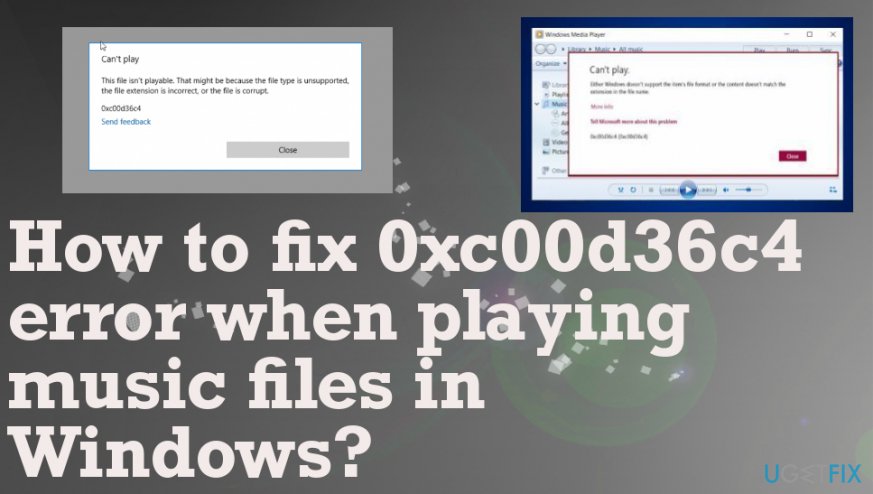
How to fix audio/video file won't play – 0xc00d36c4 error code
There is a possibility that some files get corrupted or damaged due to the installation of a PUP or more serious cyber threat.[ref en-3] You might want to check whether your registry files are functioning well. Otherwise, if some of them are corrupted or a small but essential file is missing, the problems playing files and programs might emerge. Thus, check your computer with [rev id=”Reimage”]. This should be the first step before you go through all the manual 0xc00d36c4 error fixes.
Move music files
- Try to transfer some audio or video files from the external device to the machine.
- Check the possibility to play them again.
- Try moving the default Windows Music Library and check if files can be played now.
- The direct path to Windows Music Library should be C:\\Users\\<Your Username>\\Music
Install VLC Media Player to fix 0xc00d36c4 error
The main advantage of VLC Media Player is that it can play a wide range of music and video files in comparison to some popular media launching software. Download the application from the official website and check its publisher. Then, follow the installation wizard to install VLC Media Player successfully. It will be able to open the wanted music files.
- Install the player by following the instructions on the wizard.
- Right-click on some of your music files and expand the Open with option to select the VLC media player.
- See if it opens those files.
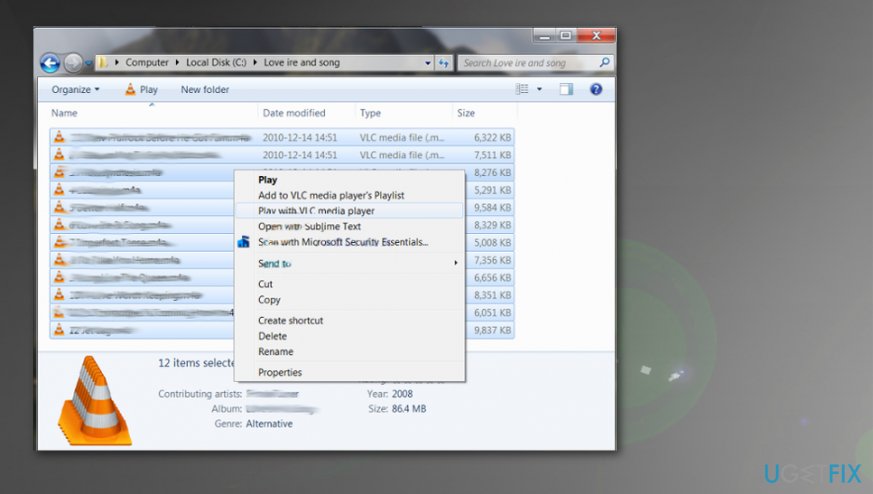
How to fix 0xc00d36c4 error when playing music files in windows vlc
Repair the Codec
If the file, which could not be played, is the one which you created, then the problem might lie in the wrong codec. In order to repair it, you need to convert the file. For that purpose, install a reliable video converter and change the format of the file to another.
Turn off Copy Protection in WindowsMedia Player
Some users reported that shifting from Local to Microsoft user helped solve this problem, In addition, you can try these steps to eliminate the problem:
- Open Windows Media Player.
- Click on Organize and then choose Option.
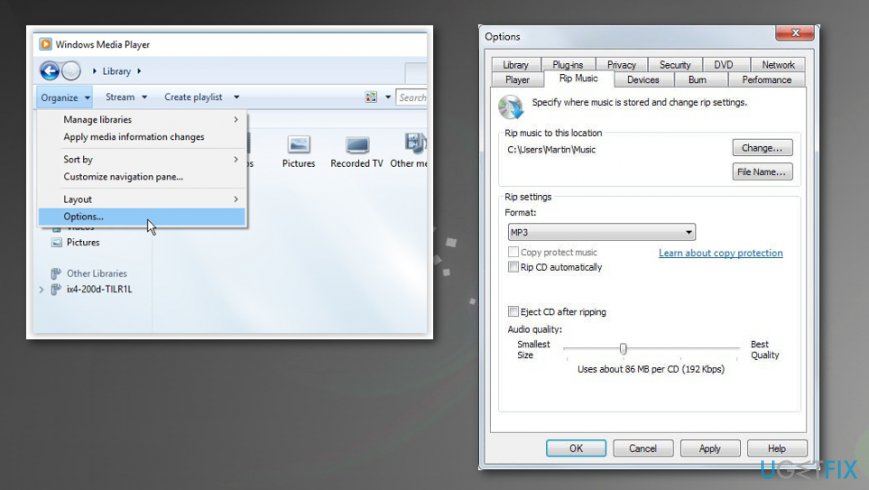
How to fix 0xc00d36c4 error when playing music files in windows media player options - Click on Rip Music section and uncheck Copy Protect Music box.
- Save changes by clicking Apply.
Modify playback settings to fix 0xc00d36c4 error
- Go to the Volume icon at the right of your taskbar.
- Right-click on it and open Playback devices.
- Navigate to the Speakers tab and click on the Configure option.
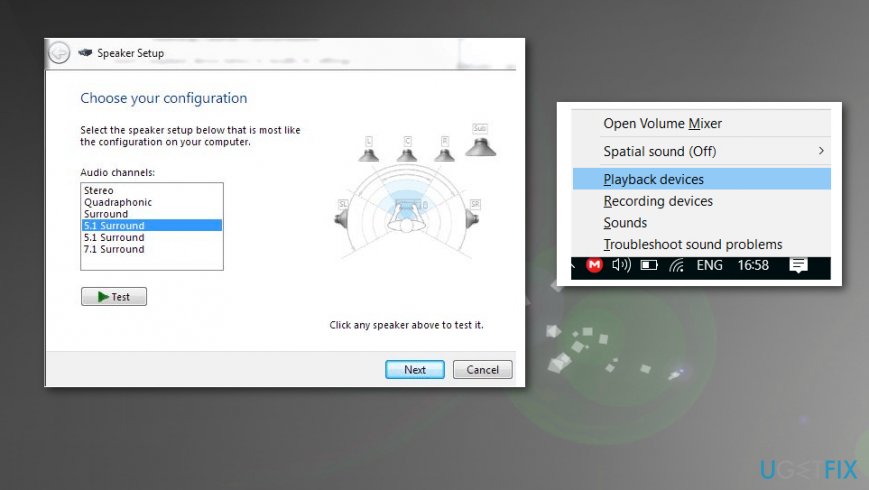
How to fix 0xc00d36c4 error when playing music files in windows sound options - The audio channels should appear where you can select the correct one for your device.
- Click the test on the default one. The error stating "Failed to play test tone" can appear.
- Try several channels and check if the test tone plays with any of them.
- Click next and unselect the speakers that don't play the sound.
- Exit and check those files in question.
Bottom line
To fix the 0xc00d36c4 error, you can check the file format compatibility, repair corrupted files, ensure the correct codec is installed, and verify the integrity of your registry files. If these methods do not resolve the issue, consider seeking further technical assistance.
Frequently asked questions
The 0xc00d36c4 error typically occurs due to unsupported audio formats, corrupted files, or codec issues in Windows 10 or Windows 11.
To fix the 0xc00d36c4 error in Windows 11, try updating your audio drivers, using a different media player, or converting the audio file to a compatible format.
Yes, using VLC Media Player can help bypass the 0xc00d36c4 error on Windows 10, as it supports a wide range of audio formats without requiring additional codecs.




Report an issue
What's wrong with this guide? We review every report and update or remove content.
Report received — thank you. We'll review and fix it.
You need a free account to submit a report.
Be the first to comment