How to fix
Sleep Wake failure in EFI (Failure code:: 0xffffffff 0x0000001f)
on Windows
Resolve Sleep Wake failures on Windows 10 and 11 effortlessly with our expert-tested solutions. Fix in minutes and enjoy seamless performance.


What causes How to fix Sleep Wake failure in EFI (Failure code:: 0xffffffff 0x0000001f) on Mac?
- Fresh installation of macOS
- System reset
- Altered settings
- Damaged files or programs
- Unresponsive keyboard
- Screen still sleeping
Repairs Windows system files, removes malware, and restores a clean OS state — without reinstalling.
Hello. I suffer from an issue that repeats all the time. Can you help me fix Sleep Wake failure in EFI? The particular failure code:: 0xffffffff 0x0000001f. I have this issue on my mac for a while now and haven't found the solution yet. Help!
Sleep Wake failure in EFI (Failure code:: 0xffffffff 0x0000001f) issue is one of the many Mac errors. There is a common misbelief that Apple devices generally have no issues, so people do not pay attention to alerts about issues or particular freezes, crashes. However, macOS is not immune to malware, as well as errors or system problems.[ref en-1]
Users[ref en-2] report this Failure code:: 0xffffffff 0x0000001f since 2019, but this year it again started to surface in various discussion forums. This sleep-wake failure mainly occurs after a fresh installation of the macOS, so it is even more frustrating and annoying.
Most of the user complaints state that the system works fine until it shows the Failure code:: 0xffffffff 0x0000001f once woken up from sleep. Additional issues include an unresponsive keyboard, the screen still sleeping and case fans overdriving. The particular code mainly appears once the system is reset.
It is possible to fix Sleep Wake failure in EFI (Failure code:: 0xffffffff 0x0000001f) on Mac, but there are various devices that might encounter the issue, so solutions may vary. Basic troubleshooting might help at first, but you will need more in-depth steps and changes to make. We can most definitely confirm that malware has nothing to do with the failure.
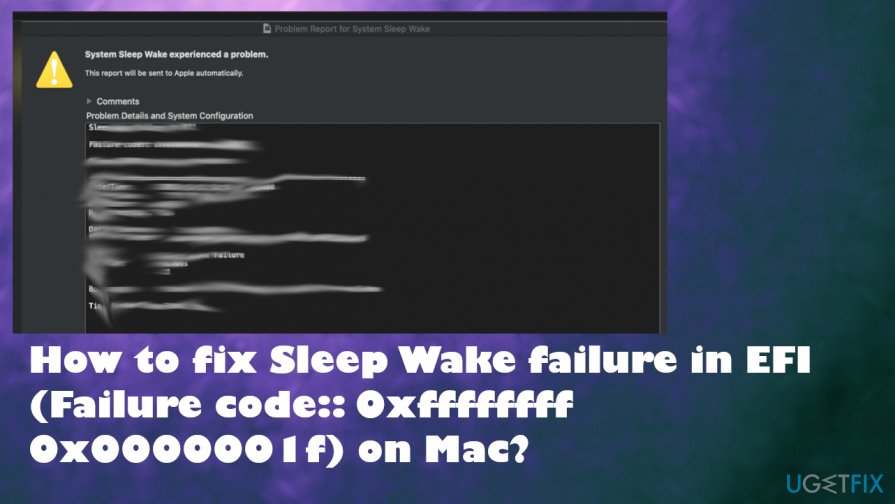
How to fix Sleep Wake failure in EFI (Failure code:: 0xffffffff 0x0000001f) on Mac
Sleep Wake failure in EFI (Failure code:: 0xffffffff 0x0000001f) on Mac started to bother people years ago, but after recent updates and discussions on Catalina vs Big Sur[ref en-3] reports started to come again. It doesn't relate to any malware issues or cyber infections, but system check and file repair issues can be fixed. Tools like [d1] can help with altered settings, damaged files, or programs. Adjusting some settings and preferences can resolve the problem. Follow all the steps and try a few methods to ensure the fix.
Reboot your Mac
- Press and hold the Power button.
- Wait until the shutdown.
- Then after a few moments Power the computer again.
Reset SMC and NVRAM to fix Sleep Wake failure in EFI (Failure code:: 0xffffffff 0x0000001f)
- Turn off the computer.
- Disconnect cable from the power source.
- Press and hold Shift + Option+ Ctrl buttons and the Power button for at least 15 seconds.
- Turn the computer on.
- Reboot the Mac again.
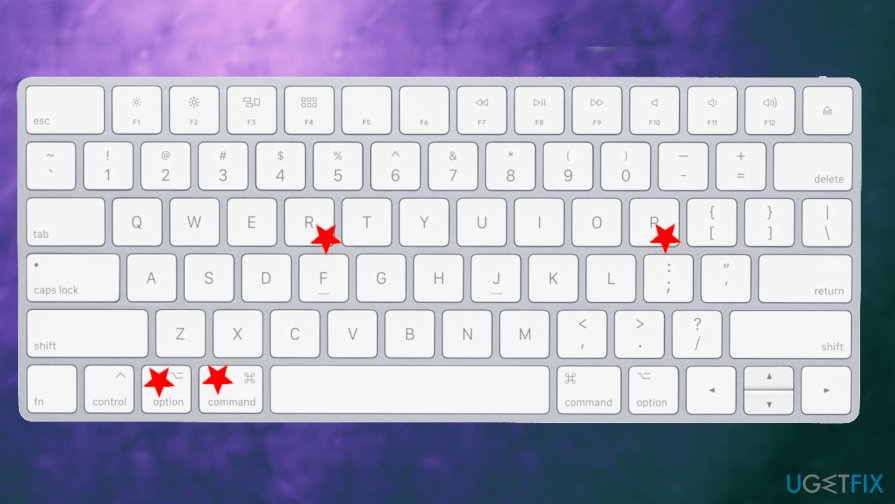
Sleep wake error fix keys - This time press and hold Command + Option + P + R for 20 seconds.
Disable hibernation mode
- Open the Terminal.

Sleep wake error fix terminal - Run these commands: sudo pmset standby 0 and sudo pmset autopoweroff 0.
Update your firmware to fix Sleep Wake failure in EFI (Failure code:: 0xffffffff 0x0000001f) on Mac
- Go to Apple menu.
- Select App Store.

Sleep wake error fix store - Input macOS and hit Enter.
- Choose the most recent macOS version and click Get.
- Open the folder of Applications and click Continue.
- Follow the steps on the screen.
Bottom line
To fix the Sleep Wake failure in EFI, you can adjust settings and preferences, use tools to repair damaged files, and perform basic troubleshooting. If these steps do not resolve the issue, consider seeking more in-depth solutions or professional assistance.
Frequently asked questions
To fix this issue on Windows 10, try updating your device drivers and ensure that your Windows is fully updated. Additionally, check your power settings to make sure they are optimized for sleep mode.
Yes, ensure that your virtualization software is up to date and compatible with Windows 11, as this can often resolve Sleep Wake issues. Also, adjusting the power management settings in Windows 11 can help prevent these failures.
If the problem continues, consider checking for firmware updates for your Mac or reinstalling the Windows operating system. It's also recommended to run the Windows Memory Diagnostic tool to rule out hardware issues.




Report an issue
What's wrong with this guide? We review every report and update or remove content.
Report received — thank you. We'll review and fix it.
You need a free account to submit a report.
Be the first to comment