How to fix
Your system has run out of application memory
on Windows
Discover effective solutions to resolve application memory issues on Windows 10 and Windows 11. Trust our expert-tested guide for quick fixes!

What causes How to fix your system has run out of application memory on Mac?
- Memory leak due to application bugs
- Low RAM availability
- Multiple browser tabs or windows open
- Running resource-intensive applications
- Caching frequently used files
Repairs Windows system files, removes malware, and restores a clean OS state — without reinstalling.
Hello, I have an issue with my mac. It appears with various applications, and the issue is not clear to me. I experience the memory leak problem very often. It happens even multiple times a day, and I haven't noticed any pattern. I have many browser tabs or windows opened when it happens, and I can also experience this when the Mail application is the only one running. Can you help me somehow?
The issue with messages about memory issues and the particular your system has run out of application memory pop-up on Mac is not new. Users commonly report[ref en-1] the problem and claim to experience this issue on various applications during the normal procedures on the computer.
Nobody likes error messages, especially such pop-ups like your system has run out of application memory. It is frustrating and seems to occur due to various reasons, so it is possibly fixable. This particular error means the RAM space or random access memory runs out of space, not your hard drive. Remember that.
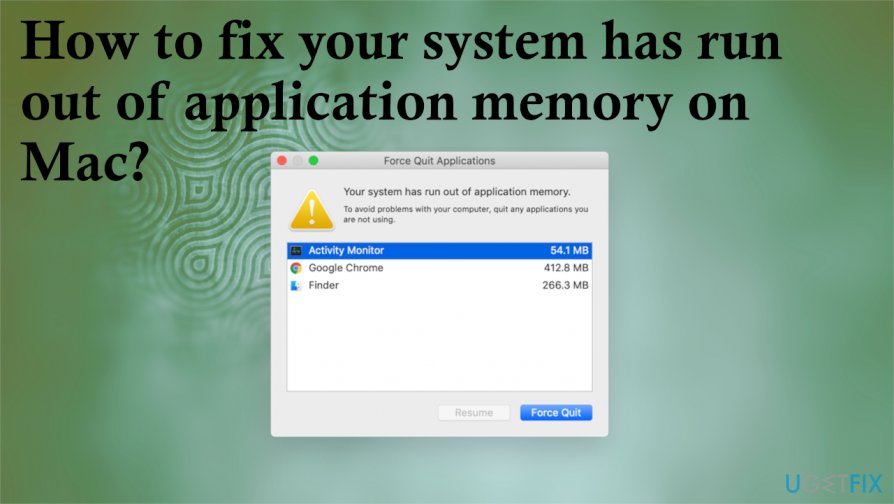
RAM is used to store things that are currently running and caching frequently used files,[ref en-2] so your computer can work faster. The window with your system has run out of application memory on Mac appears when the problem occurs. The program windows suggest quitting application that is using RAM needed for your PC.
This is called a memory leak that gets triggered by some kind of a bug that the application encounters. This is not a mac malware[ref en-3] issue. There are several ways to fix your system has run out of application memory on Mac, so do not panic. Your Mac might be low on memory or RAM, it is not a critical error.
How to fix your system has run out of application memory on Mac
You can fix your system has run out of application memory on Mac if you pay attention to details, particular cause and check for other issues that can trigger the problem for you. You can change settings, clear the storage, improve the performance with tools like [d1]. But it is very important to determine the main issue that is the root cause for the pop-up with memory leak message.
Some of the possible causes for this your system has run out of application memory pop-up:
- excessive tasks at one time;
- multiple browsers and tabs or windows equal to multiple applications;
- running apps that work in the background;
- browser-based enhancement apps;
- full hard drive.
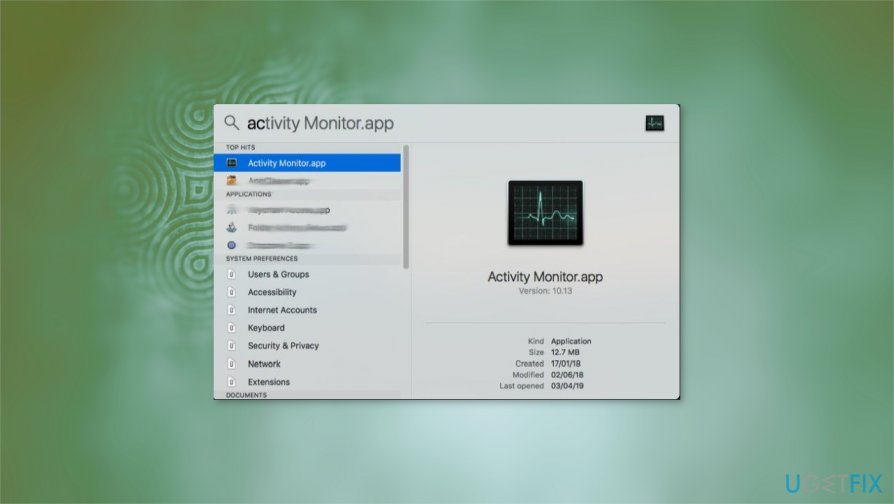
You can force quit those apps that appear on the error window or analyze further via Activity Monitor. However, you need a more permanent solution. You should follow these steps and don't stop after a few methods, so you stop the pop-up from occurring.
Check the memory on your Mac
- Click the Apple logo at the top.
- Go to About this Mac.
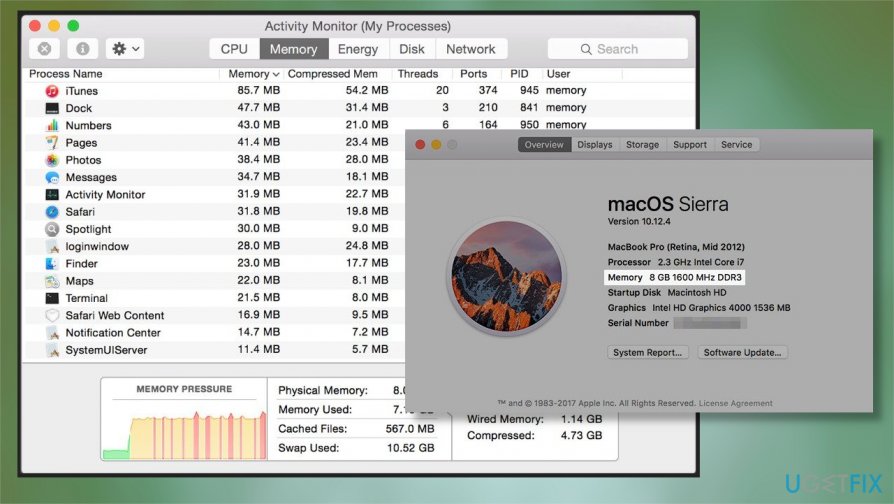
How to fix memory leak on mac memory - Click the Overview tab and there you can see details as memory,
- More information can be shown by clicking the System Report button.
- You can also run an Activity monitor to see what processes use the resources.
Uninstall irrelevant apps to fix your system has run out of application memory on Mac
- You can find the Applications folder via Finder and when you locate a suspicious program - right-click it to open a drop-down menu.
- Then you can select Move to Trash.
- Don't forget to Empty the Trash after.
Reduce the memory used by Finder
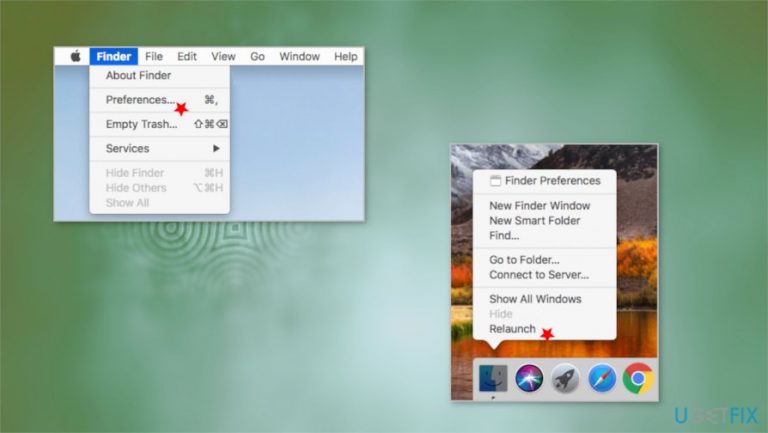
- Click Finder and select Preferences.
- Under the General tab, find a folder from the drop-down.
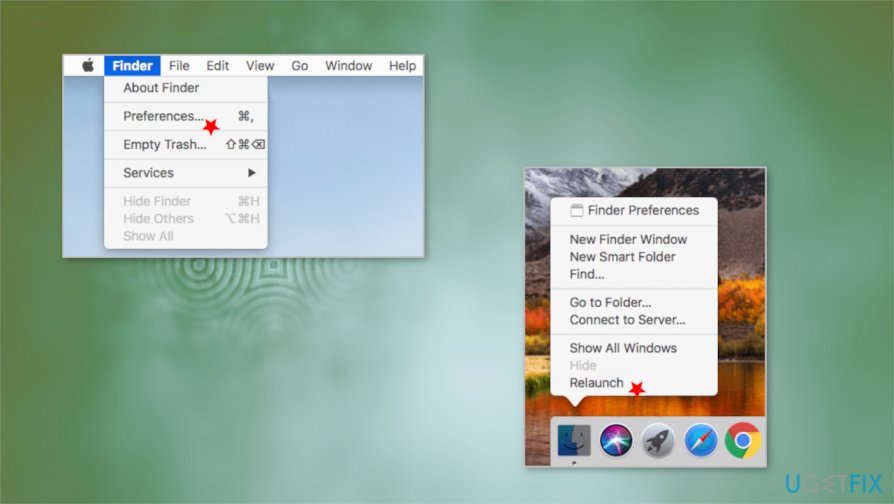
How to fix memory leak on mac finder - Hold the Alt key on the keyboard and right-click the Finder icon in the dock menu.
- Relaunch.
Additional tips for your system has run out of application memory issue
- You can delete some unused files like movies, photographs.
- Uninstall rarely useful applications.
- Make sure to store files in iCloud instead of the PC.
- Clear caches or logs more often.
Bottom line
You can fix the 'your system has run out of application memory' error by changing settings, clearing storage, and improving performance with various tools. If these steps do not resolve the issue, consider checking for other underlying problems or seeking further assistance.
Frequently asked questions
Yes, while this error is specific to Mac systems, Windows 10 and Windows 11 users may experience similar memory-related issues, such as 'Out of Memory' errors.
You can try closing unnecessary applications, increasing virtual memory, or upgrading your RAM to alleviate memory-related problems in Windows.
Yes, you can use the Task Manager by pressing Ctrl + Shift + Esc to check memory usage and identify applications that are consuming excessive resources.




Report an issue
What's wrong with this guide? We review every report and update or remove content.
Report received — thank you. We'll review and fix it.
You need a free account to submit a report.
Be the first to comment