How to fix
“Unable To Execute Files In The Temporary Directory. Setup Aborted. Error 5: Access Is Denied”
on Windows
Resolve the "Unable To Execute Files" error on Windows 10 or 11 easily. Follow our expert-tested guide to fix access issues in minutes, zero traces left.


What causes How to fix “Unable To Execute Files In The Temporary Directory. Setup Aborted. Error 5: Access Is Denied” on Windows?
- User does not have access to the temporary directory
- Computer is infected with adware
- Computer is infected with spyware
- Computer is infected with malware
- Computer is infected with ransomware
- Computer is infected with browser hijackers
Repairs Windows system files, removes malware, and restores a clean OS state — without reinstalling.
Hi all. When I try to install software on my new laptop, I receive a pop-up notification, which claims Unable To Execute Files In The Temporary Directory. Setup Aborted. Error 5: Access Is Denied. Since I’m not experienced enough to deal with Windows errors, I did nothing to solve it. Therefore, I need your help! Thanks in advance.
"Unable To Execute Files In The Temporary Directory. Setup Aborted. Error 5: Access Is Denied" is an error which occurs once the person tries to install software or make modifications in the folder to which s/he doesn't have access to. This issue was first recorded in 2011, yet people using Windows 7 OS[ref en-1] can still encounter it in 2018 as well.
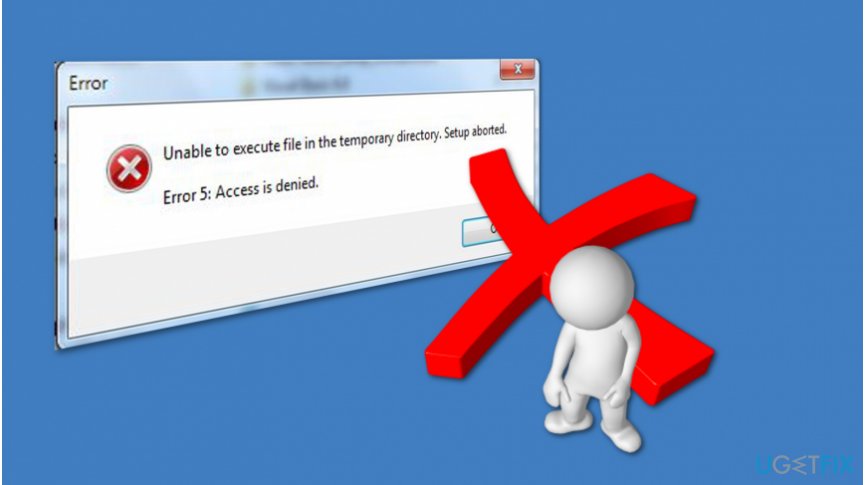
Those who are unable to execute a file in the temporary directory usually can't install new programs. This problem is more than frustrating as it significantly burdens your experience while using the computer. If you have encountered this issue, you should receive the following notification:
Unable To Execute Files In The Temporary Directory. Setup Aborted. Error 5: Access Is Denied.
Unfortunately, but nothing can be done to proceed with the installation. The pop-up can be closed quickly, but if the user tries to run the setup one more time, Error 5 will pop-up again. Although this error is not the simple one, several methods appear to be useful in fixing this bug.
However, keep in mind that you can be blocked to install new software if your computer is infected with a severe cyber threat or even a potentially unwanted program (PUP). Such malicious applications are designed to alter PC settings to either hide their presence or to ensure prevalence on the system.
Your computer might be damaged if it is infected with:
- Adware;
- Spyware[ref en-2];
- Malware;
- Ransomware;
- Browser hijackers, etc.
Therefore, if you want to fix "Unable To Execute Files In The Temporary Directory. Setup Aborted. Error 5: Access Is Denied" error, you should get a professional antivirus and let it scan your computer thoroughly. Note that there are explicitly great deals to employ a security tool which would bring long-term benefit.
Ways to solve “Unable To Execute Files In The Temporary Directory. Setup Aborted. Error 5: Access Is Denied” issue on Windows OS
If you have encountered "Unable To Execute Files In The Temporary Directory. Setup Aborted. Error 5: Access Is Denied" error, use [d1] to help you fix it. This system optimization tool will not only repair your computer after malware attack but replace corrupted or missing Windows registries[ref en-3] that might be the culprit of the problem.
Otherwise, you can try to fix Unable To Execute Files In The Temporary Directory. Setup Aborted. Error 5: Access Is Denied issue manually. For that, please attentively follow the instructions presented down below.
Here is the video with multiple solutions to this problem:
[youtube KHPToJD-BsM]
Method 1. Run as Administrator
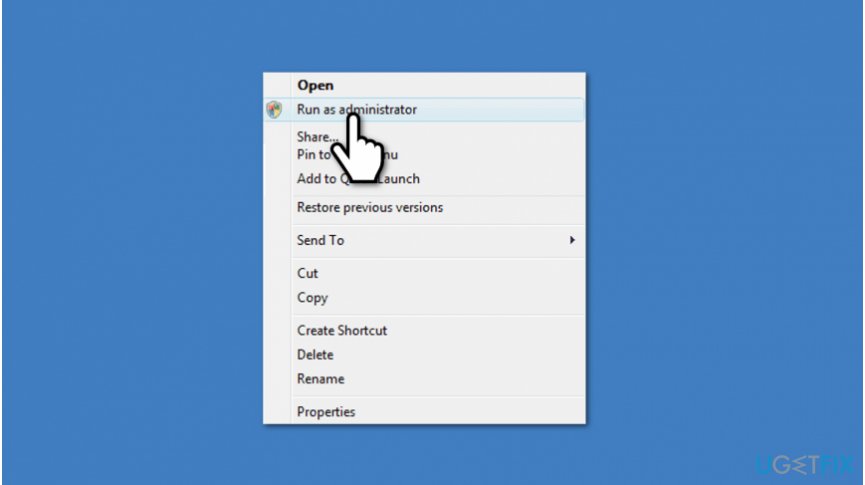
Most of the people who have been struggling with the software installation due to this bug claim that they have managed to bypass it merely running the file as administrator. If you have never done this before, you just have to right-click on the executable file you want to run and select Run as Administrator. That’s it. If these simple steps did not help you, then try the more comprehensive methods listed below.
Method 2. Check security right
It might be that Unable To Execute Files In The Temporary Directory error is triggered by faulty security right. To check and fix that, you have to:
- Navigate to C:\\Users\\[Username]\\AppData\\Local.
- Right-click on the Temp folder and select Properties.
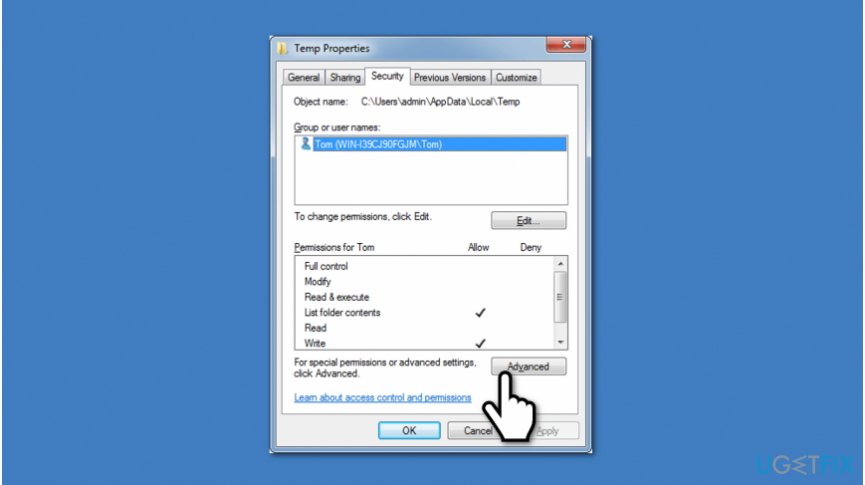
Get rid of unable to execute files in the temporary directory setup aborted error 5 access is denied - Select Security and click Advanced.
- On the Permissions, you should see three options:
- ‘SYSTEM‘ with Full control which applies to ‘This folder, subfolders and files’
- ‘Administrators‘ with Full control which applies to ‘This folder, subfolders and files’
- ‘Your Username‘ with Full control which applies to ‘This folder, subfolders and files’
- All these permissions inherited from the C:\\Users\\[Username]\\ folder. Therefore, if the option Include inheritable permissions from this object’s parent’ is not marked with a tick, click on Change Permissions.
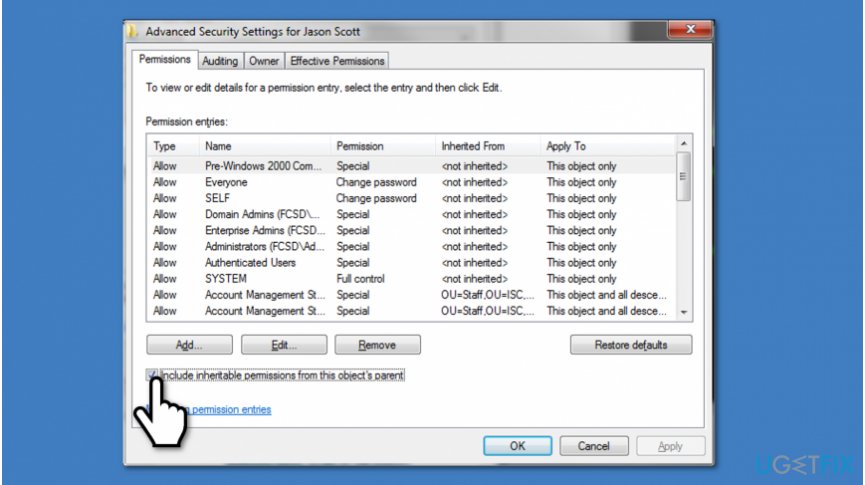
How to fix unable to execute files in the temporary directory setup aborted error 5 access is denied issue - Mark ‘Include inheritable permissions from this object’s parent’ with a tick, click Apply and then OK.
- Select Continue and remove inherited permissions.
Method 3. Create a new Temp folder
- Navigate to the C: drive and create a new folder named Temp.
- After that, right-click on This PC (or My Computer) and select Properties.
- Find Advanced System Settings link on the left pane and click on it.
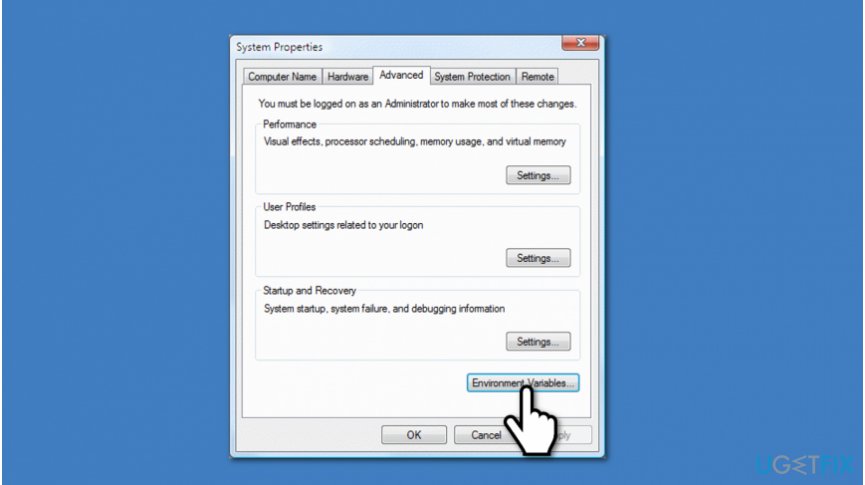
How to fix unable to execute files in the temporary directory error - Click the Advanced tab and select Environment Variables.
- Double click on the TMP.
- Change the value %USERPROFILE%\\AppData\\Local\\Temp to C:\\Temp.
- Close the window and try to install the software that you’ve preferred.
Bottom line
To fix the 'Unable To Execute Files In The Temporary Directory. Setup Aborted. Error 5: Access Is Denied' error, you should get a professional antivirus and let it scan your computer thoroughly. If the problem persists after trying these fixes, consider seeking further technical assistance.




Report an issue
What's wrong with this guide? We review every report and update or remove content.
Report received — thank you. We'll review and fix it.
You need a free account to submit a report.
Be the first to comment