How to fix
IPSEC 0x89232001 Forza Horizon error
on Windows
Resolve the IPSEC 0x89232001 error in Forza Horizon on Windows 10 or 11 effortlessly. Your gaming experience restored, expert-tested solutions await!

What causes How to fix IPSEC 0x89232001 Forza Horizon error on Windows?
- DNS settings issues
- Connection problems
- Server problems
- Network settings misconfiguration
- Software and OS updates affecting performance
Repairs Windows system files, removes malware, and restores a clean OS state — without reinstalling.
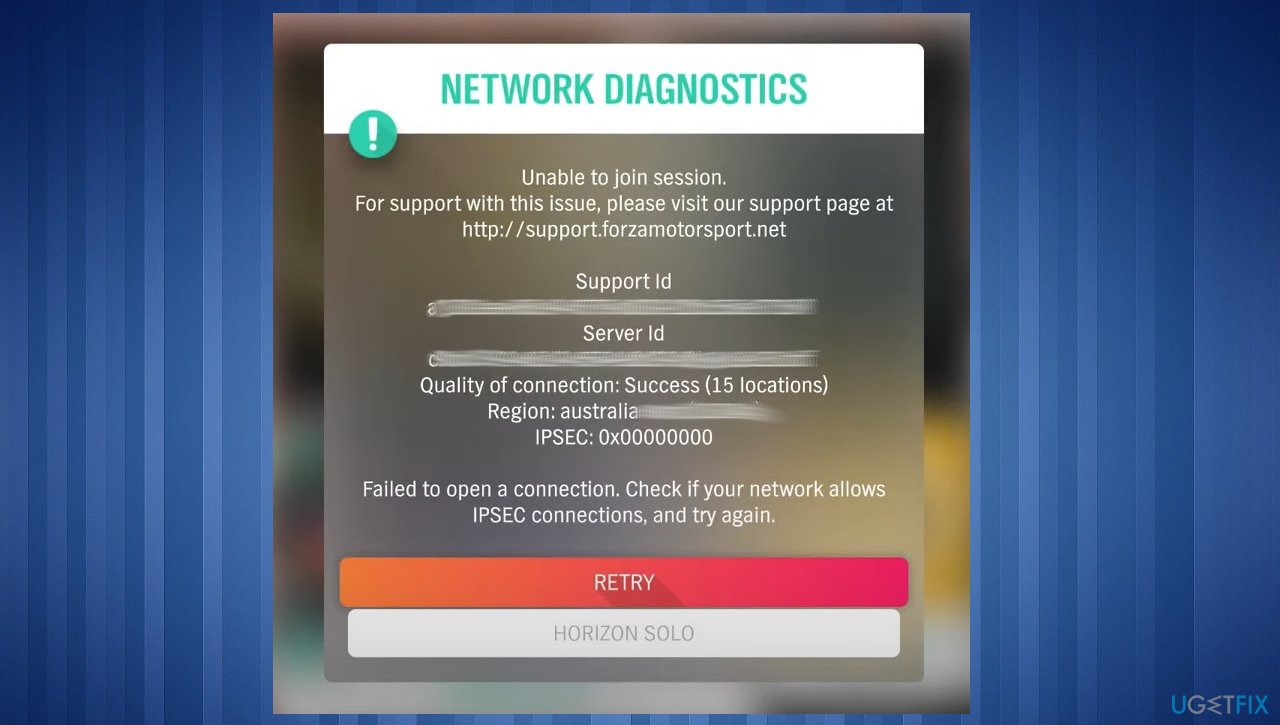
Hello. I have this problem with the IPSEC 0x89232001 error. The session is interrupted, and I can't go online because of this error. It keeps happening, and it says that there is something wrong with DNS settings and connection. I think my computer is OK, so I guess there are some issues with Forza Horizon 4. Can you explain to me what this is and what I can do?
The general IPSEC Forza Horizon error on Windows is not new, and it seems to be there for a while now. There are different codes of a similar error, et the main issue is that players cannot join the online game. These issues occur and frustrate users[ref en-1] since the Forza Horizon 3 release.
PC and Xbox users encounter the problem while trying to connect with a foyer. These IPSEC 0x89232001 or 0x89232000 error codes are the most common. This multiplayer issue appears to be a known problem without concrete solutions. Official options or solutions are not available, so frustration among players is rising.
Users spent hours trying to fix the issue and check possible problems with their devices, but the support team only acknowledged the server problem.[ref en-2] There are no solutions from their end. The problem occurs on PCs and while using the Xbox too. That is an excellent indication that the device is not responsible for the issue.
However, it might be helpful to check for possible triggers and help the machine work better by altering network settings, troubleshooting common issues on your computer. IPSEC 0x89232001 Forza Horizon error might get fixed soon since support teams are working on the solution.
While you anticipate the official solution from Forza Support, you can try to repair possible issues with your system. Various problems can affect performance and lead to other issues. Software and OS updates[ref en-3] on computers often affect processes and other applications.
Tips while dealing with the Forza Horizon error
Our quick tips for the issue could be to try the VPN client like [rev id="Private Internet Access"] to see if the issue is related to the region that you are in. You can also try disabling your already working VPN tools to check if the online multiplayer connection fails due to this software interference. Changing the tool you use, looking for the issues within such third-party programs can be good troubleshooting. You can do the same thing with your anti-malware tools or security programs.
There are two particular processes that need to be enabled for Xbox Live to work. It would be best if you made sure the Xbox Live Networking and Xbox Live Auth Manager are both enabled. This is the problem with server connectivity that needs fixing, so check Network connections under Settings in the Xbox app, and while the official solution gets released, try the guide below.
Option 1. Reinstall Forza Horizon
Sometimes the installation gets corrupted, and some files cannot be adequately downloaded, so the program's functions fail. Try to reinstall the application completely. First, uninstall the app by following the steps. Then, find a reputable source and install the game again.
- Press Windows key + I together to open Settings.
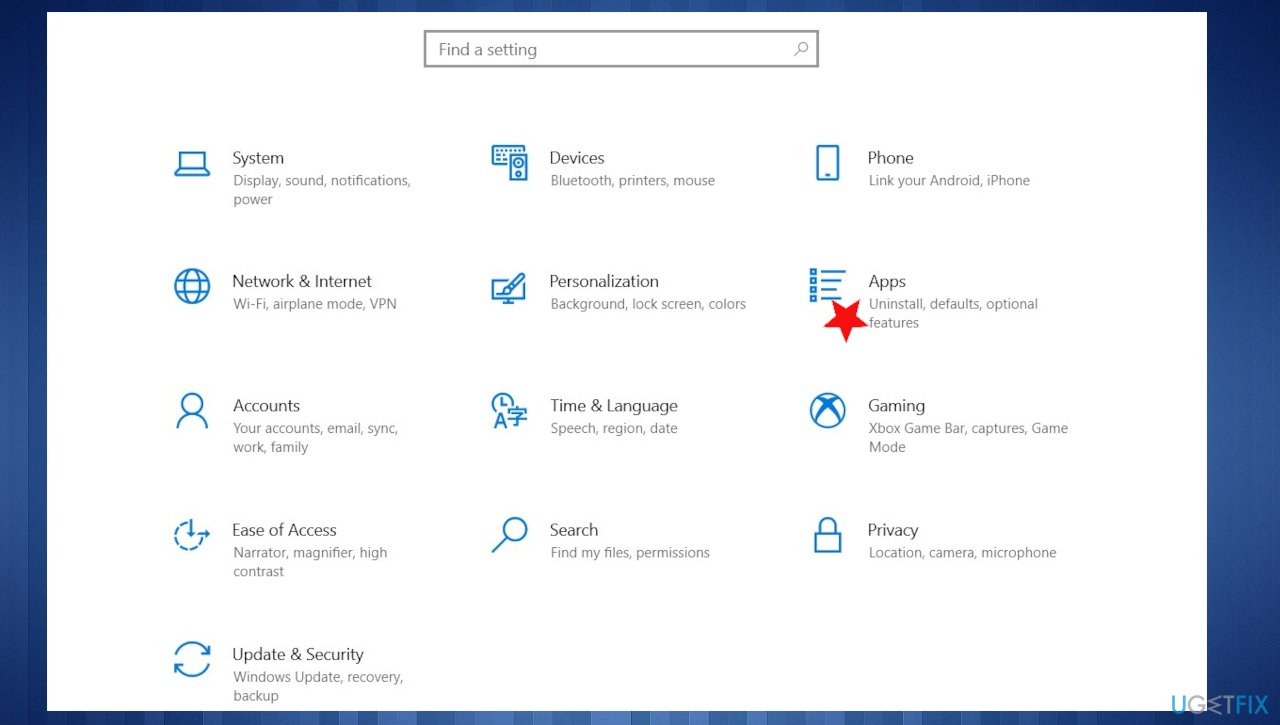
Ipsec 0x89232001 forza horizon error settings - Click on Apps > Apps & features.
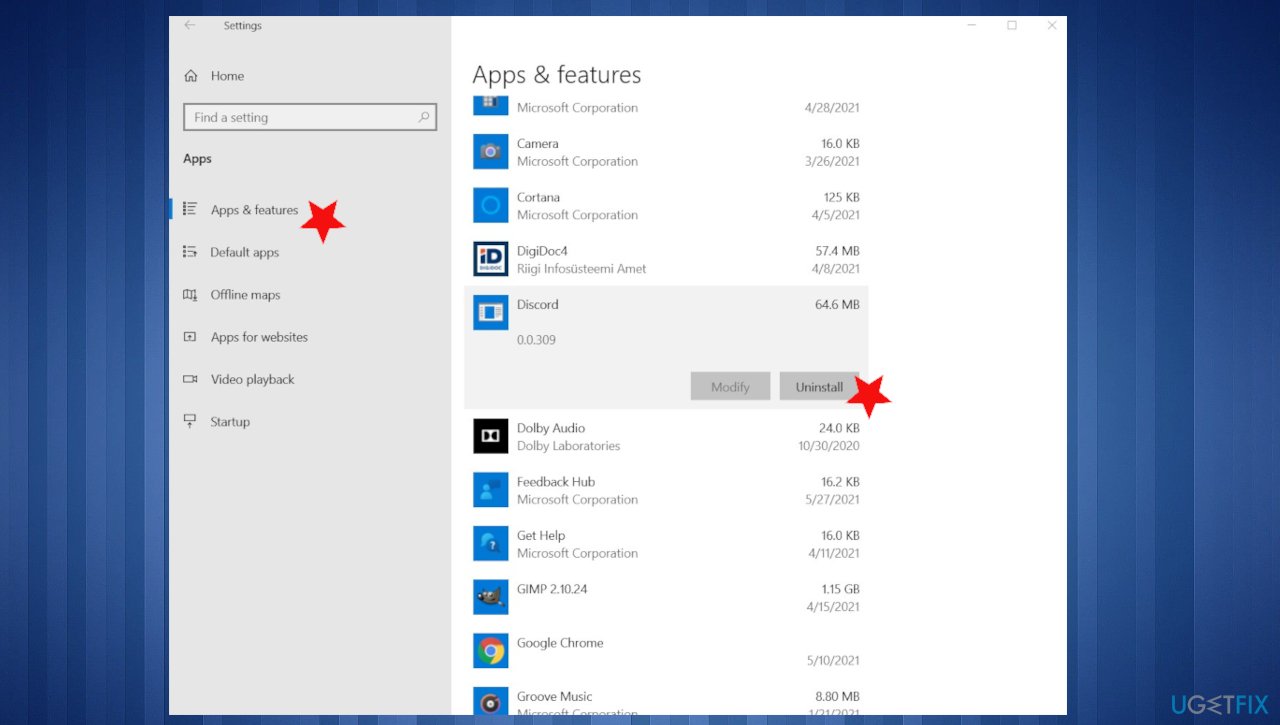
Ipsec 0x89232001 forza horizon error app - Click on Forza Horizon 4.
- Select Uninstall.
Option 2. Check firewall settings
Commonly, such settings get turned off or tampered with. The firewall should be enabled so the Teredo IPsec connection works. You can check your Windows Defender Firewall settings and make sure it is enabled.
- Type Windows Firewall in the search.
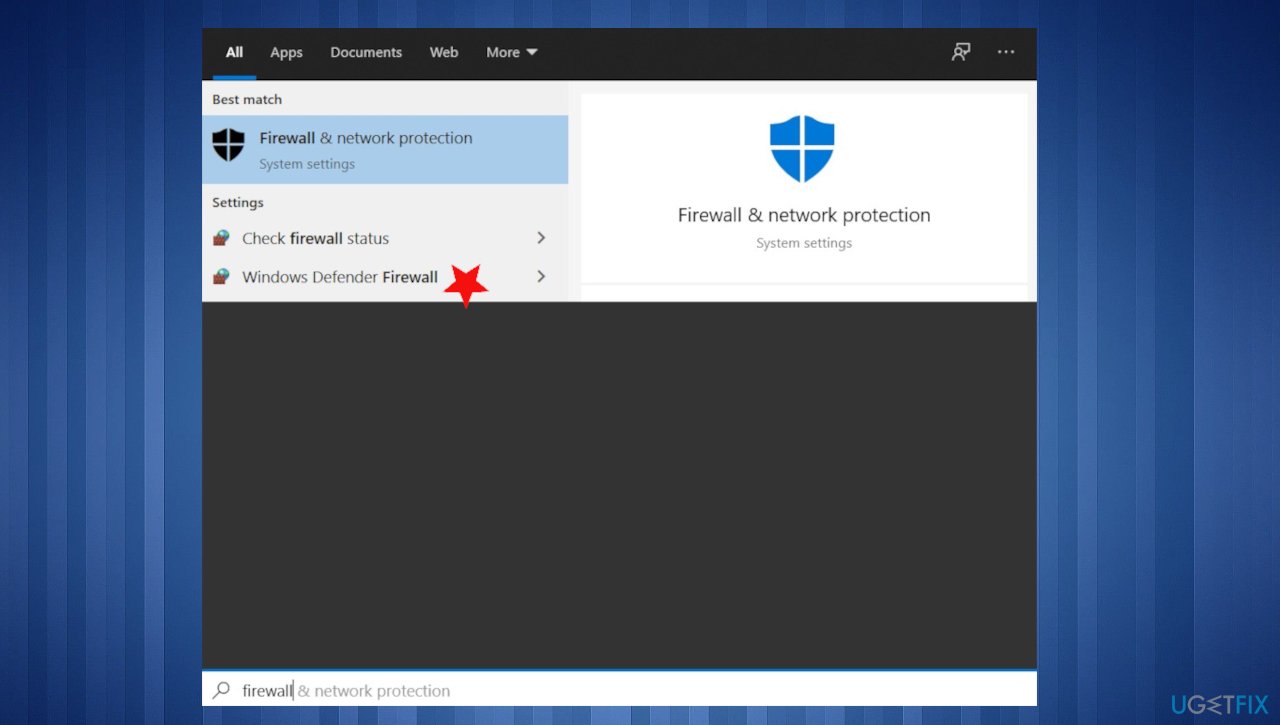
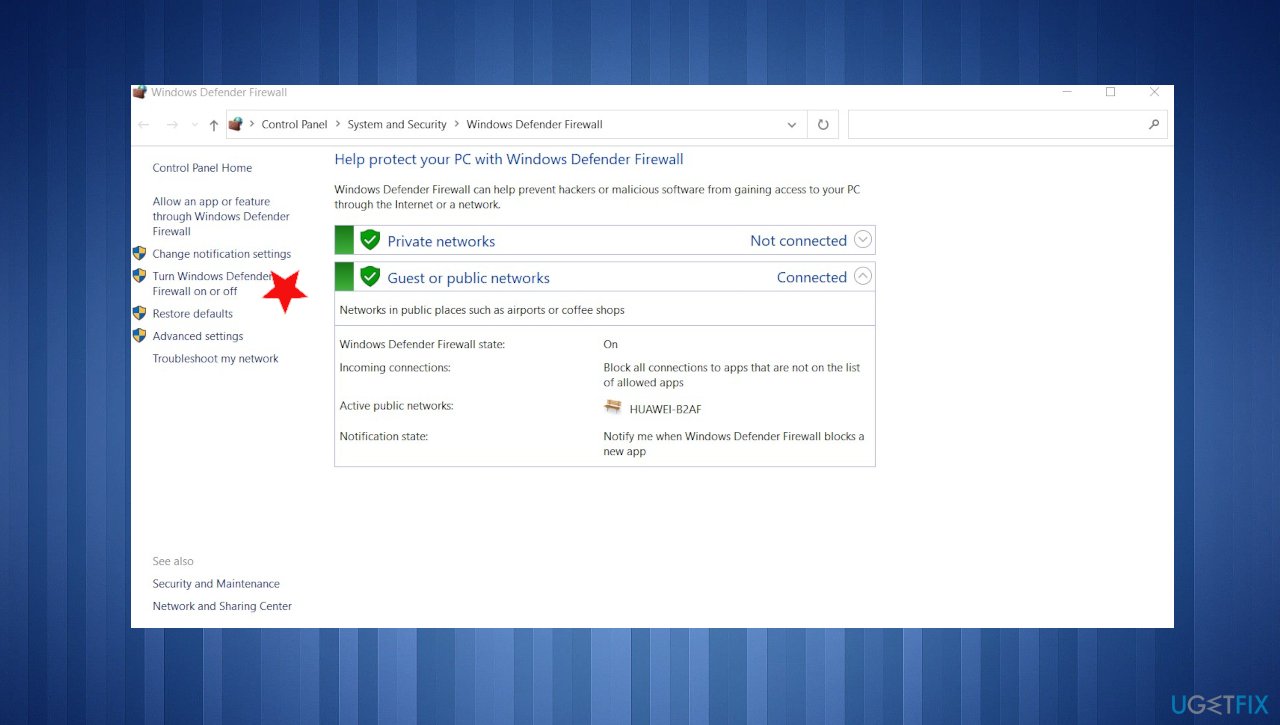
Ipsec 0x89232001 forza horizon error defender firewall - Select Windows Defender Firewall.
- Click the Turn Windows Defender Firewall on or off button.
Ipsec 0x89232001 forza horizon error firewall settings - Turn on Windows Defender Firewall options should be enabled.
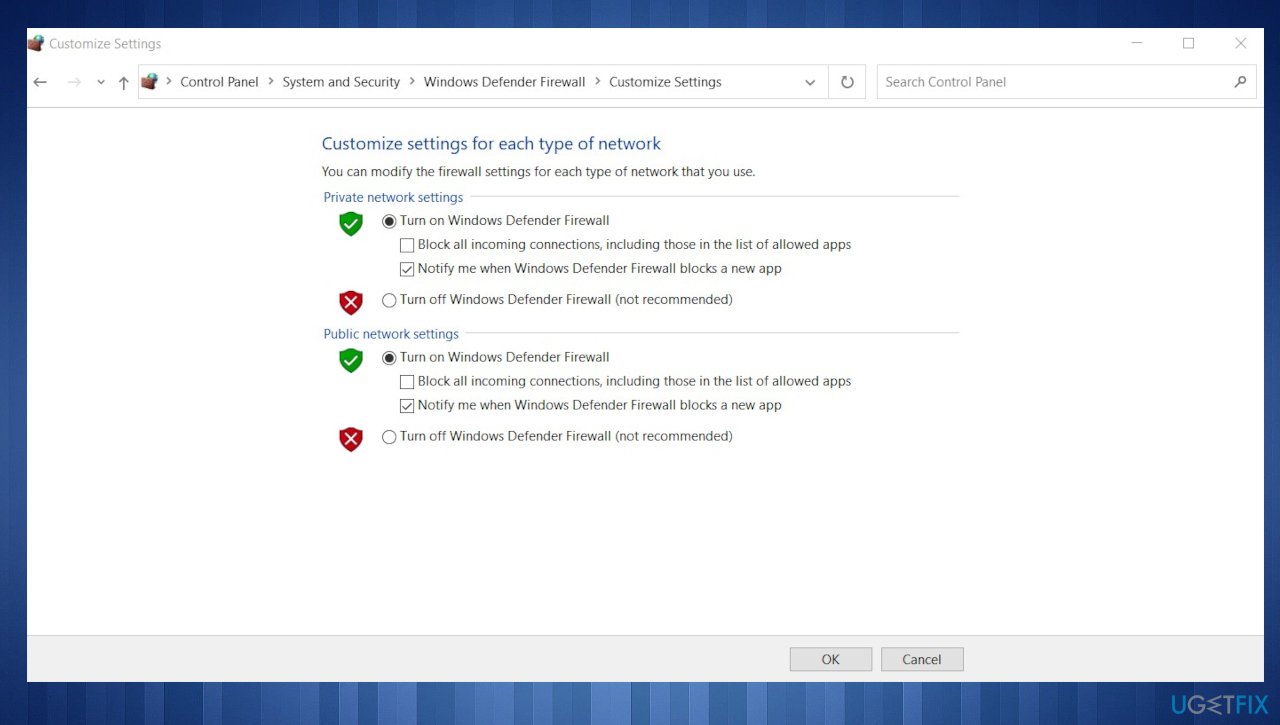
Ipsec 0x89232001 forza horizon error turn on firewall - Click the OK button to confirm.
- Restart your Windows PC.
- Check if you can play online.
Option 3. Reset Windows Defender Firewall policy
- Run Command Prompt with admin rights.
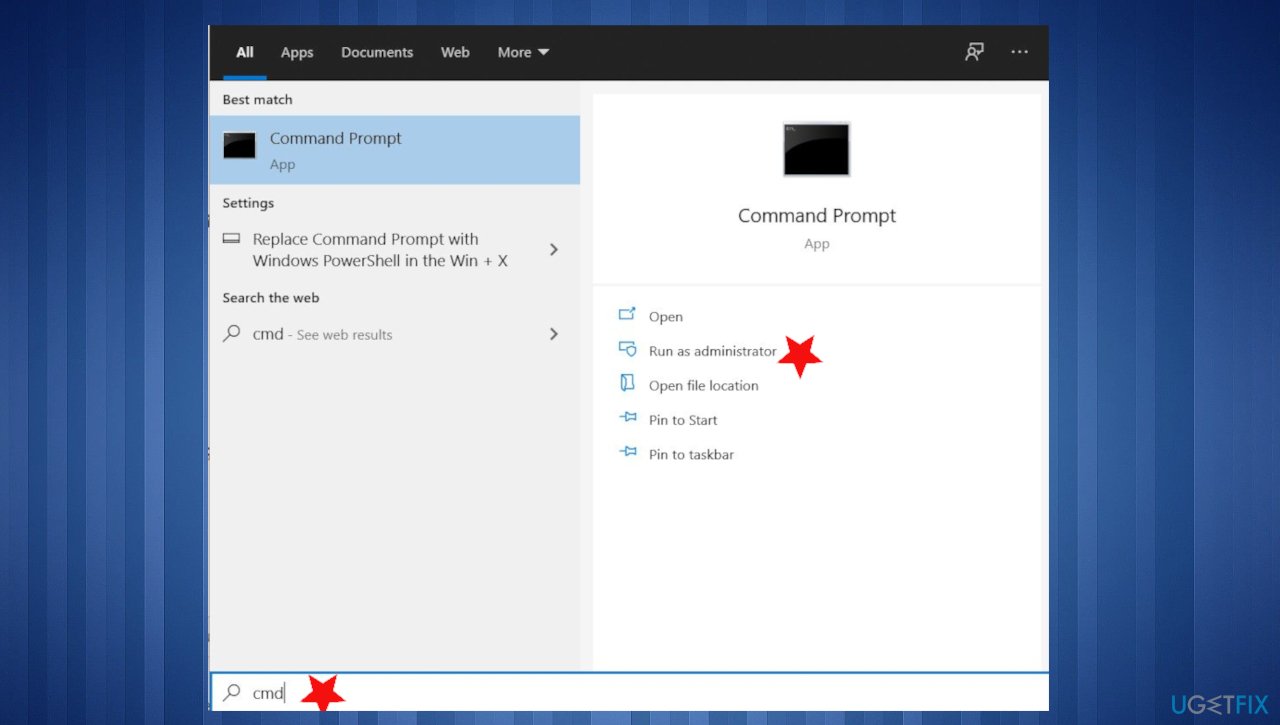
Ipsec 0x89232001 forza horizon error cmd - Type the following command:
netsh advfirewall set currentprofile firewallpolicy blockinbound,allowoutbound - Press Enter.
- Restart your PC.
Bottom line
To address the IPSEC 0x89232001 error, you can try altering your network settings, checking for software and OS updates, and using a VPN client to see if it resolves the issue. If these solutions do not work, you may need to wait for an official fix from Forza Support.
Frequently asked questions
The IPSEC 0x89232001 error often occurs due to network configuration issues or firewall settings blocking the game’s connection. Ensuring that your Windows 10 firewall allows Forza Horizon can help resolve this issue.
To reset your network settings on Windows 11, go to Settings > Network & Internet > Advanced network settings and select Network reset. This will remove and reinstall all your network adapters and reset other networking components.
Yes, updating your network adapter drivers can help fix the IPSEC 0x89232001 error. Make sure your drivers are up to date through Device Manager or by visiting the manufacturer's website.




Report an issue
What's wrong with this guide? We review every report and update or remove content.
Report received — thank you. We'll review and fix it.
You need a free account to submit a report.
Be the first to comment