How to fix
Windows 10 Activation Error 0xc004f014
on Windows
Resolve Windows 10 activation error 0xc004f014 quickly and effectively with our expert-tested solutions. Fix it in minutes and regain full access!

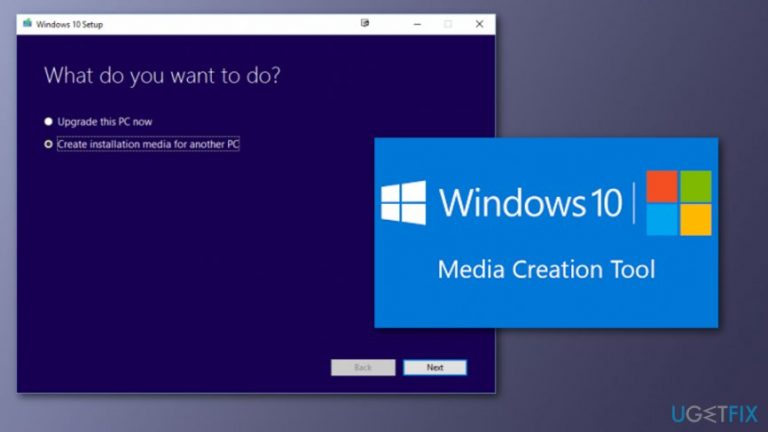
What causes How to Fix Windows 10 Activation Error 0xc004f014?
- New license key placed to upgrade Windows in OEM systems
- Pre-installed/activated Windows 10 systems
- Integrated System's Motherboard BIOS
- Failure of Windows activation mechanism
- Scams related to the error code
Repairs Windows system files, removes malware, and restores a clean OS state — without reinstalling.
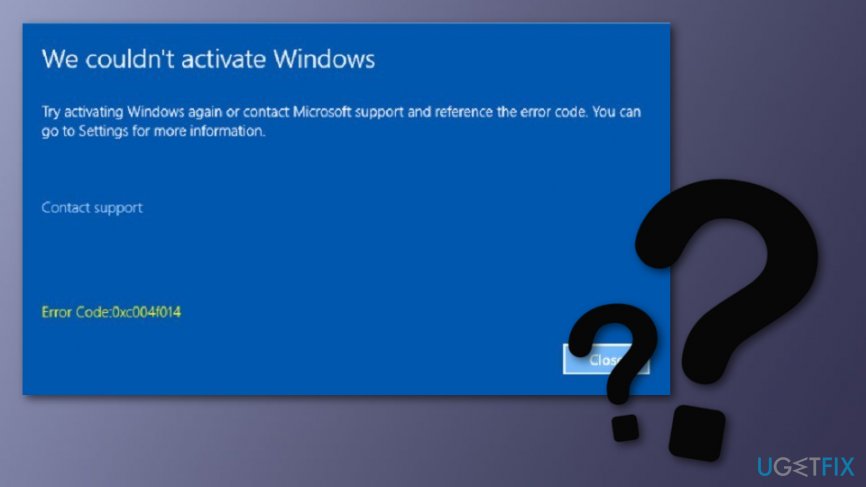
When I try to activate Windows 10, I get an error code 0xc004f014. It says „We couldn‘t activate Windows. Try activating Windows again or contact Microsoft support and reference the error code. You can go to Settings for more information.“ What should I do? I think that I did everything properly, but this message shows up each time I attempt activating. Please help!
Error Code 0xc004f014 refers to Windows 10 Activation Error. Typically it happens when a new license key is placed to upgrade Windows in OEM systems[ref en-4]. These systems are typical due to the fact that they have a pre-installed/activated Windows 10 systems and integrated System‘s Motherboard BIOS due to the sake of security.
Normally, the upgrade process should be executed, but due to the failure of Windows activation mechanism, the process cannot be run successfully which is why the below-shown error message 0xc004f014 shows up. Luckily, there is a way to work around this issue using an external Setup already entered the Setup file. The instructions below will explain how this should be done.
Scam related to Error Code 0xc004f014 happens to trick users
We recommend users being careful as a scam called "Error: 0xc004f014" is also attacking users worldwide. The technical support scam[ref en-1] announces that the error code was caused by dangerous malware which has infected your computer and might be tracking your financial activity. To fix such issue, users are urged to contact via +1-888-514-5929 phone number which is provided by the Microsoft[ref en-3] company itself.
Note that these threats are false and used just to gain benefit from gullible users who get scared when seeing the fake alert and decide to contact the hackers via the given phone number. If you call by the number, there is a big chance that you will be urged to buy useless products which, according to the crooks, “will fix the problem”.
However, you can identify by yourself which error code is real and which is just a scam. First, this scam appears when you enter a suspicious website online. All you have to do to get rid of the fake message is to close the window. If you are not sure if Error: 0xc004f014 is a real problem or not, you can try scanning your computer system with a reputable tool such as [rev id-"Reimage"] that will detect all system-related problems.
How to Fix Windows 10 Activation Error 0xc004f014?
To start with, make sure that your Internet connection is properly set. Besides, prepare a USB drive[ref en-2] that has at least 4 GB of free space and a new License Key. Once you are prepared, let‘s get started with the following steps:
This video will help you:
[youtube a19EPxV6btk]
Solution 1. Use Windows 10 Media Creation Tool
- Navigate to the official Microsoft website and download Windows 10 Media Creation Tool.
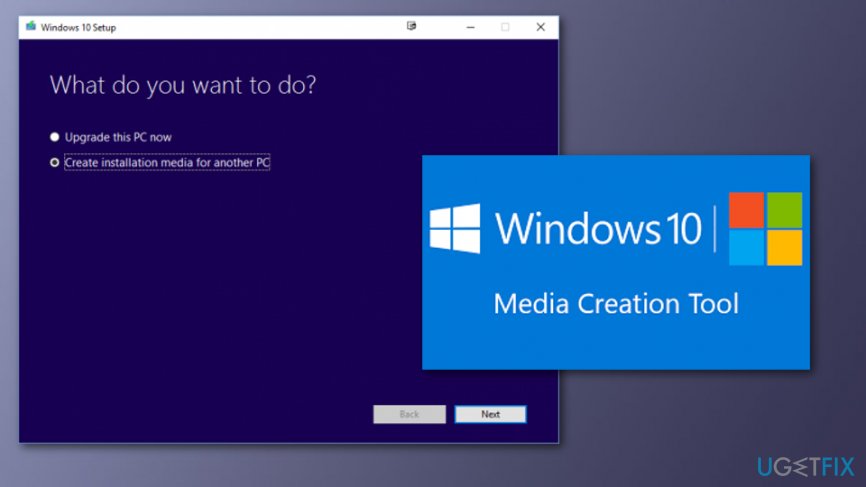
Fix error code - Right-click on the .exe file and select Run as Administrator.
- Accept the agreement and click Next.
- Click on the Create installation media for another PC and press Next.
- Set the language, architecture, and Edition.
- Deselect Use recommended option for this PC option.
- Select Windows 10 Edition and Architecture 64-bit / 32-bit according to the properties of your PC.
- Once done, click Next.
- On the Media Selection window, plug in your USB flash drive, and press Next.
- Wait for the Windows installation process to finish and your Windows 10 installation file will be ready.
Solution 2. Find Sources folder
- Open USB and find Sources folder.
- Open it and create a new TEXT file.
- Rename the file to PID and open it.
- Type the following values to it: Value=xxxx-xxxx-xxxx-xxxx-xxxx
Here xxx... stands for your License key, so you have to copy your Windows license key and enter it instead of xxxx. - Save everything and close the file.
Solution 3. Upgrade Windows 10
Solution 1 and Solution 2 explained how to create a licensed Windows 10 installer using a USB drive. Not it‘s time to install it. For this purpose, you just have to:
- Open USB and go to Setup.exe, which can be found in Root folder.
- Double click it to run.
- Follow the instructions and select Upgrade keeping your Personal files and Apps.
- Once done, take your time and wait for Windows 10 to get upgraded.
Solution 4. Use Troubleshooter
- Open Settings which can be found by clicking on the Start menu.
- The choose Update & Security.
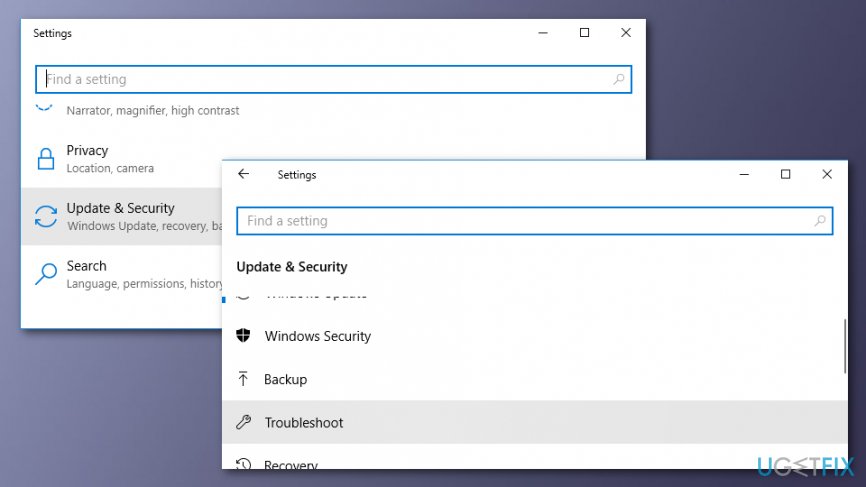
Fix error message - Click the Activation button and navigate the Troubleshoot to the right side.
- Choose Yes if the program asks for permission to allow changes.
- The Troubleshooter will detect activation problems.
- If a problem saying that Windows cannot be activated occurs, choose I changed hardware on this device recently.
- Select the device name you are now using and if wanted to re-activate it, select on and click on Activate.
- If you cannot see the device you are currently using, make sure that you are signed in your Microsoft account.
Bottom line
To fix the Windows 10 Activation Error 0xc004f014, users can attempt to activate Windows again, ensure they are using the correct license key, or follow the workaround instructions provided. If these solutions do not resolve the issue, users should contact Microsoft support for further assistance.
Frequently asked questions
The error code 0xc004f014 indicates that your Windows 10 installation is unable to connect to the activation server, which often points to issues with your product key or the Microsoft activation servers.
To fix the 0xc004f014 error on Windows 11, ensure that your internet connection is stable, then try re-entering your product key or use the Activation Troubleshooter in Settings.
Yes, you can attempt to fix the error 0xc004f014 by using the Activation Troubleshooter in Windows 10 or Windows 11, which may help in resolving activation issues without needing the product key.




Report an issue
What's wrong with this guide? We review every report and update or remove content.
Report received — thank you. We'll review and fix it.
You need a free account to submit a report.
Be the first to comment