How to fix
Ticketmaster Error Code 0007
on Windows
Resolve Ticketmaster Error Code 0007 on Windows 10 and 11 with our expert-tested solutions. Get back to enjoying your events in minutes!


What causes How to fix Ticketmaster Error Code 0007?
- Transaction process taking too long
- Cookies occupying space on the computer
- Cache slowing down computer speed
- Multiple browsers complicating the clearing process
Repairs Windows system files, removes malware, and restores a clean OS state — without reinstalling.
Hello. I tried to buy a ticket for a show through Ticketmaster and no matter which seat I try I keep getting the 0007 error code. This has been very frustrating. Any tips would be appreciated.
Ticketmaster is the world’s largest ticket marketplace and a global leader in ticketing products and services founded in 1976. It provides the ability for event organizers to easily sell tickets online through their platform. Although the process of booking tickets is usually easy and straightforward, some users are getting error messages that prevent them from buying tickets.
One error code, in particular, has been making people scratch their heads. Users report that no matter which seat they pick they receive this message:
Sorry, we could not process your request, please try again later. Error Code: 0007
The 0007 error code means that the transaction process to book a seat is taking too long to complete. This could be caused by cookies[ref en-1] and cache.[ref en-2] Although they are small, they do occupy space on your computer. If there are enough of them stored over a long period of time, they could slow down the speed of your computer and other devices.
That is why you should try clearing cookies and cache to fix Ticketmaster error code 0007. However, this can be a lengthy process if you use many browsers. A maintenance tool like [d1] can do this automatically for you with a click of a button. Besides, it can fix various system errors, corrupted files, and registry[ref en-3] issues on your device. Otherwise, you can proceed with the manual guide below.
Solution: Clear Cookies and Cache
Chrome
- Launch the Chrome browser and click three vertical ellipses near the top left
- Expand More Tools and select Clear Browsing Data
- Click on Sign Out and set the Time Range to All Time
- Select all the categories by ticking the boxes and click on the Clear Data button
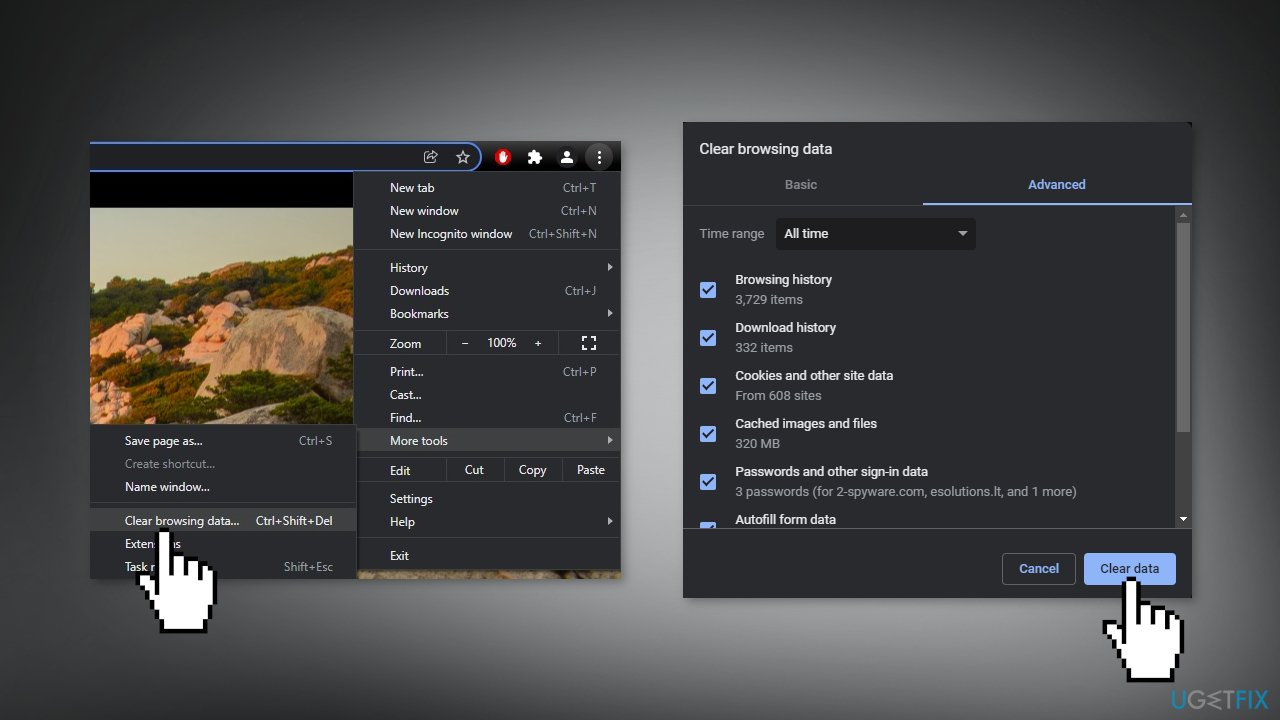
- Launch Chrome again and check if the error code 0007 is resolved
MS Edge
- Launch the Edge browser and click on three vertical ellipses
- Open Settings, and go to the Privacy, Search, and Services tab
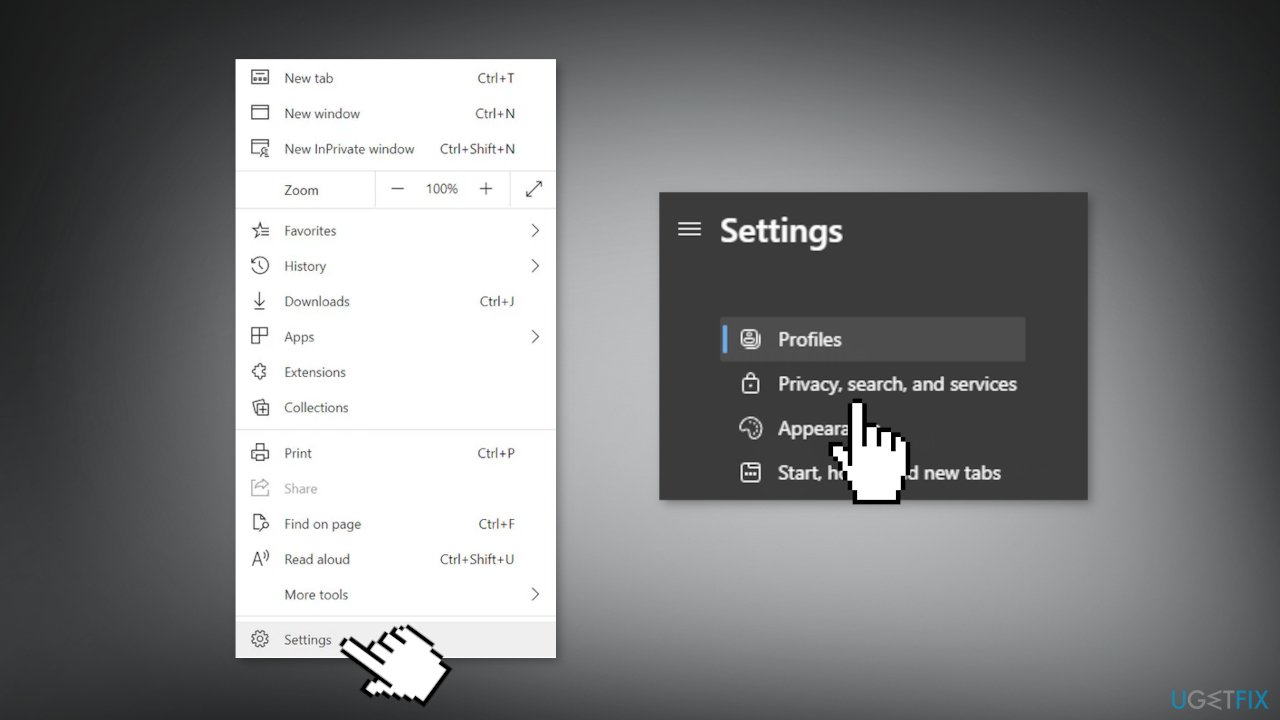
- Open Choose What to Clear and click on Sign Out First
- Set the Time Range to All-Time and check all the categories
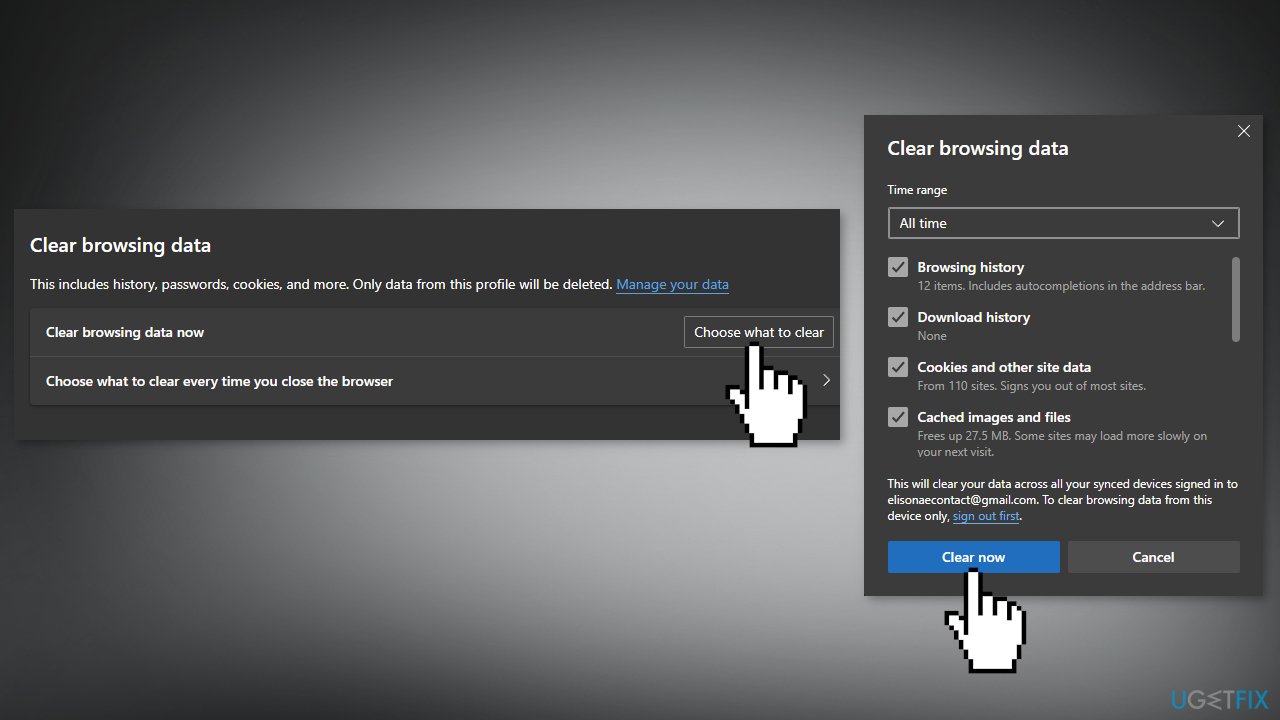
- Click on the Clear Now button and afterward, relaunch Edge to check if the issue still appears
Firefox
- Click the menu button and select Settings
- Select the Privacy & Security panel and go to the Cookies and Site Data section
- Click the Clear Data... button
- Check Cookies and Site Data and Cached Web Content and press Clear
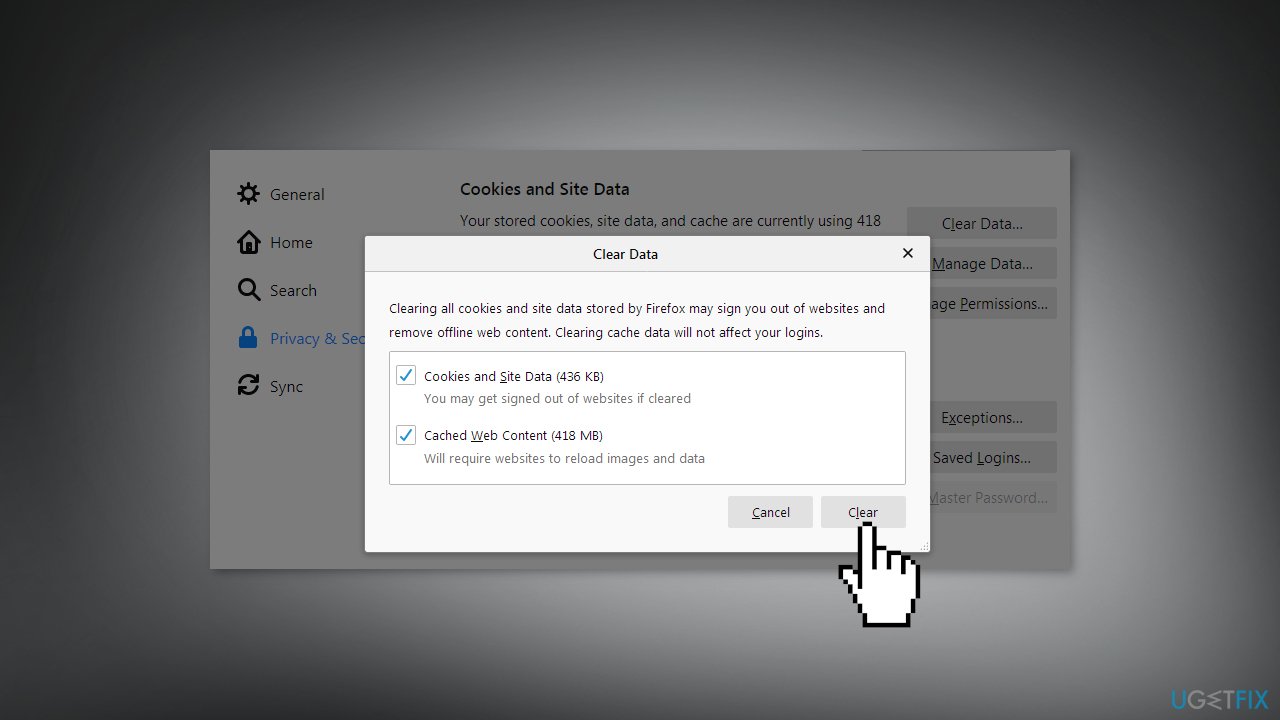
- Re-open the browser and check if the issue persists
Safari
- Open Safari and at the top left of your screen click History
- At the bottom of the menu, choose Clear History...
- Use the drop-down menu to choose all history
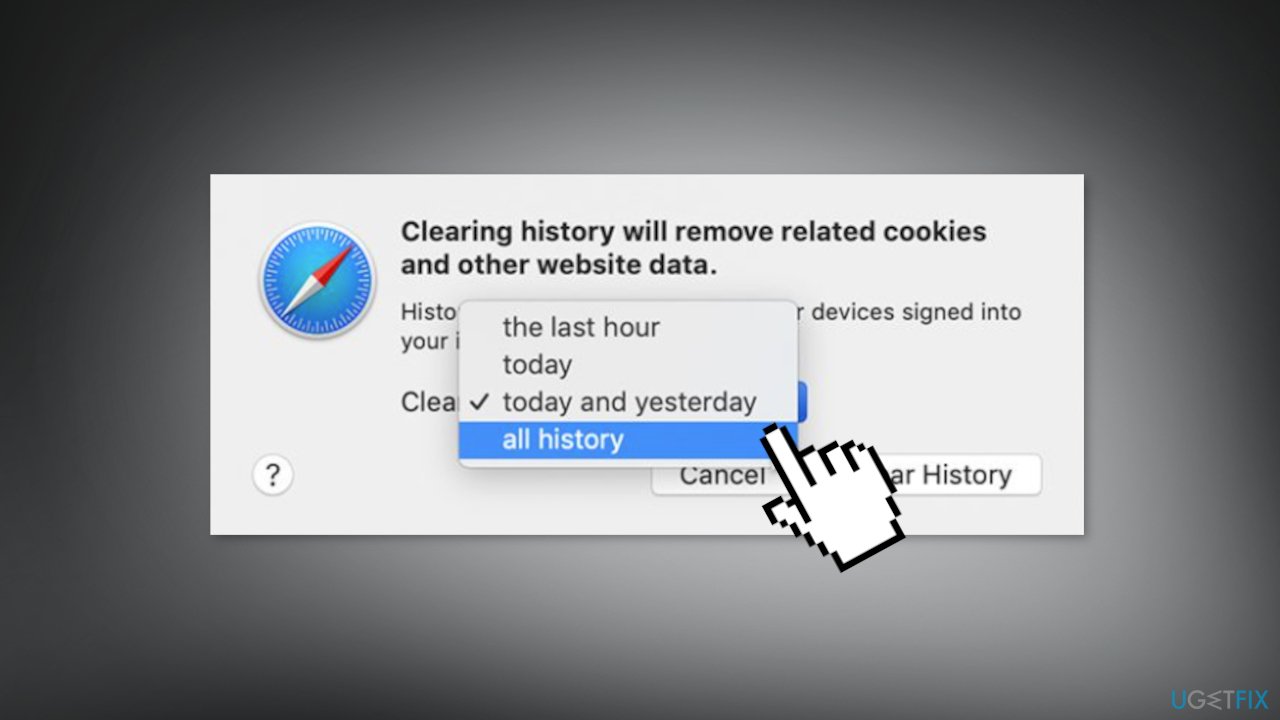
- One last time, click on Clear History
- Close Safari and launch it again to check if the error still appears
Bottom line
To fix Ticketmaster error code 0007, try clearing cookies and cache in your browser. You can do this manually or use a maintenance tool for automatic cleanup. If the issue persists after these steps, consider seeking further assistance.
Frequently asked questions
Ticketmaster Error Code 0007 typically indicates a problem with your browser or network settings that prevents you from accessing the Ticketmaster site properly.
To clear your browser cache in Windows 10 or Windows 11, open your browser settings, find the privacy or history section, and select the option to clear browsing data, ensuring you include cached images and files.
Yes, switching to a different browser like Chrome, Firefox, or Edge on Windows 10 or Windows 11 can help resolve Ticketmaster Error Code 0007 if the issue is related to browser compatibility.




Report an issue
What's wrong with this guide? We review every report and update or remove content.
Report received — thank you. We'll review and fix it.
You need a free account to submit a report.
Be the first to comment