How to fix
Can’t uninstall Forza Horizon 5
on Windows
Struggling to uninstall Forza Horizon 5 on Windows 10 or 11? Follow our expert-tested guide to resolve issues quickly and easily, fixed in minutes!

![[Fix] Can’t uninstall Forza Horizon 5 in Windows](https://ugetfix.com/wp-content/uploads/articles/askit/fix-cant-uninstall-forza-horizon-5-in-windows_en-768x432.jpg)
What causes [Fix] Can’t uninstall Forza Horizon 5 in Windows?
- Files remain after a paused installation
- Microsoft Store perceives the game as installed when it is not
- Corrupted files on the system
- Registry issues
- Errors such as BSODs
Repairs Windows system files, removes malware, and restores a clean OS state — without reinstalling.
Hello. I cannot seem to get rid of Forza 5 from my Windows 10 computer. I cannot see it in my app folder but it is still taking up space in my drive. Any tips would be appreciated.
Forza Horizon 5 is an open-world racing game. It is one of the most successful racing games in the world with its realistic mechanics. People can choose different things to do in the game. One of them is driving freely and exploring the map, users can also compete in races created by other players or complete missions from the storyline. Gamers can also customize their cars, mod them, and make them more powerful.
However, some users have been experiencing issues when they tried to install Forza Horizon 5 on the Windows Xbox app.[ref en-1] People report that after they have paused the installation they ended up with files that take a lot of disk space but no game and no way to remove the file. The store is then perceiving the game as installed when it is not. Some say that the issue can be avoided by using the Microsoft Store for installation.
In this guide, we will provide you with 4 methods that can help you uninstall Forza Horizon 5 in Windows completely. Keep in mind that the troubleshooting process can be lengthy and unsuccessful so we always recommend our readers to use a repair tool like [d1] that can scan the machine, and fix underlying Windows problems, like corrupted files, registry[ref en-2] issues, and errors such as BSODs.[ref en-3] If you are ready to begin the process proceed with the guide below and follow the steps carefully.
Method 1. Use the Administrator Account
- Click Start and type command in the Taskbar search
- Click Run as Administrator on Command Prompt
- Type net user administrator /active:yes, and then press Enter
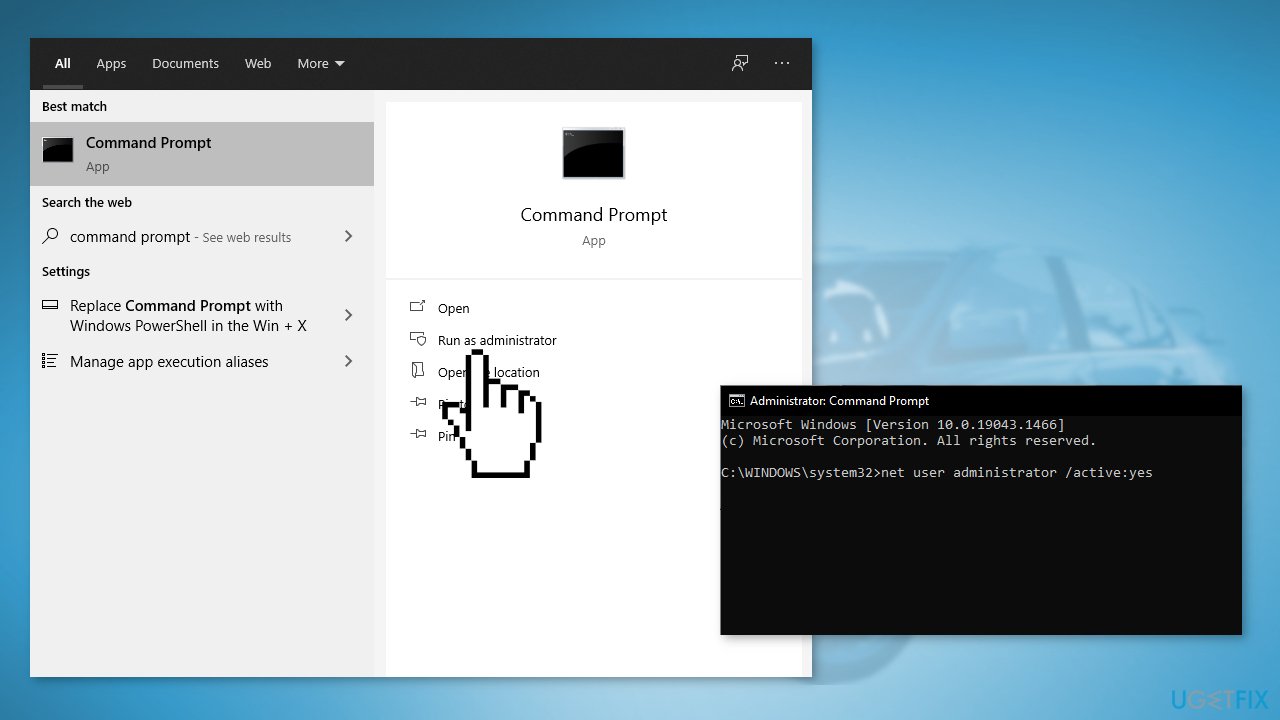
- Restart your computer, and you will have the option to log in using the administrator account
- Try to uninstall Forza 5 now
Method 2. Reset the Microsoft Store
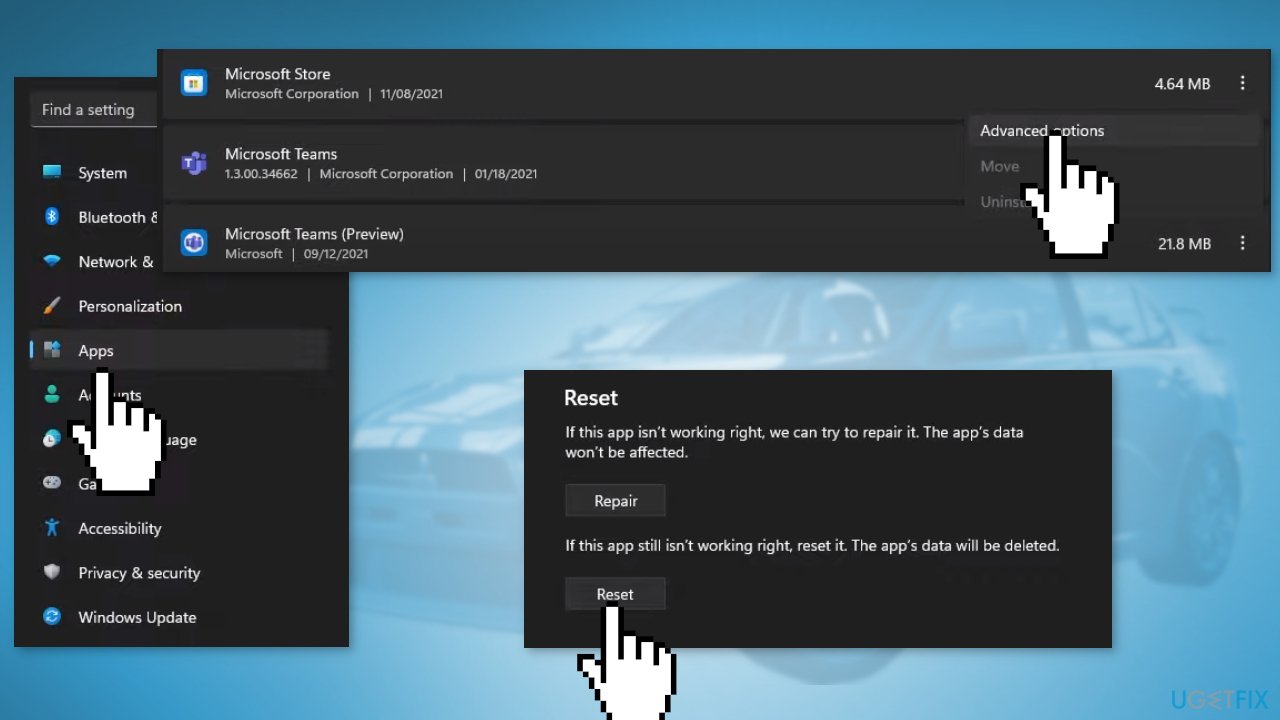
- Open Settings and go to Apps > Installed Apps
- Find the Microsoft Store app, then click the 3 dots next to it and select Advanced options
- Click Reset
Method 3. Repair the Xbox App
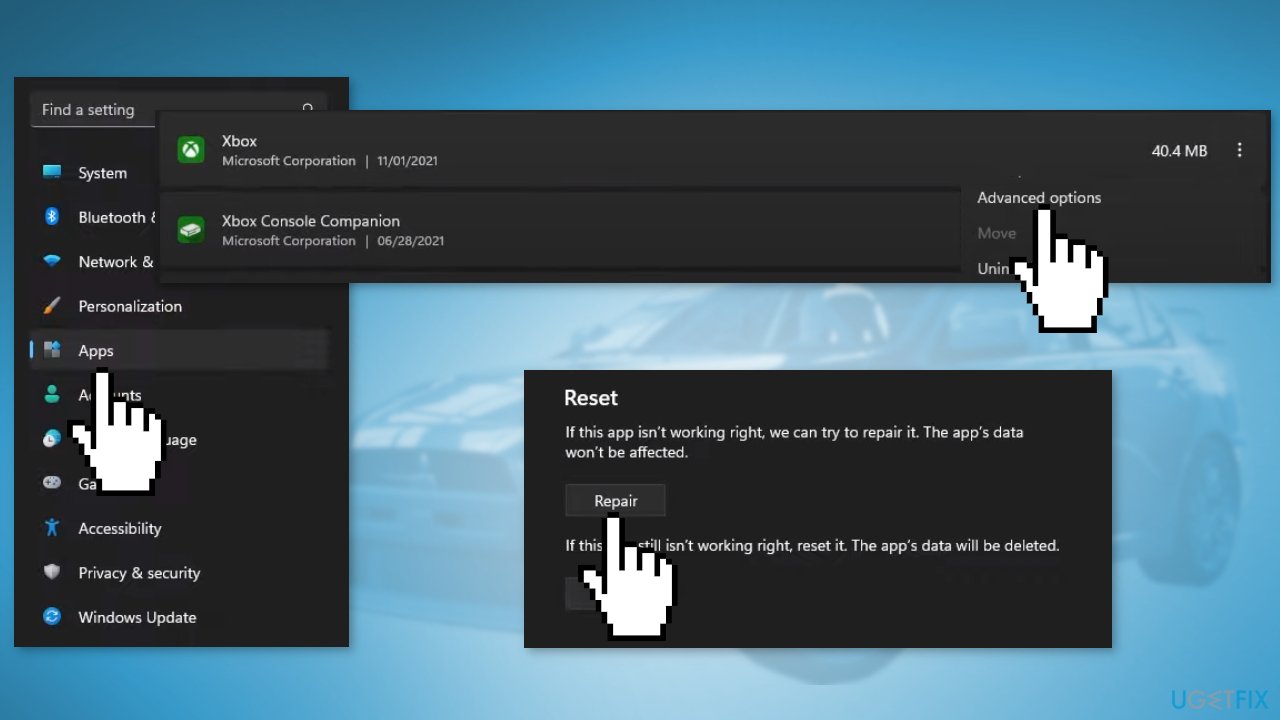
- Open Settings on your computer, then go to Apps > Installed Apps
- Find the Xbox app in the list, then click the 3 dots next to it and select Advanced options
- Click Repair
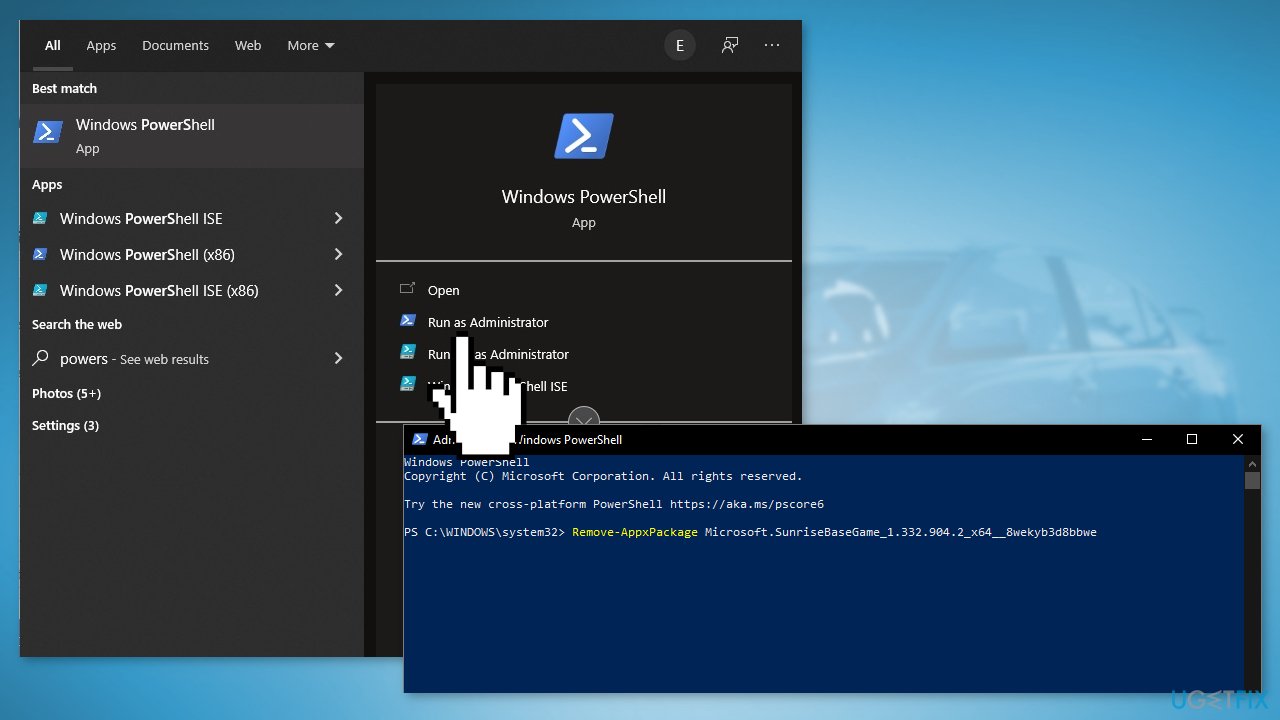
Method 4. Remove Forza 5 via Powershell
- Type Powershell in the Search Menu and choose Run as Administrator
- Type the following command and click Enter:
Remove-AppxPackage Microsoft.SunriseBaseGame_1.332.904.2_x64__8wekyb3d8bbwe
Bottom line
This guide provides methods to uninstall Forza Horizon 5, including using the Administrator account and resetting the Microsoft Store. If these methods do not resolve the issue, consider using a repair tool to fix underlying Windows problems.
Frequently asked questions
If Forza Horizon 5 is not listed in Apps & Features, try searching for it in the Start menu or use the Windows PowerShell to uninstall it by running the command 'Get-AppxPackage -Name ForzaHorizon5 | Remove-AppxPackage'.
You can force uninstall Forza Horizon 5 by using a third-party uninstaller tool or by utilizing the Windows Registry Editor, but be cautious as this may affect other programs.
If you see an error message, ensure that your Windows 11 is updated and run the Windows Troubleshooter for apps to fix potential issues that may be preventing the uninstallation.




Report an issue
What's wrong with this guide? We review every report and update or remove content.
Report received — thank you. We'll review and fix it.
You need a free account to submit a report.
Be the first to comment